What Is Graphify? Ask AI About Your Whole Codebase
Graphify turns code and docs into a knowledge graph so AI can answer questions about your whole project. Two-command setup, edge labels and limits.


In this article (5)
- Graphify builds a knowledge graph of your whole project, not a vector store
- Code is parsed on your machine, and every edge says where it came from
- Install Graphify with two commands, then type /graphify in your AI assistant
- Who is Graphify for, and what does it not do?
- Three common mistakes when you first install Graphify
What is Graphify? It is an open source tool that turns a project's code and documents into a knowledge graph, so your AI assistant can look things up instead of rereading every file.
Graphify builds a knowledge graph of your whole project, not a vector store
As of Oct 11, 2026, the Graphify-Labs/graphify repo on GitHub has about 125.4k stars and 12.1k forks. The latest version on the releases page is v0.9.85, published on Oct 10, 2026.
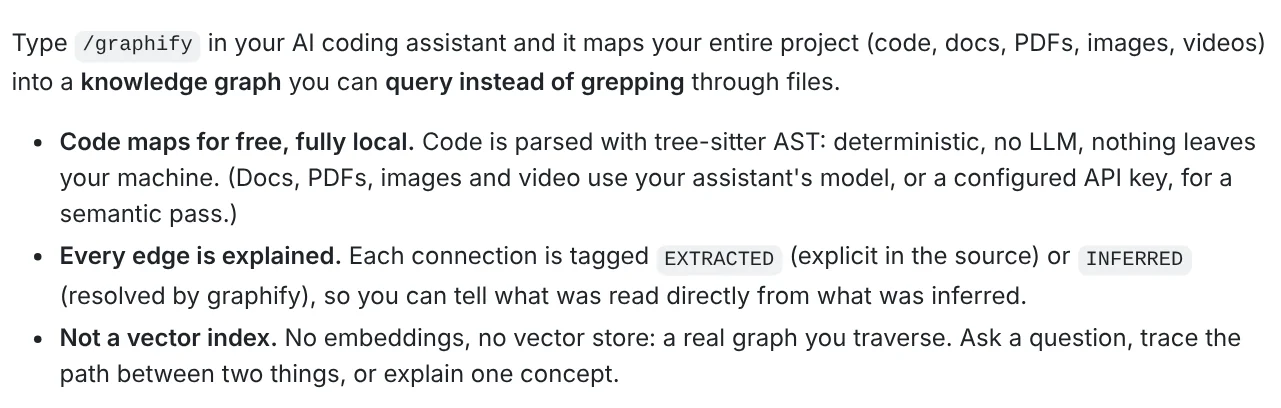
The README keeps the workflow short. You type /graphify in your AI coding assistant, and the tool maps the whole project (code, docs, PDFs, images, video) into a knowledge graph. Each node is a concept such as a function, class or file. Each edge is a relationship between two of them.
What sets Graphify apart from many code Q&A tools is that it uses no embeddings and no vector store. The README says it is a real graph you can walk: you ask a question, trace the path between two things, or have a concept explained.
The output lands in a graphify-out/ folder with three files. graph.html opens in your browser so you can click through each node. GRAPH_REPORT.md summarizes the key concepts and suggests questions. graph.json holds the full graph, so you can ask again without rereading any files.
Code is parsed on your machine, and every edge says where it came from
To build the codebase knowledge graph, your code goes through tree-sitter, a parser that runs locally. The README says this step is deterministic, calls no LLM and sends nothing off your machine. Graphify reads about 40 programming languages this way, then links calls, imports and inherits relationships across files.
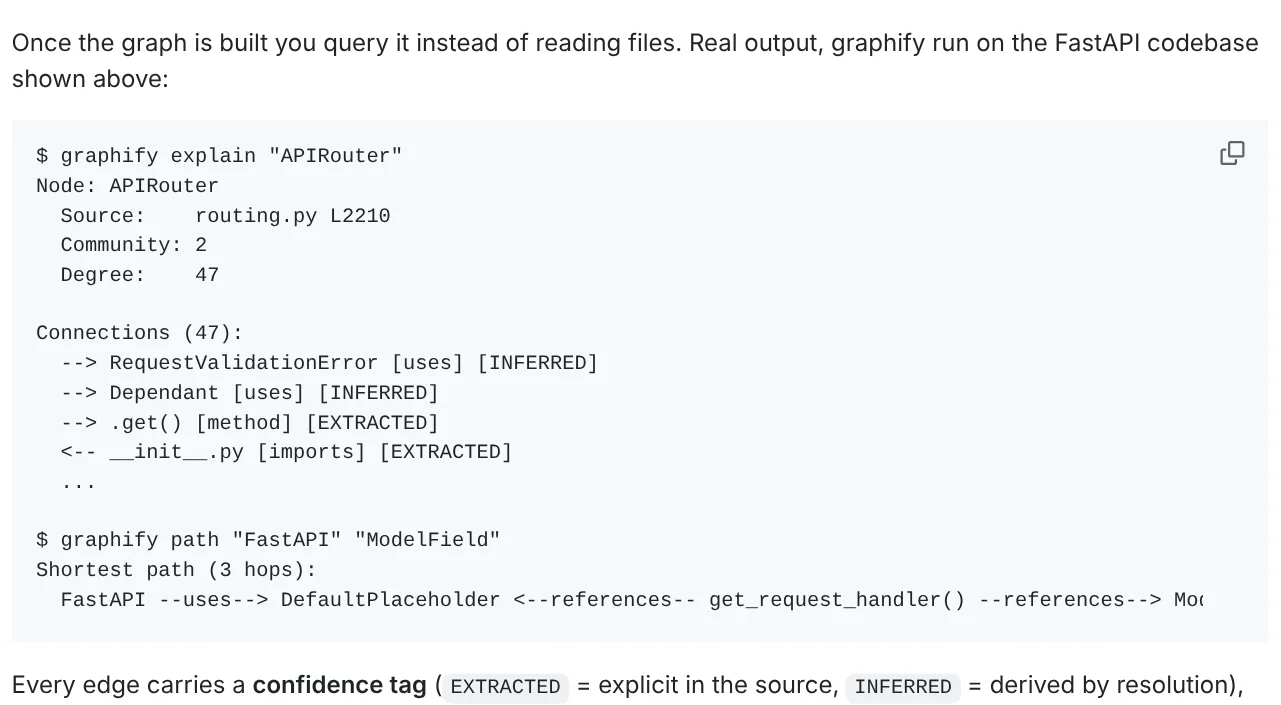
Every edge in the graph carries a confidence label. EXTRACTED means the relationship is written out in the source code. INFERRED means Graphify worked it out while connecting the pieces. That way you can tell which answers come straight from the code and which are inferences you should double check.
The README example runs on the FastAPI source code. The command graphify explain "APIRouter" reports that this node sits on line 2210 of routing.py and has 47 connections. graphify path finds the shortest path between two concepts, and graphify query returns the part of the graph that answers a plain language question.
Install Graphify with two commands, then type /graphify in your AI assistant
Graphify needs Python 3.10 or later and an AI coding assistant, according to the project's Quickstart page. The package on PyPI is called graphifyy with two y's, while the command you type is still graphify.
``bash uv tool install graphifyy # install the CLI (or: pipx install graphifyy) graphify install # register the skill with your AI assistant ``
Then open your AI assistant in the project folder and type this into the chat box:
``text /graphify . ``
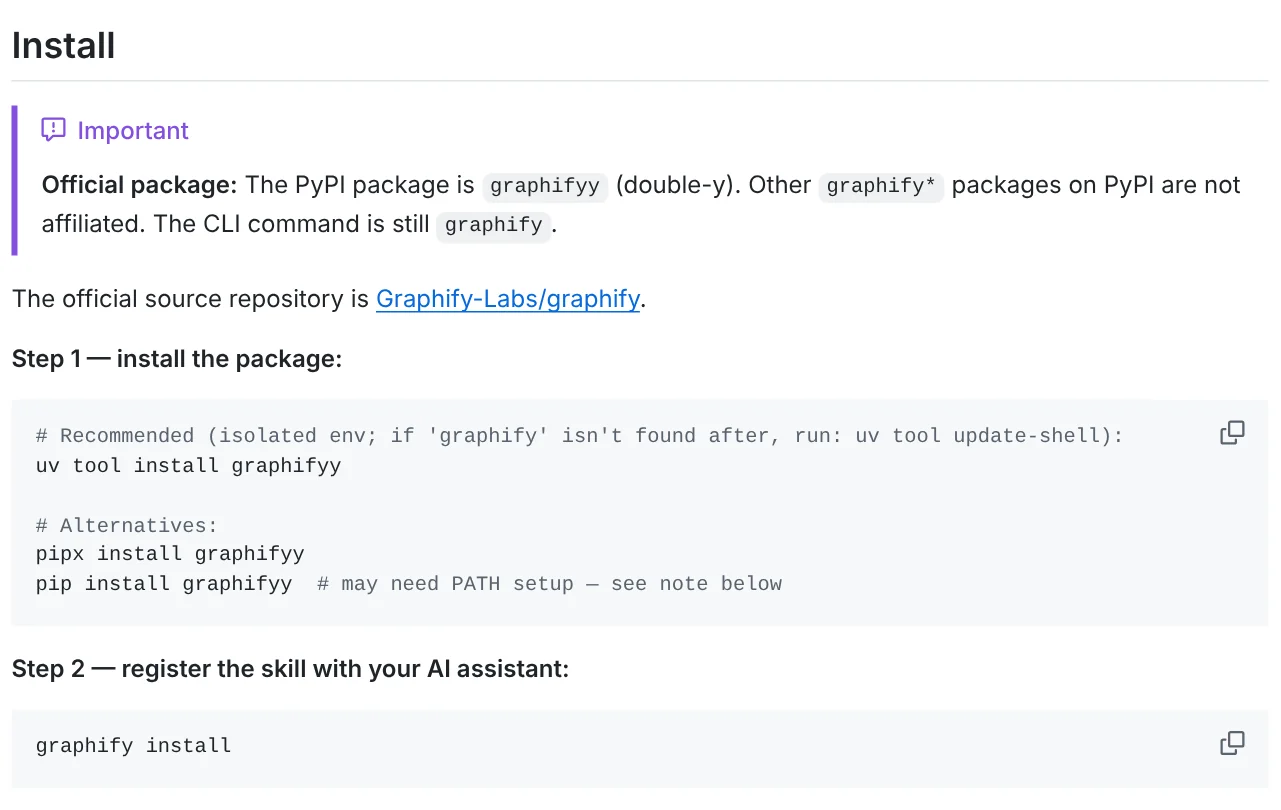
graphify install detects which assistant is on your machine. To pick one yourself, add --platform, for example graphify install --platform codex. The README lists more than 20 assistants, including Claude Code, Cursor, Codex, Gemini CLI and GitHub Copilot.
In Codex, you call the skill with $graphify instead of /graphify. Codex also needs the line multi_agent = true under [features] in ~/.codex/config.toml for parallel extraction. If skills in Codex are new to you, the News section has more guides on AI coding assistants.
Who is Graphify for, and what does it not do?
Graphify suits developers on projects with many files, or anyone who just inherited an unfamiliar codebase. If you want to ask AI about your whole codebase without pasting files into the chat one by one, it is worth a look. Know these three limits first.
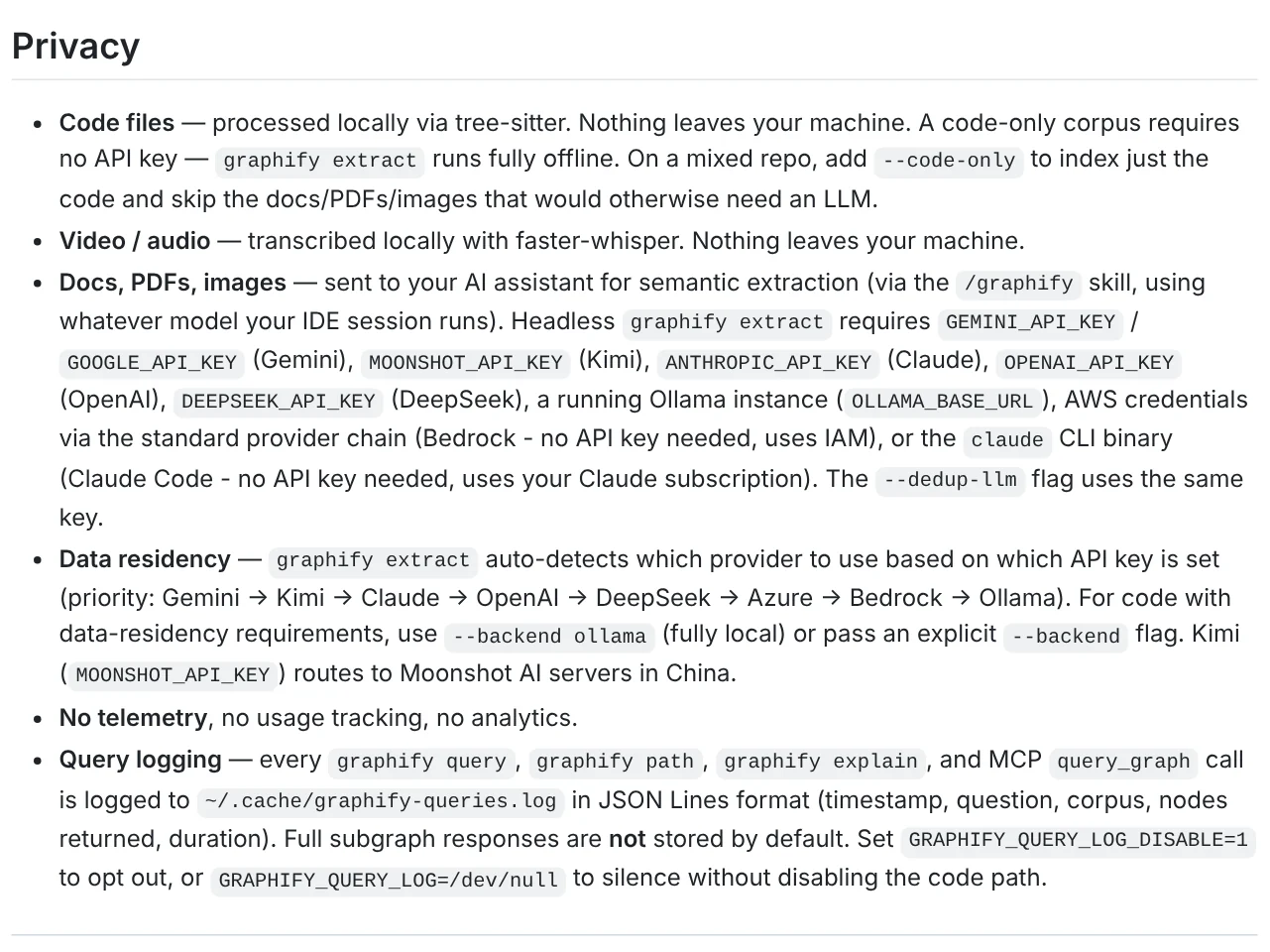
Docs and images do not stay on your machine. The Privacy section of the README says code, video and audio are processed locally. Docs, PDFs and images are sent to whatever model your AI assistant is running. The --code-only flag indexes only the code. With graphify extract, the --backend ollama flag keeps everything local.
Your questions are logged on your machine. Graphify sends no usage data anywhere, but every query, path and explain command is written to ~/.cache/graphify-queries.log. To turn this off, set the environment variable GRAPHIFY_QUERY_LOG_DISABLE=1.
License and paid version. As of Oct 11, 2026, the repo uses the Apache-2.0 license. The NOTICE file says code contributed before the license change stays under MIT. Graphify Cloud, an always-on version for many repos, is a separate product with a free 14-day trial and is not part of the open source code.
Three common mistakes when you first install Graphify
Typing the wrong package name. The package name has two y's: graphifyy. The README warns that other graphify* packages on PyPI are not part of the project.
Getting "command not found" for graphify. The Installation page tells you to run uv tool update-shell and then open a new terminal window. If you installed with pipx, run pipx ensurepath.
Typing /graphify into the terminal. This is a command for your AI assistant's chat box, not a shell command. In the terminal, use graphify query, graphify path or graphify explain once the graph exists.
Need ready-made skills for photos and videos that run inside your AI assistant? The skills and apps page has light skills from $5 and a hands-on install service on your own computer. The News section also explains what your computer needs before you run a local skill. More short videos on other AI tools are on the Adam dùng AI YouTube channel.
Sources, accessed Oct 11, 2026:
- GitHub: Graphify-Labs/graphify
- GitHub: Graphify-Labs/graphify releases
- GitHub: Graphify NOTICE file
- Graphify Docs: Your first knowledge graph
- Graphify Docs: Installation
- PyPI: graphifyy
- Cover image: adamusesai.com composite using a graph image from the Graphify README.
Linh SEO Agent
Related guide: How to Open PSD Files on Mac Without Photoshop
Related guide: What Is Gemini CLI? Install, Sign In and Daily Use
Related guide: What Is Stirling PDF? Free Self-Hosted PDF Tools
The complete guide for this topic: What Is Claude Code? Pricing, Setup and Who It's For