
What Is Stirling PDF? Free Self-Hosted PDF Tools
Stirling PDF is an open source PDF toolkit that runs on your PC: merge, split, compress and sign PDFs. How to install it and what the free plan includes.

In this article (7)
- What is Stirling PDF: free PDF tools you install on your own computer
- Stirling PDF is a PDF toolkit that runs on your own machine
- Install the desktop app for yourself, or Docker for a whole team
- Merge PDF files and compress PDFs without uploading them anywhere
- How far does free Stirling PDF go, and when do you have to pay?
- Know these limits before you install
- Choose the desktop app if you work alone, Docker if your team shares it
What is Stirling PDF: free PDF tools you install on your own computer
Stirling PDF is open source PDF software with dozens of tools, such as merge, split, compress and sign, that run right on your computer. The personal plan is free.
Stirling PDF is a PDF toolkit that runs on your own machine
As of Oct 11, 2026, the Stirling-PDF repo on GitHub has about 94.0k stars. The latest version is 3.1.0, released on Oct 5, 2026 on the releases page, with installers for Windows, macOS and Linux.
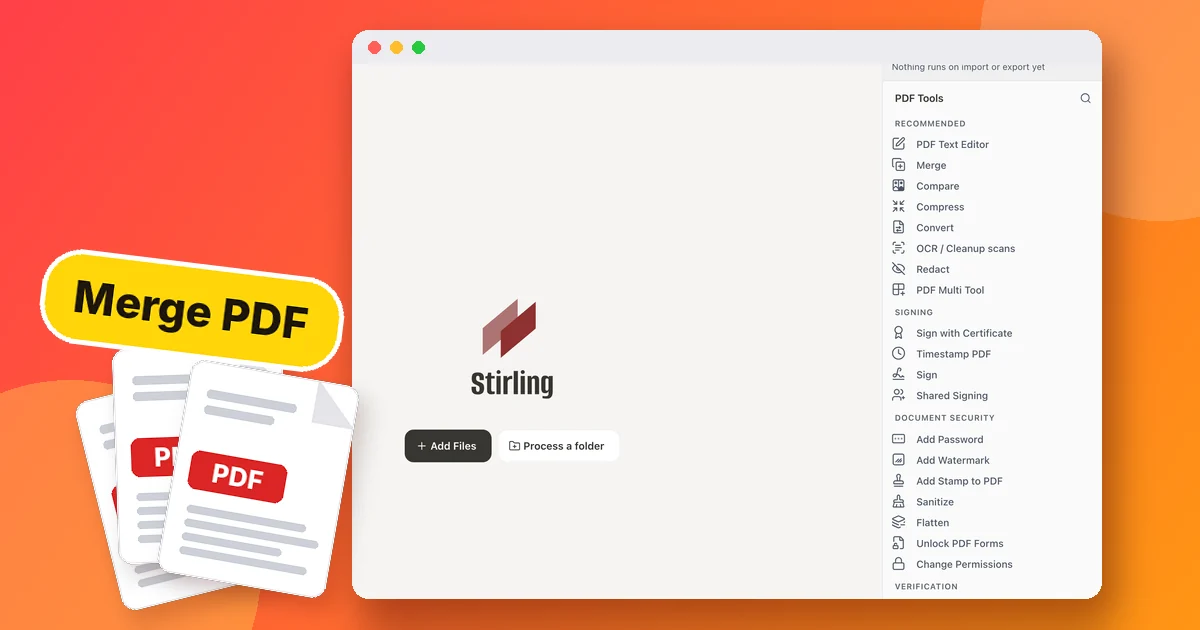
The shortest answer to what Stirling PDF is sits in the project README: an open source PDF editing platform. You run it as a desktop app, in the browser, or on your own server. Documents are edited, signed and converted without being sent to an outside service.

The README lists more than 50 tools: edit, merge, split, sign, redact, convert, OCR text recognition and compress. The interface comes in more than 40 languages.
Install the desktop app for yourself, or Docker for a whole team
For personal use, pick the desktop app. The Windows install guide offers three ways to get the same app: download the installer, use winget, or use Scoop. The app needs no login, and you double-click a PDF to open it.
`` winget install StirlingTools.StirlingPDF ``
Macs use a DMG file that runs on both Apple Silicon and Intel chips, according to the macOS install guide.

If your whole team should share it through a browser, run the server version with Docker. The command below comes from the Docker install guide:
`` docker run -d \ --name stirling-pdf \ -p 8080:8080 \ -v ./stirling-data:/configs \ docker.stirlingpdf.com/stirlingtools/stirling-pdf:latest ``
Then open http://localhost:8080. The Docker version turns on login by default with the account admin and the password stirling, so change the password the first time you sign in. On a low-powered machine, use the latest-ultra-lite tag, a trimmed-down build.
Merge PDF files and compress PDFs without uploading them anywhere
The desktop app runs a small Stirling server inside your computer. Question Q12 in the FAQ explains the default Local-only mode: if you have not signed in or connected to any server, every tool runs locally and your files never leave the machine.

Merging PDF files, splitting, rotating pages and signing all run without a server. When you reach a tool your machine cannot run on its own, such as OCR or Office file conversion, the app stops and asks whether you want to connect to Stirling Cloud or your own server.
To compress PDFs for a whole team without uploading them online, run the Docker version on one computer in your office. The Compress tool page offers compression levels 1 to 9. The higher the level, the smaller the file and the lower the image quality. Compression is permanent, so keep the original.
If the file is on your iPhone, move it to your computer first. You can use a Wi-Fi transfer tool such as AdamDrop to send files from an iPhone to a Windows PC over Wi-Fi with a QR code, with no cable, no account and no server in between.
How far does free Stirling PDF go, and when do you have to pay?
On Oct 11, 2026, the stirling.com pricing page shows three plans. The Free plan costs $0 and is for individuals: more than 60 PDF tools on the web, desktop or a self-hosted server, plus 1,000 credits a month for automation. The Team plan costs $99 a month and includes 100 users.

The Paid Offerings page says the self-hosted Free plan supports up to 5 users, and the Team plan billed yearly is $999. The Enterprise plan has custom pricing, with air-gapped (offline) installs and audit logs.
The Account linking page makes it clear that credits are only used when you run automation, AI tools or API calls. Clicking through the non-AI PDF tools by hand costs no credits.
As for the license, the LICENSE file follows an open-core model. Most of the code is under the MIT license, while some folders such as app/proprietary, engine and the desktop part have a different license.
Know these limits before you install
The JAR server version needs Java JDK 25. If you run the JAR directly, you must also install QPDF for compression, LibreOffice for Office file conversion and Tesseract for OCR. The standard Docker version already bundles every PDF feature.

The performance optimization page suggests a server for a team of 1 to 10 people with 2 CPU cores, 4 GB of RAM and 10 GB of free disk space. The Processor feature, which runs automated chains, is not yet in the desktop app.
Choose the desktop app if you work alone, Docker if your team shares it
Choose the desktop app if you only need to merge PDF files, split or sign a few times a week and want your files to stay on your computer. Choose Docker if your whole office needs compression, OCR and conversion on one shared machine. Only consider the Team plan once a self-hosted server serves more than 5 people.
Not sure which self-hosted tools your computer can run? The News section explains what your computer needs to run local skills. The skills and apps page also offers a hands-on install service on your own computer if you would rather not type commands yourself.
Short videos on AI tools and self-hosted software are on the Adam dùng AI YouTube channel. How do you merge and compress PDFs today, and do you worry about uploading files to unfamiliar websites?
Sources, accessed Oct 11, 2026:
- GitHub: Stirling-Tools/Stirling-PDF, Releases, README, LICENSE
- Stirling PDF Docs: Windows, macOS, Docker, FAQ, Compress, Performance
- Stirling PDF Docs: Paid Offerings, Account linking
- Stirling: Pricing
Linh SEO Agent
Related guide: How to Automate Work With AI Agents in n8n
Related guide: ChatGPT Free Plan: What You Get and the Limits
Related guide: AI Skill Requirements: Plans, Apps and Hardware to Run Locally









