English translation apps: 5 official apps compared
Five English translation apps for English and Vietnamese compared: Google Translate, Microsoft, Apple Translate, DeepL, Papago. Price, offline, privacy.


In this article (7)
- Google Translate packs photos, voice and offline use into one app
- Microsoft Translator handles Vietnamese voice, but image translation is not listed
- Apple Translate supports Vietnamese and can run fully on your iPhone
- DeepL supports Vietnamese, but the free version uses your text for training
- Papago still translates Vietnamese, with a tracking label on the App Store
- Which English translation apps keep your text private?
- Pick an English translation app by what you translate each day
Five English translation apps from major companies are free to download, and all of them translate between English and Vietnamese. They differ in three places: offline use, conversation mode, and what happens to the text you translate.
As of Oct 12, 2026, the US App Store lists Google Translate, Microsoft Translator, Apple Translate, DeepL and Papago as Free. Only DeepL also lists in-app purchases. The table sums up what each company's own pages say.
| App | App Store price | Image translation | Offline | Conversation | Your translated text |
|---|---|---|---|---|---|
| Google Translate | Free | Yes | Yes, download languages | Yes, live translate | Analyzed to detect language patterns |
| Microsoft Translator | Free | Yes, not listed for Vietnamese | Offline language packs | Split screen | Randomly sampled to improve products |
| Apple Translate | Free | Yes | Yes, on-device mode | Yes, face-to-face view | Transcripts stored for 2 years |
| DeepL | Free, with in-app purchases | Yes | Not listed | Not listed | Free version used for training |
| Papago | Free | Yes | Text only | Yes, 1:1 | App Store label includes tracking |
Google Translate packs photos, voice and offline use into one app
The App Store listing says Google Translate covers up to 249 languages, with camera translation, photo translation, dictation and bilingual conversations. Google notes that feature support varies by language.
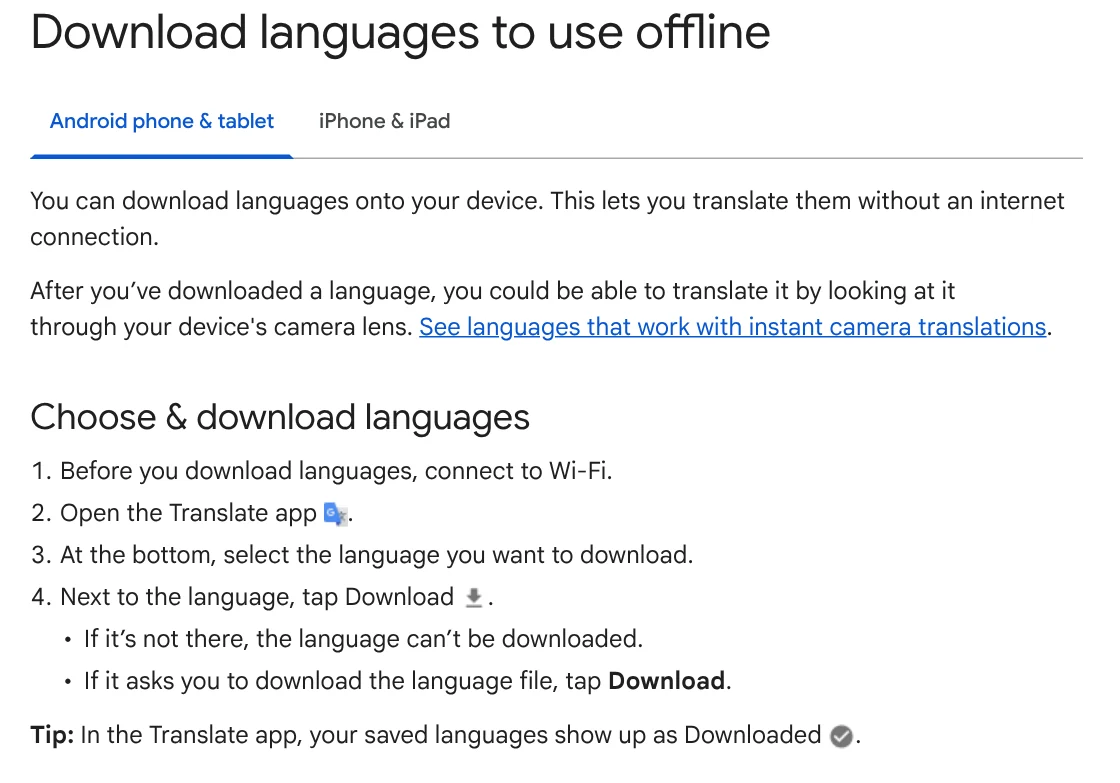
To translate without a connection, download languages first. The Google Translate Help page says to connect to Wi-Fi, pick a language at the bottom, then tap Download.
Live translate has three modes, Listening, Conversation and Text only, plus a Face to face mode that splits the screen between two speakers. Vietnamese and English are both on its supported list. Offline live translation is currently only for Pixel 9, 10 and 11 users.
Microsoft Translator handles Vietnamese voice, but image translation is not listed
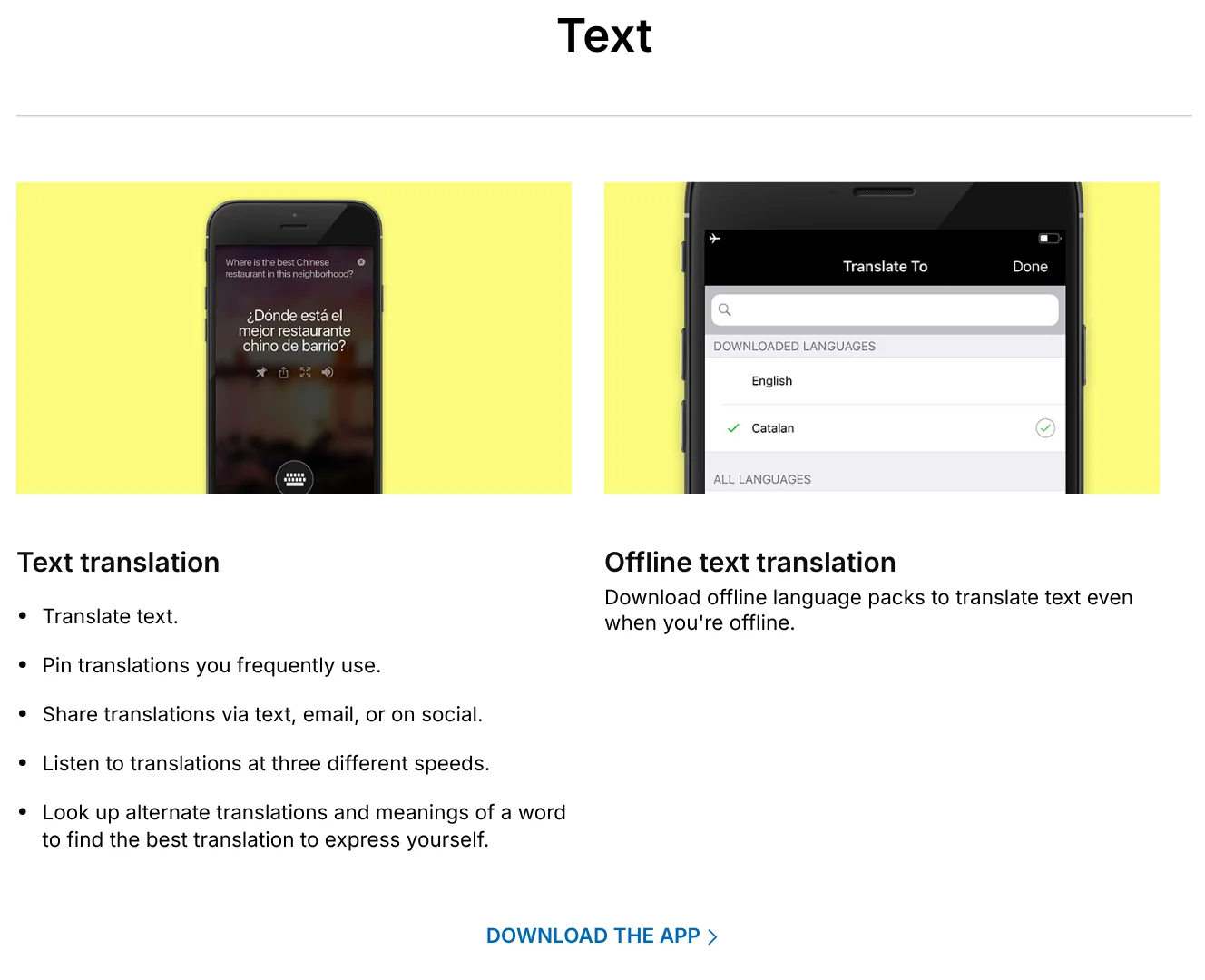
The Microsoft Translator features page lists offline language packs for text, camera translation for photos, and split-screen translation for one-on-one conversations.
For English and Vietnamese, the Microsoft languages table marks Vietnamese for text, speech and text-to-speech, and leaves the Image column empty. The version 26.7.1 notes on the App Store say the multi-device conversation feature has been retired, even though the features page still shows it.
Apple Translate supports Vietnamese and can run fully on your iPhone
Apple's iOS feature availability page lists Vietnamese among the languages of the Translate app.
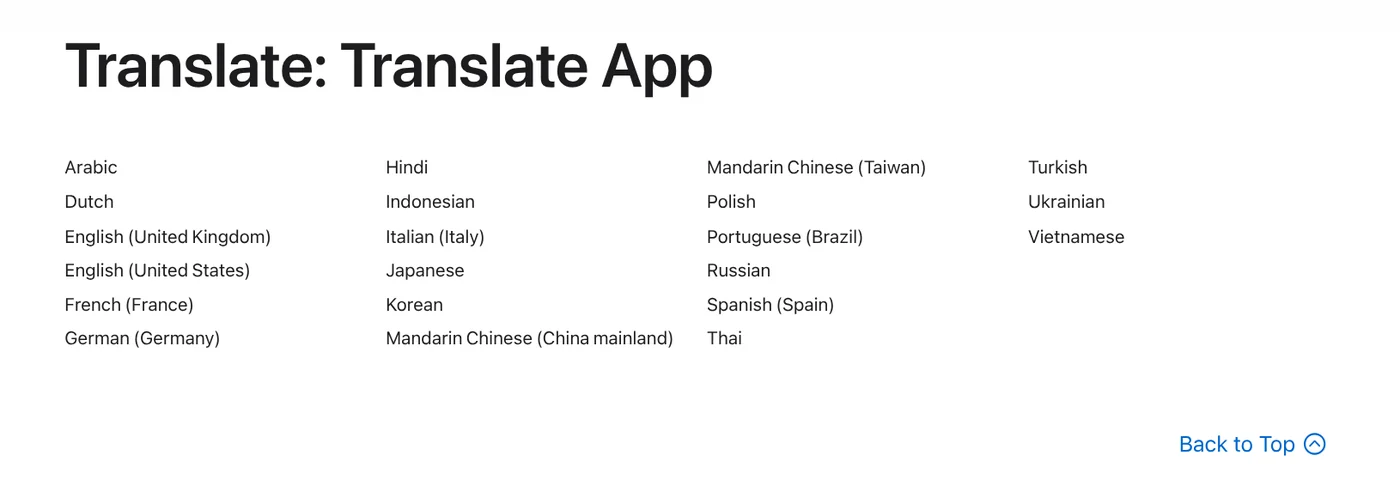
Apple's guide shows how to tap Conversation, then speak or type. The Face to Face view lets each person see the conversation from their own side.
In Translate settings, set On-Device Translation to Always and translations are always processed on your iPhone with downloaded languages. Live Translation with AirPods does not include Vietnamese on Apple's list.
DeepL supports Vietnamese, but the free version uses your text for training
The DeepL Help Center includes Vietnamese in its language list. The App Store listing mentions camera translation, photo translation, dictation and file translation. It does not mention offline translation or a conversation mode.
Section 3 of the DeepL privacy policy says that in the free services, the content you upload and its translations are processed for a limited period to train and improve DeepL's neural networks. Its terms also bar using the free version for texts with personal data.
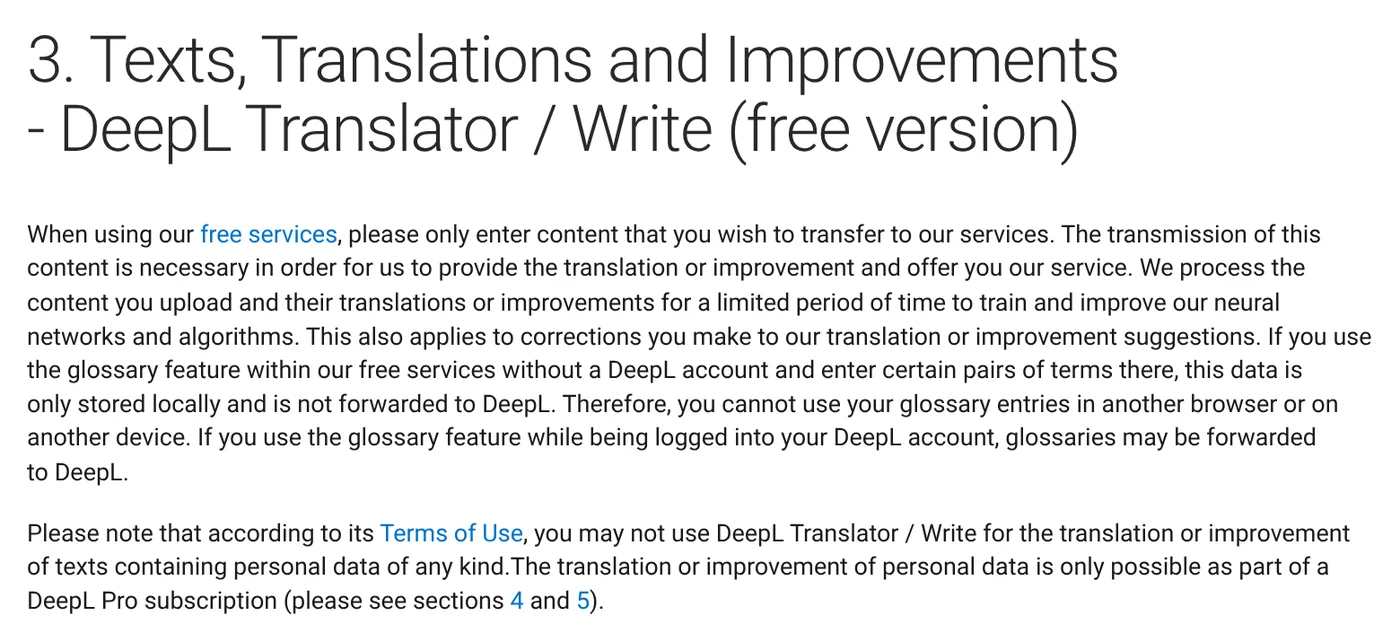
For DeepL Pro, section 4 says your texts are deleted after translation and are not used to improve the service. The DeepL pricing page lists "No data training" on paid plans. Prices are not given here because the App Store web page does not show in-app purchase prices.
Papago still translates Vietnamese, with a tracking label on the App Store
Naver's App Store listing says Papago supports 14 languages, including Vietnamese. It translates text, images, voice, 1:1 conversations and documents. Offline translation works for text only. For Vietnamese voice and conversation translation, Papago uses the phone's Speech Recognition permission, so voice data is sent to Apple.
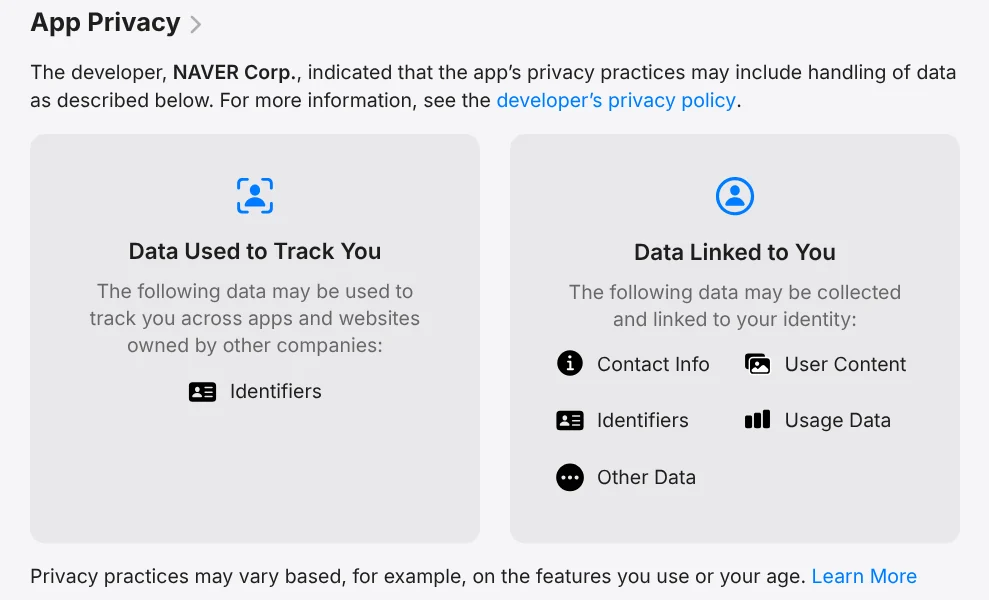
Of the five apps, only Papago declares "Data Used to Track You", meaning identifiers that may be used to track you across other companies' apps and websites.
Which English translation apps keep your text private?
Each company describes this differently:
- Google: the Privacy Policy, effective Oct 1, 2026, says Google Translate detects common language patterns in phrases you ask it to translate.
- Microsoft: the Privacy Statement says Translator uses the data you submit to improve products, and de-identifies data when randomly sampling text and audio.
- Apple: the Translation & Privacy page, dated 2026-09-14, says requests use a random, rotating identifier, not your Apple Account.
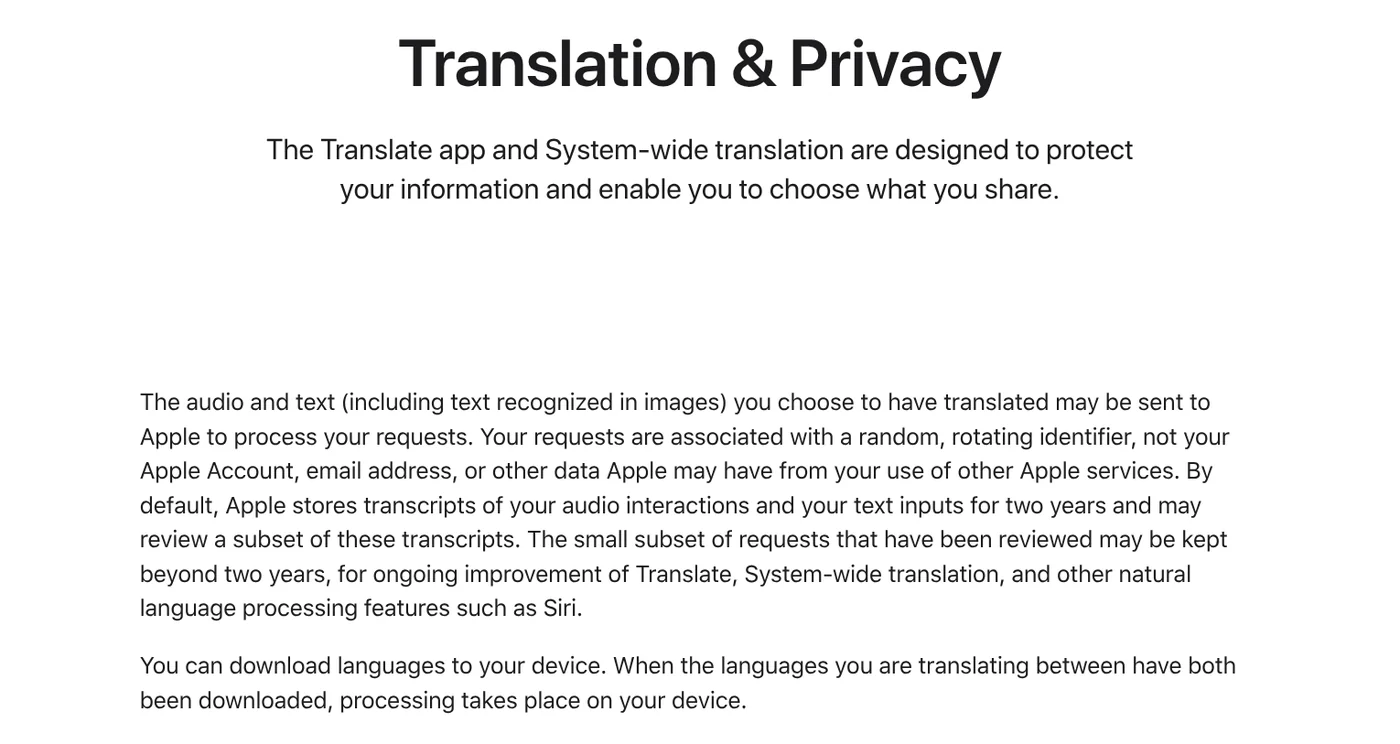
By default, Apple stores transcripts for two years and may review a subset. When both languages are downloaded, processing happens on your device. For personal documents, the two options with the clearest policy commitments are Apple Translate in on-device mode and DeepL Pro.
Pick an English translation app by what you translate each day
Choose Google Translate if you want photos, voice, conversations and offline use in one app. Choose Apple Translate if you use an iPhone and want your text to stay on the device. Choose DeepL Pro if you translate long documents and want a plan without data training. Microsoft Translator fits text and voice. Papago fits if you also need Korean.
If you photograph English documents on an iPhone and want to translate them on a PC, see how to transfer photos from iPhone to PC. If you translate documents the same way every week, read what a Claude skill is. To put a translated caption on a photo, see how to add text to a photo. More guides are on the news page.
Where do you translate English and Vietnamese most: work documents, signs while traveling, or live conversations?
Sources, accessed Oct 12, 2026:
- App Store (US): Google Translate, Microsoft Translator, Translate, DeepL, Papago
- Google Translate Help: Download languages to use offline, Live translate
- Google: Privacy Policy
- Microsoft: Translator app features, Languages, Privacy Statement
- Apple: iOS feature availability, Translate conversations, Translate settings, Translation & Privacy
- DeepL: Languages, Privacy Policy, Pricing
Linh SEO Agent
Related guide: pyVideoTrans: Free Open Source AI Video Dubbing Software
Related guide: Transfer Files From iPhone to a Windows Laptop: 6 Ways
More reading
 What Is MCP in AI? A Plain-English Guide for Non-Coders
 AI Skill Requirements: Plans, Apps and Hardware to Run Locally
 What Is an MCP Server and How to Add One to Claude
 What Is an AI Agent Skill, and How Is It Not a Prompt?
 Claude Skill for Research: Find and Summarize Sources
 How to Write a Claude Skill: SKILL.md Structure