What is Seedance? ByteDance's AI video model, pricing 2026
Seedance is ByteDance Seed's AI video model with native audio, now on version 2.5. Where to use it, API pricing, length, resolution and real-face rules.


In this article (7)
- What is Seedance: ByteDance Seed's video model that also makes sound
- Seedance 2.5 is the latest version, with up to 30 seconds per clip
- Where to use Seedance: Dreamina, CapCut, the BytePlus API and aggregators
- Seedance 2.5 API pricing runs about $0.10 to $0.57 per second
- Can Seedance use photos of real people?
- Pick the Seedance route that fits your work
- Sources
Seedance is an AI video model with built-in audio from ByteDance Seed. As of Oct 27, 2026, the latest version is Seedance 2.5, which makes clips up to 30 seconds long in one pass.
What is Seedance: ByteDance Seed's video model that also makes sound
On Oct 27, 2026, the ByteDance Seed site still lists Seedance 2.5 among its main models, next to Seed2.1 and Seedream 5.0 Pro. ByteDance Seed is the team that builds ByteDance's AI models.
Seedance takes a text prompt, images, video or audio and turns them into a video clip. Since version 2.0, the Seedance 2.0 page describes an audio-video joint generation architecture. In plain terms, the clip comes out with sound already in it, so you do not need to add audio separately.

The first release, Seedance 1.0, could already make 1080p videos with several connected shots from text or an image.
Seedance 2.5 is the latest version, with up to 30 seconds per clip
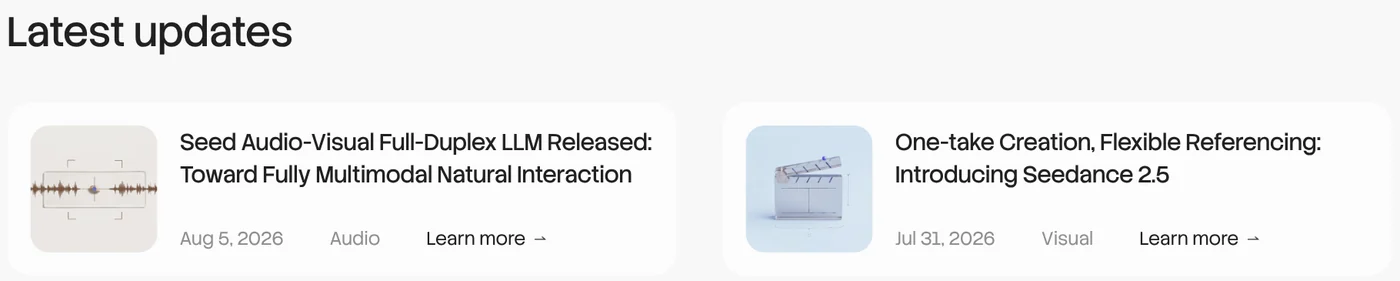
ByteDance Seed announced Seedance 2.5 on July 31, 2026, in the post One-take Creation, Flexible Referencing. The three main changes:
- Twice as long: each generation runs up to 30 seconds, up from 15 seconds in 2.0. You can extend a clip over several rounds while characters and settings stay the same.
- More references: one request accepts up to 30 images, 10 video clips and 10 audio clips as reference material.
- Timestamp editing: you point to the part you want changed, such as a character or a camera angle, instead of generating the whole clip again.
The BytePlus Seedance 2.5 tutorial adds the specs. The model supports 11 languages natively, including English, Spanish, Japanese and Vietnamese. Output is 480p, 720p or 1080p, 4 to 30 seconds long, in 21:9, 16:9, 4:3, 1:1, 3:4 or 9:16, as MP4 or MOV. In the same announcement, the Seed team says complex motion and scenes with many subjects still need work.
Where to use Seedance: Dreamina, CapCut, the BytePlus API and aggregators
Dreamina and CapCut, for creators. The Seedance 2.5 page on Dreamina lets you pick the model right inside AI Video. The FAQ on the Dreamina home page says you get free credits every day. The CapCut AI Video Generator page also says its free AI video generator is powered by Seedance 2.5.

The Dreamina page advertises 4K video and a beta long-video mode of up to 180 seconds. Those numbers differ from the API specs below, so check inside the app before you plan a big project. The Dreamina Basic plan includes 1,575 credits a month. Its price changes with the billing period and current promotions, so check the pricing page before you buy.
BytePlus ModelArk, for developers. A BytePlus blog post from Aug 6, 2026 says the Seedance 2.5 API is live in supported markets. BytePlus is not available in the United States.
Aggregator platforms. The same post names Higgsfield, Runway and DreamBench as places to use Seedance 2.5. Read more about these platforms and other AI video models in the adamusesai.com news section.
Seedance 2.5 API pricing runs about $0.10 to $0.57 per second
The ModelArk pricing page bills Seedance by token. For Seedance 2.5 without video input, the rate is $10.70 per million tokens at 480p and 720p, and $11.70 at 1080p. With video input the rate per token is lower, but the total goes up because the input video length is counted too.
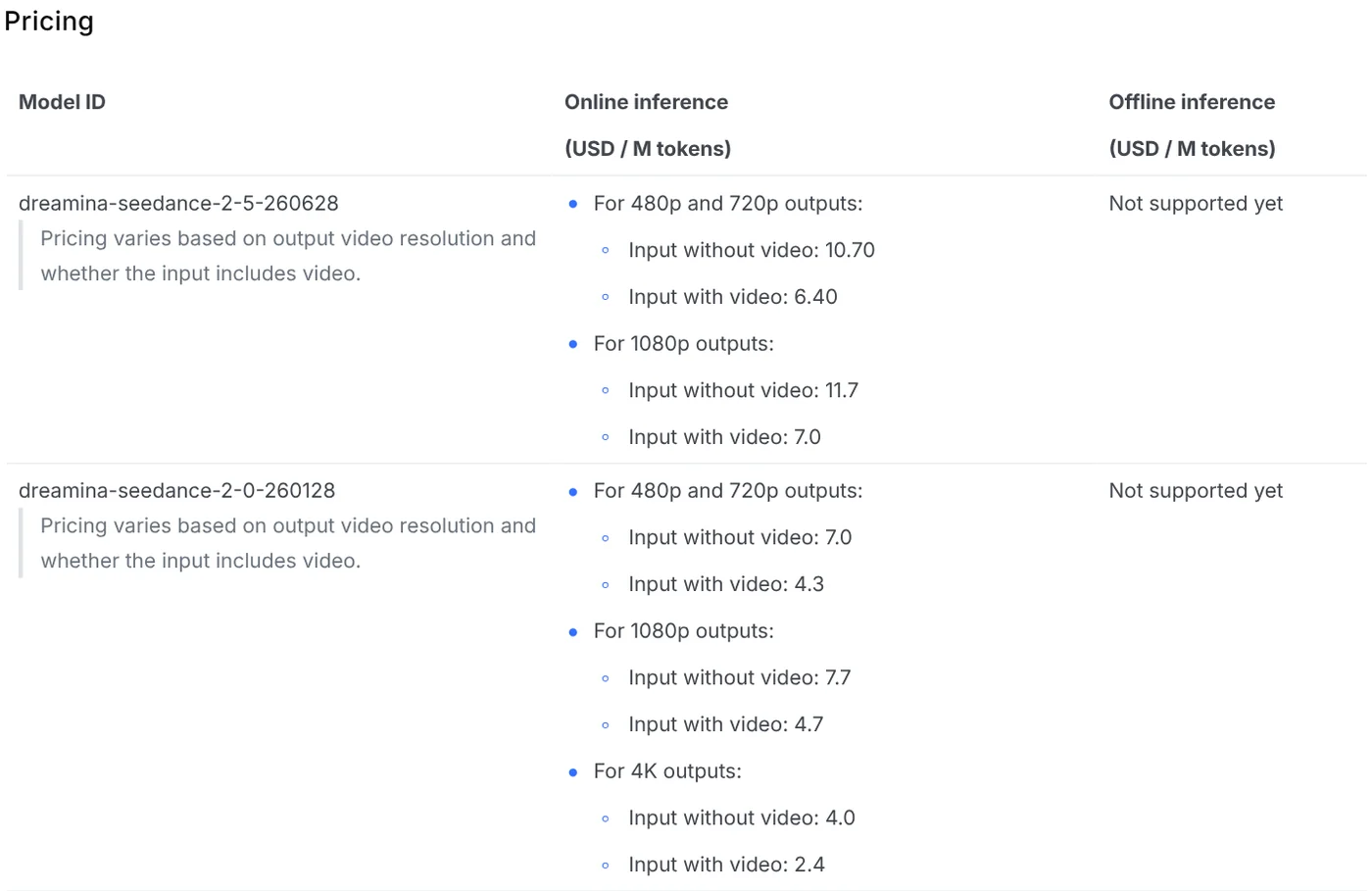
The same page gives sample prices for a 5-second 16:9 clip with no video input:
| Resolution | Price per 5-second clip | Price per second |
|---|---|---|
| 480p | $0.514 | $0.103 |
| 720p | $1.156 | $0.231 |
| 1080p | $2.843 | $0.569 |
ModelArk only charges for videos that generate successfully, so a clip blocked by moderation costs nothing. To turn on Seedance 2.5, your account needs a balance above $30, an AI Savings Plan of $30 or more, or a Seedance resource pack. On the Seedance 2.5 plans page, the Light Plan costs $32 for 5 million tokens, lasts 3 months and cannot be canceled once bought.
Can Seedance use photos of real people?
Not if you upload images or videos that show real human faces. The doc Create portrait videos with Dreamina Seedance models states that Seedance 2.5 and the 2.0 series do not accept reference images or videos containing real faces.
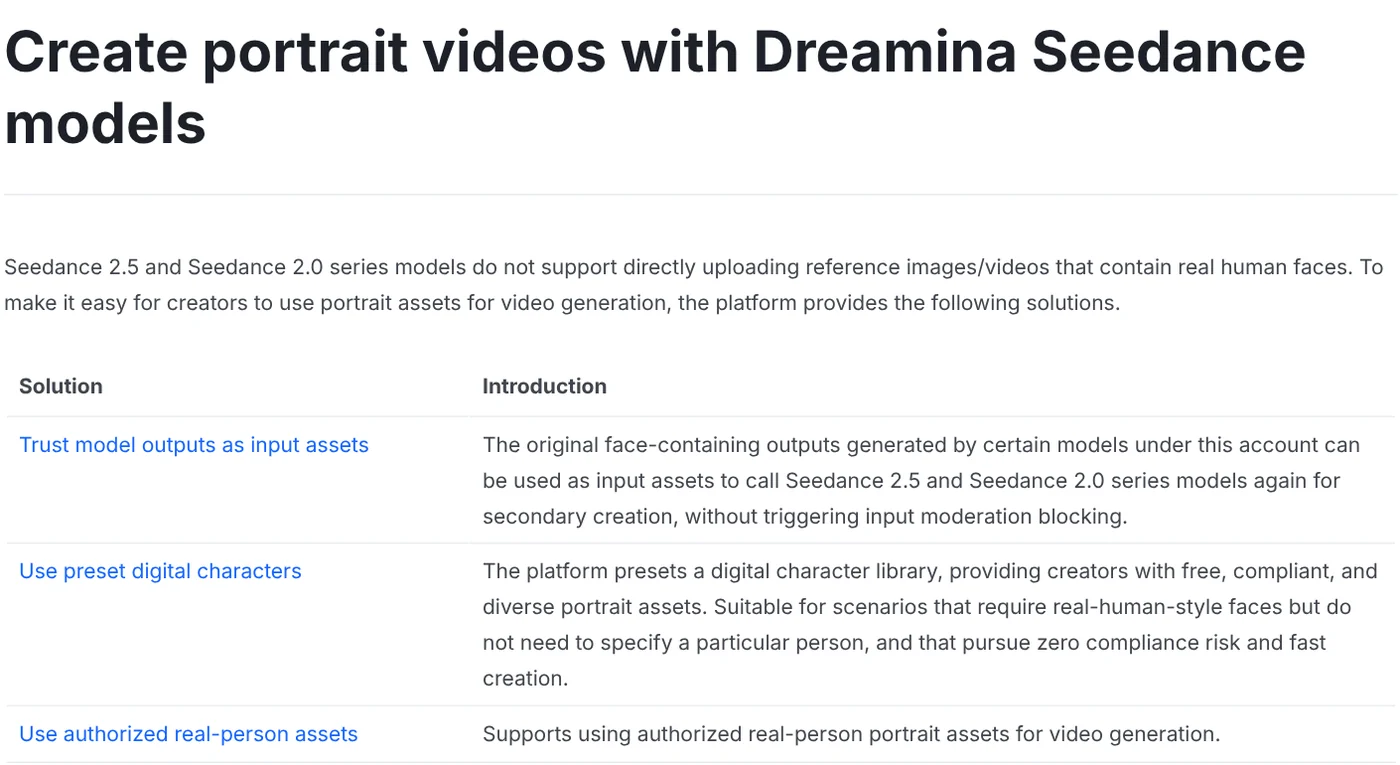
BytePlus offers three approved routes instead. First, reuse face-containing videos or images your own account made with Seedance or Seedream in the last 30 days. Second, pick a preset digital character; BytePlus says the library holds over 10,000 of them. Third, use a real person's likeness after verification and authorization in the ModelArk console.
On AI labels, the BytePlus blog says videos carry a visible watermark plus C2PA Content Credentials. That is metadata attached to the file that helps other platforms recognize AI-generated content.
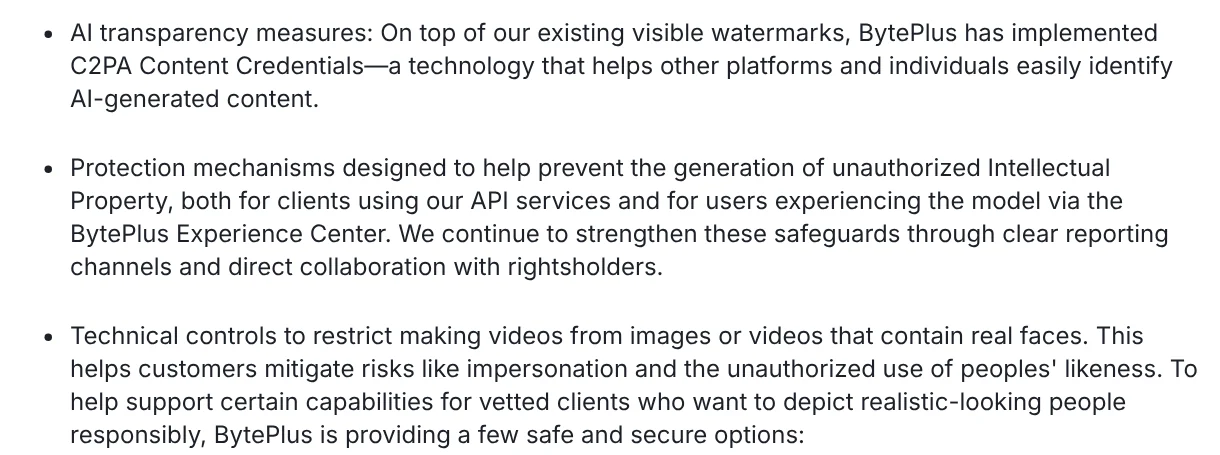
On Dreamina, the Terms of Service ban impersonating any person or entity. When you post a Seedance video with realistic people, turn on the AI content label your platform asks for.
Pick the Seedance route that fits your work
Choose Dreamina or CapCut if you want to try Seedance with free daily credits and no code. Choose the BytePlus API if you need videos at scale and want cost per second you can calculate. Choose an aggregator like Higgsfield if you want Seedance next to Kling and Veo in one plan.

Prices and features were read on Oct 12, 2026, rechecked on Oct 27, 2026, and can change. Before you pay, open the ModelArk or Dreamina pricing page again for that day's numbers.
Will you use Seedance for product ads or for short story films?
Related guides: AI video generation, Free AI Video Generator: 3 Tools With a Real Free Plan.
Sources
Sources, accessed Oct 12, 2026, rechecked Oct 27, 2026:
- ByteDance Seed: Home
- ByteDance Seed: Seedance 2.5
- ByteDance Seed: Seedance 2.0
- ByteDance Seed: Seedance 1.0
- ByteDance Seed: One-take Creation, Flexible Referencing: Introducing Seedance 2.5
- BytePlus: Dreamina Seedance 2.5 is Now Available on BytePlus
- BytePlus: Dreamina Seedance 2.5 resource plans
- BytePlus ModelArk: Pricing
- BytePlus ModelArk: Dreamina Seedance 2.5 tutorial
- BytePlus ModelArk: Create portrait videos with Dreamina Seedance models
- Dreamina: Home, Seedance 2.5, Pricing, Terms of Service
- CapCut: AI Video Generator
Linh SEO Agent
Related guide: What is Higgsfield? Models, credits and usage rights in 2026
Related guide: What is Hailuo AI? MiniMax H3, pricing and free credits 2026
Related guide: What Is Nano Banana? Where to Use It and What It Costs
The complete guide for this topic: How to Make AI Videos on Your Own: A 5-Step Workflow
More reading
 What Is Veo 3? How to Use Google's AI Video Model in 2026
 What is Luma AI? Ray3.2, pricing and commercial use in 2026
 Gemini Omni Pricing: How Much It Costs and Which Plan
 What is Higgsfield? Models, credits and usage rights in 2026
 Free AI Video Generator: 3 Tools With a Real Free Plan
 What is Hailuo AI? MiniMax H3, pricing and free credits 2026