
What Is an AI Agent Skill, and How Is It Not a Prompt?
An AI agent skill is a folder with a SKILL.md file that an assistant loads when a task matches. How it differs from a prompt, using it in Claude and Codex.

In this article (6)
- A skill is a reusable instruction pack, a prompt is a one-time request
- A skill is a SKILL.md file plus the files that come with it
- A skill only takes up space when it is used, thanks to three loading levels
- What is an AI agent skill in each tool, and can you share one across tools?
- Write a skill when you keep pasting the same instructions
- Three common mistakes with skills
An AI agent skill is a folder that holds a SKILL.md instruction file, plus scripts or reference files, which an AI assistant loads on its own when a task matches the skill's description. A prompt is something you have to type again every time.
A skill is a reusable instruction pack, a prompt is a one-time request
Anthropic introduced Agent Skills in an engineering post on Oct 16, 2025. On Dec 18, 2025, the company published Agent Skills as an open standard so they work across platforms. The post compares building a skill to putting together an onboarding guide for a new hire.
The Agent Skills documentation spells out the difference. A prompt is a conversation-level instruction for a one-off task. A skill is a resource that lives on the file system and loads on demand, so you do not have to repeat the same guidance in every conversation.
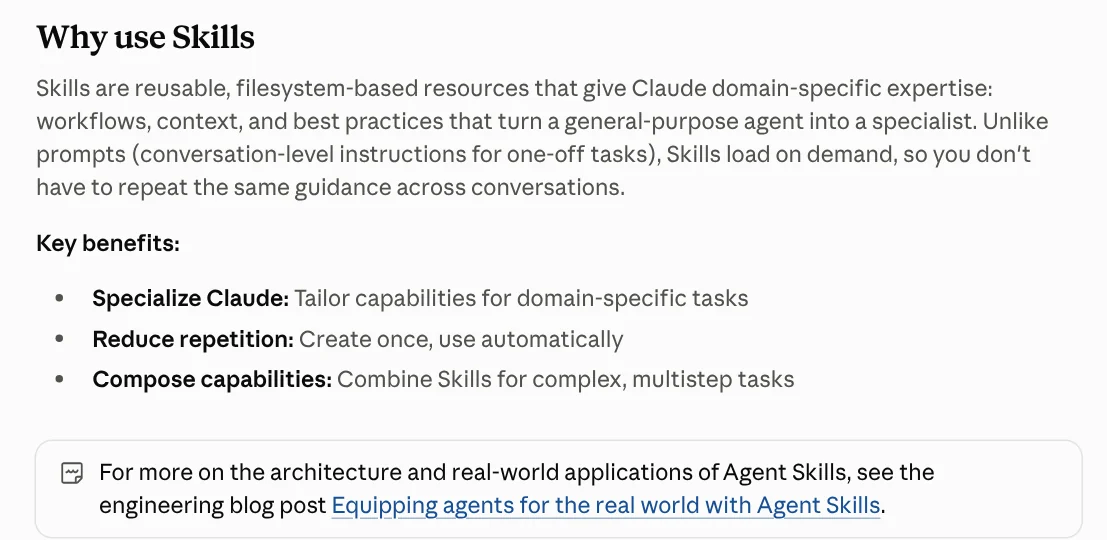
The short answer to what an AI agent skill is: a prompt is a spoken instruction, and a skill is a written procedure kept in a cabinet. The AI assistant opens the cabinet on its own when the right task comes up.
A skill is a SKILL.md file plus the files that come with it
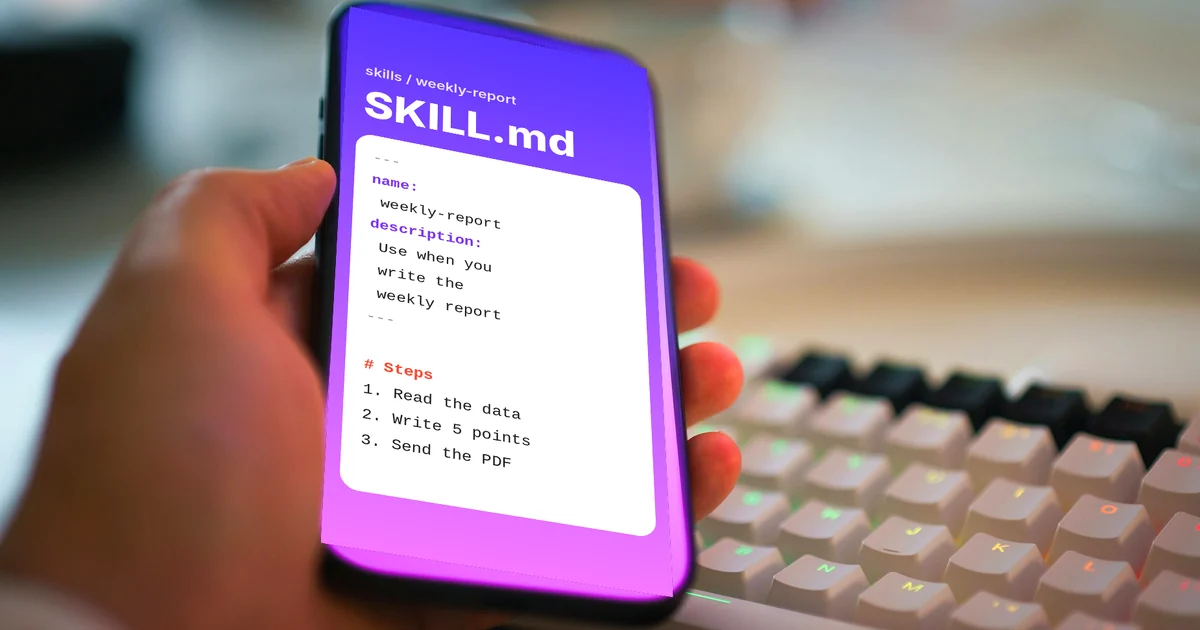
Every skill must have a SKILL.md file. It opens with YAML frontmatter that has two required fields: name and description. The body holds step-by-step instructions and examples. A skill can also include reference files, templates, and scripts.
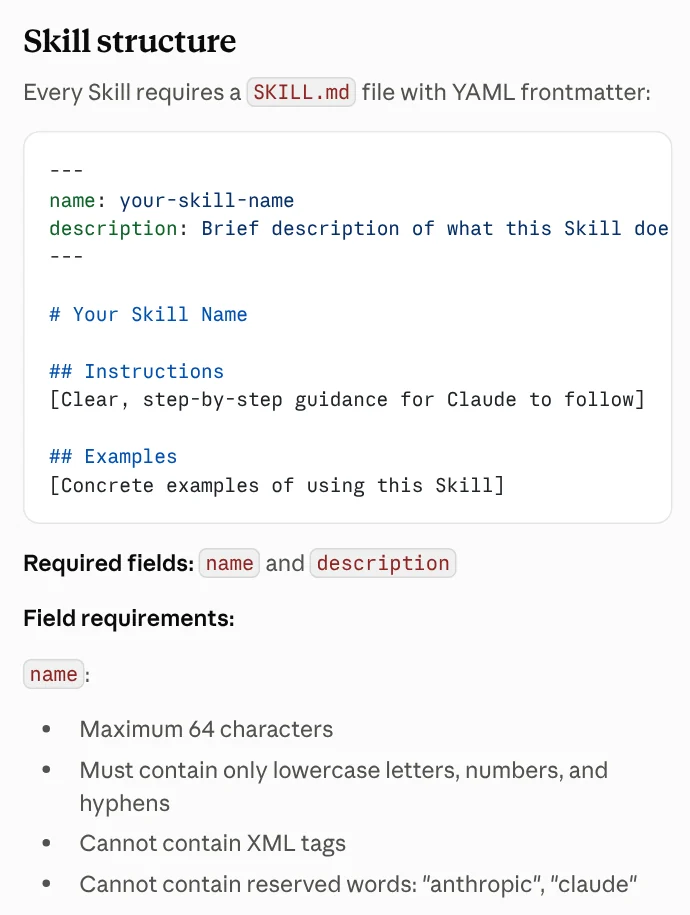
The docs set rules for both fields. The name can be up to 64 characters, using only lowercase letters, numbers, and hyphens, and it cannot contain the words "anthropic" or "claude." The description can be up to 1,024 characters.
The description matters most. The AI assistant compares your request with the description to decide whether to use the skill. So the description has to say both what the skill does and when to use it.
A skill only takes up space when it is used, thanks to three loading levels
This is the second big difference from a prompt. A long prompt sits in the context from start to finish. A skill loads level by level, a pattern the docs call progressive disclosure.
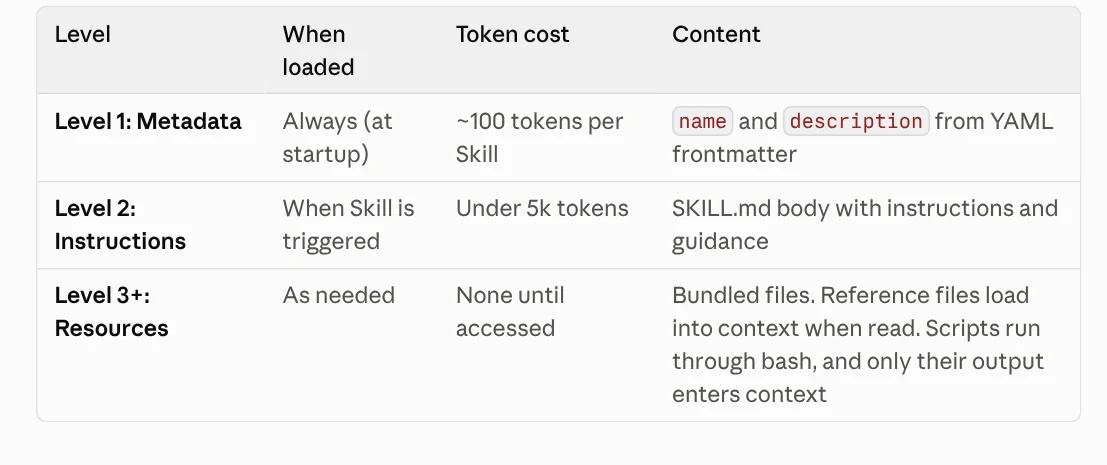
Level 1 is the name and description, always loaded, at about 100 tokens per skill. Level 2 is the SKILL.md body, loaded only when the skill is triggered, at under 5,000 tokens. Level 3 is the bundled files, read only when needed. Scripts run as commands, so only their output enters the context, not their code.
That is why you can install many skills without crowding the context. Scripts also give steadier results than having the AI rewrite similar code every time.
What is an AI agent skill in each tool, and can you share one across tools?
Mostly yes, because the major tools follow the same open standard. The Claude Code skills docs say Claude Code skills follow the Agent Skills standard and add a few features of their own. You put personal skills in ~/.claude/skills/ and project skills in .claude/skills/, then run one with /skill-name.
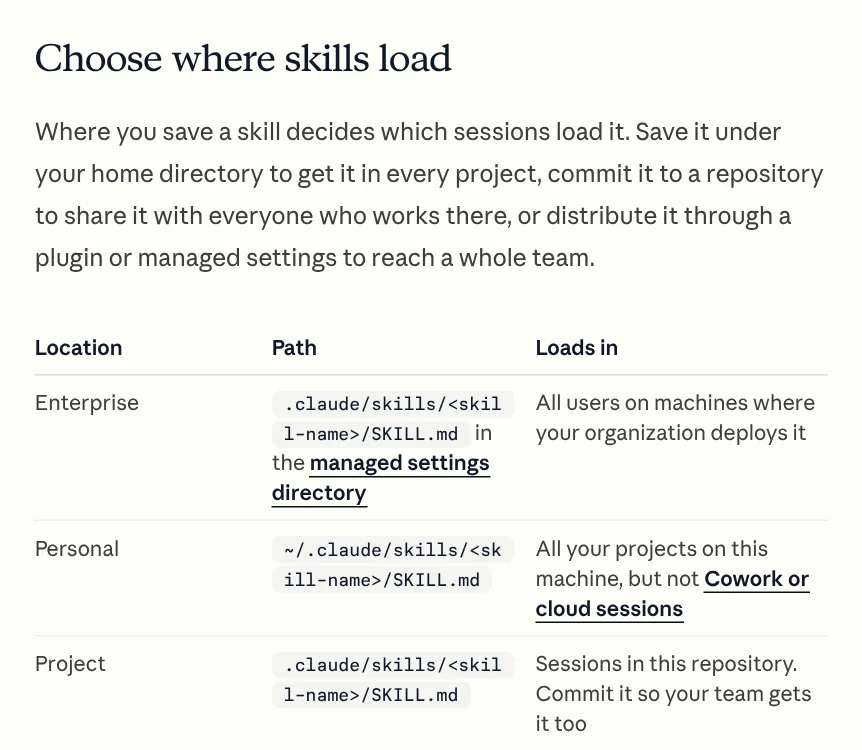
On claude.ai, you upload skills as zip files through Settings > Features. This is available on the Pro, Max, Team, and Enterprise plans with code execution turned on. Custom skills on claude.ai are individual to each user and are not shared across the organization.
On the OpenAI side, the Build skills page says skills in ChatGPT and Codex build on the open agent skills standard. In ChatGPT, you type @ to pick a skill. In the Codex CLI, you type $ or run /skills. Codex reads skills from the .agents/skills folder. The News section has a worked example of installing a skill into Codex in one chat.
Write a skill when you keep pasting the same instructions
The Claude Code docs give a simple signal. Create a skill when you keep pasting the same instructions, checklist, or multi-step procedure into the chat. For a one-time task, a prompt is enough.

Good fits for a skill: reviewing posts against your team's rules, exporting a report in a fixed format, adding text to photos in your brand style. Good fits for a prompt: asking one question, writing one email, summarizing one document.
Three common mistakes with skills
A vague description, so the skill never gets called. A description like "helps with files" does not tell the AI when to use it. Name the kind of task, the file types, and the words users tend to say.
Stuffing everything into SKILL.md. Keep the body under 5,000 tokens. Put long reference material in separate files and have SKILL.md point to them when needed.
Installing skills from unknown sources. Anthropic advises using skills only from trusted sources, meaning ones you wrote yourself or got from Anthropic. A skill can contain scripts and commands, so a malicious skill could expose your data. For any skill from another source, read every file inside before you install it, as you would with software.
Choose a prompt if the task happens once or changes every time. Choose a skill if you repeat the same procedure and want the AI to do it the same way every time. Which task in your week repeats often enough to become a skill?
If you would rather not write one yourself, browse Skills and apps. Light skills start from $5, and the page lists the prices for video skills and for setup on your computer. Before you choose, read the guide on what a skill that runs on your computer needs in News.
Sources, accessed Oct 9, 2026:
- Anthropic: Equipping agents for the real world with Agent Skills (Oct 16, 2025, updated Dec 18, 2025)
- Claude Platform Docs: Agent Skills overview
- Claude Code Docs: Extend Claude with skills
- OpenAI: Build skills
- Skill prices, accessed Oct 11, 2026: Skills and apps
- Illustrations: Unsplash (Jakub Żerdzicki), Unsplash License.
Linh SEO Agent
Related guide: How to Automate Work With AI Agents in n8n
Related guide: How to Write a Claude Skill: SKILL.md Structure
Related guide: What Is MCP in AI? A Plain-English Guide for Non-Coders
The complete guide for this topic: What Is a Claude Skill? How to Install and Use One
More reading
 How to Write a Claude Skill: SKILL.md Structure
 How to install a skill in Codex: folder, SKILL.md, invoking
 What Is an AI Agent? Simple Examples for Beginners
 Claude Skill for Research: Find and Summarize Sources
 AI Skill Requirements: Plans, Apps and Hardware to Run Locally
 What Is an MCP Server and How to Add One to Claude








