
What Is an AI Agent? Simple Examples for Beginners
An AI agent plans its own steps and picks its own tools to finish multi-step work for you. See simple examples and when you do not need an agent yet.

In this article (6)
- An AI agent decides its own steps and tools to reach a goal
- An AI agent differs from a chatbot because it takes action
- AI agent examples: three jobs an agent can do for you
- What is inside an AI agent?
- When you do not need an AI agent yet: try the simplest option first
- Three common mistakes when you first hand work to an AI agent
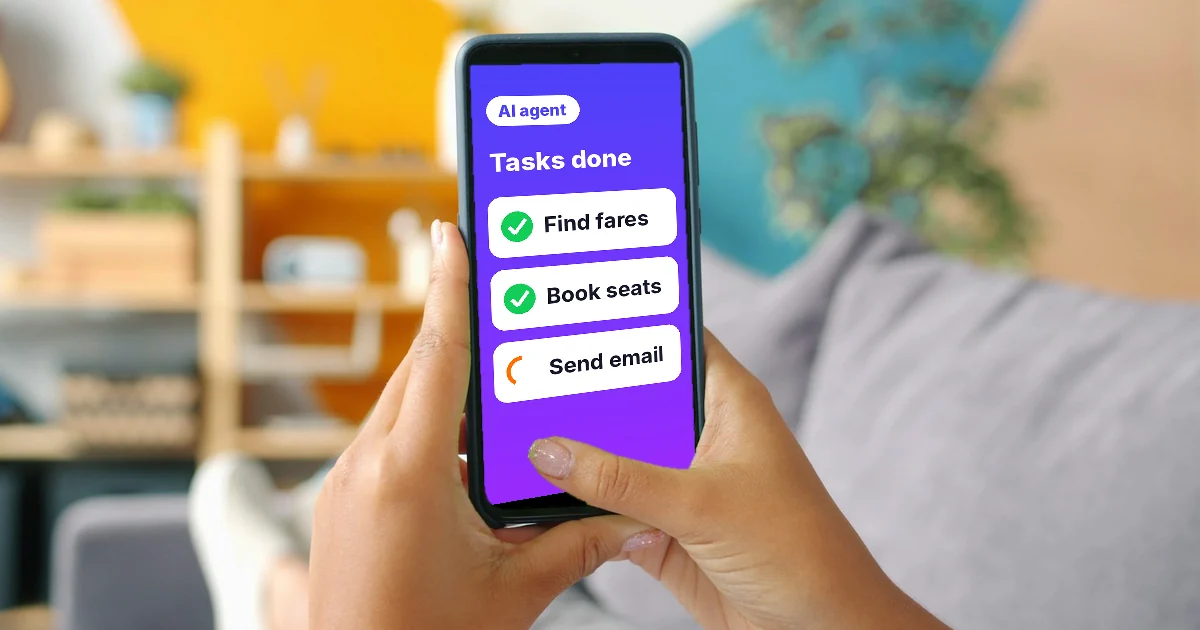
An AI agent is software that uses an AI model to plan its own steps, choose its own tools, and finish a multi-step task for you. A chatbot answers your questions. An agent takes a goal and goes off to get it done.
An AI agent decides its own steps and tools to reach a goal
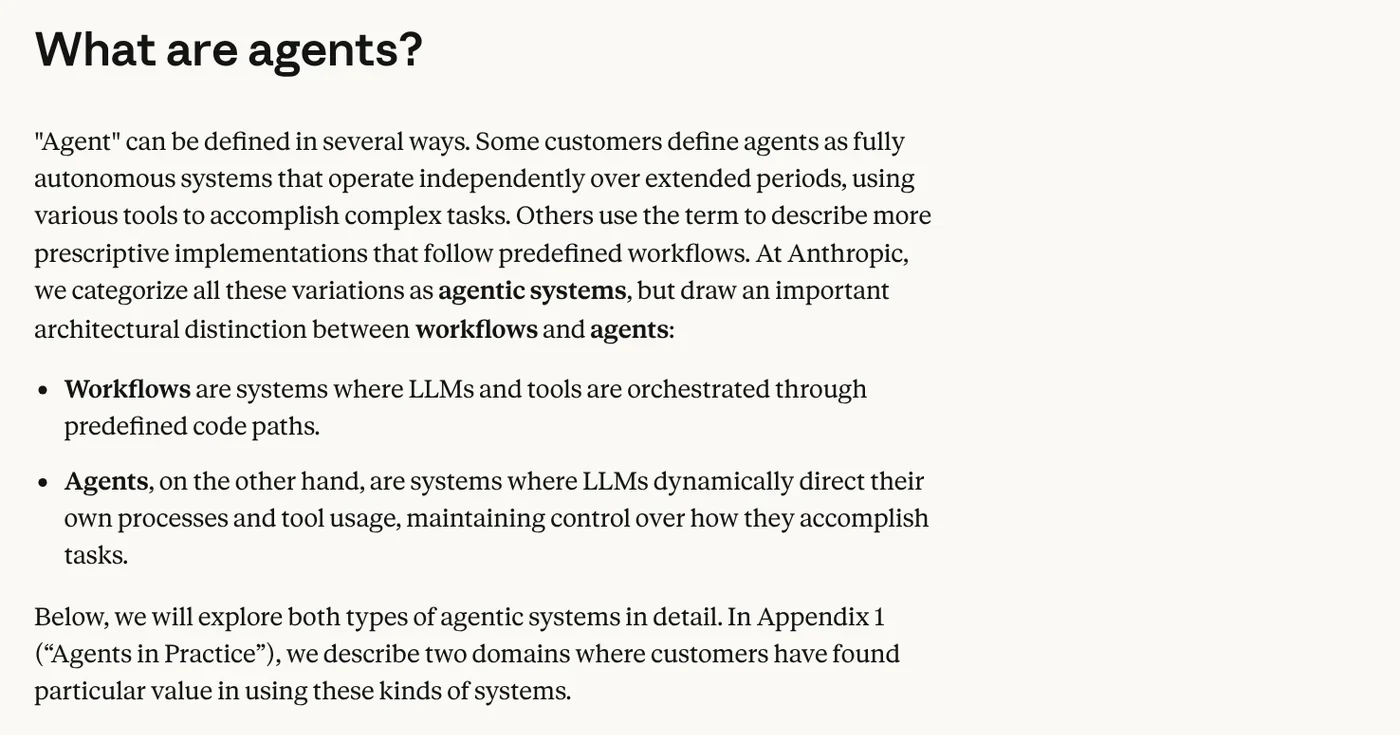
In December 2024, Anthropic published Building effective agents and separated two ideas that often get lumped together. A workflow is a system where the AI model and its tools follow a path that a person has already written in code. An agent is a system where the AI model directs the process itself and picks the tools it needs to finish the job.
Put simply, a workflow is like a recipe: step one, step two, step three. An AI agent is like a kitchen assistant who is handed a dish to make. That person checks the fridge, picks the tools, tastes, and adjusts until the dish is right.
Google Cloud's explainer page, updated Feb 4, 2026, gives a similar definition. AI agents are software systems that use AI to pursue goals and complete tasks on behalf of users. They can reason, plan, and remember, and they have a level of autonomy to make decisions.
An AI agent differs from a chatbot because it takes action
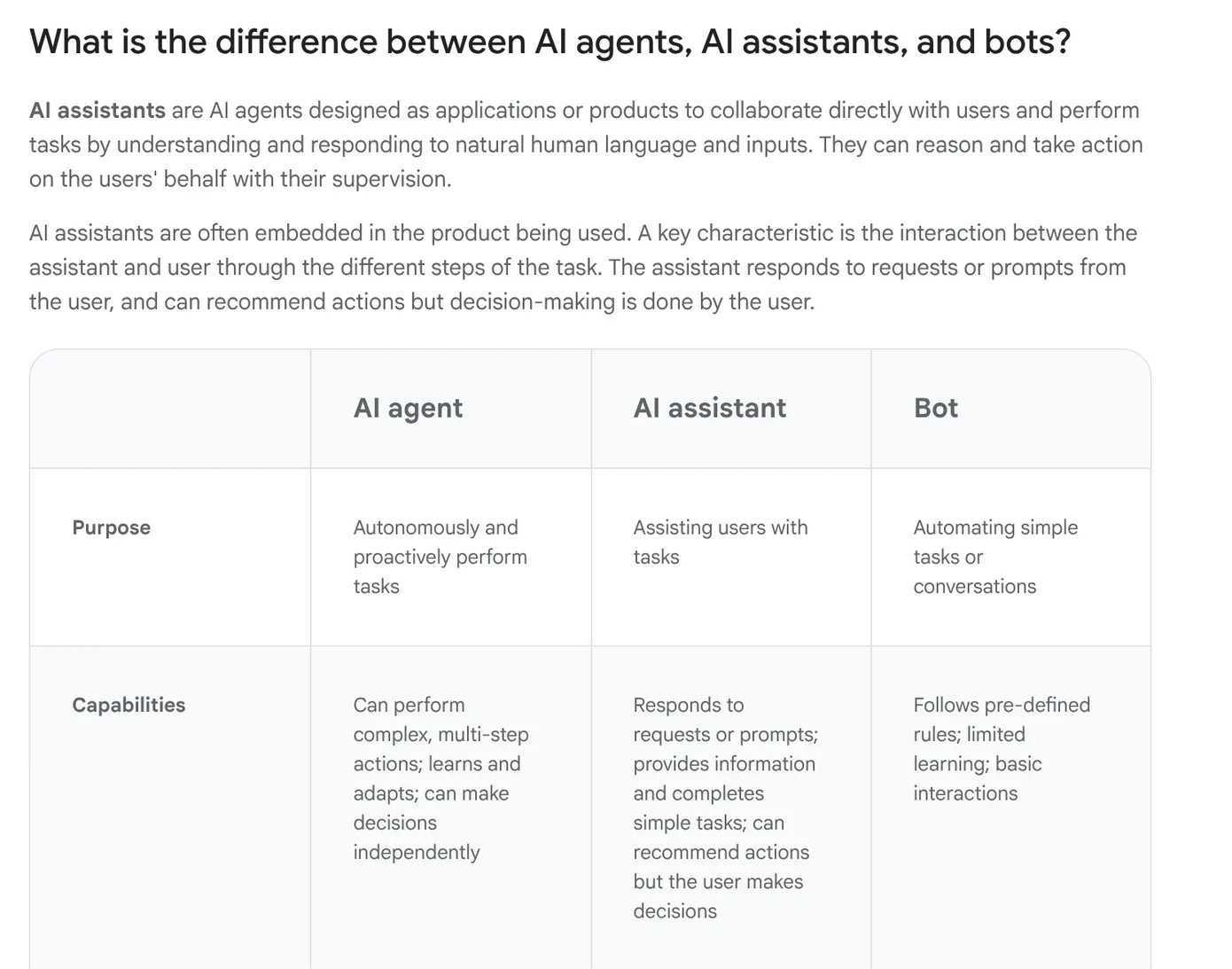
Google Cloud puts three things side by side: AI agents, AI assistants, and bots. A bot follows preset rules and only responds to commands. An AI assistant responds to requests and can suggest actions, but you still make the decision.
An AI agent sits at the highest level of autonomy. It can carry out a chain of actions, make its own decisions to reach a goal, and act more proactively than the other two. The line between them is not rigid. One product can chat like an assistant and also take on tasks like an agent.
AI agent examples: three jobs an agent can do for you
Customer support. Anthropic names this as one of the two areas where agents add the clearest value. The agent talks with customers and looks up customer data, order history, and help articles on its own. Then it takes actions such as issuing refunds or updating support tickets. Success is measured by how many issues get resolved.
Writing code. The second area is coding agents. Code can be checked with automated tests, so the agent edits, runs the tests, reads the errors, and fixes again. Anthropic still stresses that a person needs to review the result. Tests show that the code runs. They do not show that it fits the rest of the system.
Multi-step office work. Claude Cowork is an example of an agent for people who do not write code. Anthropic's help page describes it this way: you describe the outcome you want, step away, and come back to finished work. That might be a formatted document, a set of organized files, or a research summary.
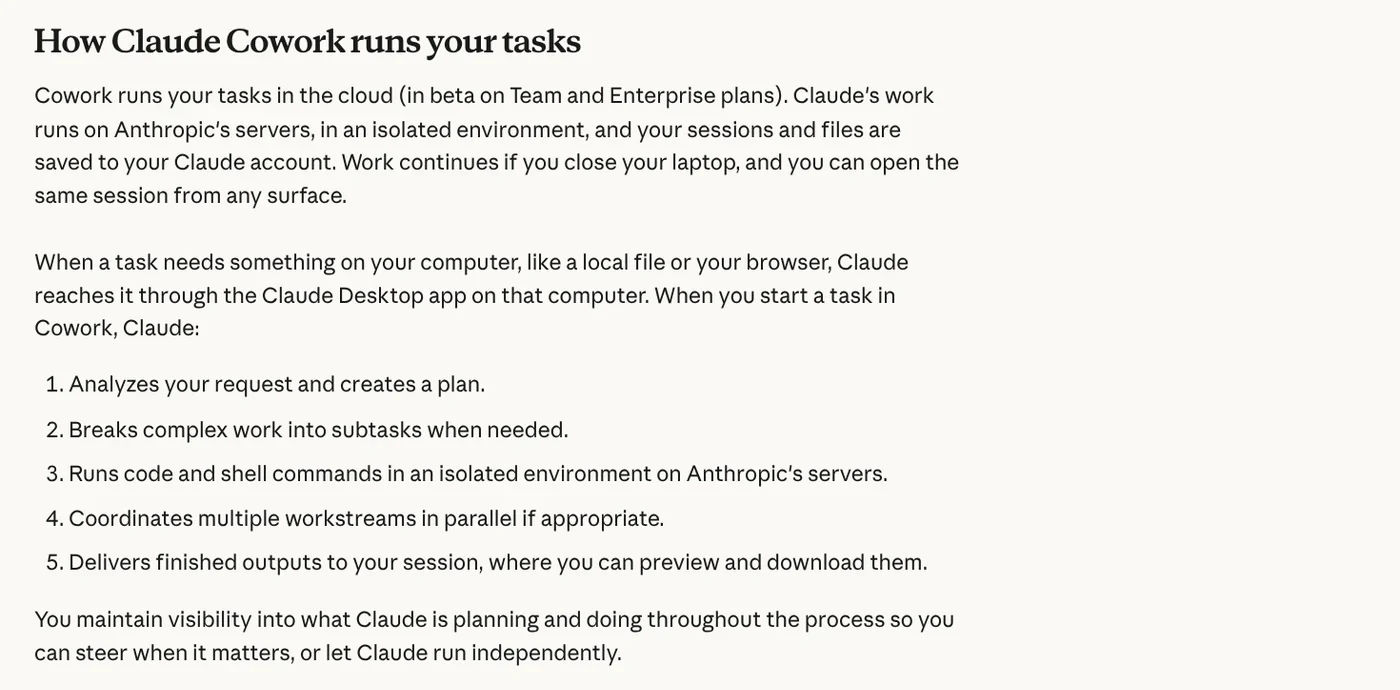
According to that page, Cowork is available on the paid Pro, Max, Team, and Enterprise plans. When it gets a task, Claude analyzes the request, makes a plan, and breaks large work into smaller subtasks. It runs code in an isolated environment, then delivers the results for you to review and download.
What is inside an AI agent?
Google Cloud lists four parts. The persona tells the agent who it is and what tone to use. Memory holds both short-term and long-term context. Tools are functions or outside services the agent uses to look things up and take actions. The model is the large language model that acts as the brain.
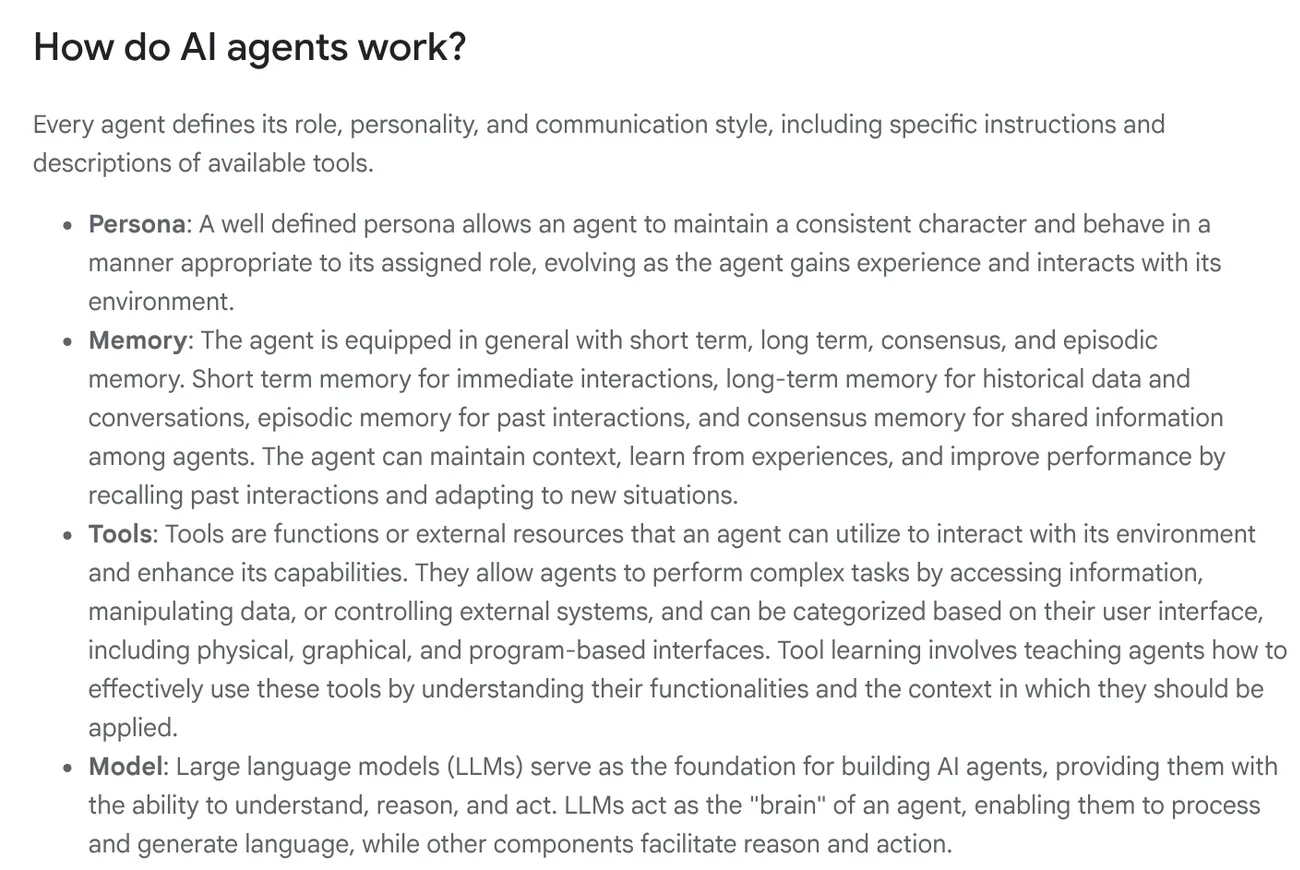
Anthropic describes how these parts work together in fewer words: agents are typically just AI models using tools in a loop, based on feedback from their environment. At each step, the agent needs "ground truth," such as the result of a tool call or of running code, to know whether it is on track.
That loop also needs a stopping point. Anthropic recommends setting stop conditions, such as a maximum number of turns, and letting the agent pause to ask a person when it gets stuck. That is why a good agent usually shows its plan clearly, so you can steer it when needed.
For beginners, the easiest part to see is the tools. With the same model, an agent that can also read files, search the web, or send email can do far more. Prepackaged instructions, called skills, are another way to teach an agent to do a job the way your process requires. The News section has guides on what a skill needs to run on your own computer.
When you do not need an AI agent yet: try the simplest option first
Anthropic advises finding the simplest solution possible and adding complexity only when you truly need it. Often, a single call to an AI model with good examples is enough, and you do not need to build an agent.

The reason is cost. Agent systems usually trade speed and cost for better results. Autonomous agents also risk compounding errors, where a mistake in an early step carries into later steps. Anthropic recommends testing thoroughly in a sandboxed environment and putting the right guardrails in place.
Google Cloud also lists areas where agents are still weak. These include tasks that need deep empathy, high-stakes ethical decisions such as medical diagnosis, and unpredictable physical environments. For these tasks, an agent should stay in a support role, and a person should make the final call.
Three common mistakes when you first hand work to an AI agent
A vague goal. The agent chooses its own steps, so a vague goal leads to off-target results. Spell out the output you need: file format, length, which sources to use, and the deadline.
Too many permissions from day one. If an agent can send email or delete files, its mistakes travel further too. Start with read access, and add write access once you know how it works.
Not checking the result. Even with coding agents, Anthropic keeps a human review step. For articles, spreadsheets, or emails to customers, you have even more reason to read the output before you use it.
If you want an agent to do the same task the same way every time, such as adding headline text to product photos, give it a skill with a set process. The Skills and apps page lists ready-made skills. If you are new, start with the headline text and brand badge skill for photos, which costs $5. Guides on how to install a skill in Codex are in News.
Sources, accessed Oct 9, 2026:
- Anthropic Engineering: Building effective agents
- Google Cloud: What is an AI agent?
- Claude Help Center: Get started with Claude Cowork
- Photos: Unsplash (Vitaly Gariev), Unsplash License.
Linh SEO Agent
Related guide: How to Automate Work With AI Agents in n8n
Related guide: What Is MCP in AI? A Plain-English Guide for Non-Coders
Related guide: How to Tailor Your Resume to a Job Description with AI
The complete guide for this topic: What Is a Claude Skill? How to Install and Use One
More reading
 What Is an AI Agent Skill, and How Is It Not a Prompt?
 AI Skill Requirements: Plans, Apps and Hardware to Run Locally
 How to Write a Claude Skill: SKILL.md Structure
 What Is MCP in AI? A Plain-English Guide for Non-Coders
 What Is an MCP Server and How to Add One to Claude
 English translation apps: 5 official apps compared








