

AdamDrop — 1 year of updates
Send photos, videos and files between your iPhone and Windows PC over Wi-Fi. One QR code: no cable, no account, nothing goes through anyone else's server.
What can you use this for?
Practical UseReal run video
- Batch process videos directly on local desktop hardware: Leverages your local GPU/CPU to download, split audio, slice scenes, and package videos in bulk with zero cloud limits.
- Official hardware-locked licence (HWID) with instant activation: Automated key delivery upon checkout, providing 365 days of stable activation locked to your primary workstation.
- Automatic feature updates & 1-on-1 technical support: Includes all algorithm updates throughout the year plus direct 1-on-1 support via WhatsApp/WhatsApp.
Original vs Actual Result (Before / After)
Drag the slider to compare Before / After using AdamDrop — 1-Year Licence (Hardware-Locked): 100% automated standardization preserving brand identity.
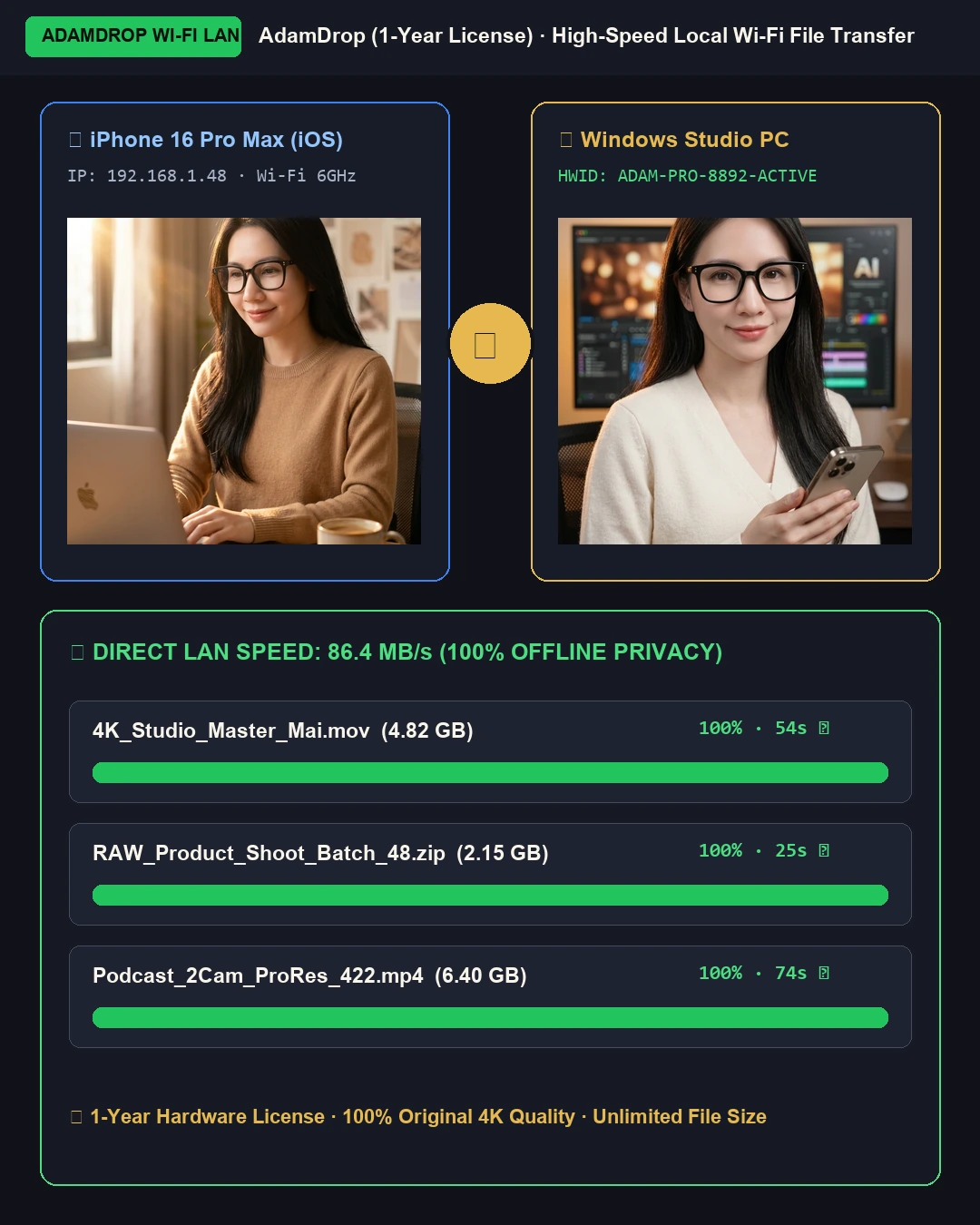
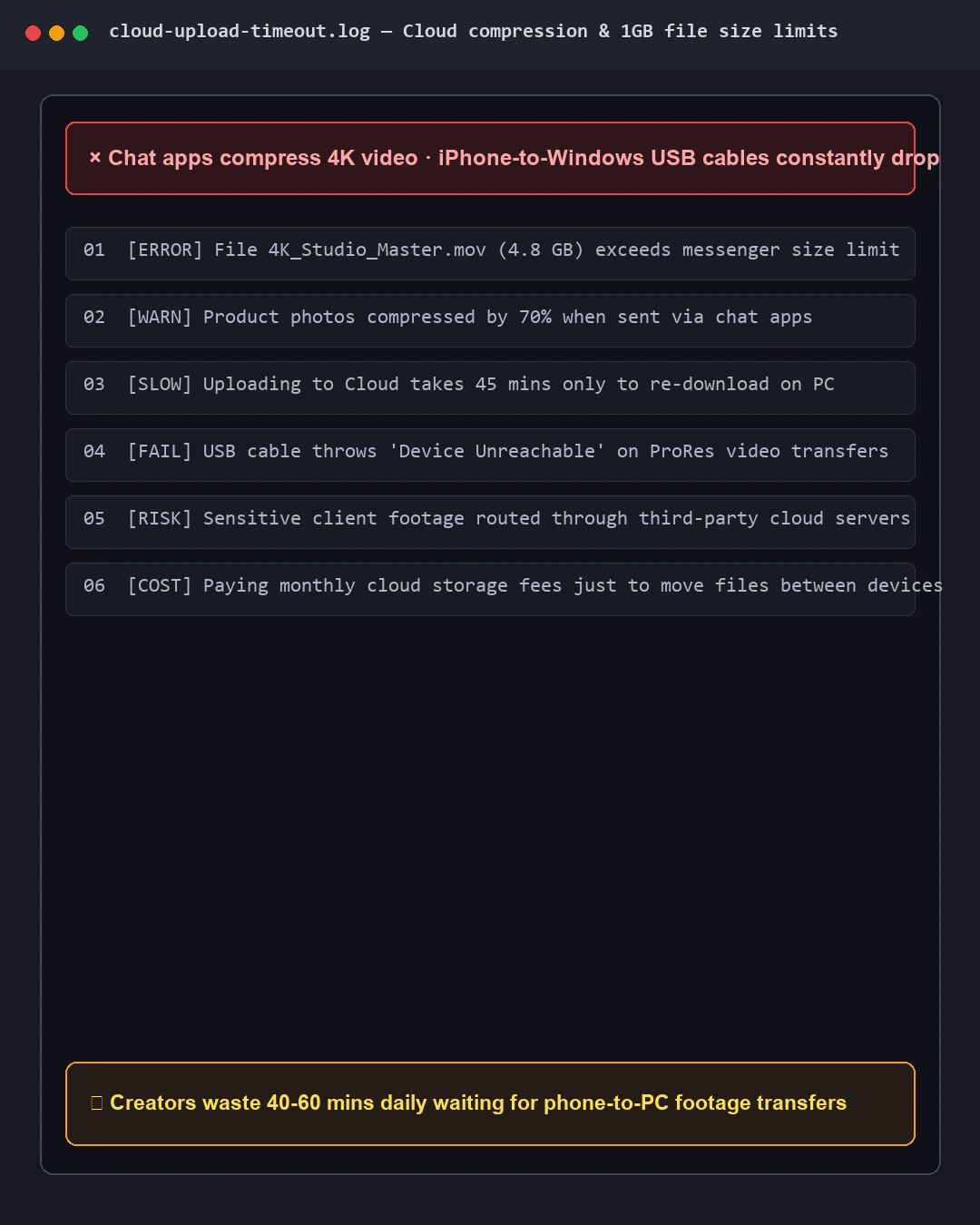
↔ Slider at 50% · Drag left or right to inspect every pixel.
Automate bulk video downloading, slicing & normalization on desktop
- Batch process videos directly on local desktop hardwareLeverages your local GPU/CPU to download, split audio, slice scenes, and package videos in bulk with zero cloud limits.
- Official hardware-locked licence (HWID) with instant activationAutomated key delivery upon checkout, providing 365 days of stable activation locked to your primary workstation.
- Automatic feature updates & 1-on-1 technical supportIncludes all algorithm updates throughout the year plus direct 1-on-1 support via WhatsApp/WhatsApp.
What it does & Key differentiators
Send photos, videos and files between your iPhone and Windows PC over Wi-Fi. One QR code: no cable, no account, nothing goes through anyone else's server.
7-Day Buyer Protection & Refund Guarantee
Automated delivery with transparent refund protection and direct technical support:
- Refund requests within 7 days of purchase, when meeting the following conditions:
- File not delivered yet: 100% refund.
- File does not run: 100% refund or hands-on help to make it run.
- File delivered and running correctly: no refund.
- Refund approved: the money is back in your account within 15 days.
- ✓Device-locked (HWID) authentic license, permanent unlock on your machine.
- ✓Runs directly in browser via Google Flow, supports mouse, stylus & Wacom tablet.
- ✓Direct 1-on-1 technical support via WhatsApp until fully working.
Practical Comparison
| By hand | Tangled cables, iTunes driver errors, or chat apps that compress photos/videos |
| Outsourcing | Monthly recurring cloud subscriptions dependent on upload/download bandwidth |
| AdamDrop | Transfers 4K media over local high-speed Wi-Fi preserving 100% original quality instantly |
Ready to automate image workflows on your machine?
100% face lock, unlimited repeats, produce hundreds of images daily.Install AdamDrop on your PC
- Unzip the download and keep the whole AdamDrop folder in a fixed place (for example Documents\AdamDrop). Do not delete or move the folder after installing: the Windows startup entry points at it.
- Double-click install.bat. Windows asks for administrator rights: choose YES.
- A console window runs six steps and then opens the dashboard at http://localhost:8765/dashboard. A gold icon appears in the system tray at the bottom right of the taskbar.
- From then on AdamDrop starts with Windows and opens the port by itself, with nothing to click. To reopen the dashboard: double-click the tray icon, or open http://localhost:8765/dashboard (that address only opens on this PC).
Requirements: Windows 10 or 11, administrator rights once during install, iPhone and PC on the same Wi-Fi. No Python, Node or any other software needed.
Related reading
Convert MP4 to MP3 on Your Computer: 5 Errors to Avoid
Convert MP4 to MP3 on your own computer: VLC has an Audio - MP3 profile, ffmpeg needs one command, QuickTime and Clipchamp give M4A. Plus 5 common errors.
Convert PowerPoint to PDF with notes and fonts: 5 fixes
Convert PowerPoint to PDF with Export on Windows, Mac and the web, or with Google Slides and Keynote, and include speaker notes or several slides per page.
Convert image to Excel: 4 ways to pull a table from a photo
Convert an image to Excel with Data from Picture, Scan table on your phone, or Gemini's Export to Sheets, then check names and numbers stored as text.