
ChatGPT Free Plan: What You Get and the Limits
ChatGPT Free gives you unlimited text chat, web search, image generation, file uploads, and 500 MB of Library storage. See tool limits, ads, and Go.

In this article (7)
- ChatGPT Free has most of the main tools, with lower limits
- Text chat is unlimited, while each tool has its own limit
- Files and Library: 500 MB of storage, up to 512 MB per file
- Does ChatGPT Free have ads, and what do you lose if you go ad-free?
- The Free plan cannot create new GPTs
- Move to Go when you keep running out of images and file uploads
- Key prices, dates, and official pages to bookmark
The ChatGPT Free plan gives you unlimited everyday text chat, plus web search, image generation, and file uploads. File uploads, image generation, voice, and data analysis each have their own limits.
ChatGPT Free has most of the main tools, with lower limits
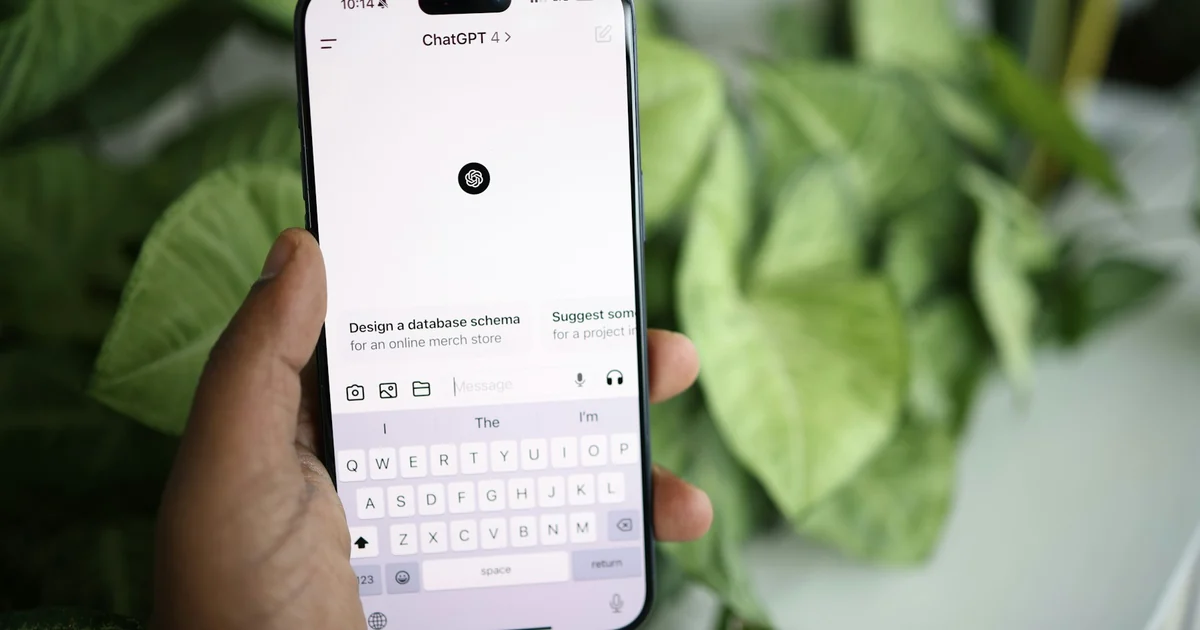
On Oct 9, 2026, OpenAI's ChatGPT Free tier FAQ stated clearly that ChatGPT is free to use. Free users get chat, tools, and GPTs. Specifically, you can:
- Search the web for up-to-date information.
- Analyze data and get insights from spreadsheets.
- Upload images or files with your prompts.
- Find and use existing GPTs.
- Generate images right inside ChatGPT.
- Use Library (file storage) with 500 MB of space.
The Free plan also includes Think, a mode where ChatGPT takes more time before it answers. In the mobile app, open the plus menu and choose Think. The web version is still rolling out.
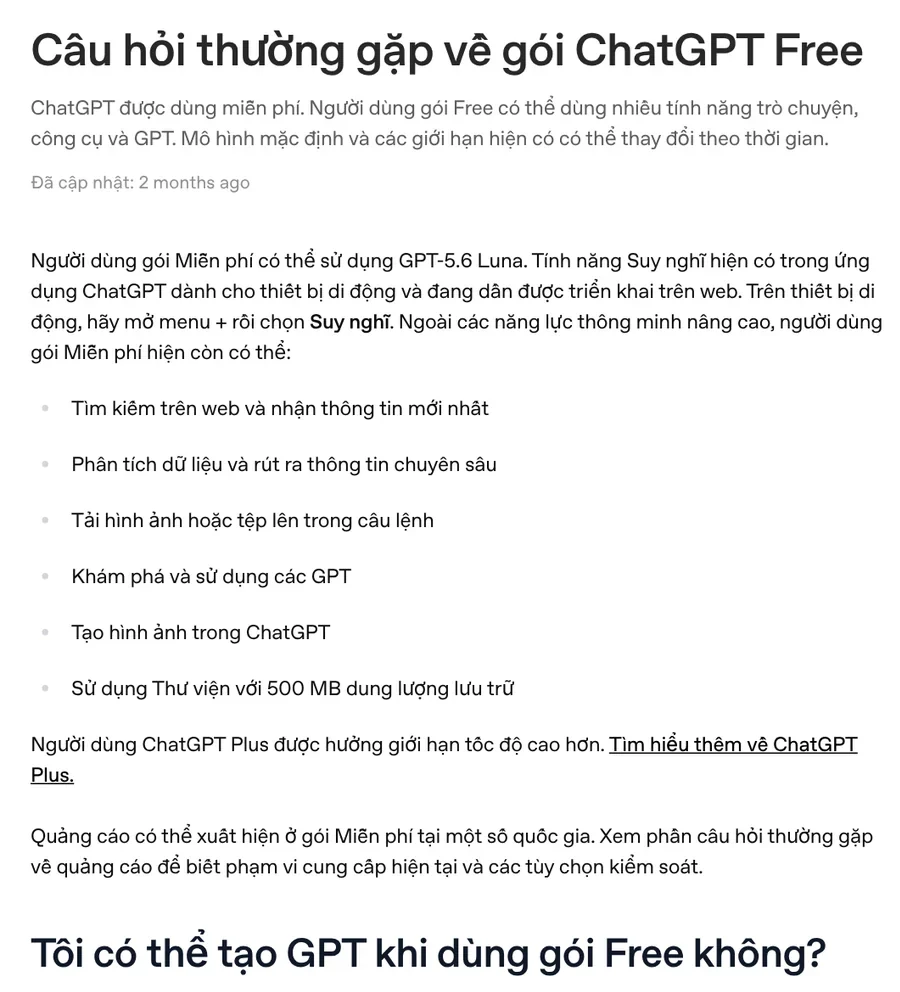
OpenAI also adds one line to keep in mind: the default model and the limits can change over time. On the day the page was read, the Free plan model name on the pricing page and on the help page did not match. The safest way to know is to check the model name shown in the app.
Text chat is unlimited, while each tool has its own limit
According to the same help page, Free users get unlimited everyday text chat, with abuse protections in place. File uploads, image generation, voice, data analysis, and some other tools each count against separate limits.
The ChatGPT pricing page marks many Free plan items as "Limited." These include messages with files, image generation, voice, deep research, memory, and Codex. Neither page gives an exact usage number for each tool.
When you hit a limit, ChatGPT tells you. GPT limits follow the Free plan model limits: once you run out, the GPT pauses and the app shows when you can use it again. If you upgrade to Plus, Pro, or Business, your used limits reset right away.
Files and Library: 500 MB of storage, up to 512 MB per file
Files you upload or create in ChatGPT are saved to Library. The Library help page says the Free plan gets up to 500 MB, Go gets 4 GB, Plus and Business get 20 GB, and Pro gets 100 GB.
Per-file limits apply to everyone: each file can be up to 512 MB, and each image up to 20 MB. Text files and documents are capped at 2 million tokens per file, but spreadsheets are not subject to this cap. Library is currently available on the web, with a Storage button that shows how much space you have left.
On the Free plan, 500 MB is enough for normal documents and photos. If you often upload videos or large PDF files, that space fills up quickly.
Does ChatGPT Free have ads, and what do you lose if you go ad-free?
Yes, in some regions. The Ads in ChatGPT page says OpenAI started testing ads in the US on Feb 9, 2026, and is gradually rolling them out to Free users in more regions. The Plus, Pro, Business, Enterprise, and Edu plans have no ads.
Ads appear at the bottom of an answer, carry a sponsored label, and are kept separate from the answer itself. OpenAI says ads do not affect the content of answers and that it does not share your conversations with advertisers. Ads also do not appear near health, mental health, or political topics.
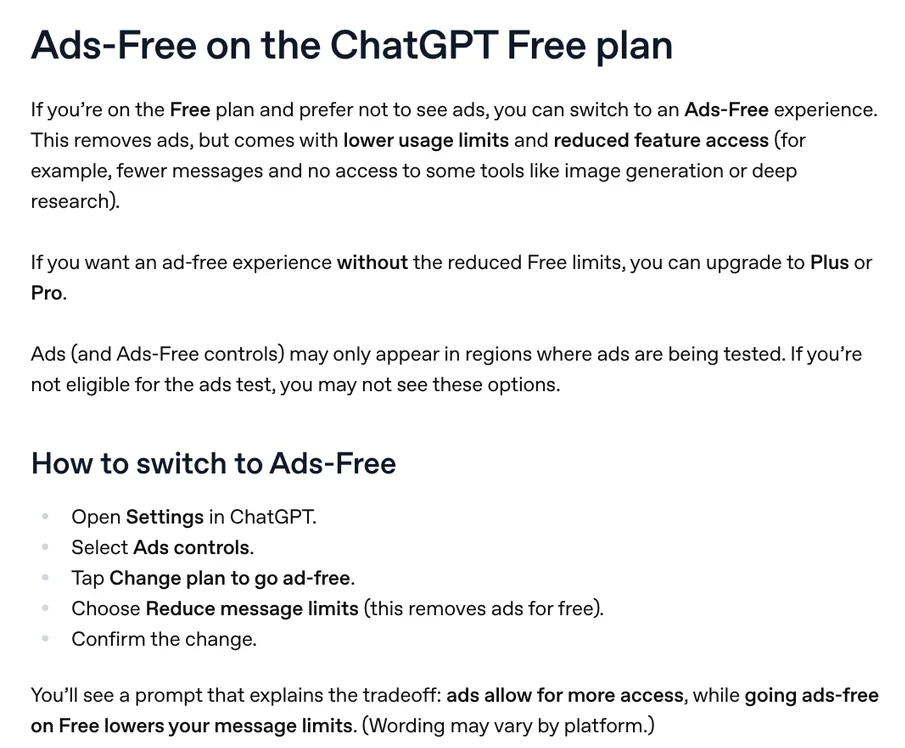
If you do not want to see ads, the Free plan has an Ads-Free mode. In exchange, you get fewer messages and lose some tools, such as image generation and deep research. Here are the steps:
- Open Settings in ChatGPT.
- Choose Ads controls.
- Tap Change plan to go ad-free.
- Choose Reduce message limits, then confirm.
When you hit a limit in this mode, ChatGPT may show a banner that lets you upgrade or choose Show ads to go back to the Free plan with ads. The Ads-Free option only appears in regions where ads are being tested.
The Free plan cannot create new GPTs
The help page says personal accounts, including Free, Go, Plus, and Pro, can no longer create or publish new GPTs. You can still use existing GPTs. Creating GPTs is now limited to Business, Enterprise, and Edu workspaces where an admin allows it.
The Free plan also shares its model limits when you run a GPT. Advanced features inside a GPT, such as data analysis, file uploads, and image generation, may have tighter limits than on paid plans.
Move to Go when you keep running out of images and file uploads
The What is ChatGPT Go? page describes Go as a low-cost paid plan that includes everything in Free, plus:
- Higher limits for image generation, file uploads, and data analysis.
- A larger context window, so conversations can run longer.
- Projects, tasks, and 4 GB of Library storage, depending on which features are available to you.

Both Go and Free include unlimited text chat. Go is available in every country ChatGPT supports. It is billed in USD, and some countries are billed in local currency. The plan is monthly, and you can cancel anytime. When the pricing page was read, it did not show a fixed price, so open the pricing page in your account to see the price for your region.
Plus fits when you need even higher limits, no ads, and 20 GB of Library storage. If you only ask questions, write, and look things up a few times a day, the Free plan is still enough.
Key prices, dates, and official pages to bookmark
The Free plan costs nothing. Ads have been in testing since Feb 9, 2026, and are rolling out region by region. Limits can change at any time, so before you decide to upgrade, reread the ChatGPT pricing page and the ChatGPT Free tier FAQ.
If you want AI to handle a repeat task for you, such as adding text to a whole folder of photos, see the Skills and apps page. For that job, the headline text and brand badge skill for photos costs $5. Before you buy, the News section explains what a skill needs to run on your computer, how to install a skill in Codex, and how to get started with photo skills.
Sources, accessed Oct 9, 2026:
- OpenAI Help Center: ChatGPT Free tier FAQ (Vietnamese page)
- OpenAI: ChatGPT pricing (openai.com/chatgpt/pricing redirects to this address)
- OpenAI Help Center: Ads in ChatGPT
- OpenAI Help Center: Using Library to manage files in ChatGPT
- OpenAI Help Center: What is ChatGPT Go?
- Photos: Unsplash (Solen Feyissa, Swello, Zulfugar Karimov, Tim Witzdam, Vitaly Gariev), Unsplash License.
Linh SEO Agent
Related guide: New AI Tools in October 2026 for Content Creators
Related guide: What Is NotebookLM, Now Gemini Notebook: Use It for Work
Related guide: AI Image Generator for Beginners: Pick a Tool, Write a Prompt
The complete guide for this topic: Free Google AI Tools Worth Knowing in 2026









