
Veo 3.1 vs Veo 3: What's New and Where You Can Still Use It
Veo 3.1 adds reference images, first and last frames, scene extension, 9:16 video and 4K over Veo 3. Compare features and the Lite, Fast, Quality models.

In this article (6)
- Veo 3.1 launched on Oct 15, 2025, with richer audio and better prompt following
- Veo 3.1 beats Veo 3 on inputs, length, resolution, and references in the Gemini API
- Flow added four editing tools alongside Veo 3.1
- How do Veo 3.1 Lite, Fast, and Quality differ in Flow?
- Gemini Omni is gradually replacing Veo 3.1
- Pick Veo 3.1 for Flow's Veo tools, Gemini Omni for longer clips and edits
Veo 3.1 adds four things Veo 3 does not have: reference images, first and last frames, video extension, and 4K output. As of October 2026, Veo 3.1 is still in Google Flow, while the Gemini app now uses Gemini Omni.
Veo 3.1 launched on Oct 15, 2025, with richer audio and better prompt following
On Oct 15, 2025, Google introduced Veo 3.1, about five months after Flow launched. Google summed it up in three points: richer audio, more narrative control, and more realistic textures.
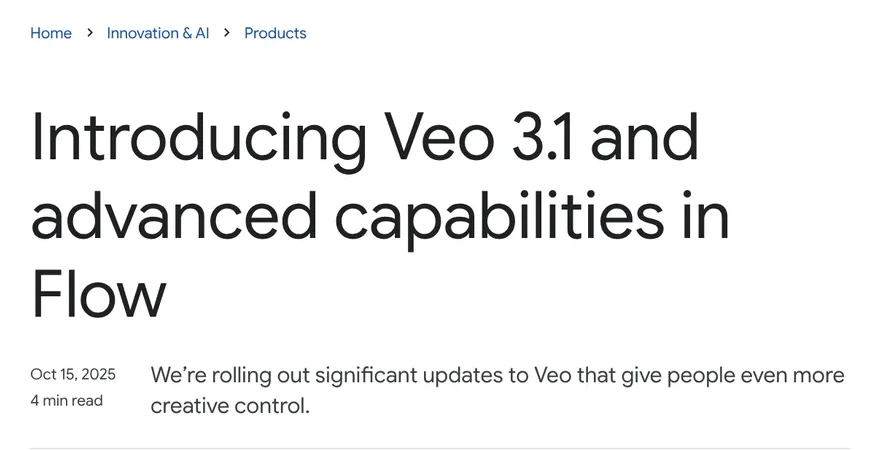
The announcement also says Veo 3.1 follows prompts more closely and gives better picture and sound quality when you turn an image into a video. At launch, the model was available in the Gemini API for developers, Vertex AI for businesses, the Gemini app, and Flow. By then, people had made more than 275 million videos in Flow.
Veo 3.1 beats Veo 3 on inputs, length, resolution, and references in the Gemini API
The Model features section of the Gemini API docs puts the Veo versions side by side. Here is a shorter version for Veo 3.1 and Veo 3:
| Feature | Veo 3.1 and 3.1 Fast | Veo 3 and 3 Fast |
|---|---|---|
| Audio | Always on | Always on |
| Input | Text, image, video | Text, image |
| Resolution | 720p, 1080p, 4K (1080p and 4K only for 8-second clips) | 720p, 1080p (16:9 only) |
| Length | 4, 6, or 8 seconds | 8 seconds |
| Reference images | Up to 3 | None |
| Video extension | Yes, at 720p | None |
| API status | Preview, earliest shutdown Oct 22, 2026 | Shut down, Jun 30, 2026 |
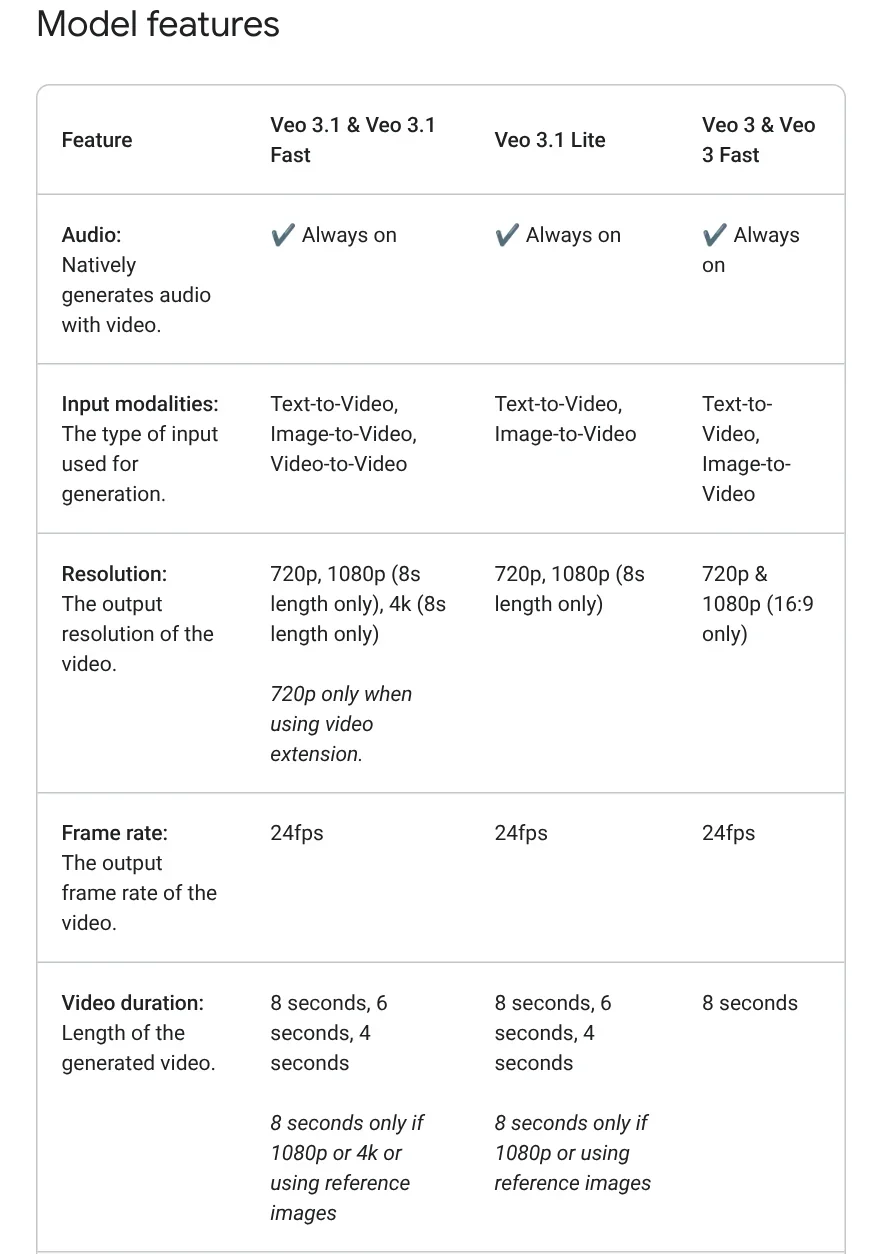
The docs also say that making a video from a first frame and a last frame works only with the Veo 3.1 models. The Veo 3.1 overview lists vertical 9:16 video as a new capability, which suits TikTok or Reels. Every video Veo makes carries SynthID, Google's invisible watermark.
Flow added four editing tools alongside Veo 3.1
On the day Veo 3.1 launched, Google added several filmmaking tools to Flow:
- Ingredients to Video: use several reference images to keep characters, objects, and style consistent.
- Frames to Video: give a first image and a last image, and Flow builds the motion in between.
- Extend: make a scene longer, starting from the last second of the previous clip.
- Insert: add a new object to an existing scene.
Audio was also added to the first three tools at that point, and Google labeled it experimental. In the Oct 15, 2025 post, a Remove tool (delete an object and rebuild the background) was described as coming soon.
How do Veo 3.1 Lite, Fast, and Quality differ in Flow?
Flow now splits Veo 3.1 into three models. Based on Flow's models page and credits page:
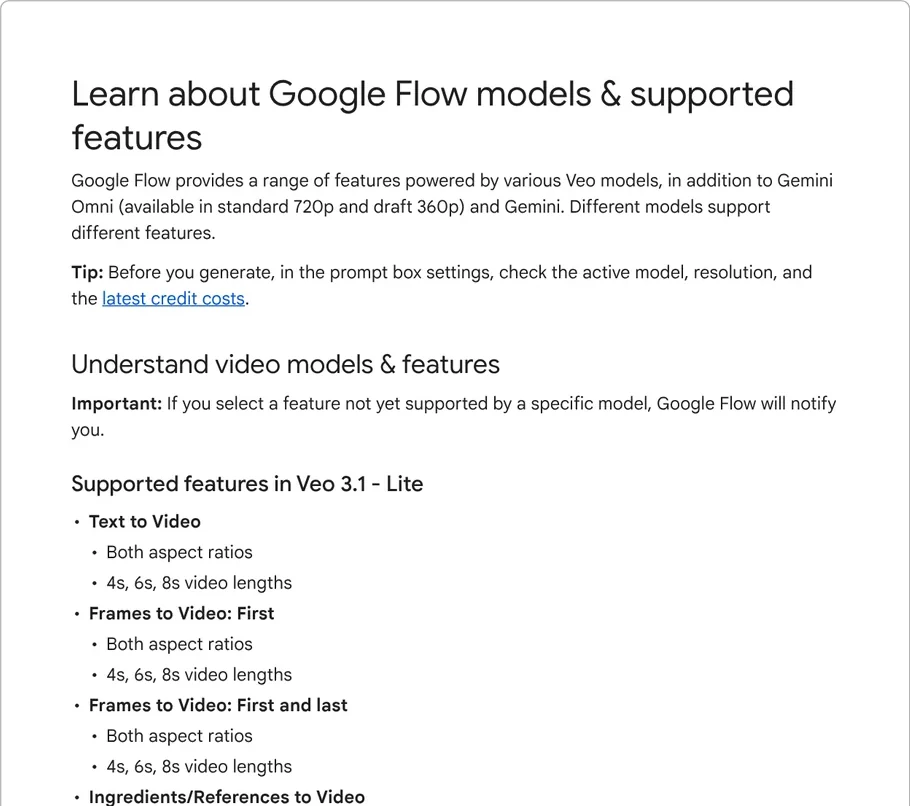
- Veo 3.1 Lite: makes 4, 6, or 8 second clips, and supports ingredients and extension for 8-second clips. Costs 10 credits per generation if you are not on Ultra, 5 credits on Ultra.
- Veo 3.1 Fast: supports ingredients for 8-second clips, but cannot extend. Costs 20 credits, or 10 on Ultra.
- Veo 3.1 Quality: only text to video and first and last frames. No ingredients, no extension. Costs 100 credits per generation.
Flow states one tip clearly: every 8-second Veo 3.1 clip can be extended, but you must use Lite to extend it. The Lite model arrived in the Gemini API on Mar 31, 2026.
Gemini Omni is gradually replacing Veo 3.1
The Gemini video generation page says Gemini Omni 1.1 Flash replaces the Veo 3.1 model in the Gemini app. Omni makes 10-second clips, longer than the 8-second maximum of Veo 3.1. In Flow, Omni Flash at 720p costs 12 credits for an 8-second clip, which is cheaper than Veo 3.1 Fast if you are not on Ultra.
In the Gemini API, the deprecations page lists veo-3.1-generate-preview, veo-3.1-fast-generate-preview, and veo-3.1-lite-generate-preview with an earliest shutdown date of Oct 22, 2026. Google recommends gemini-omni-1.1-flash as the replacement and says it will give users advance notice of the exact shutdown date. The same page marks Veo 3 and Veo 3 Fast as shut down on Jun 30, 2026.
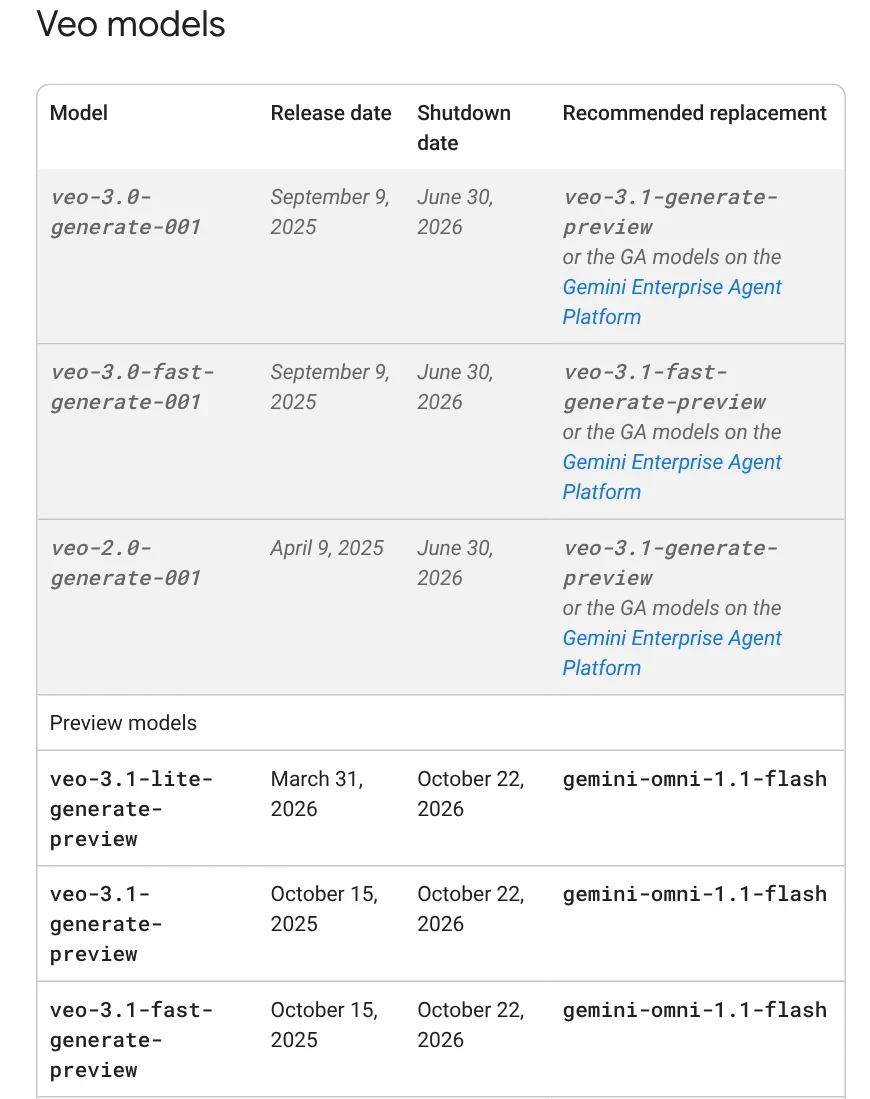
This article was published on Oct 26, 2026, after the Oct 22, 2026 date, so the Veo 3.1 preview models in the Gemini API may already be off when you read this. If you call Veo 3.1 through the API, open the deprecations page for the latest status.
Businesses on Google Cloud follow a separate schedule. The Veo 3.1 page on Gemini Enterprise Agent Platform, lists a retirement date of Nov 17, 2026 or later for the two GA models, veo-3.1-generate-001 and veo-3.1-fast-generate-001.
Pick Veo 3.1 for Flow's Veo tools, Gemini Omni for longer clips and edits
Choose Veo 3.1 Quality if you want Veo's top quality in Flow and accept 100 credits per generation. Choose Veo 3.1 Lite if you need cheap scene extension. Choose Gemini Omni if you want 10-second clips, want to edit video with words, or work in the Gemini app. Do you more often need long scenes, or many rounds of edits?
For social video, decide on the vertical format before you generate. You can find more guides in News. If you need videos with voice-over that sticks to the facts, without watching your credits, see AI video with a source table, where every spoken line comes with a source and the date it was read. To paste a link and get a vertical video with captions, see Adam Proof Studio.
Sources, accessed Oct 9, 2026:
- Google: Introducing Veo 3.1 and advanced capabilities in Flow (Oct 15, 2025)
- Google AI for Developers: Generate videos with Veo 3.1 and Deprecations
- Google Flow Help: Models and supported features and Manage your credits
- Gemini: Video generation, Gemini Omni
- Google Cloud: Veo 3.1 on Gemini Enterprise Agent Platform
- Photos: Unsplash (Peter Stumpf, GR Stocks), Unsplash License.
Linh SEO Agent
Related guide: AI Video Prompts for Veo 3 and Gemini Omni: A 4-Part Formula
Related guide: Free Image to Video AI: Beginner Steps in Google Flow
Related guide: Free Text to Video AI: From Script to Clip in Google Flow
The complete guide for this topic: How to Make AI Videos on Your Own: A 5-Step Workflow
More reading
 What Is Gemini Omni Flash, and How Is It Different From Veo?
 What Is Veo 3? How to Use Google's AI Video Model in 2026
 What is Higgsfield? Models, credits and usage rights in 2026
 What Is Google Flow? How to Use It and What It Costs
 AI Video Prompts for Veo 3 and Gemini Omni: A 4-Part Formula
 What is Seedance? ByteDance's AI video model, pricing 2026








