AI Video With Sources: Why You Need a Source Table
An AI video with sources links every fact back to the original page. Why you need a source table, which columns it has, and 3 signs a video lacks sources.


In this article (5)
- Generative AI predicts words, it does not look up facts
- Even the companies behind AI video tools tell you to check before posting
- A source table has four columns: spoken line, source, link and access date
- How does an AI video with sources help viewers and creators?
- Three signs an AI video is missing sources
An AI video with sources is a video where every factual line points back to the original page. You need a source table because Google itself says generative AI models do not look up facts. They predict words.
Generative AI predicts words, it does not look up facts
Read on Oct 9, 2026, Google Search's guidance on using generative AI content has one sentence worth copying down. Generative models do not retrieve facts. They predict a likely sequence of words based on their training data.
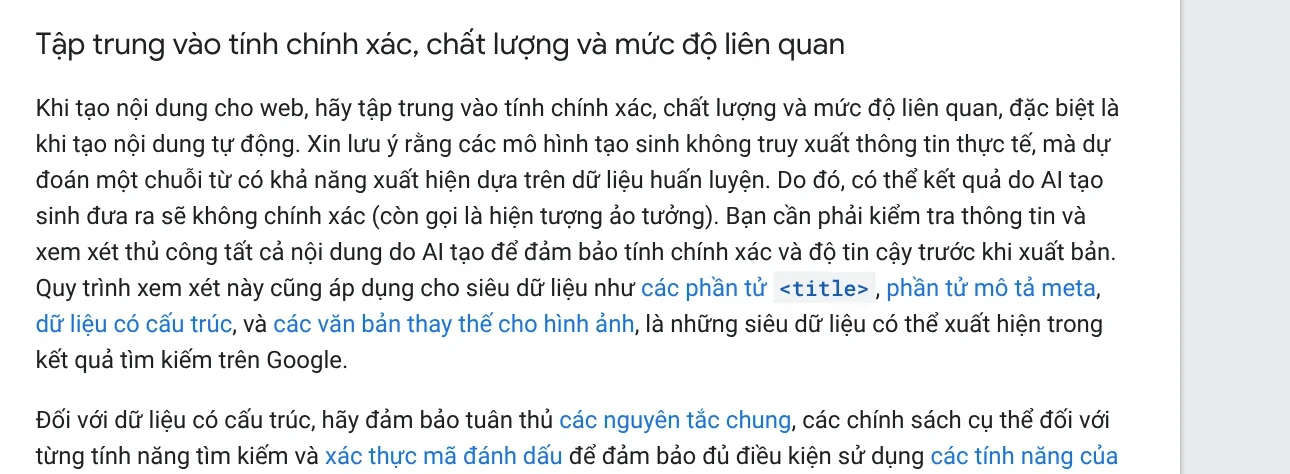
As a result, the output can be wrong. Google calls these errors hallucinations. Google says you should fact-check and manually review all AI-generated content before you publish it. A video script written by AI is no different: the smoother a line sounds, the more easily viewers believe it, even when the number in it is wrong.
Even the companies behind AI video tools tell you to check before posting
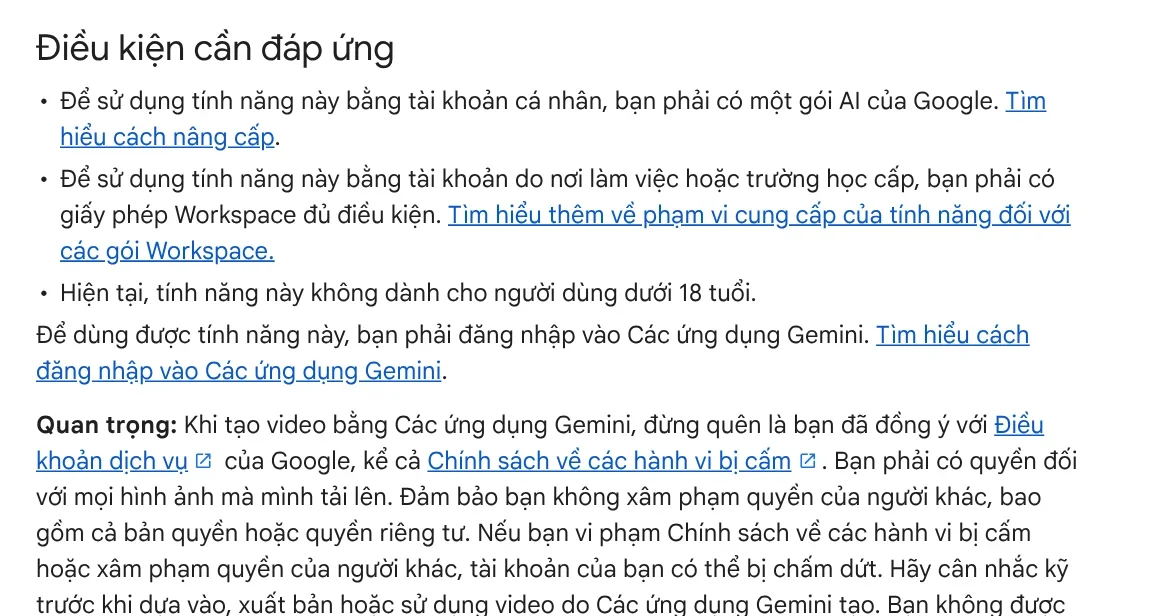
It is not only Google Search. The help page for generating videos with Gemini tells you to use your discretion before you rely on, publish or use videos that Gemini generates.
The Gemini Notebook Video Overviews page reminds you that these videos are AI-generated, including the voices and visuals. A Video Overview is built from the sources you add to your notebook, and the help page still warns it may contain inaccuracies. CapCut's AI video generator page (Vietnamese page) also advises checking the information, visuals, voice-over and rights to use assets before posting.
Three help pages, one message: AI works fast, and the person who posts is responsible for checking.
A source table has four columns: spoken line, source, link and access date
A source table is how you record that checking so other people can see it too. Each fact in the video gets one row. The example below uses three real facts read from official pages:

| Spoken line in the video | Source | Link | Access date |
|---|---|---|---|
| Google AI Plus costs $4.99 a month in the US | Google, Google AI plans page | gemini.google | Oct 11, 2026 |
| The Gemini Notebook Standard plan gives you 3 Video Overviews a day | Google, Gemini Notebook plans page (Vietnamese page) | support.google.com | Oct 9, 2026 |
| YouTube creates automatic captions in Vietnamese | YouTube Help | support.google.com | Oct 9, 2026 |
The access date column matters more than you might think. Plan prices and limits change from month to month. Three months later, a viewer who sees the access date knows when the fact was true, instead of thinking the video got it wrong.
How does an AI video with sources help viewers and creators?
For viewers, a source table turns "I heard" into "I can check". Anyone who doubts a number can open the original page in a few seconds, without having to take the creator's word for it.
For creators, a source table is your evidence when someone pushes back. When a company changes its prices, you know right away which video needs fixing and which line to replace. Google Search's guidance also recommends sharing how content was created, to give readers more context.
For platforms, a source table does not replace an AI label. YouTube's policy on disclosing AI content requires disclosure in many cases. Examples: a real person appears to say something they did not say, real footage is altered, or a realistic scene is shown that did not actually happen.
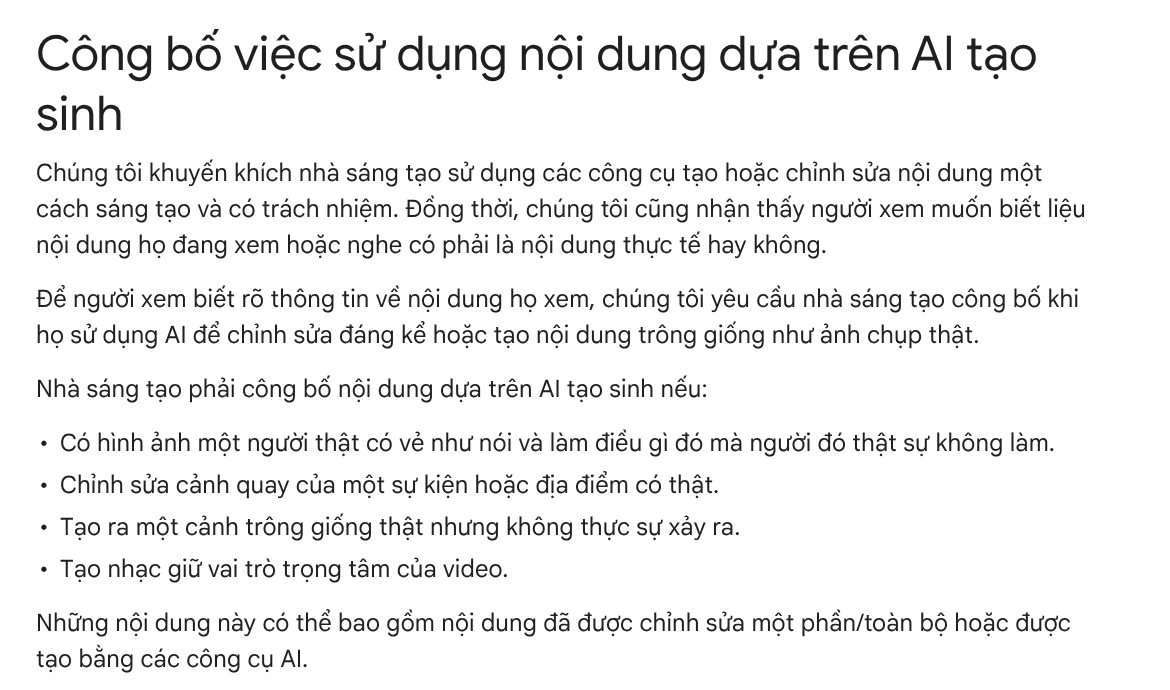
An AI label tells viewers the visuals were made by a machine. A source table tells viewers the claims are backed up. The two answer different questions, so a good video needs both.
Three signs an AI video is missing sources
Numbers with no publisher named. "Up 300%" without saying according to whom, or measured when, is not yet a fact. A video with sources shows the page name at the moment it says the number.
Sources that are only "experts say" or "studies show". Without a link, viewers cannot check. Good sources are official company pages, help pages and original documents.
No date. Prices, features and rules all change. Without an access date, viewers cannot tell whether a fact is still true.
In the same spirit, News has two more articles: why the site does not promise business results, and why every demo is a real recording.
If you need videos where every spoken line comes with a source, a link and an access date, see the AI video with a source table service, with pricing on that page. To make a vertical video backed by sources from a product link yourself, try Adam Proof Studio.
Sources, accessed Oct 9, 2026 (English versions and the US price checked Oct 11, 2026):
- Google Search Central: Google Search's guidance on using generative AI content on your website
- Google: Generate videos with Gemini Apps
- Google: Generate Video Overviews in Gemini Notebook and Learn about Gemini Notebook's plans (Vietnamese page)
- Google: Google AI plans (US prices) and Google AI plans in Vietnam (Vietnamese page)
- CapCut: AI video generator (Vietnamese page)
- YouTube Help: Disclosing use of GenAI content and Use automatic captioning
- Images: Unsplash (Vitaly Gariev, Benoît Deschasaux), Unsplash License.
Linh SEO Agent
Related guide: What Is Veo 3? How to Use Google's AI Video Model in 2026
Related guide: How to Create a Consistent AI Character Across Images and Videos
Related guide: How to Make an AI Video With Source Citations in 5 Steps
In this topic
- Product URL to Video: Paste a Link, Get a Sourced Video
- EU AI Act Compliance for Video: How to Label AI Content
- How to Make an AI Video With Source Citations in 5 Steps