Free AI Video Ad Maker: The Real Limits to Know
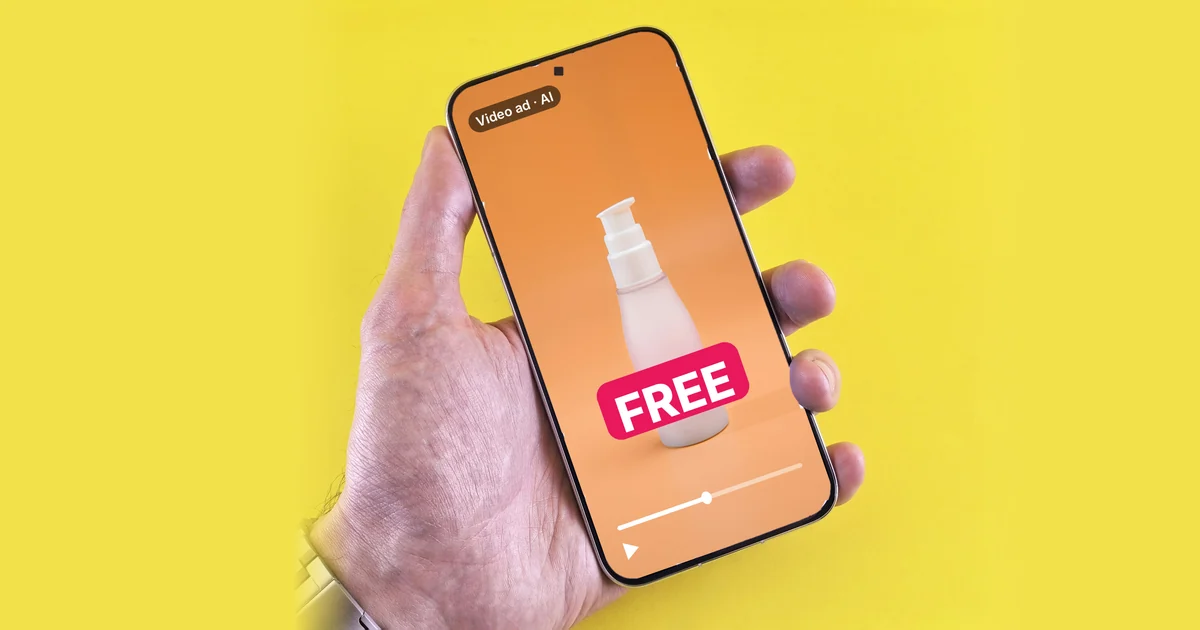
You can make AI video ads for free, but with AI labels, moderation, and prompt rules. Video in Gemini needs a paid plan. Here are the real limits.

In this article (7)
- Video in Gemini needs a paid plan on a personal account
- Google Flow gives 50 credits a day, but video can be blocked at peak hours
- TikTok's Symphony Creative Studio is free, but every export gets an AI label
- Free prompts have their own rules: one scene, no celebrities
- If you already run Google Ads, a video tool is in your account
- Can you use free AI video ads commercially?
- Four common mistakes with free AI video ads
You can still find a free AI video ad maker, but it comes with AI labels, moderation, and its own prompt rules. Making video inside Gemini needs a paid plan.
Video in Gemini needs a paid plan on a personal account
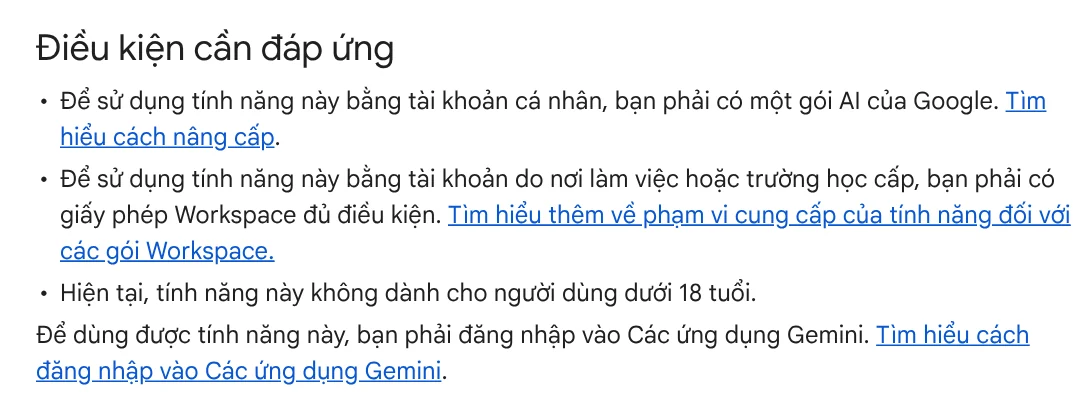
As of October 2026, the Gemini Help page Create videos with Gemini Apps is clear: with a personal account, you must have a Google AI plan. Work or school accounts need a qualifying Workspace license.
The feature is also not available to users under 18. The current video model in Gemini is Gemini Omni. You can upload one video and up to 5 images as references, and each video can take a few minutes to generate.
On Google's US plans page, read on Oct 11, 2026, the cheapest paid plan is Google AI Plus at $4.99 per month. It includes video generation with access to Gemini Omni Flash and 200 Google Flow credits per month. Google AI Pro, at $19.99 per month, includes 1,000 Flow credits.
That means older guides that say "make videos with Gemini for free" may be out of date.
Google Flow gives 50 credits a day, but video can be blocked at peak hours
If you need free AI video ads inside Google's tools, Flow is the next place to look. Read on Oct 9, 2026, the Manage Google Flow credits page says that with or without a plan, you get 50 Flow credits every day. Unused credits do not roll over to the next day. Users without a plan can still create images and use the Flow Agent.
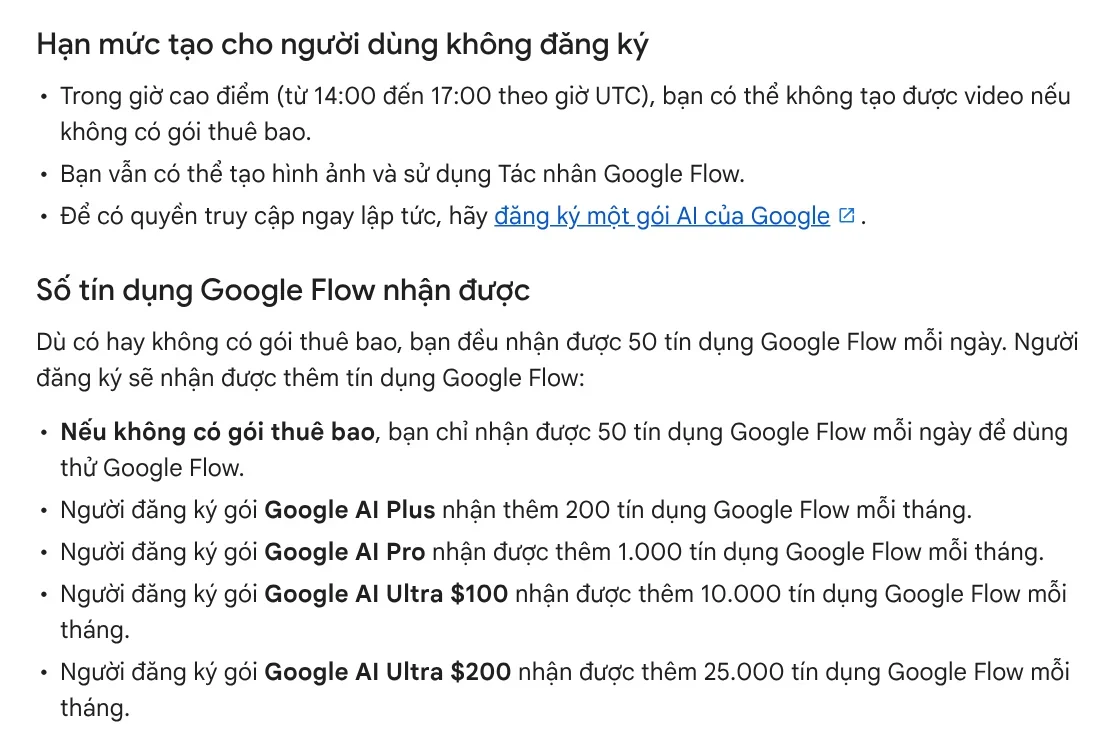
The limit is on video. From roughly 2 PM to 5 PM UTC (10 AM to 1 PM US Eastern while daylight saving time is in effect), users without a plan may not be able to generate videos. Meanwhile, the Get started with Google Flow page (Vietnamese page) still says you need a Google AI Plus, Pro, or Ultra plan. The two pages do not match, so sign in and check what your account gets.
The Vietnamese version of that Get started page says videos made on the free, Plus, and Pro plans carry a visible watermark. The English version, read on Oct 11, 2026, says a visible watermark is added automatically for users in India, South Korea, and Vietnam. Check the page for your own country before you plan an ad around Flow.
TikTok's Symphony Creative Studio is free, but every export gets an AI label
The clearest free option today comes from an ad platform itself. The About Symphony Creative Studio page, updated June 2026, calls it a free creation tool. You can use it for both organic posts and paid ads.
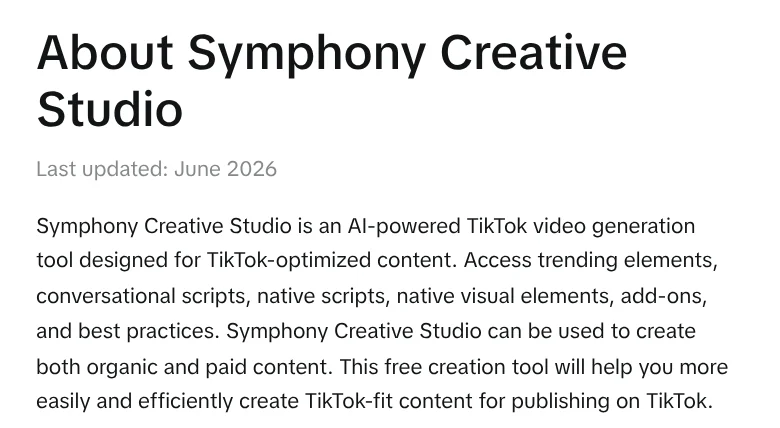
You sign in with a TikTok for Business account, fill in your profile, and accept the Creative GenAI Terms the first time. The tool has three modes: Text to video (video from a text prompt), Image to video (an image brought to life), and Reference to video (several images or videos used as references).
The first limit shows up at export. The Symphony video generation guide says every exported video gets an AI-generated label under TikTok's ad policy. All content also goes through moderation and policy review before it can be published.
Free prompts have their own rules: one scene, no celebrities
The same guide lists rules for writing prompts. If you do not know them in advance, you will waste a lot of generations.
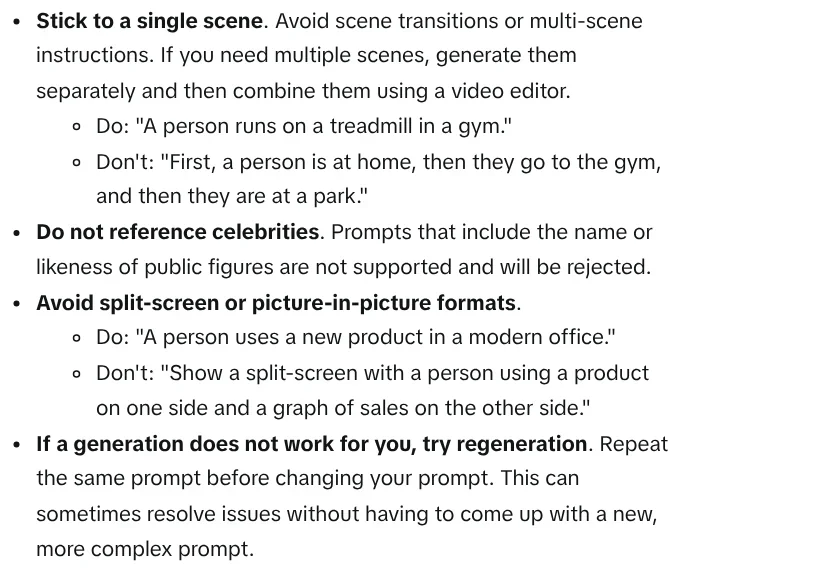
One scene per prompt. TikTok advises against scene transitions inside one prompt. If you need several scenes, generate each one separately, then combine them in a video editor.
No celebrities. Prompts that include the name or likeness of a public figure are rejected. The Dreamina Seedance 2.0 model also does not yet allow images or videos with real faces as references.
Avoid split screens and picture-in-picture. Keep the prompt short and clear: one person, one action, one setting. If the result is not right, TikTok suggests you regenerate with the same prompt before you write a more complex one.
If you already run Google Ads, a video tool is in your account
If you run Google ads, Asset studio sits in the Tools menu of Google Ads. The help page lists a video builder that makes vertical or horizontal video ads without editing software.
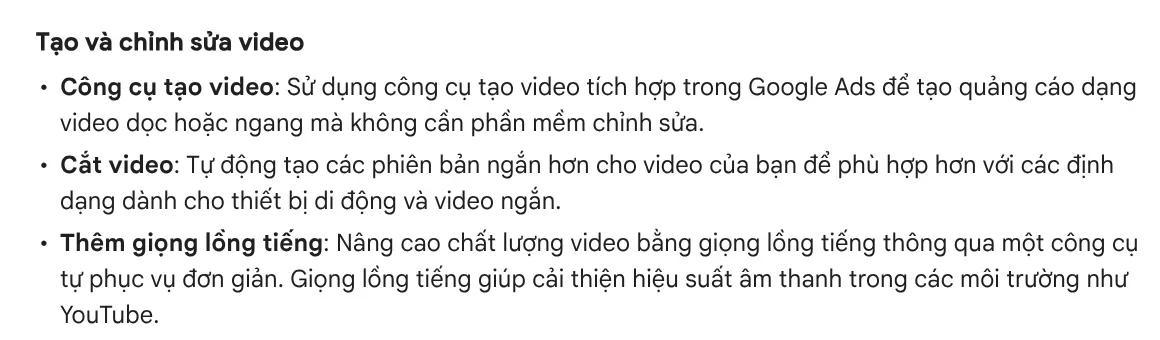
Asset studio also has a tool that trims videos into shorter versions for mobile, and a tool that adds a voice-over. Images it creates carry SynthID, a digital watermark used to check whether an image was made with Google AI. Projects and assets are kept for 55 days.
The help page does not list a price for these tools, so this article does not claim they are free. What is certain is that they are tied to a Google Ads account, which means they serve people who already run ads.
Can you use free AI video ads commercially?
For Symphony, the About page says outputs from the GenAI tools belong to the user unless otherwise stated. TikTok also says it does not currently use your inputs or outputs to train other AI models. The details are in the GenAI terms.

For Gemini, the help page reminds you that you must have rights to every image you upload. You also must not violate other people's rights, including copyright and privacy. Google advises you to use your discretion before you publish or use videos that Gemini creates.
Four common mistakes with free AI video ads
Using product photos you do not own. The Gemini help page warns that violating the rights of others can get your account terminated.
Putting the whole script in one prompt. Free tools work best with short, single scenes. Split your script into scenes first, then combine them.
Forgetting the aspect ratio. When you only type text, Gemini defaults to a landscape frame. Reels and TikTok need a vertical frame, so pick the ratio before you generate. Guides on aspect ratios for each platform are in News.
Not checking the facts in the video. Prices, specs, and promises in an ad must be correct. AI does not know your price today.
If you need a video ad where every spoken line has a source, see the AI video with a source table service. To make one yourself from a product link, Adam Proof Studio turns a pasted link into a vertical video with voice-over, captions, and music in the right format for each platform.
Sources, accessed Oct 9, 2026:
- Gemini Apps Help: Create videos with Gemini Apps (English page, accessed Oct 11, 2026; Vietnamese version read Oct 9, 2026)
- Google: Google AI plans, US, accessed Oct 11, 2026
- Google One: Google AI plans in Vietnam (Vietnamese page)
- Google Flow Help: Manage Google Flow credits (English page, accessed Oct 11, 2026)
- Google Labs Help: Get started with Google Flow (Vietnamese page) and the English version, accessed Oct 11, 2026
- TikTok Business Help Center: About Symphony Creative Studio
- TikTok Business Help Center: How to generate videos with Symphony Creative Studio
- Google Ads Help: About Asset studio (English page, accessed Oct 11, 2026)
- Illustrative photos: Unsplash (Jay, Vitaly Gariev), Unsplash License.
Linh SEO Agent
Related guide: How to Make TikTok Videos With AI: 9:16, Captions, Voice
Related guide: AI Content Creation Trends 2026: From Tools to Workflows
Related guide: How to Make a Product Video With AI: a 30-Second Script
The complete guide for this topic: AI for Online Sellers: 5 Jobs to Hand Off to AI