
What is faster-whisper in 2026 with 4 times faster speech
faster-whisper runs OpenAI's Whisper model up to 4 times faster on your own computer with Python 3.9. Install command, sample code and built-in options.

In this article (12)
- faster-whisper is a rewrite of Whisper that runs up to 4 times faster at the same accuracy
- You need Python 3.9 or newer, and an NVIDIA GPU is optional
- Pick a model size: tiny is lightest, large-v3 and turbo are more accurate
- Can faster-whisper transcribe languages other than English?
- Install with one pip command, then run the sample code
- Run on GPU with FP16
- or run on GPU with INT8
- model = WhisperModel(model_size, device="cuda", compute_type="int8_float16")
- or run on CPU with INT8
- model = WhisperModel(model_size, device="cpu", compute_type="int8")
- Built-in voice typing in Google Docs, Windows and iPhone
- Quick dictation goes to built-in tools, long recordings go to faster-whisper
faster-whisper is a free Python library that runs OpenAI's Whisper speech-to-text model up to 4 times faster on your own computer. If you only need to dictate a few sentences, the built-in tools in Google Docs, Windows and iPhone are enough.
faster-whisper is a rewrite of Whisper that runs up to 4 times faster at the same accuracy
On Oct 12, 2026, the SYSTRAN faster-whisper repository on GitHub had about 25.8k stars and uses the MIT license. The latest version on the releases page is 1.2.1, published to PyPI on Oct 31, 2025.
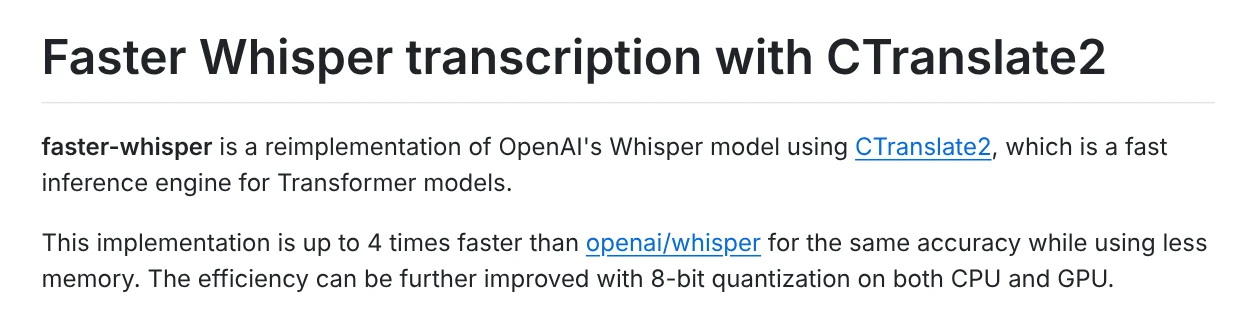
The project README describes faster-whisper as a reimplementation of OpenAI's Whisper model using CTranslate2, a fast inference engine for Transformer models. It is up to 4 times faster than openai/whisper for the same accuracy and uses less memory. 8-bit quantization on both CPU and GPU can speed it up further.
Whisper is the speech recognition model OpenAI open-sourced on September 21, 2022. OpenAI's Whisper announcement says it was trained on 680,000 hours of multilingual data. It can transcribe many languages and translate them into English.
You need Python 3.9 or newer, and an NVIDIA GPU is optional
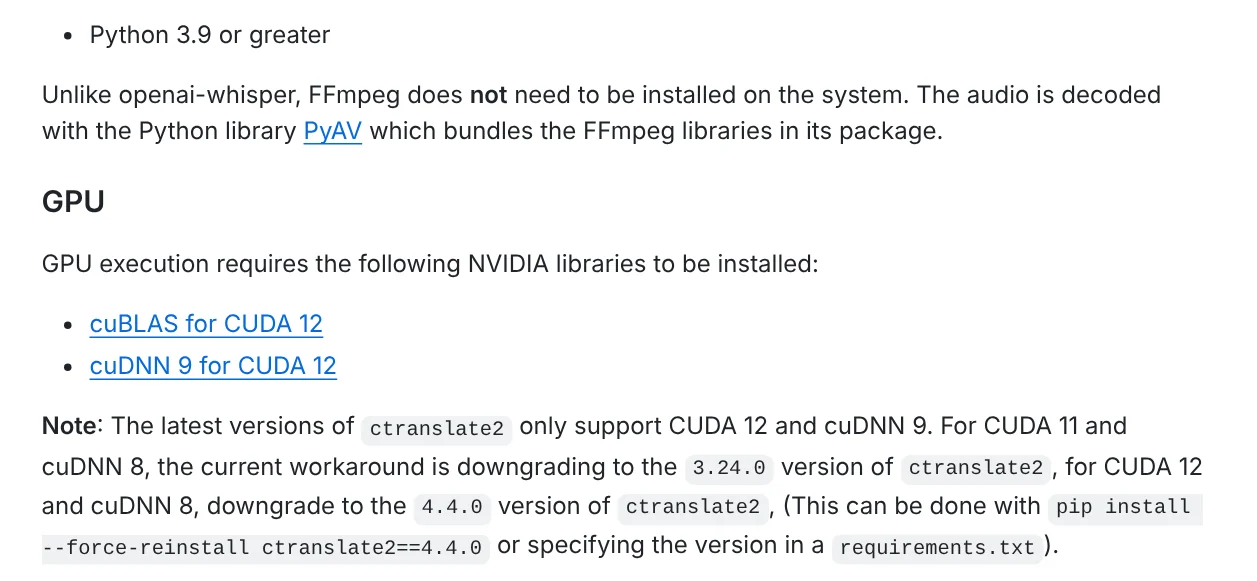
The only hard requirement in the README is Python 3.9 or greater. Unlike openai-whisper, you do not need to install FFmpeg, because audio is decoded with the PyAV library, which bundles FFmpeg.
To run on a graphics card, you need an NVIDIA GPU plus cuBLAS for CUDA 12 and cuDNN 9 for CUDA 12. The README notes that the latest ctranslate2 versions only support CUDA 12 and cuDNN 9. Without a GPU, it runs on the CPU.
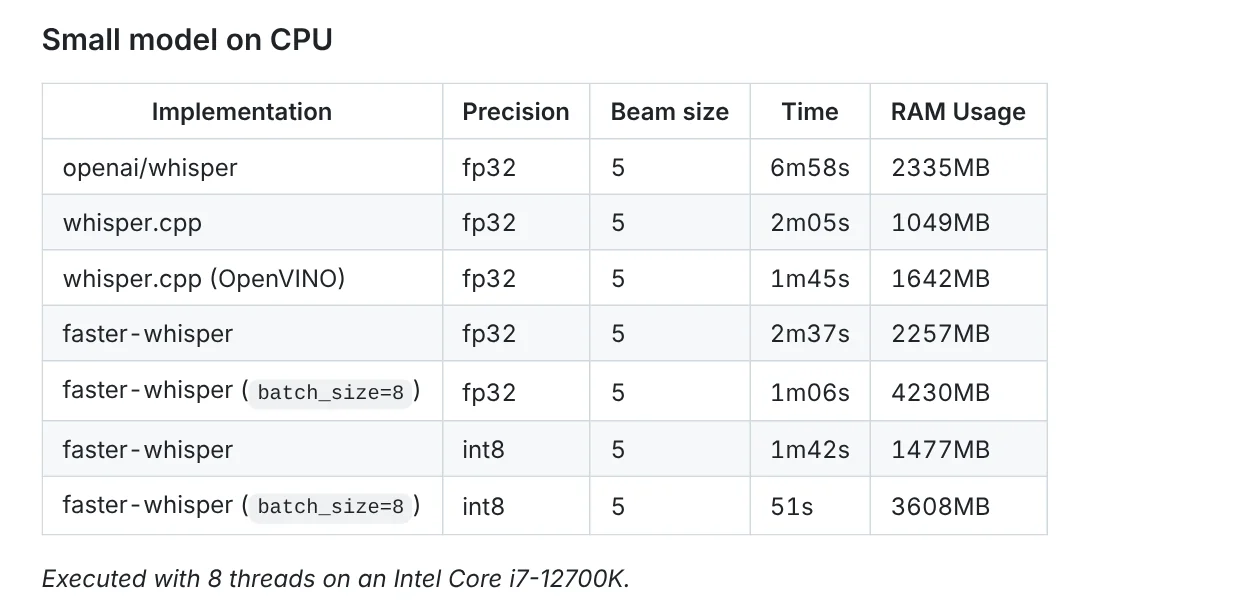
The README benchmark uses 13 minutes of audio. On an Intel Core i7-12700K with 8 threads, the small model took 6m58s with openai/whisper. faster-whisper in int8 mode took 1m42s, and 51s with batch_size=8. On an RTX 3070 Ti 8GB GPU, the large-v2 model took 2m23s with openai/whisper and 1m03s with faster-whisper.
If you are setting up Python for the first time, what you need to run a Python-based skill locally covers the basics.
Pick a model size: tiny is lightest, large-v3 and turbo are more accurate
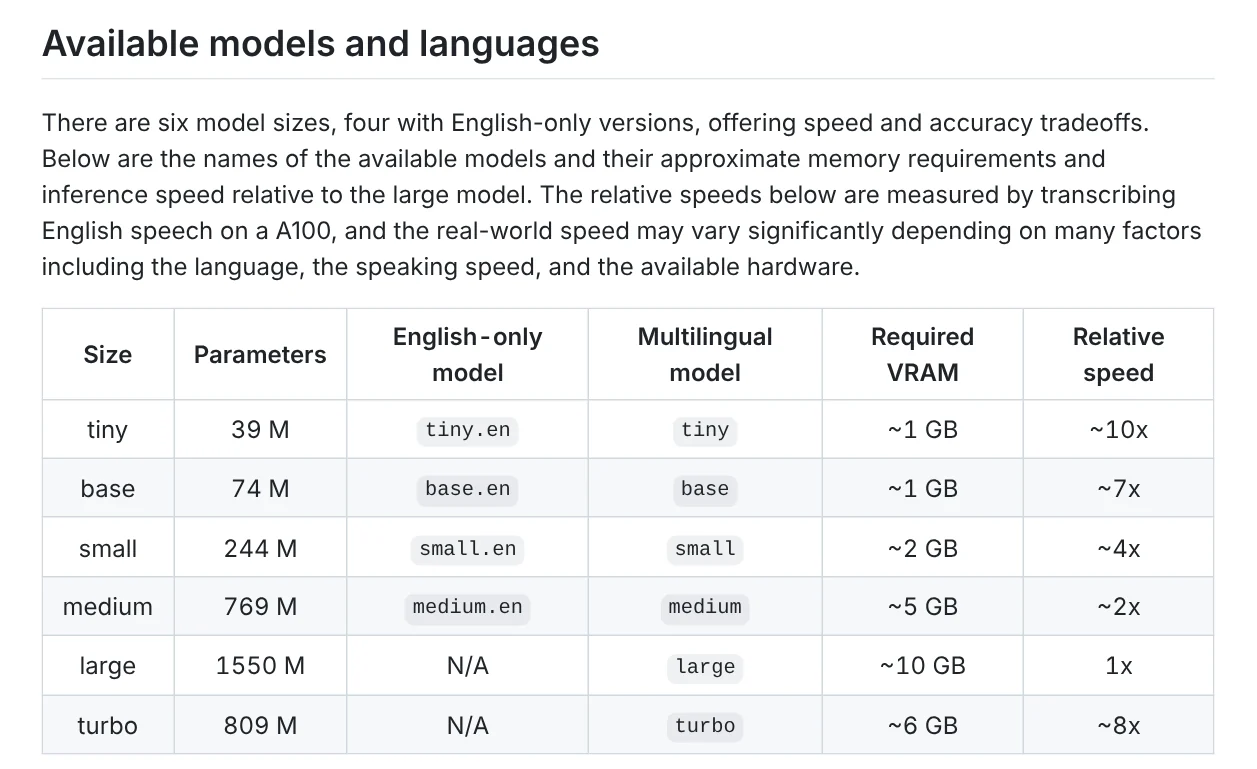
The openai/whisper README lists six model sizes. The VRAM and speed figures below are for the original openai/whisper, measured on English speech on an A100, so real results vary with the language, speaking speed and hardware.
| Size | Parameters | Required VRAM | Speed vs. large |
|---|---|---|---|
| tiny | 39M | about 1 GB | about 10x |
| base | 74M | about 1 GB | about 7x |
| small | 244M | about 2 GB | about 4x |
| medium | 769M | about 5 GB | about 2x |
| large | 1,550M | about 10 GB | 1x |
| turbo | 809M | about 6 GB | about 8x |
The turbo model is an optimized version of large-v3 with faster transcription and minimal loss in accuracy. Models ending in .en, such as tiny.en, are English only. The model list in faster-whisper's utils.py also includes large-v3, turbo and distil versions. When you load a model by its size name, the library downloads it from the Hugging Face Hub.
Can faster-whisper transcribe languages other than English?
Yes. Whisper's language list in tokenizer.py covers many languages, Vietnamese (vi) among them. OpenAI's speech to text guide says Whisper supports 98 languages, but accuracy varies by language.
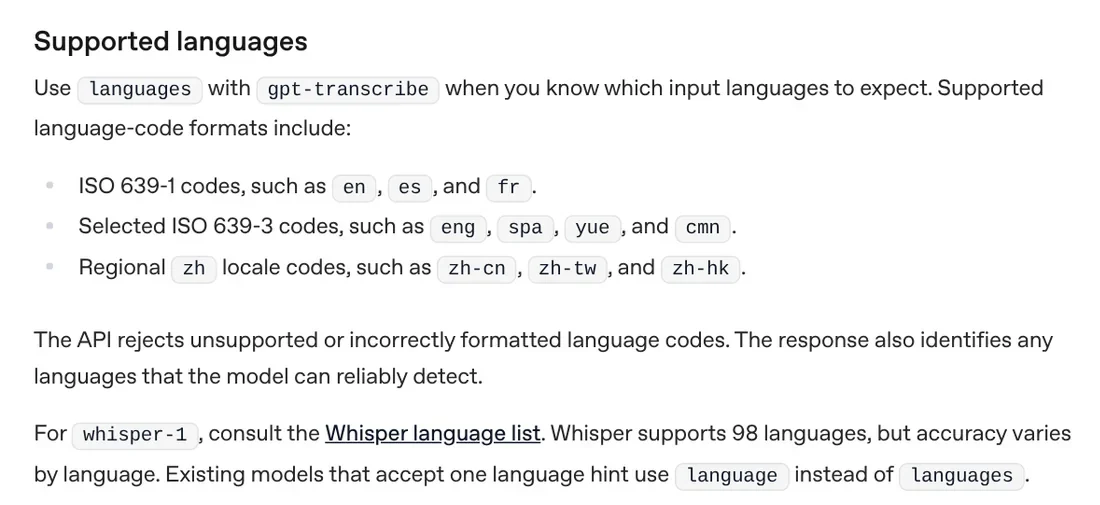
For non-English audio, use a multilingual model, not a .en one. The README sample code prints the language it detects and the probability. The README's distil example also shows that transcribe accepts a language parameter, so you can set it, for example language="vi" for Vietnamese, when you know the language of the file.
Install with one pip command, then run the sample code
The install command from PyPI:
``bash pip install faster-whisper ``
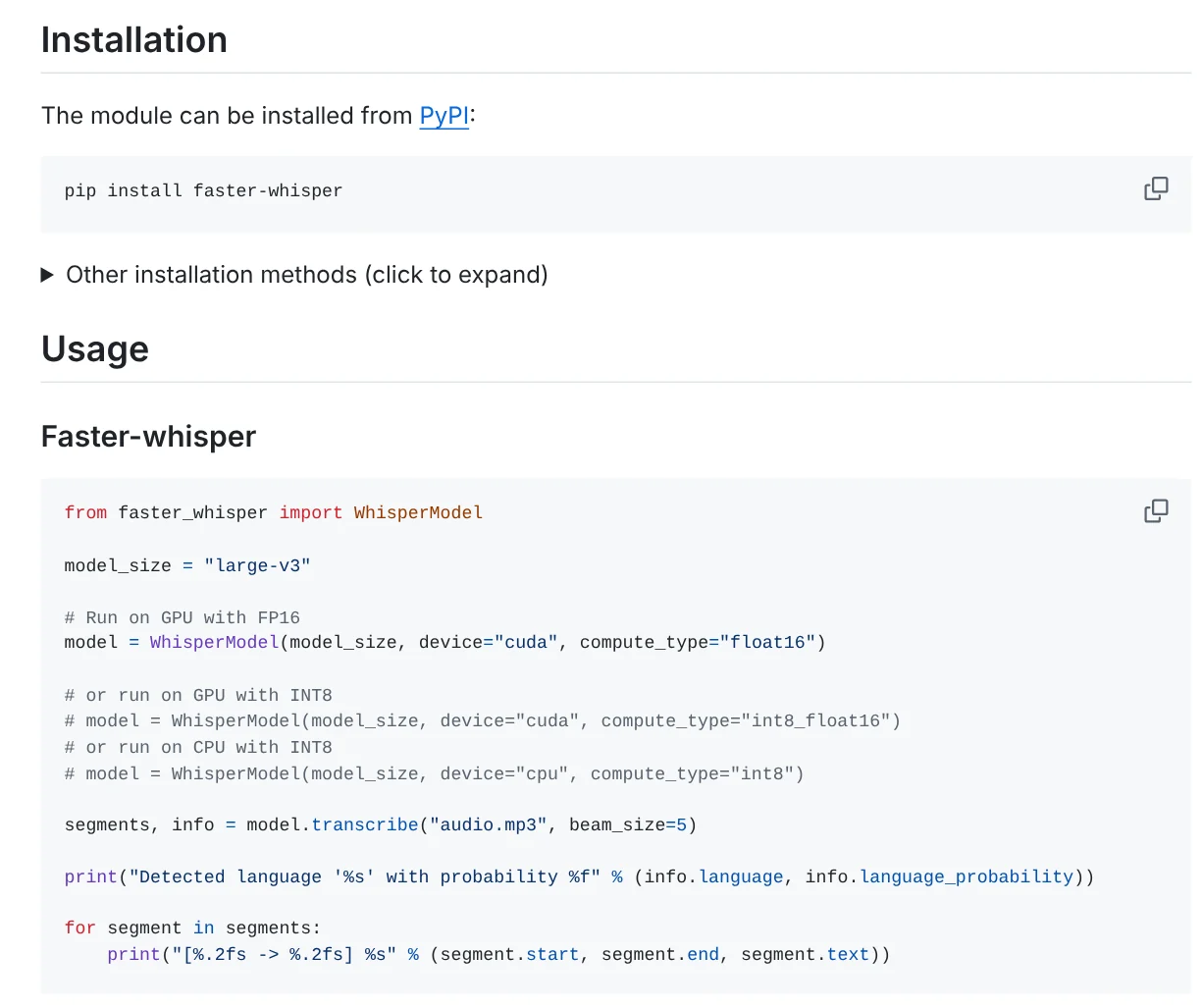
The sample code from the Usage section of the README:
```python from faster_whisper import WhisperModel
model_size = "large-v3"
Run on GPU with FP16
model = WhisperModel(model_size, device="cuda", compute_type="float16")
or run on GPU with INT8
model = WhisperModel(model_size, device="cuda", compute_type="int8_float16")
or run on CPU with INT8
model = WhisperModel(model_size, device="cpu", compute_type="int8")
segments, info = model.transcribe("audio.mp3", beam_size=5)
print("Detected language '%s' with probability %f" % (info.language, info.language_probability))
for segment in segments: print("[%.2fs -> %.2fs] %s" % (segment.start, segment.end, segment.text)) ```
Without an NVIDIA GPU, remove the device="cuda" line and uncomment the last one with device="cpu", compute_type="int8". Each output line is a segment with a start time, end time and text. The README warns that segments is a generator: transcription only runs when you iterate over it with a for loop or list().
For files with long silences, add vad_filter=True. The built-in Silero VAD filter removes parts without speech, and by default it only removes silence longer than 2 seconds.
Built-in voice typing in Google Docs, Windows and iPhone
If you would rather not install anything, you have three ways to turn speech into text as you talk.
Google Docs. The Google Docs Editors Help page says to click Tools > Voice typing, then click the microphone. It works with the latest versions of Chrome, Edge and Safari, and Vietnamese is on the language list. Voice commands for editing are available only in English.
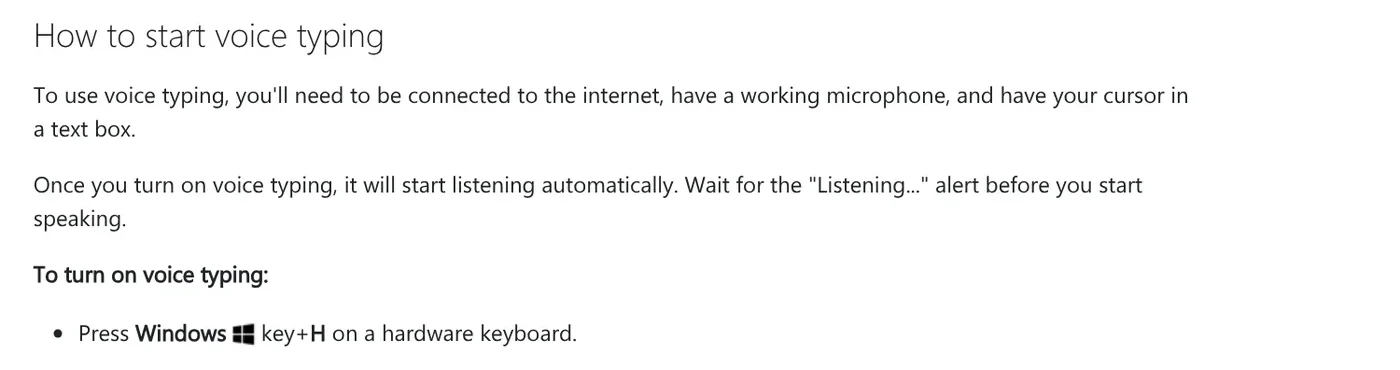
Windows. Press the Windows logo key + H to start voice typing. The Microsoft Support page says it needs an internet connection and uses online speech recognition powered by Azure Speech services. Vietnamese is on the list of voice typing languages in Windows 11.
iPhone. Go to Settings > General > Keyboard, turn on Enable Dictation, then tap the microphone on the keyboard. The Apple Support guide says Dictation is processed on your iPhone in many languages with no internet connection required, and it stops after 30 seconds of silence.
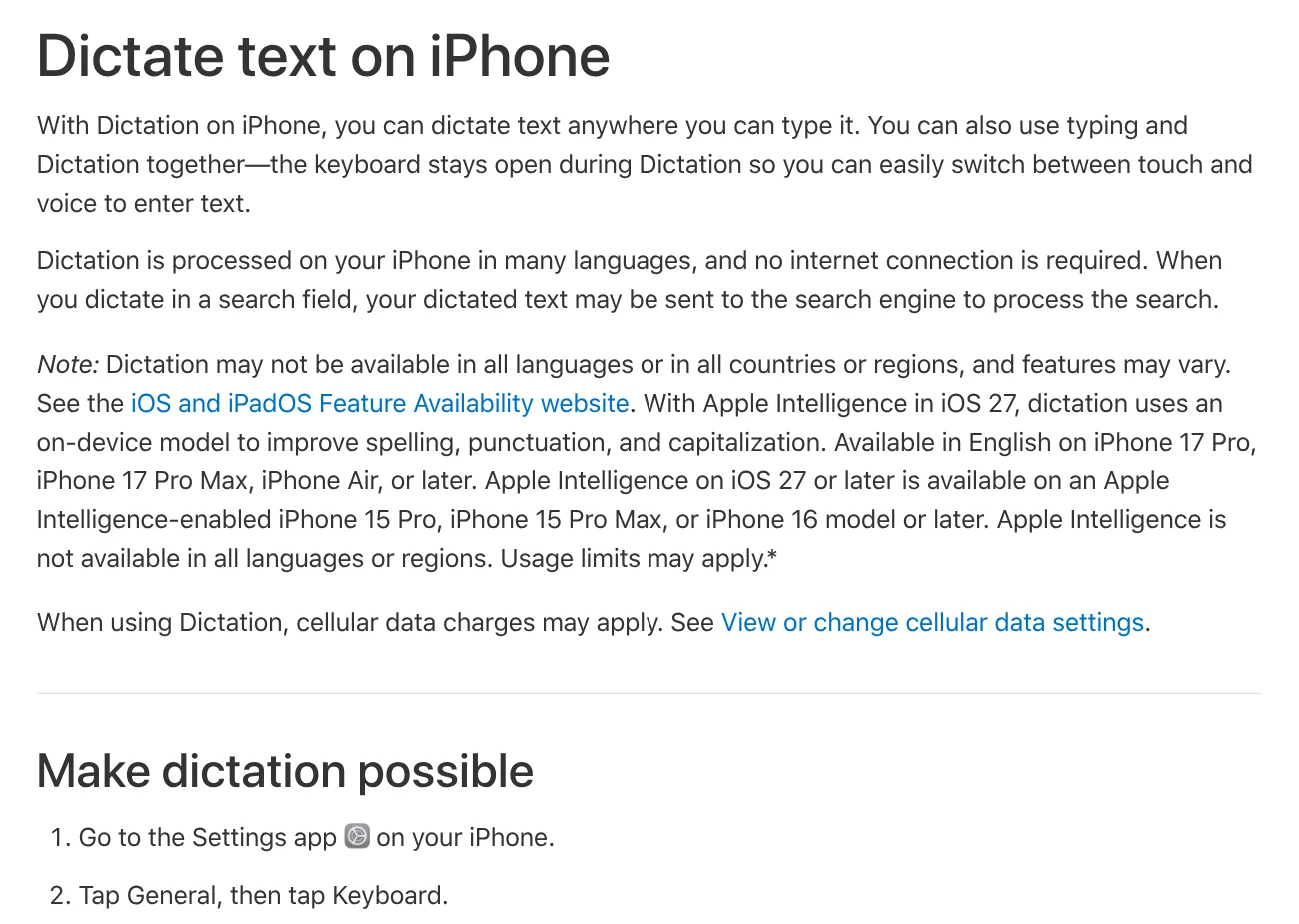
Quick dictation goes to built-in tools, long recordings go to faster-whisper
Choose a built-in tool if you need to dictate an email or a short note. Choose faster-whisper if you have a recording of a meeting, a lecture or a long video and need text with timestamps. The file is processed on your own CPU or GPU.
If a recording includes other people's voices, ask for and get their consent before you record and before you transcribe. Three common first-run mistakes: leaving the device="cuda" line on a computer without an NVIDIA GPU, picking a .en model for non-English audio, and never iterating over segments, so transcription never runs. What kind of recording will you transcribe first?
To turn steps like these into a reusable workflow for an AI assistant, see what a Claude Skill is. More guides are in News.
Sources (11) · accessed Oct 12, 2026
- SYSTRAN: faster-whisper on GitHub
- SYSTRAN: faster-whisper releases
- SYSTRAN: faster_whisper/utils.py
- PyPI: faster-whisper
- OpenAI: Introducing Whisper
- OpenAI: openai/whisper on GitHub
- OpenAI: whisper/tokenizer.py
- OpenAI: Speech to text
- Google: Type & edit with your voice
- Microsoft: Use voice typing to talk instead of type on your PC
- Apple: Dictate text on iPhone
Linh SEO Agent
Related guide: 3 ways to separate vocals from music: Demucs, UVR, CapCut
Related guide: AI video dubbing: 2 tools, 90+ languages compared in 2026
Related guide: FLUX 3 Klein: specs, license and local setup in 2026
The complete guide for this topic: What Is Claude Code? Pricing, Setup and Who It's For
More reading
 What is Ollama? Run AI models free on your computer in 2026
 Claude Code Xcode plugin: 1 install command and 4 features
 What Is OpenAI Codex and How It Differs From Claude Code
 How to Install Claude Code on Windows, Step by Step
 What is Google Antigravity? Install, pricing, models 2026
 Claude Code VS Code Extension: How to Install and Use It









