
What is Ollama? Run AI models free on your computer in 2026
Ollama is a free tool that runs open AI models on your own computer. How to install it on Windows and Mac, your first command, hardware needs and pricing.


In this article (7)
Ollama is a free tool that downloads and runs open AI models right on your computer. Running on your own machine has no usage cap, and your prompts are not sent anywhere.
What is Ollama: one command to download and chat with an open AI model
As of Oct 28, 2026, the ollama/ollama repo on GitHub has about 185.1k stars and uses the MIT license. The latest version is v0.40.12, released on Oct 27, 2026 on the releases page.
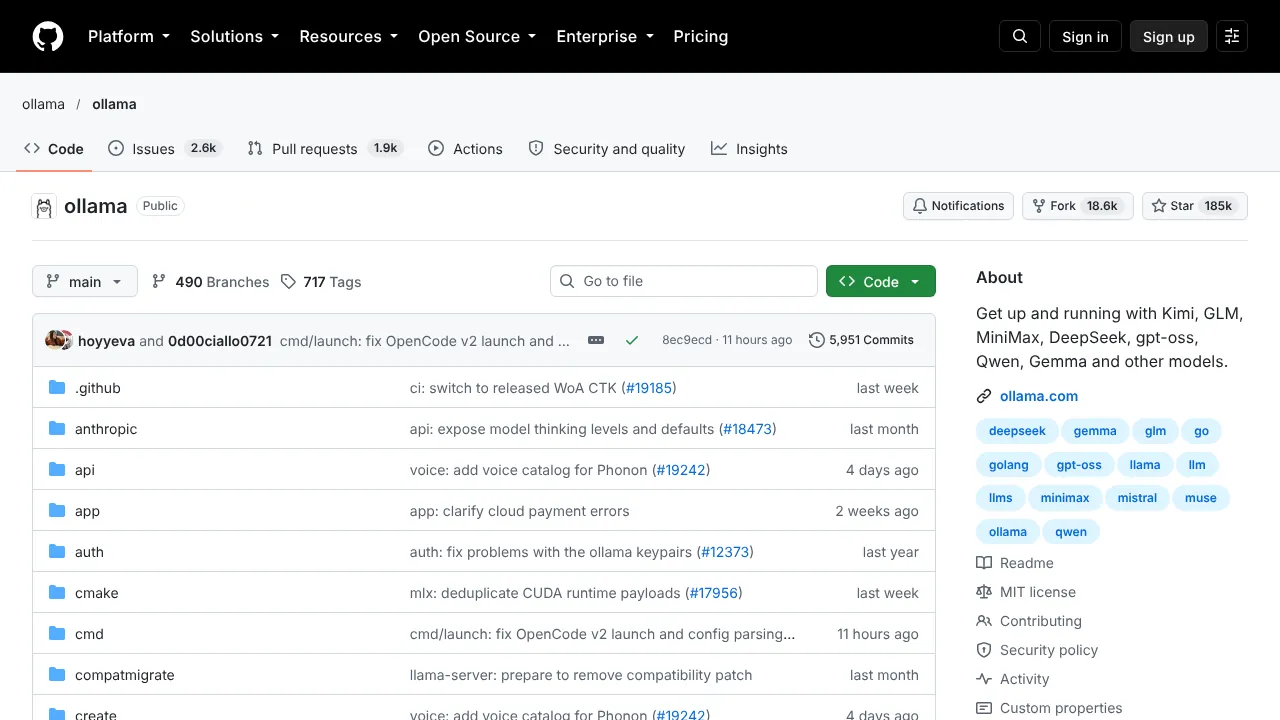
In short, Ollama handles the hard part of running AI locally: it downloads the model, loads it onto your graphics card or into RAM, and opens a chat. You type one command. The Ollama model library includes open model families such as Gemma, Qwen, DeepSeek and gpt-oss.
Once installed, Ollama runs in the background and serves an API at http://localhost:11434. The Quickstart page says this API supports a subset of OpenAI style and Anthropic style requests (the compatibility covers only part of the original API). That is why many chat apps and coding tools can connect straight to a model running on your machine.
Install Ollama on Windows and Mac
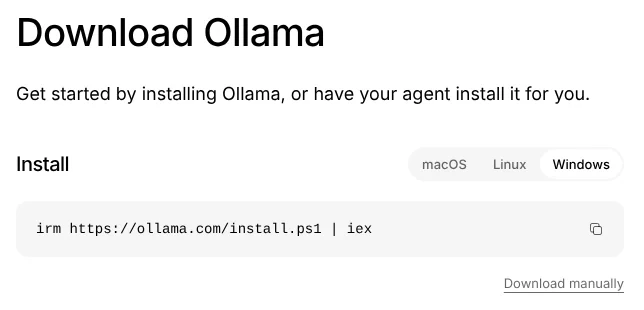
The Ollama download page has an install command for each operating system. On Windows, open PowerShell and paste:
`` irm https://ollama.com/install.ps1 | iex ``
On Mac and Linux, open Terminal and paste:
`` curl -fsSL https://ollama.com/install.sh | sh ``
If you would rather not type commands, click Download manually to get a regular installer.
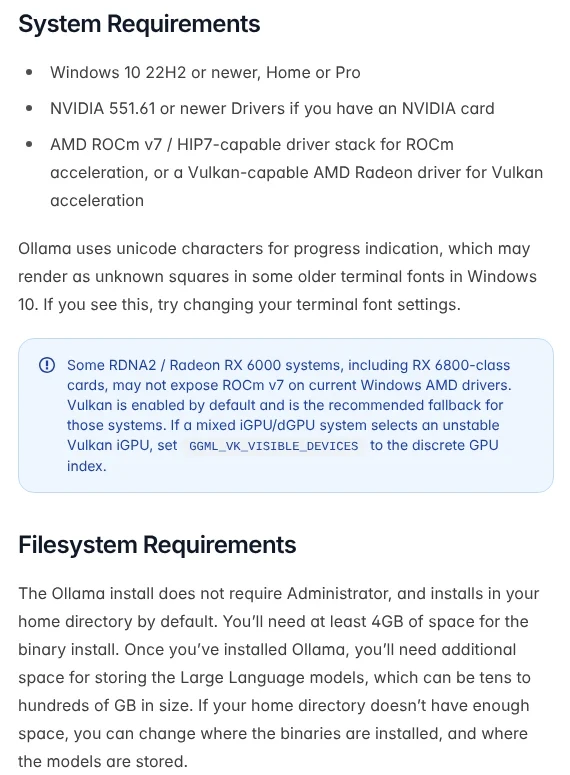
The Windows guide requires Windows 10 version 22H2 or newer, Home or Pro. A PC with an NVIDIA card needs driver 551.61 or newer. AMD Radeon cards use a driver with Vulkan or ROCm v7 support. The install does not need Administrator rights.
A Mac needs macOS Sonoma (version 14) or newer, according to the macOS guide. Apple M series Macs use both the CPU and GPU. Intel Macs run on the CPU only, which is much slower.
Run AI offline: your first command and the hardware you need
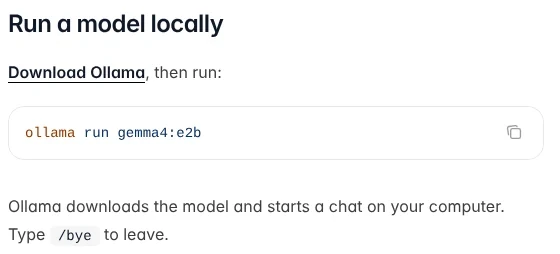
After installing, open a new terminal window and type:
`` ollama run gemma4:e2b ``
Ollama downloads the model and opens a chat right on your computer. Type /bye to leave. According to the Quickstart page, gemma4:e2b is about 7.2 GB, and 8 GB of graphics memory (VRAM), or 8 GB of unified memory on a Mac, is recommended.
Disk space is what most people run short of. The install needs at least 4 GB, and models can take tens to hundreds of GB. Models are stored in the .ollama folder in your user folder. If drive C is full, create an OLLAMA_MODELS environment variable that points to another drive, then quit Ollama from the system tray and open it again.
A few model management commands from the CLI Reference:
`` ollama ls # list downloaded models ollama ps # show running models ollama stop gemma4 # stop a model ollama rm gemma4 # delete a model from your computer ``
To check whether a model runs on your graphics card, look at the Processor column of ollama ps. The FAQ explains that 100% GPU means it fits fully on the card, while 100% CPU means it runs in regular RAM and will be slow. A model stays in memory for 5 minutes after its last use, then unloads.
Does your data leave your computer?
No, not when you run a model locally. The FAQ says plainly that Ollama does not see your prompts or data when you run locally.
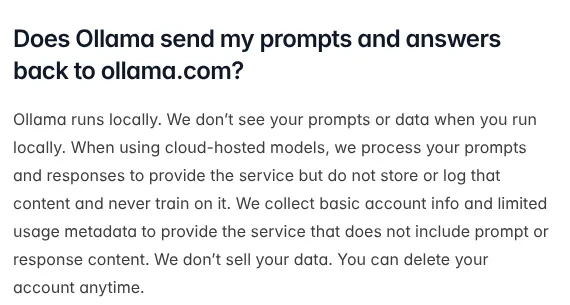
Ollama also offers cloud models. When you pick a cloud model, your prompt goes to Ollama's servers for processing. The FAQ says they do not store or log that content and never train on it.
To make sure everything stays local, turn the cloud features off. Set the environment variable OLLAMA_NO_CLOUD=1, or add "disable_ollama_cloud": true to the file ~/.ollama/server.json, then restart Ollama. In return, you lose cloud models and web search.
By default Ollama only listens on 127.0.0.1, so other computers on your network cannot reach it. Only set OLLAMA_HOST=0.0.0.0:11434 when you really want your whole local network to share it.
How far does free Ollama go, and when do you pay?
Running on your own machine is free. On Oct 28, 2026, the Ollama pricing page lists a Pay as you go plan at $0 that includes running models locally, with no subscription.
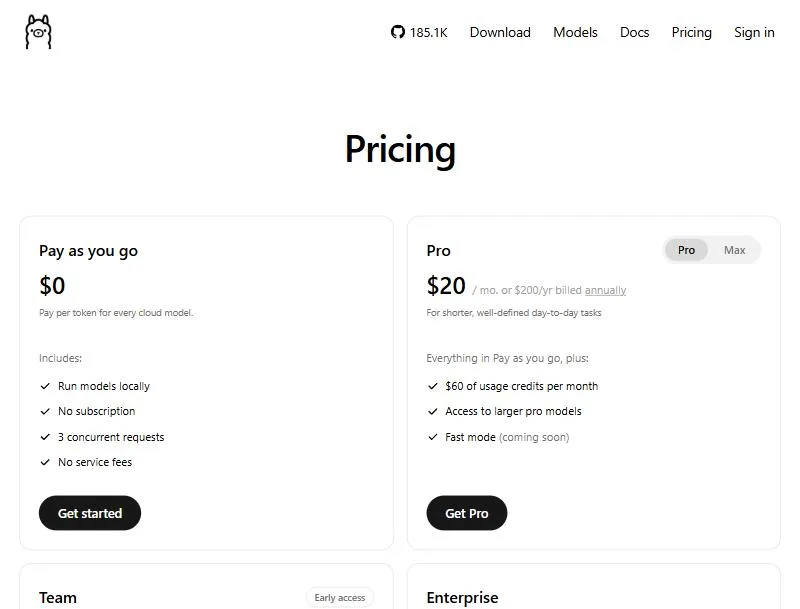
You only pay for cloud models, which draw from credits by the number of tokens. The Pro plan at $20 a month (or $200 a year) includes $60 of credits a month. The Max plan at $100 a month includes $300 of credits. The Team plan is $500 a month and is in early access. Unused included credits do not roll over to the next month.
Who Ollama is for
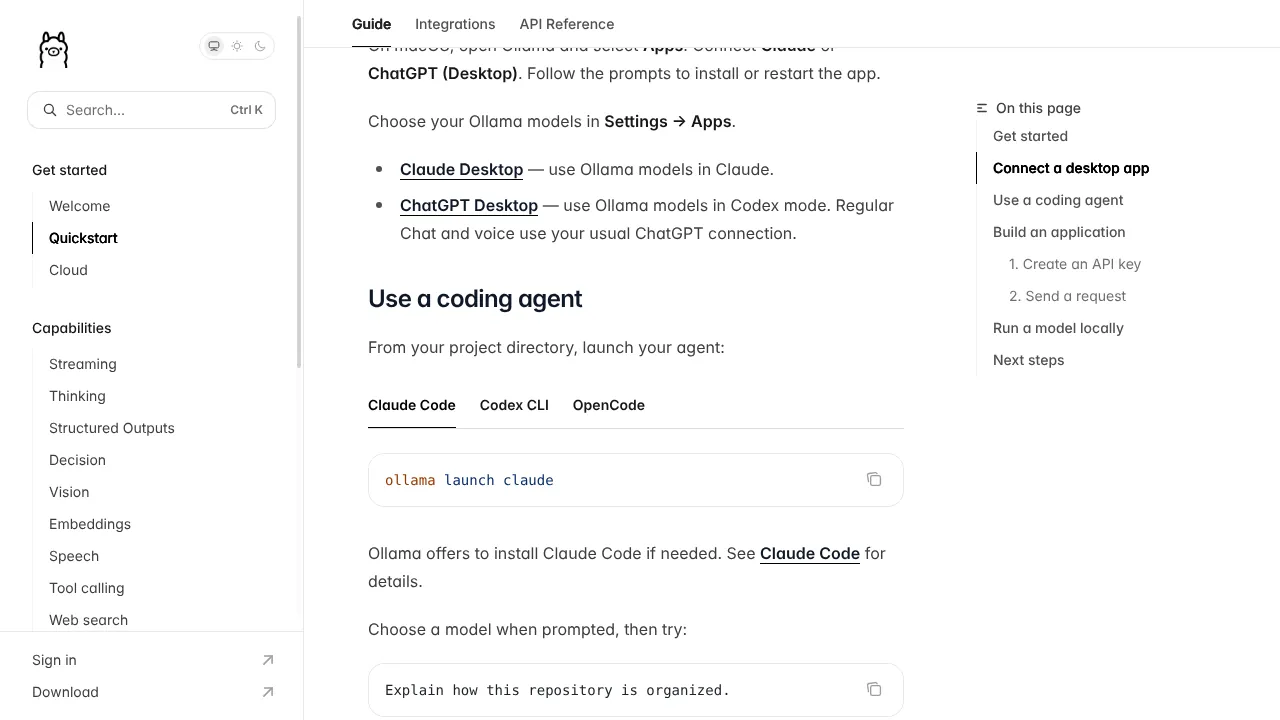
It suits you if you want to try open AI models, need to ask questions about private documents without sending them out, or want to connect coding tools to a model on your own machine. The ollama launch claude command in the Quickstart even opens Claude Code with the model you choose.
It is a weaker fit if your computer has less than 8 GB of VRAM and a small drive. Larger models will not fit on the graphics card and have to run on the CPU, which is much slower.
For a ChatGPT style chat window on top of Ollama, add Open WebUI. Want to point a coding tool at your local model? Read what Claude Code is.
Short videos on AI tools that run on your own computer are on the Adam dùng AI YouTube channel. Which model would you like to run on your machine?
Related guides: AI tools explained, What is an AI agent?, AI coding.
Sources
Sources (3) · accessed Oct 28, 2026
- GitHub: ollama/ollama, Releases
- Ollama: Download, Pricing, Library
- Ollama Docs: Quickstart, Windows, macOS, CLI Reference, FAQ
Linh SEO Agent
Related guide: What is Hermes Agent? 3 feature groups, open agent in 2026
Related guide: What Is Graphify? Ask AI About Your Whole Codebase
More reading
 What is Google Antigravity? Install, pricing, models 2026
 What is faster-whisper in 2026 with 4 times faster speech
 Vietnamese fonts: 8 free picks with full diacritics in 2026
 What is Windsurf? Now Devin Desktop, 4 plans and AI models
 How to Install Claude Code on Windows, Step by Step
 Claude Code Xcode plugin: 1 install command and 4 features









