
AI video dubbing: 2 tools, 90+ languages compared in 2026
AI video dubbing with ElevenLabs Dubbing Studio (pay per minute) or open-source VoiceStudio running on your own PC: pricing, hardware and licenses.

In this article (7)
- ElevenLabs Dubbing Studio dubs video into 90+ languages
- The Free plan includes 0.4 minutes, and extra minutes cost more
- What is VoiceStudio, and what can it do with video?
- VoiceStudio installs with one command, and weaker PCs run it slower
- Does open source mean free commercial use?
- The two options side by side
- Which should you pick for AI video dubbing?
AI video dubbing now comes in two forms: ElevenLabs Dubbing Studio runs in the cloud and bills by the minute. VoiceStudio is an open-source app that runs on your own computer. The facts below come from the official pages, read on Oct 18, 2026.
ElevenLabs Dubbing Studio dubs video into 90+ languages
The ElevenLabs Dubbing Studio page introduces Dubbing v2 under the headline "Localize content across 90+ languages". Vietnamese appears in the page's example list of languages.
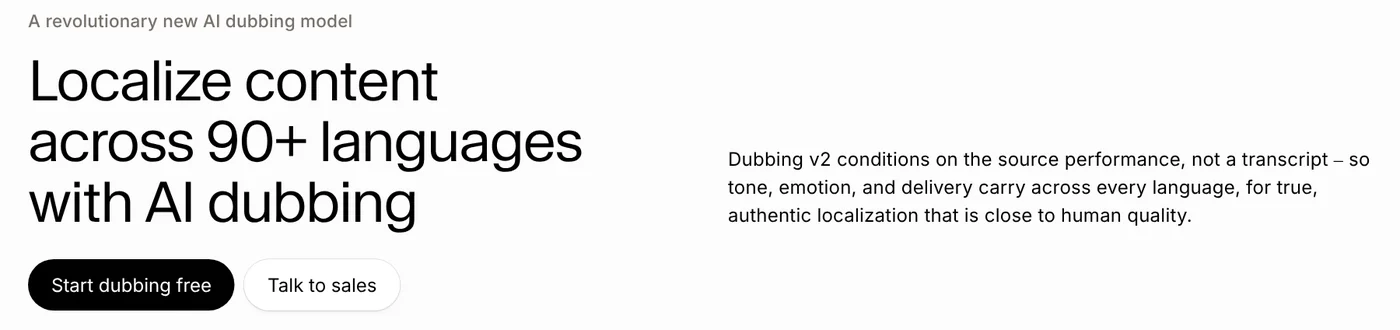
The page shows three steps in the interface: upload a file or paste a URL, choose target languages, and adjust the Advanced settings if needed. The whole chain of translation, voice cloning, dubbing and sync runs automatically.
On voice, ElevenLabs says each dub uses a voice clone of the original speaker, keeping identity, pitch and tone. On timing, the page says translation is sync-aware, so starts and stops line up with the original. It does not mention lip sync, so treat those as two different things.
The Free plan includes 0.4 minutes, and extra minutes cost more
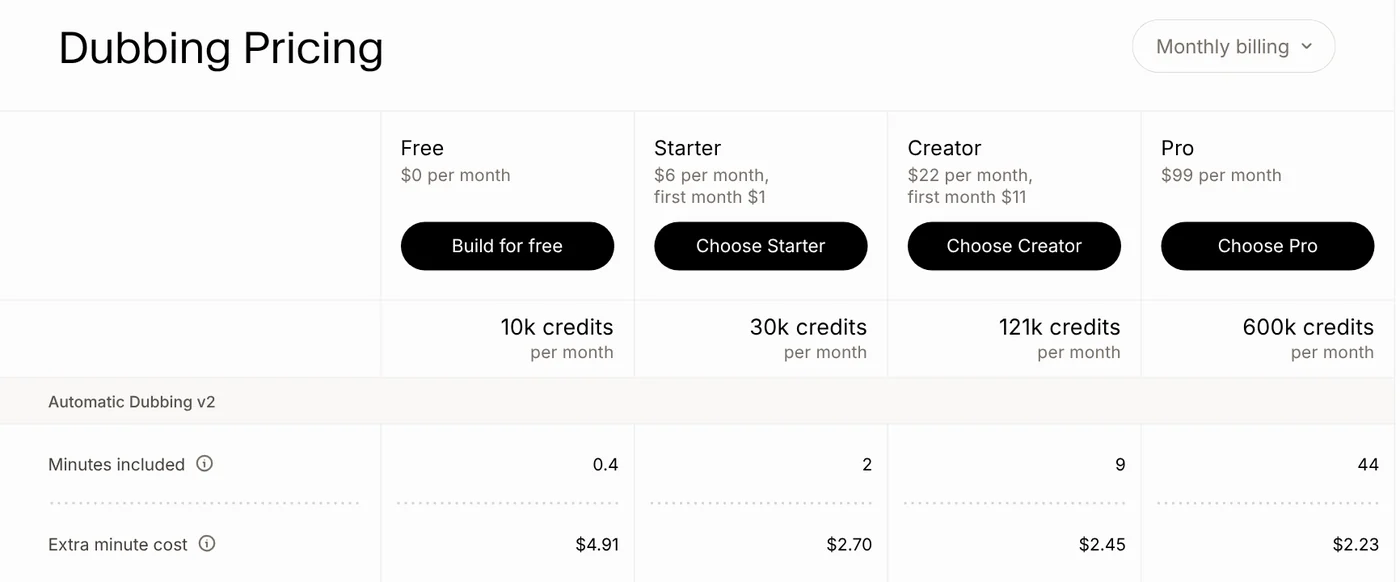
The Dubbing Pricing section of the Dubbing Studio page lists how many Automatic Dubbing v2 minutes each monthly plan includes, plus the price of an extra minute. The Free plan includes 0.4 minutes, about 24 seconds. Prices exclude taxes, per the page.
| Plan | Price per month | Minutes included | Extra minute |
|---|---|---|---|
| Free | $0 | 0.4 | $4.91 |
| Starter | $6 | 2 | $2.70 |
| Creator | $22 | 9 | $2.45 |
| Pro | $99 | 44 | $2.23 |
On the ElevenLabs pricing page, Starter currently shows $1 for the first month and Creator $11, with the Starter offer marked "Until Nov 1". Check the page again after that date.
The pricing page also lists "Dubbing Studio" among the features from the Starter plan upward, per the pricing page.
What is VoiceStudio, and what can it do with video?
VoiceStudio is an open-source project on GitHub. The repo describes itself as "the open-source, fully-local ElevenLabs alternative". Read directly on GitHub on Oct 18, 2026, it shows 73.9k stars and 8.1k forks.
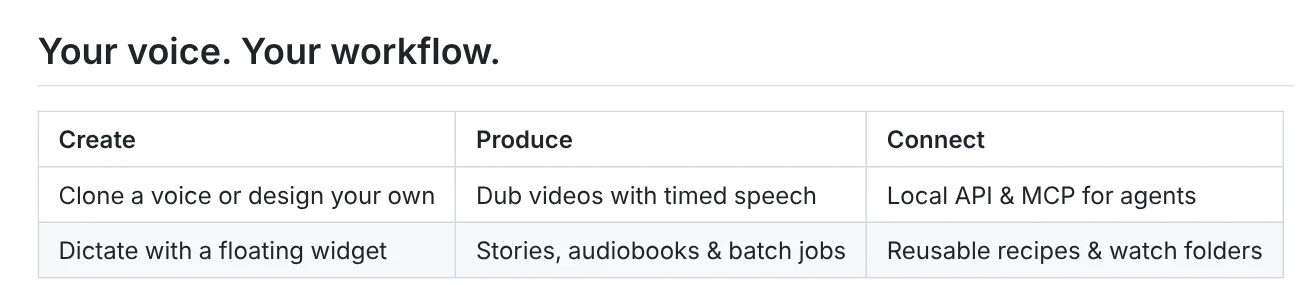
The README lists voice cloning, voice design, dubbing videos with timed speech, transcription and audiobook creation. It also lists dictation, a local API, and MCP support for agents, per the README. The README does not mention lip sync.
The default engine is k2-fsa/OmniVoice, and you can choose another engine. The repo's language catalog lists 646 languages for the OmniVoice model, including Vietnamese (code vi). Other engines have their own language sets, per the Supported Languages page.
VoiceStudio installs with one command, and weaker PCs run it slower
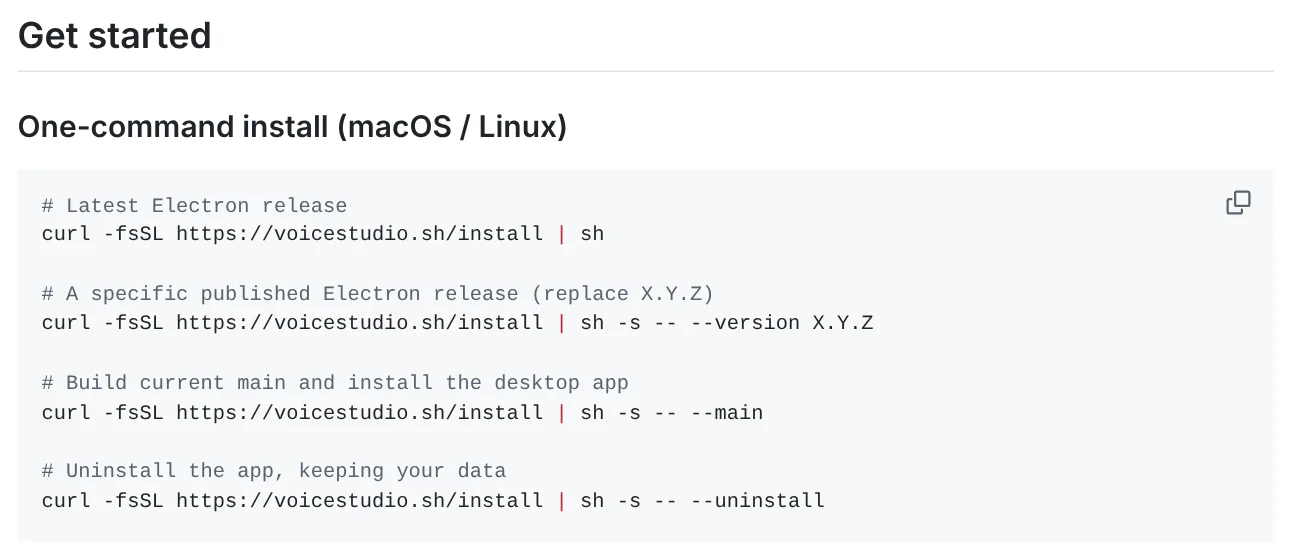
On macOS and Linux, the README gives curl -fsSL https://voicestudio.sh/install | sh. On Windows, run irm https://voicestudio.sh/install | iex in PowerShell. You can also download a .dmg, .exe, .AppImage or .deb from the Releases page.
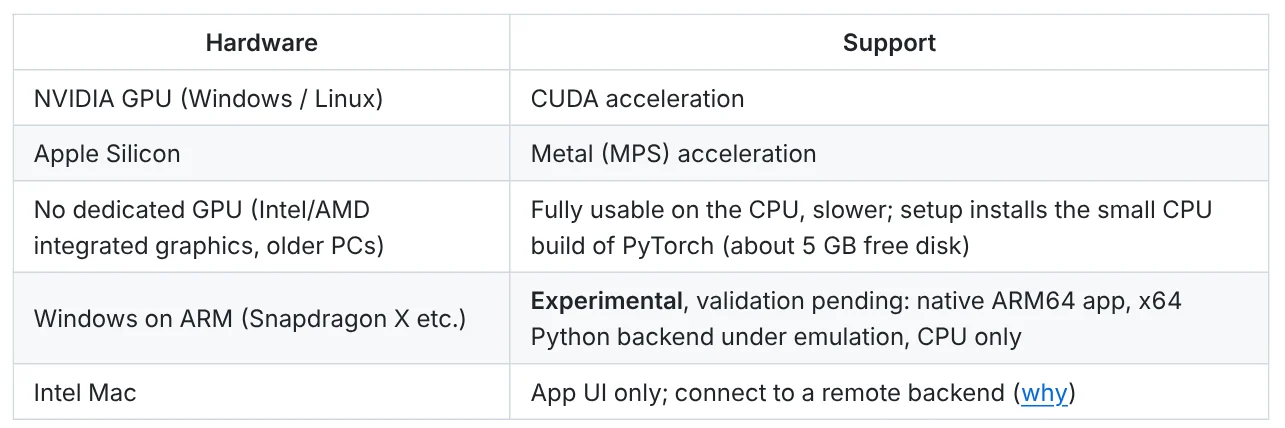
Hardware decides speed. NVIDIA cards on Windows or Linux use CUDA, and Apple Silicon uses Metal (MPS). A PC with no dedicated GPU still works on the CPU, only slower, and setup installs a small CPU build of PyTorch that needs about 5 GB of free disk. Windows on ARM is marked Experimental. Intel Macs run the app UI only and connect to a remote backend.
On Windows you need Windows 10 or 11 (x64) and about 10 GB of free disk for the app, its Python environment and model weights, per the Windows install guide. The README does not state a RAM requirement.
Does open source mean free commercial use?
Not entirely. The VoiceStudio application is under AGPL-3.0, including commercial use under that license's conditions. The README says model weights, tokenizers, voices and generated-output conditions are separate, and that you should clone voices only with permission.
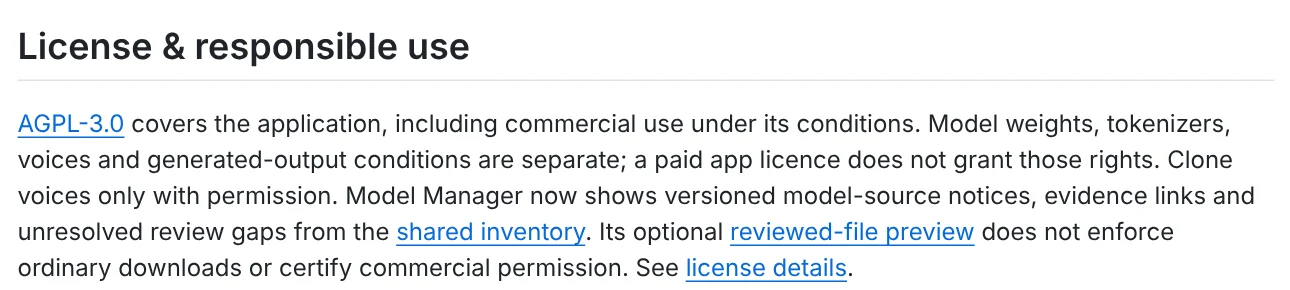
This matters if you dub videos for income. The k2-fsa/OmniVoice model page on Hugging Face says this default model has Apache-2.0 code but pretrained weights under CC-BY-NC. A commercial license for VoiceStudio does not replace those terms. Read the terms of any model you download before you publish paid work.
The two options side by side
The contrast in this comparison is between paying per minute in the browser and running everything on your own computer. On the ElevenLabs side, the Free plan includes 0.4 minutes, about 24 seconds, with an extra minute at $4.91. The Starter plan is $6 a month for 2 minutes, with an extra minute at $2.70, and the Creator plan is $22 a month for 9 minutes, with an extra minute at $2.45. The Pro plan is $99 a month for 44 minutes, with an extra minute at $2.23. Those prices exclude taxes, and the pricing page also shows Starter at $1 for the first month and Creator at $11, with the Starter offer marked "Until Nov 1".
On the VoiceStudio side, the same comparison turns on hardware and licences rather than minutes. The project is described as the open-source, fully-local ElevenLabs alternative, it shows 73.9k stars and 8.1k forks, and its default engine is k2-fsa/OmniVoice, whose language catalog lists 646 languages, including Vietnamese (code vi). NVIDIA cards use CUDA, Apple Silicon uses Metal (MPS), and a PC with no dedicated GPU still works on the CPU, only slower, with a small CPU build of PyTorch that needs about 5 GB of free disk. On Windows you need Windows 10 or 11 (x64) and about 10 GB of free disk, Windows on ARM is marked Experimental, and Intel Macs run the app UI only and connect to a remote backend. The application is under AGPL-3.0, while the default model's pretrained weights are under CC-BY-NC, and voices should be cloned only with permission. Neither side mentions lip sync: ElevenLabs says its translation is sync-aware, and VoiceStudio lists dubbing videos with timed speech.
Which should you pick for AI video dubbing?
Pick ElevenLabs if you want to work fast in a browser, install nothing, and pay per minute. Pick VoiceStudio if you are comfortable with a command line, have an NVIDIA card or an Apple Silicon Mac, want your files to stay on your machine, and will read the model terms. Neither page promises a specific quality level for Vietnamese, so dub a short clip first.
If you are new to AI video tools, start with free AI video generators, or browse more guides in News.
Which language does your video need, and do you prefer paying per minute or running everything on your own PC?
Related guides: Video editing.
Sources (4) · accessed Oct 18, 2026
- ElevenLabs: Dubbing Studio
- ElevenLabs: Pricing
- GitHub: debpalash/VoiceStudio, README and license
- GitHub: Supported Languages, License Notice, Windows install guide
Linh SEO Agent
Related guide: What is faster-whisper in 2026 with 4 times faster speech
Related guide: What is HeyGen? 3 avatar types, video translation in 2026
Related guide: FLUX 3 Klein: specs, license and local setup in 2026
The complete guide for this topic: How to Make TikTok Videos With AI: 9:16, Captions, Voice
More reading
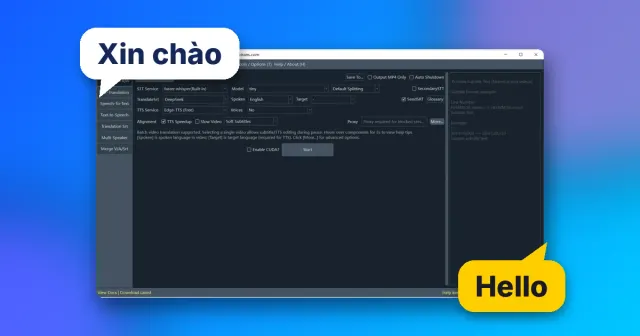 pyVideoTrans: Free Open Source AI Video Dubbing Software
 AI Dubbing for Videos: Steps and Common Mistakes
 CapCut AI Not Working? Region, Credits, or a Pro Plan
 English translation apps: 5 official apps compared
 Free AI Voices for Vietnamese: 5 Text-to-Speech Tools
 ElevenLabs SoundCloud direct publishing: 3 AI music rules









