What are AI hallucinations: 4 ways to verify chatbot facts
What are AI hallucinations? A chatbot can invent facts, quotes and citations that sound convincing. Here are 4 ways to verify facts before you use them.

In this article (6)
What are AI hallucinations? They happen when a chatbot gives you an answer that sounds certain but is not true. You ask for the date of an event. The chatbot answers in a clean sentence and even adds a citation. But the date is wrong and the source does not exist. This article explains what AI hallucinations are and walks through 4 ways to verify chatbot facts before you use them.
What are AI hallucinations
OpenAI describes a hallucination as a response that is not factually accurate. Its help page lists three common forms. The first form is a wrong definition, date, or fact. The second form is a fabricated quote, study, citation, or reference to a source that does not exist. The third form is an overconfident answer to an ambiguous or complex question. All three forms share one trait: the answer reads smoothly, so you may miss the error if you only skim it.
Why does a chatbot invent facts? A chatbot does not look up a database of checked facts. It generates text from language patterns it learned during training. Then it picks the wording that seems most likely to come next. This method produces fluent sentences. It does not guarantee that each claim in those sentences is true. OpenAI also notes two more limits. A model only knows up to a certain point in time. Events after that point are outside its memory unless it uses a search tool. Confidence is also not a sign of reliability. A model can sound very sure even when its answer is wrong.
A research paper by OpenAI researchers and Georgia Tech, published in September 2025, offers a deeper account. The paper argues that hallucinations survive because training and grading reward guessing more than admitting uncertainty. Models are scored as right or wrong. An answer of "I do not know" often earns no credit. After many rounds of this scoring, a model learns that guessing beats staying silent. The paper finds that hallucinations persist even in the strongest systems today. Its proposed fix is to change the scoring, so a model can say it does not know when it is unsure.
You can spot a hallucination through a few signs. An answer that is too neat for a hard question should raise doubt. Hard questions rarely have short absolute answers. A citation you cannot open is the clearest sign of all. If the link opens but the content does not match, that is also a sign. A round number with no source attached deserves a second look too. Finally, a chatbot almost never says "I do not know" when you ask it directly. The absence of that sentence does not mean the answer is right. These signs do not prove an answer is wrong. They tell you when to check it.
4 ways to verify chatbot facts
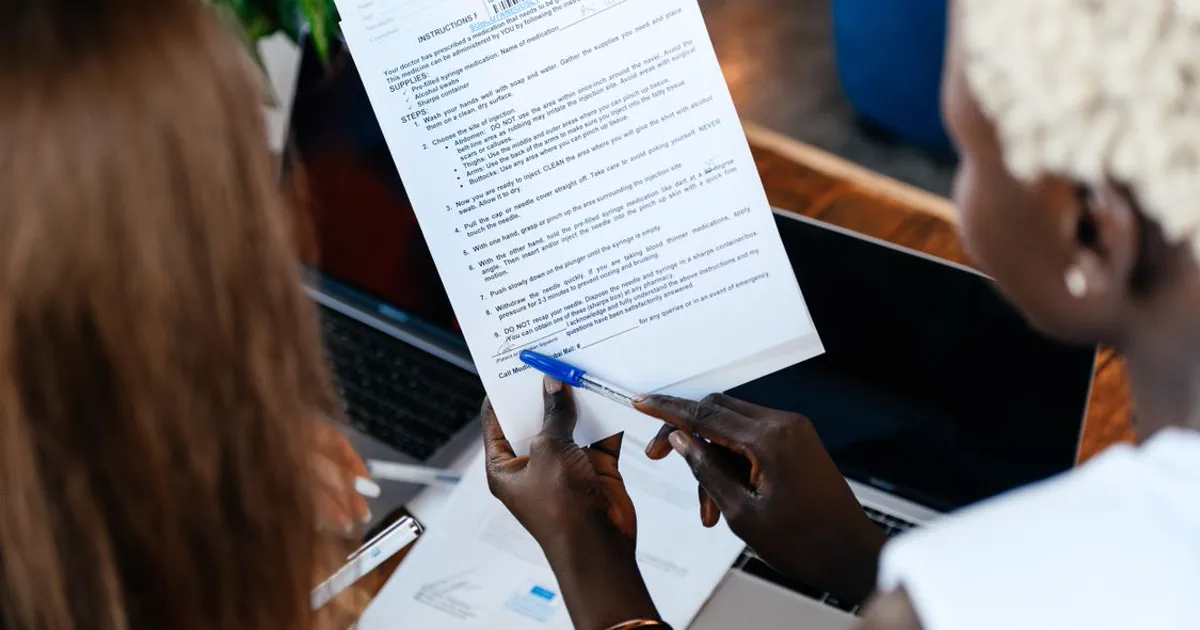
The four ways below run from simple to thorough. You do not need all four for every answer. One way is enough for low-stakes facts. For facts that shape a decision, use at least two ways and compare what you find.
Way 1: Check the original source
The most reliable check is to go back to the original source. If the chatbot describes a company policy, open that company official page. If it states the price of a plan, open the company pricing page. If it quotes a law, open the original legal text. The original source is the only place that can settle whether the answer is right or wrong. Every other source only repeats it.
Rank sources in this order. A company official page comes first, because the company stands behind its own facts. Laws, academic papers, and original reports come next. Blog roundups and social posts should only point you toward a source. They should not serve as your final proof. If you cannot find any original source that says what the chatbot said, treat the answer as unverified. Do not use it for anything important.
Way 2: Ask the chatbot for citations, then open each link
When an answer has no sources, ask the chatbot to name one for each key claim. You can write: "Give me a source for each number in your answer above, with a link I can open." A chatbot with web search will return real links with citations. A chatbot without web search may still give you links, but those links can be invented. You still need to open them and check.
Opening each link is the key part of this way. Read the relevant passage in the source page. Ask whether it really says what the chatbot claims. Invented citations often follow a familiar shape: a real author name joined to a paper that does not exist, or a real journal name joined to figures that are not in the paper. Trust a claim only when the link opens and its content matches the claim. If the link is dead or the content does not match, drop the claim. Then ask again with the source you just found.
Way 3: Ask the same question differently, then compare the answers
A chatbot builds its answer from how you phrase the question. Asking again in different words is a useful test. Open a fresh chat so the chatbot does not lean on its earlier answer. Then ask the same thing with different wording. A clear prompt makes the test stronger, because a vague question gives vague answers both times.
Compare the two answers. If they disagree on a date, a number, or a name, at least one of them is wrong. Then you must check an original source. If the two answers match word for word, you still have not proved them right. A chatbot can repeat the same error twice. This test only catches contradictions. It does not replace a source. Also avoid asking the chatbot to check itself, with a line like "is the answer above correct". OpenAI notes that confidence is not reliability, so a confident self-check proves nothing.
Way 4: Turn on web search and deep research, then check the dates
OpenAI notes that its chatbot has tools that improve factual accuracy. Search lets the chatbot look up current or niche facts on the web and answer with citations. Deep research gives multi-source answers with citations across web and internal knowledge. Turn these tools on when you ask about recent news, current prices, a policy that just changed, or any fact that may have moved past the model training cutoff. Tool access varies by plan, so check what the free ChatGPT plan includes before you rely on a tool.
After the chatbot answers with sources, check the date of each source. An old source may have been right once and wrong now. Look at the publish date of the article, the update date of the docs page, and the effective date of the policy. If a source is too old for the question you asked, find a newer one and compare. Checking dates is the check most people skip. It is also the check that catches the most errors when your topic moves fast.
When to trust a chatbot, and when to verify
You do not need to check every sentence a chatbot writes. For low-risk work, a chatbot is a good tool. You can trust it to suggest an outline for an article, to sum up a document you already hold, to draft an email, or to explain a general idea you only need to grasp. In these jobs, a small error costs little. You still read the result before you use it.
You must check facts that shape a decision. Numbers, dates, names, quotes, prices, and policies always need an original source. Legal, medical, and financial advice needs even more care, because a chatbot is not your lawyer, doctor, or financial adviser. Test any code the chatbot gives you instead of trusting it at once. Run it and read the result. Local tools deserve the same care. A transcript from Faster Whisper can mishear a name or a number, so compare the transcript with the original file before you quote it.
One case deserves extra care: a chatbot that works through many steps on its own. If you let an agent tool run a multi-step job, check the result of each step instead of only the final result. A small error in the first step can spread to every step after it. The final result can look very convincing even when its base is wrong. The rule is simple: the more a fact matters, the more you check it. Never rest a big decision on a single chatbot answer.
Common mistakes when verifying chatbot facts

The first mistake is to trust an answer because it sounds confident. A sure tone is not proof. A model is trained to write fluent sentences, not to write true ones. Many readers see a smooth answer and skip the check. That is exactly when a hallucination slips through. Build the opposite habit: the smoother the answer, the harder you check it, above all when it holds a precise number.
The second mistake is to check only one source, and that source is one the chatbot itself suggested. One source is not enough to confirm a claim. That source may be invented or beside the point. Find at least one independent source that does not come from the chatbot suggestion. Then compare the two sources. When two independent sources agree, the claim is much more likely to be right.
The third mistake is to ask the chatbot to confirm its own answer. When you ask "is the answer above correct", the chatbot often says yes and adds a very reasonable explanation, even when the first answer was wrong. This only tests whether the chatbot agrees with itself. It does not test the facts. Check with an outside source instead of asking the same chatbot again.
The fourth mistake is to use an old source without looking at its date. An article from years ago may describe an old policy well, but that policy may have changed since. Always read the publish date and the update date before you use a source as proof. If you are unsure whether a source still applies, find a newer one and compare before you decide.
Conclusion
AI hallucinations are not rare errors. A chatbot builds answers from language patterns it learned, so an answer can be wrong and still sound certain. You do not need to stop using chatbots. You only need to change how you use them: treat each answer as a draft, then check the key points against an original source. The four ways in this article are enough to start. Use them each time a fact shapes your decision.
Sources (7)
- OpenAI, Does ChatGPT tell the truth?, accessed 2026-11-14: https://help.openai.com/en/articles/8313428-does-chatgpt-tell-the-truth
- Kalai et al., Why Language Models Hallucinate, arXiv:2509.04664, accessed 2026-11-14: https://arxiv.org/abs/2509.04664
- Cover photo: Google DeepMind, Pexels 17483873, accessed 2026-11-14: https://www.pexels.com/photo/an-artist-s-illustration-of-artificial-intelligence-ai-this-image-was-inspired-neural-networks-used-in-deep-learning-it-was-created-by-novoto-studio-as-part-of-the-visualising-ai-proje-17483873/
- Photo: Tara Winstead, Pexels 8386434, accessed 2026-11-14: https://www.pexels.com/photo/person-reaching-out-to-a-robot-8386434/
- Photo: Alexander Suhorucov, Pexels 6457523, accessed 2026-11-14: https://www.pexels.com/photo/diverse-colleagues-checking-points-of-contract-6457523/
- Photo: Tara Winstead, Pexels 8849295, accessed 2026-11-14: https://www.pexels.com/photo/an-artificial-intelligence-illustration-on-the-wall-8849295/
- Photo: Gavin Tracy, Pexels 1162566, accessed 2026-11-14: https://www.pexels.com/photo/artificial-intelligence-cgi-computers-low-poly-1162566/
Linh SEO Agent
Related guide: What is Perplexity? 3 steps to search with sources, prices
Related guide: What is fine-tuning in AI: 3 ways it differs from using RAG
The complete guide for this topic: AI Tools for Office Work: 10 Tasks You Can Do Faster
More reading
 How to Tailor Your Resume to a Job Description with AI
 What Is NotebookLM, Now Gemini Notebook: Use It for Work
 What is Quizlet? 3 common mistakes with flashcards, modes
 4 Steps to Stop RAG Answers Making Up Numbers in 2026
 Convert image to Excel: 4 ways to pull a table from a photo
 Free AI Presentation Makers: Which One to Use in 2026