
What is Perplexity? 3 steps to search with sources, prices
Perplexity is an AI search engine that cites its sources. Free plan, Pro and Max prices, the Comet browser, how to ask well, and when to check sources.


In this article (6)
- What is Perplexity: an AI search engine that answers with sources
- The free plan handles daily lookups, Pro starts at $17 and Max at $167 a month
- Comet is Perplexity's browser, with a free version on four platforms
- How do you ask Perplexity questions that get good sources?
- Numbers, prices and health advice still need you to open the source
- Which plan to pick and where to start
Perplexity is an AI search engine: you ask a question in plain language, it searches the web, and it writes an answer with numbered citations that link to each source. The free plan covers everyday lookups.
What is Perplexity: an AI search engine that answers with sources
The Help Center page What is Perplexity?, last updated Sep 3, 2026, calls Perplexity an AI-powered search engine. Every answer includes citations and links to the original sources so you can check them yourself.
Unlike Google, you don't get a list of links to read. You get one answer pulled together from several sources. The page How does Perplexity work? describes three steps: understand the question, search the web, and summarize with numbered citations. You can ask follow-up questions in the same session.
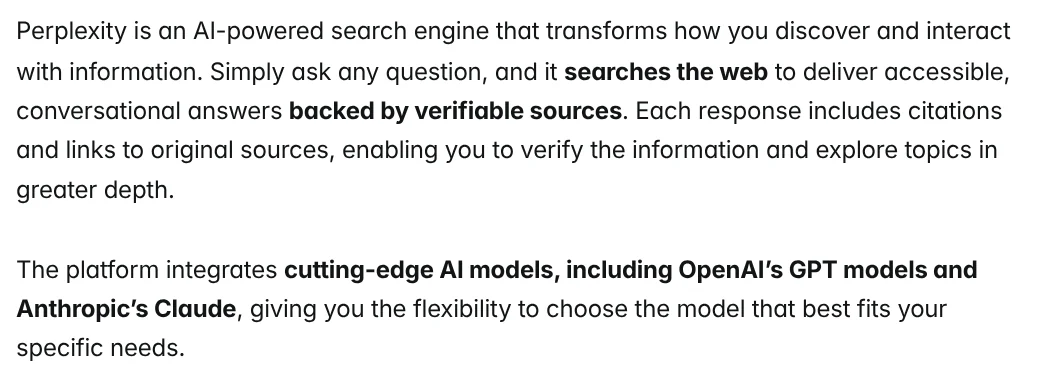
Beyond regular search, there is Pro Search (multi-step search), Research (in-depth research that writes a report in 2 to 4 minutes) and Create files and apps (documents, spreadsheets and simple web apps). The Perplexity Pro page lists the models behind it: GPT, Claude, Gemini, Grok and Perplexity's own Sonar.
The free plan handles daily lookups, Pro starts at $17 and Max at $167 a month
On Oct 12, 2026, the Perplexity Pro pricing page showed Pro at $17 and Max at $167 per month, both billed annually. The page does not show a month-to-month price for Pro. The Perplexity Max article lists Max at $200 a month or $2,000 a year, and annual billing is only available on the web.
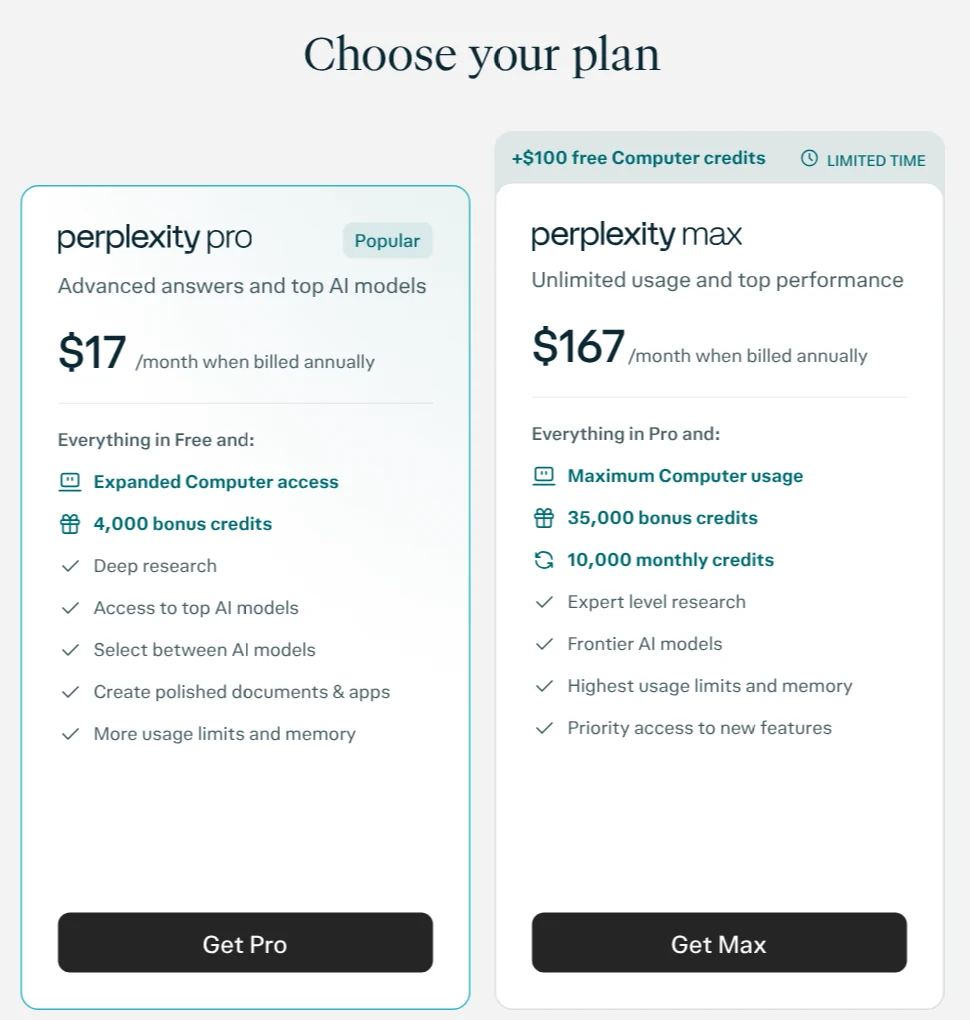
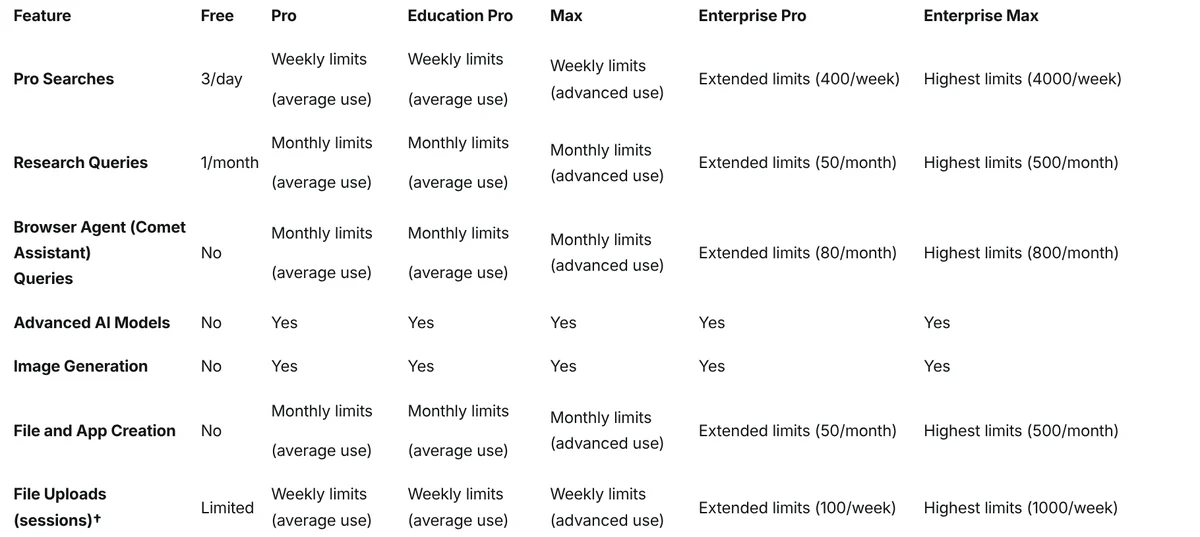
The comparison on Which Perplexity Subscription Plan is right for you?, updated Oct 8, 2026, shows:
- Free (Standard): practically unlimited basic searches, 3 Pro Searches a day, 1 Research query a month. No advanced models, no image generation.
- Pro: more Pro Searches, a choice of advanced models, image and video generation, up to 50 files per project. What is Perplexity Pro? says Pro gives 10x as many citations per answer.
- Max: everything in Pro, plus the highest model limits, Max Assistant in Comet and priority support.
- Education Pro: $10 a month for students and educators verified through SheerID.
The FAQ on the Pro page says searches may be used to improve the AI by default, and you can opt out in Account Settings.
Comet is Perplexity's browser, with a free version on four platforms
Comet is still available as of Oct 12, 2026. The Comet page says the browser runs on Mac, Windows, iOS and Android. Its FAQ says Perplexity will always offer a free version for all users, and that includes Comet.
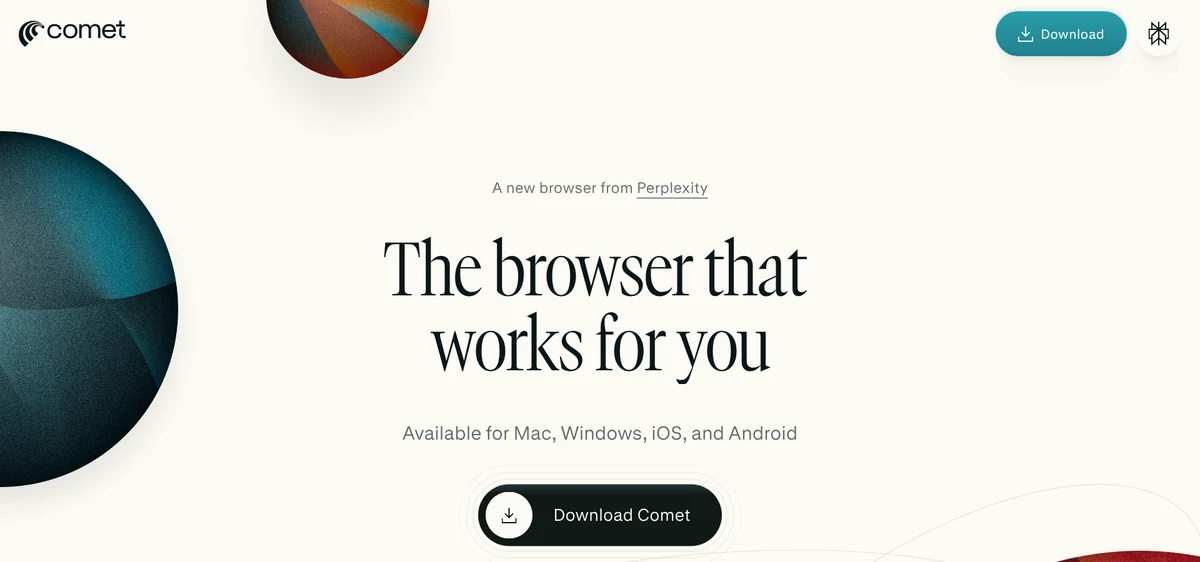
Getting Started with Comet explains that Comet is built on Chromium and supports most Chrome extensions. It has an Ask button for questions about the open page, a Summarize button for long articles, and a built-in ad blocker.
The agent that acts on web pages for you (Comet Assistant) is a different story. The plan comparison table shows no Browser Agent queries on the Free plan.
How do you ask Perplexity questions that get good sources?
The first rule in Tips for Getting Better Answers is to state your intent clearly and give detail. A vague question gets a vague answer. Four tips for search:
- Ask a clear question. Instead of typing "inflation", ask "what was the US inflation rate in September 2026".
- Add context. Say who you are and what it's for, for example "I sell cosmetics online and need the labeling rules".
- Use the keywords that matter. Include product names, price ranges and locations.
- Say how you want the answer. Ask for a table, bullet points or step-by-step instructions.

To get better sources, name the source type in your question, such as "use only the company's official pages". The same tips page also suggests one request at a time, then follow-up questions to go deeper.
Numbers, prices and health advice still need you to open the source
Citations make checking faster, but they don't replace it. The Pro page says clicking a citation number opens a snippet from the source. Click through in these cases:
- Numbers, prices and dates. Check that the source shows the same figure, and when the page was last updated.
- Health, legal and financial topics. Read the original document or ask a qualified professional before acting.
- Citations that point to blogs or forums. Find the official page behind that fact.
- Sentences with no citation number. There is nothing to compare against, so check these hardest.
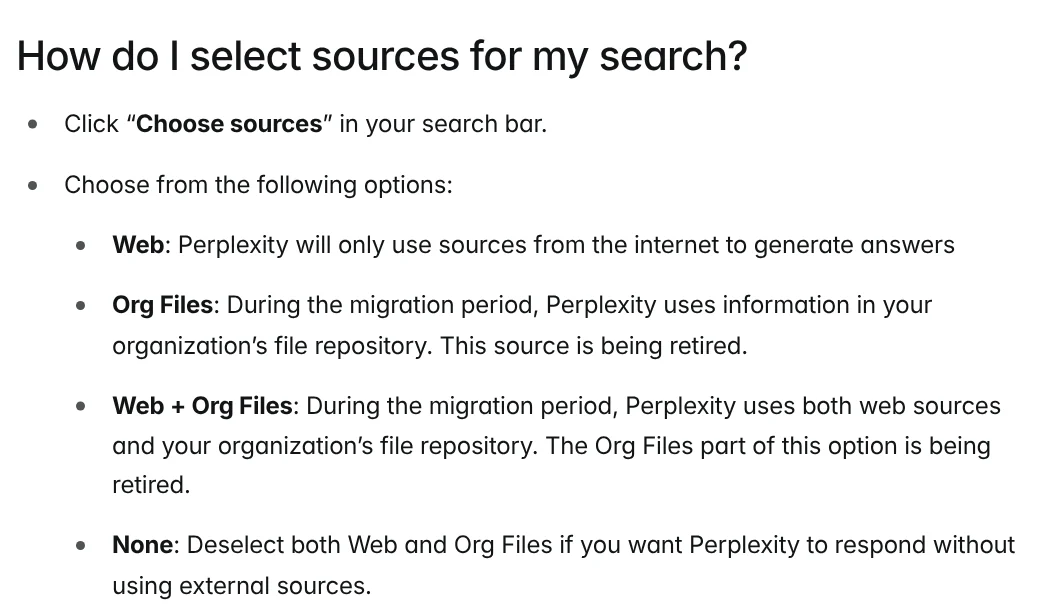
One setting is easy to miss: the Choose sources button in the search bar. The source selection guide says Web uses only internet sources, and deselecting everything (None) makes Perplexity answer without outside sources, which means no web citations to check.
If an answer is wrong, click the flag icon below it to report it. The page on reporting incorrect answers lists the issues it accepts, including misinformation and outdated information.
Which plan to pick and where to start
Pick the free plan if you mostly do quick lookups and a few questions a day. Pick Pro if you want to choose models, upload more files or run Research often. Max only makes sense if you research and create files at high volume every day.
Have you ever clicked a citation and found the source didn't say what the answer claimed? One real limit: an answer can still be wrong, and a citation can point to a source that does not say what the answer claimed, so check the source before you rely on it.
Related guides: AI tools explained, AI Content Creation Trends 2026: From Tools to Workflows, Claude skill for research: find and summarize sources.
Sources (11) · accessed Oct 12, 2026
- Perplexity: What is Perplexity?
- Perplexity: How does Perplexity work?
- Perplexity: Perplexity Pro, pricing and FAQ
- Perplexity: Which Perplexity Subscription Plan is right for you?
- Perplexity: What is Perplexity Pro?
- Perplexity: Perplexity Max
- Perplexity: Comet Browser
- Perplexity: Getting Started with Comet
- Perplexity: Tips for Getting Better Answers from Perplexity
- Perplexity: How do I select sources for my search?
- Perplexity: How can I report incorrect or inaccurate answers?
Linh SEO Agent
Related guide: Perplexity Teammates pricing: 3 things on the Max plan
The complete guide for this topic: Free Google AI Tools Worth Knowing in 2026
More reading
 ChatGPT Free Plan: What You Get and the Limits
 What is Suno AI? 3 models, prices and commercial rights
 What is Gemini 3? 4 AI plans, latest models and free use
 What is DeepSeek? Latest model and API pricing in 2026
 What is Canva AI? Free vs Pro features and limits in 2026
 What is Qwen? Qwen3.8, free chat app and API pricing 2026









