
What Is a Prompt? 4 Parts for Better AI Answers in 2026
A prompt is the request you send to an AI. The four parts of a good prompt, per Anthropic, OpenAI and Google guides, with a before and after example.


In this article (7)
- What is a prompt: a natural language request you send to an AI model
- A clear task and real context are the first two parts of a good prompt
- Examples and an output format keep the AI on pattern
- Before and after: rewriting one prompt to cover all four parts
- How is a system prompt different from a regular prompt?
- A prompt is for one task, a skill is for reuse
- Three common prompt-writing mistakes
A prompt is the instruction or request you send to an AI. A good prompt states the task, gives enough context, includes an example, and says what format you want back.
What is a prompt: a natural language request you send to an AI model
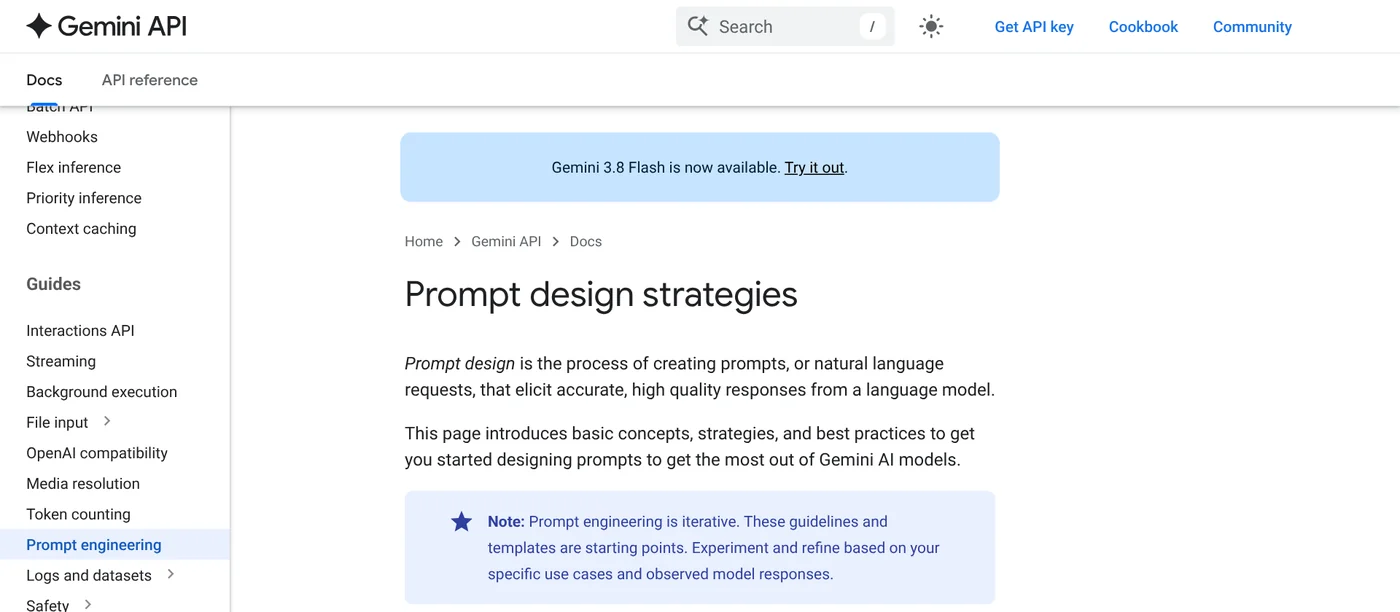
As of October 2026, Anthropic, OpenAI and Google each publish their own prompting guide. Google's Prompt design strategies page describes prompts as natural language requests that aim to get accurate, high quality responses from a language model.
So what is a prompt in everyday chat? It is anything you type into the chat box of Claude, ChatGPT or Gemini, from a short question to a full page of instructions with documents attached.
Writing prompts so the model does what you mean is called prompt engineering. OpenAI's guide defines it as the process of writing effective instructions so the model consistently produces content that meets your requirements. The page notes that model output is non-deterministic, so the same prompt can return different answers.
A clear task and real context are the first two parts of a good prompt
Put the three guides side by side and a good prompt has four parts: the task, the context, examples, and the output format. The first two decide whether the AI understands the assignment.
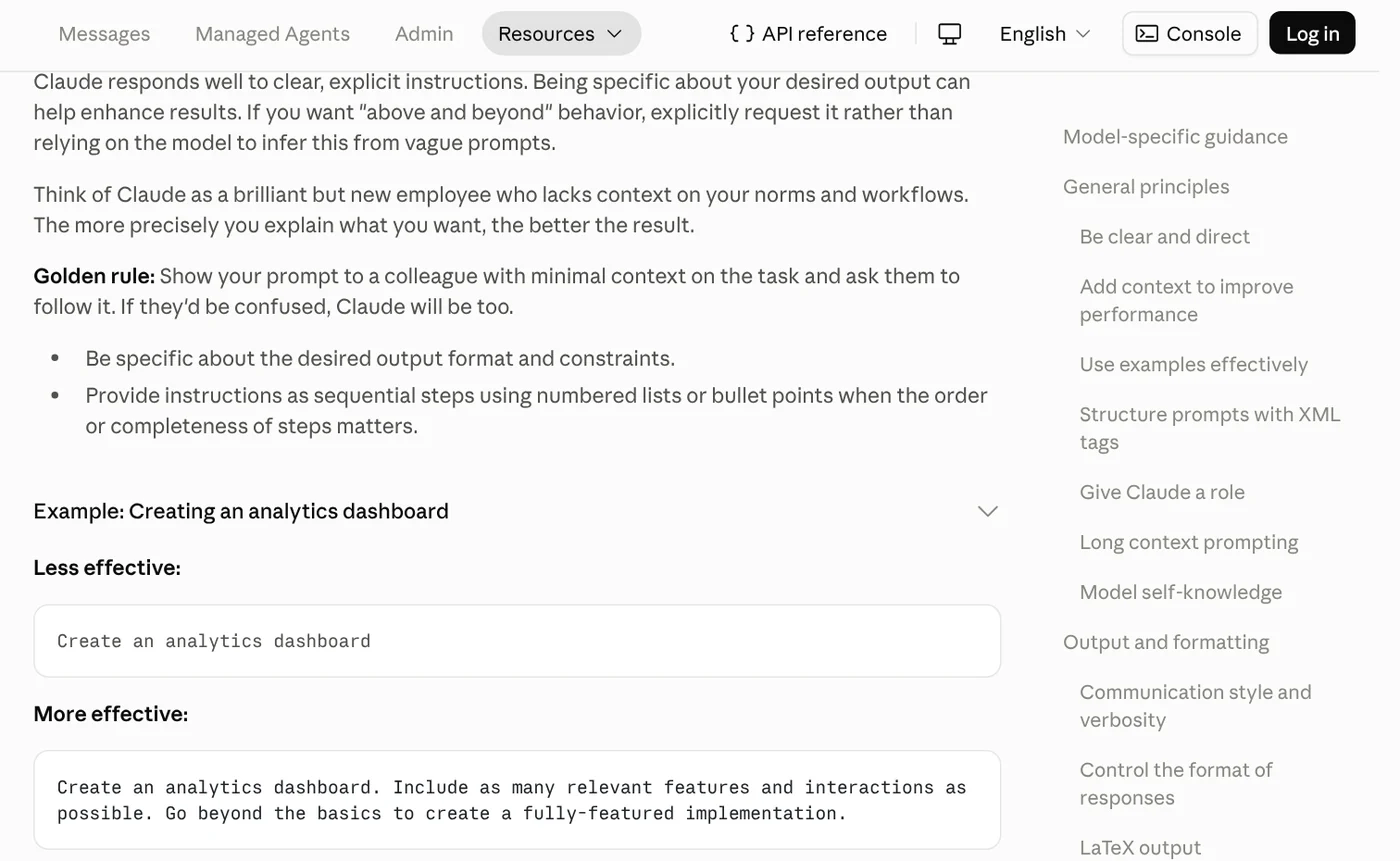
State the task clearly. Anthropic's prompting guide suggests treating Claude like a brilliant but new employee who does not know your norms and workflows. The more precisely you explain what you want, the better the result.
Anthropic's "golden rule": show your prompt to a colleague with little context on the task and ask them to follow it. If they would be confused, the AI will be too. When order matters, number the steps.
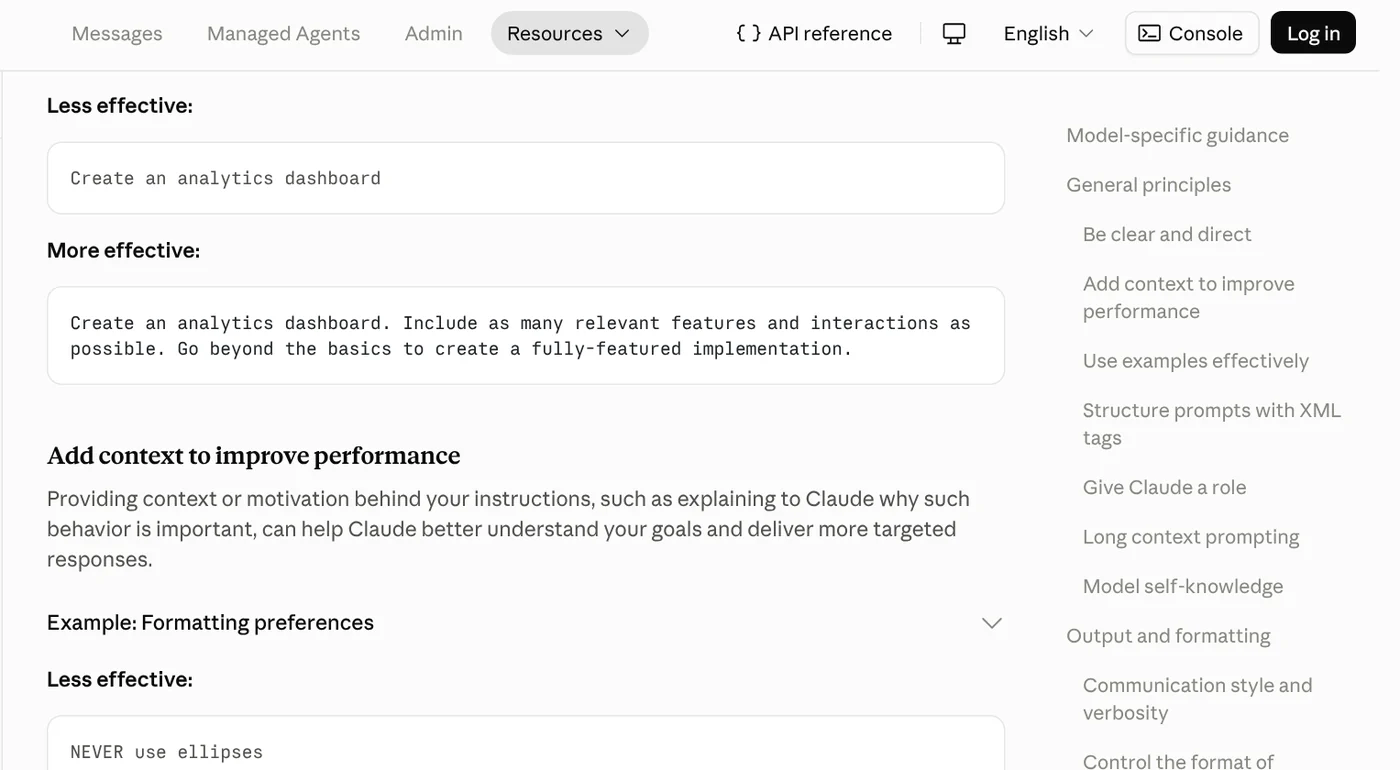
Explain why. Anthropic also says that giving the reason behind an instruction helps Claude understand your goal and respond more precisely. Google calls this adding context: putting the information the model needs to solve the problem into the prompt.
Examples and an output format keep the AI on pattern
The last two parts decide what the answer looks like.
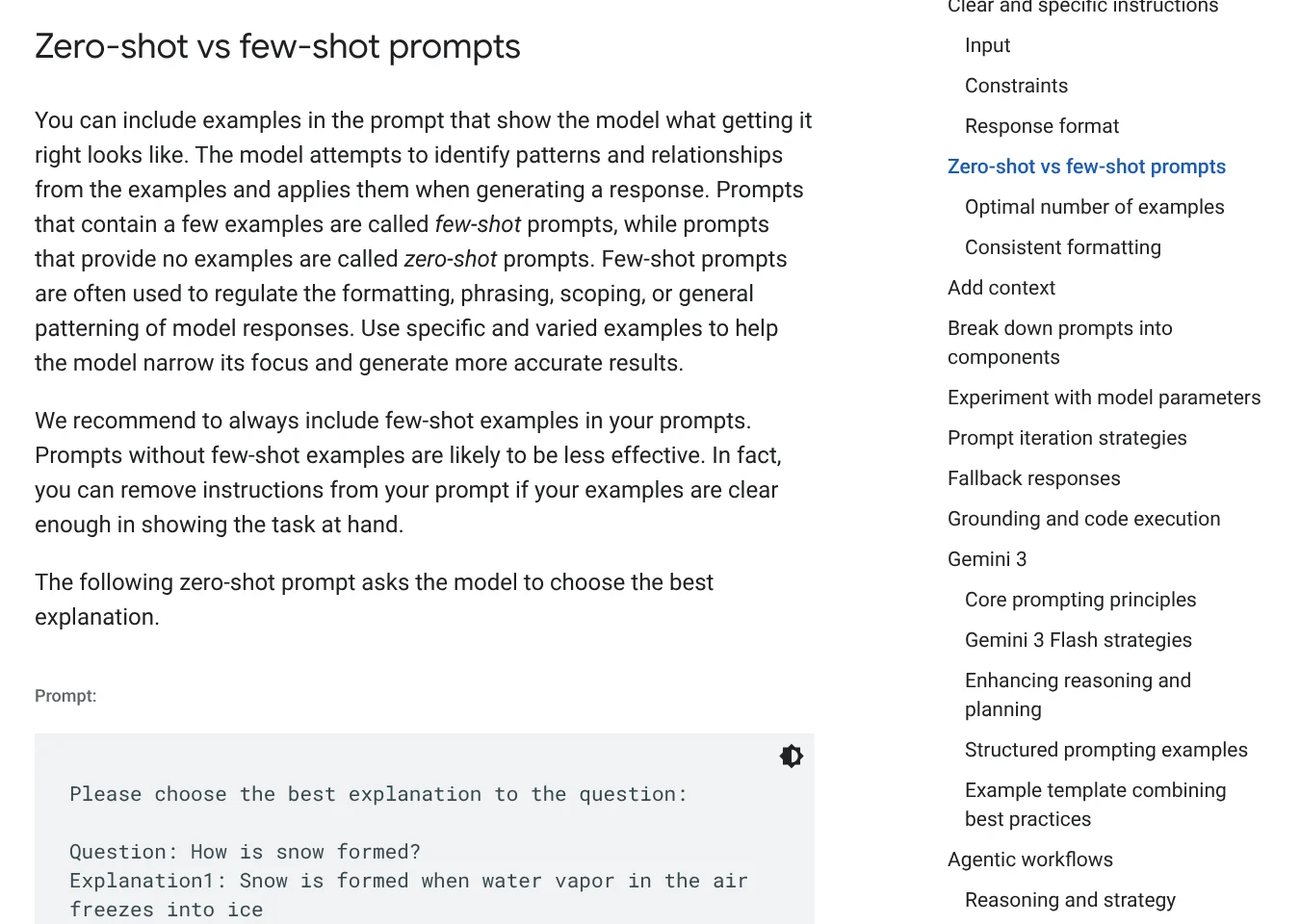
Show examples. A prompt with a few examples is called few-shot, and one without examples is zero-shot. Google recommends always including examples, since prompts without them are likely to be less effective. Too many examples, though, can make the model copy them too closely.
Anthropic suggests 3 to 5 examples wrapped in <example> tags so Claude can tell them apart from instructions. OpenAI advises picking varied examples that cover a range of possible inputs.
Name the output format. Google says you can ask for a table, a bulleted list, a paragraph or a single sentence. Anthropic advises telling the AI what to do instead of only what not to do. For example, instead of "do not use markdown," write "respond in smoothly flowing prose paragraphs."
Before and after: rewriting one prompt to cover all four parts
The prompt below is an illustration written for this article, not a test result. Say you run a small coffee shop and need Instagram captions.
Before:
`` Write a caption for salted coffee. ``
After:
``` You write Instagram captions for a small coffee shop in a hill town.
Task: write 3 captions introducing our new salted coffee, priced at $3.50.
Context: most customers are students and young travelers. We want a warm, low-key voice, because our regulars dislike loud advertising.
Here is one caption we posted before: <example>Rainy morning up the hill. Grab a hot latte, sit by the window, watch the pines. Thirty minutes is all it takes to warm up.</example>
Format: number them 1, 2, 3. Keep each under 50 words, no hashtags, and end with our hours, 7 a.m. to 10 p.m. ```
The "before" version only has a task, so the AI has to guess the voice, length and audience. The "after" version covers all four parts, and each line answers a question a new colleague would ask you.
Anthropic puts weak and strong prompts side by side in the same way. The instruction "NEVER use ellipses" is rewritten with a reason: the response will be read aloud by a text-to-speech engine, which will not know how to pronounce them.
How is a system prompt different from a regular prompt?
A system prompt is a background instruction set before the conversation that defines the AI's role and behavior. A regular prompt is each message the user sends within that conversation.
OpenAI splits messages into three roles. developer messages are instructions from the app developer and take priority over user messages from the end user. Messages the model generates have the assistant role. A developer message usually covers identity, instructions, examples and context.
Anthropic calls this the system prompt and says even a single sentence setting a role makes a difference. Google calls it the System Instruction and recommends putting essential behavioral constraints, role definitions and output format requirements there.

When you chat in an app, most of what you type is a regular prompt. System prompts are mostly written by app builders and API users.
A prompt is for one task, a skill is for reuse
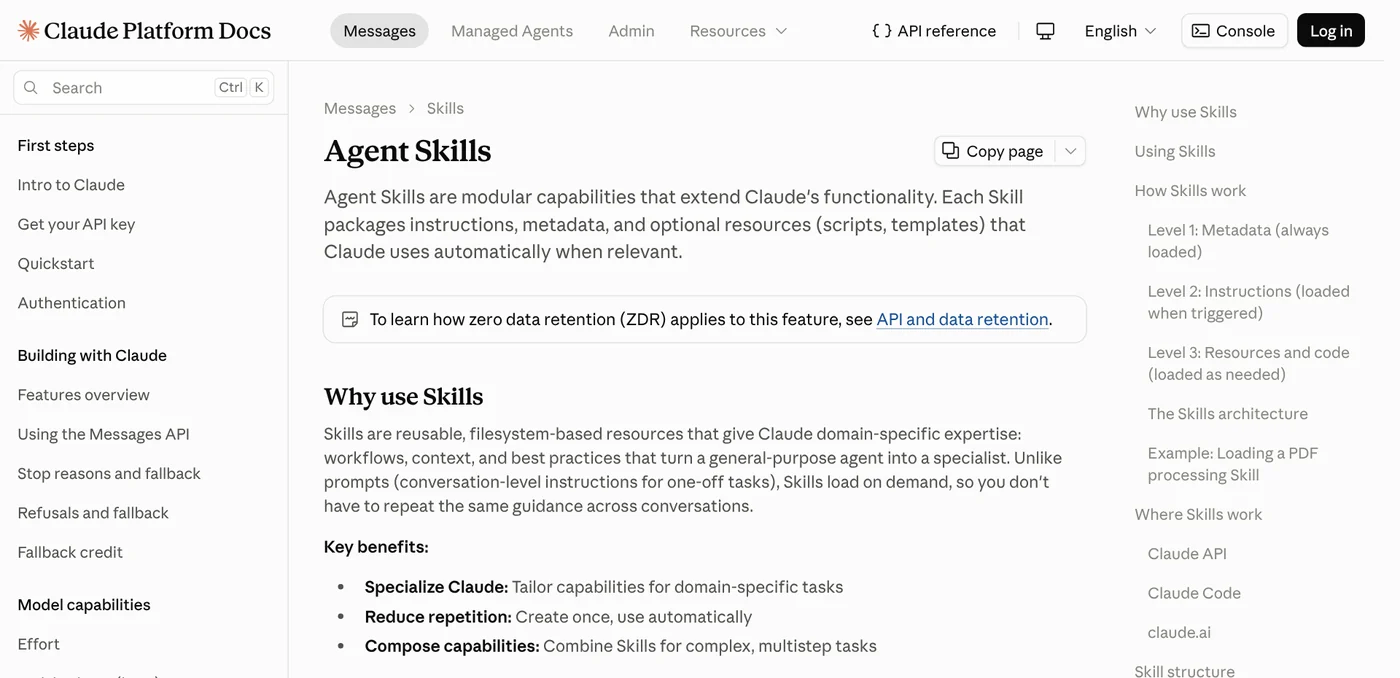
If you paste the same long prompt every day, it is time to think about a skill. Anthropic's Agent Skills page draws the line clearly: prompts are conversation-level instructions for one-off tasks. Skills load on demand, so you do not have to repeat the same guidance across conversations.
A skill packages instructions, metadata and resources such as scripts and templates, which Claude uses automatically when relevant. You can find more explainers on Claude and skills in the news section.
Three common prompt-writing mistakes
Listing bans without reasons. "NEVER use ellipses" works less well than one sentence that says why. Anthropic notes that Claude is smart enough to generalize from the explanation.
Examples that do not match each other. If one example is a paragraph and the next is a list, the AI cannot tell which pattern to follow. Google advises keeping the structure and formatting of examples consistent.
Putting the question before a long document. With long documents or code, Google suggests supplying all the context first. Put your instruction or question at the end, opening with a bridge phrase such as "Based on the information above."
One real limit: the three mistakes above, listing bans without reasons, mismatched examples, and a question placed before a long document, can all make the model fail to follow the pattern you wanted.
Once a prompt works well and you use it daily, package it as a skill so you stop retyping it. Which prompt do you type most often each week?
Related guides: AI tools explained, AI Image Generator for Beginners: Pick a Tool, Write a Prompt.
Sources (4) · accessed Oct 12, 2026
- Anthropic: Prompting best practices
- Anthropic: Agent Skills overview
- OpenAI: Prompt engineering
- Google AI for Developers: Prompt design strategies
Linh SEO Agent
Related guide: How to Tailor Your Resume to a Job Description with AI
More reading
 How to Make AI Images Look Realistic: 6 Mistakes to Fix
 AI Poster Prompts: Templates and How to Fix Text Errors
 What is Midjourney? V8.2, 4 plans and who owns the images
 Text to Image AI: How to Write Prompts That Get It Right
 Create images with ChatGPT: 3 ways to start, Free vs Plus
 Midjourney thinking mode: 4 steps to rerun faulty images









