
What is Quizlet? 3 common mistakes with flashcards, modes
Quizlet is a free flashcard app for learning vocabulary. Here is how its study modes, AI tools and free plan limits work, and what Quizlet Plus costs.

In this article (7)
- Quizlet is a free flashcard app available in 17 languages
- Learning vocabulary on Quizlet starts with a flashcard set
- Learn and Test are the two modes limited on the free plan
- Spaced Repetition helps words stick, but only on the website
- Quizlet's AI tools are useful, but each has its own eligibility rules
- How much does Quizlet Plus cost?
- Three common mistakes when students use Quizlet
Quizlet is a flashcard app: a word on the front, its meaning on the back. The free plan is enough to learn vocabulary, while Learn, Test and the AI tools come with limits.
Quizlet is a free flashcard app available in 17 languages
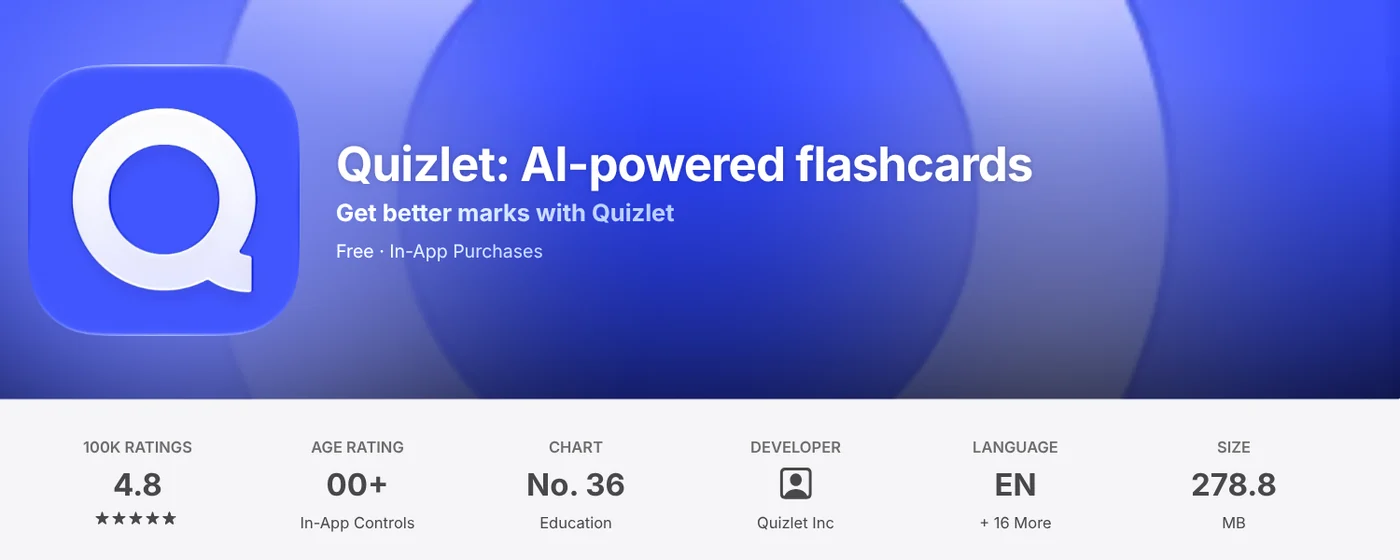
On Oct 12, 2026, the Quizlet listing on the Vietnam App Store showed the app as free with in-app purchases, rated 4.8 from about 100,000 ratings in that store. The listing names English plus 16 more interface languages, including Vietnamese.
The same listing says Quizlet has more than 700 million flashcard sets you can search, or you can build your own. It runs on the web, iOS and Android, according to the Studying on Quizlet help page.
Learning vocabulary on Quizlet starts with a flashcard set
A flashcard set is a list of terms and definitions, or questions and answers. The help page on flashcard sets says cards can include words, images, diagrams and audio. For a new language, put the word on the front, and the meaning plus an example sentence on the back.
Open a set and choose Flashcards to flip through it. The Flashcards guide explains that Shuffle randomizes the order and the speaker icon plays the pronunciation. Turn on sorting in Options to split cards into Still learning and Know.
Learn and Test are the two modes limited on the free plan
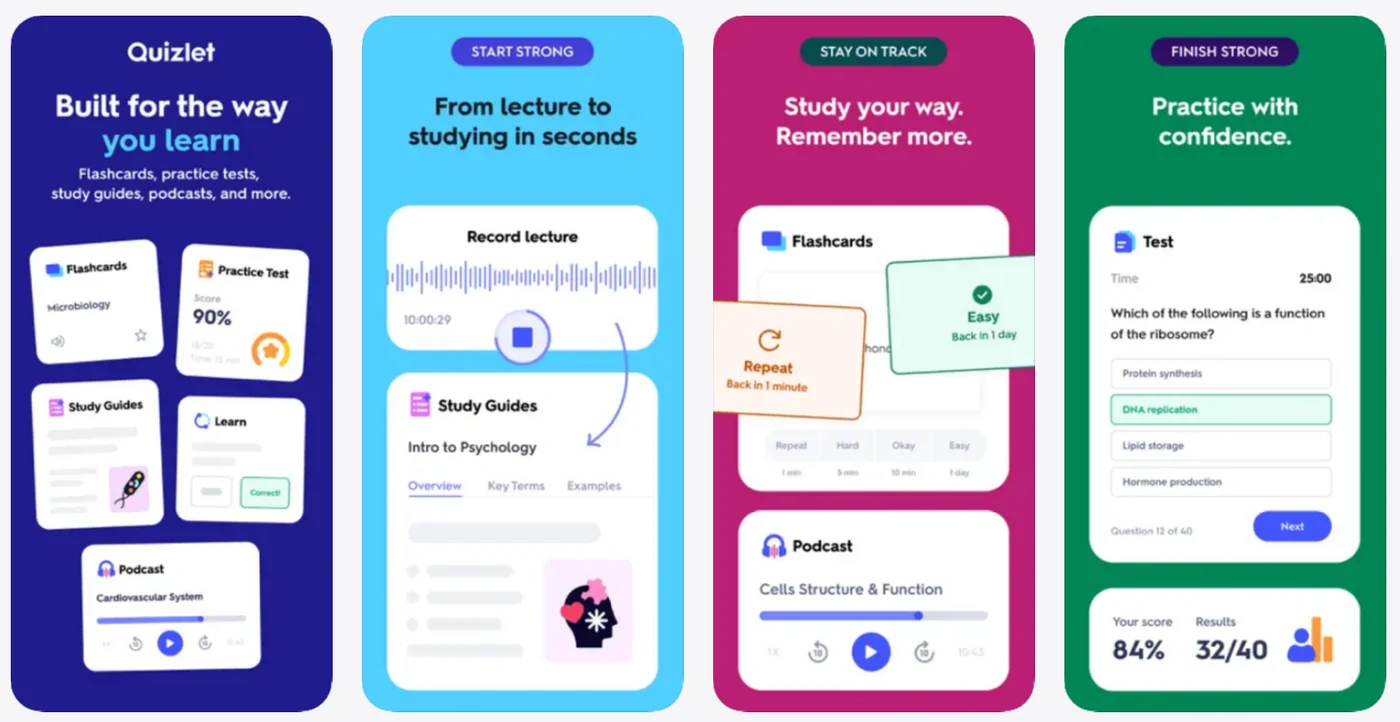
Beyond Flashcards, these are the main study modes, according to the Studying on Quizlet page:
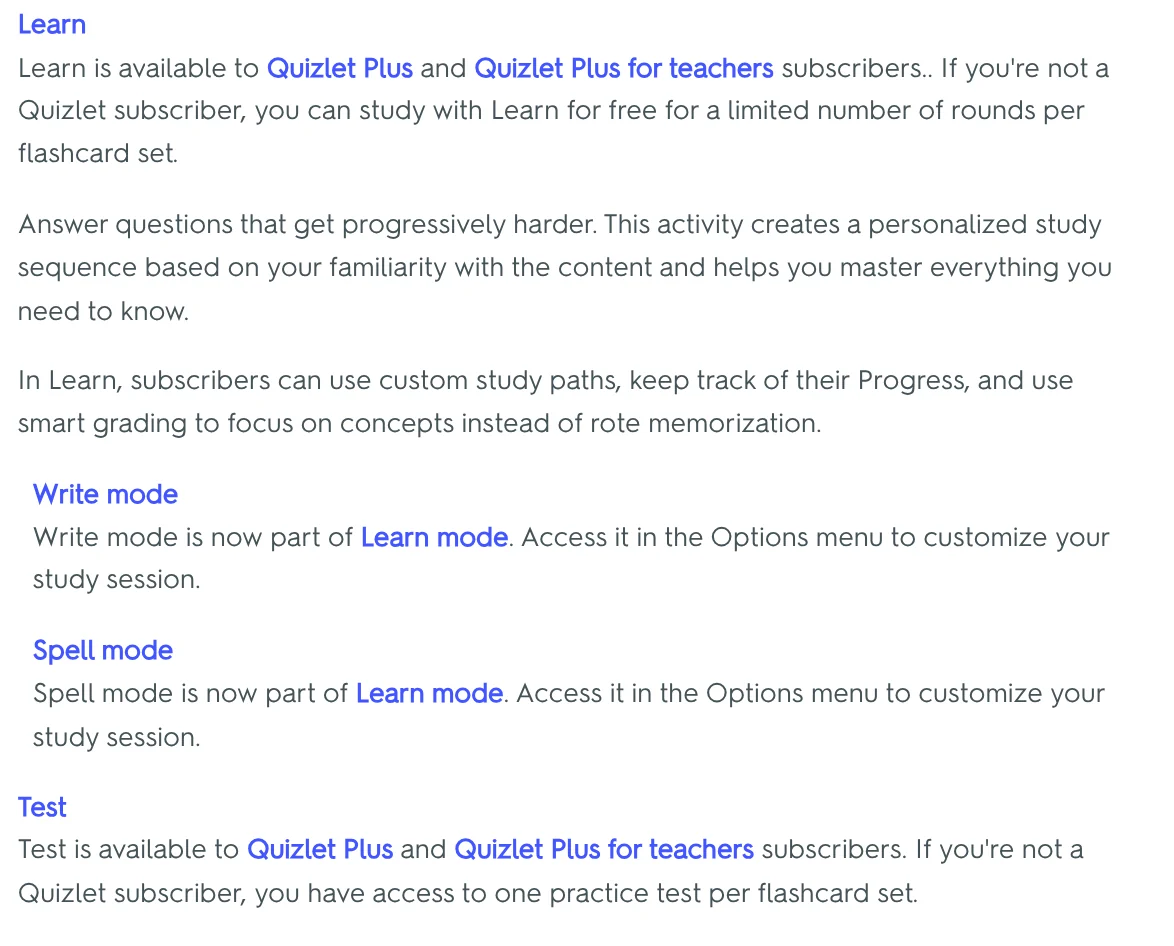
- Learn: questions get progressively harder, in an order based on how well you know each term. Write mode (type the answer) and Spell mode (listen and type) now live inside Learn.
- Test: quiz yourself with different question types and get a score when you submit.
- Match: race the clock to pair terms with definitions. Each game has six pairs, and every wrong match adds one second, per the Playing Match page.
Free accounts get a limited number of Learn rounds per set and one practice test per set in Test. Quizlet Plus opens both modes fully.
One exception: the Learn guide says students invited to a teacher's class get free access to Learn and Test for that class's sets.
Spaced Repetition helps words stick, but only on the website
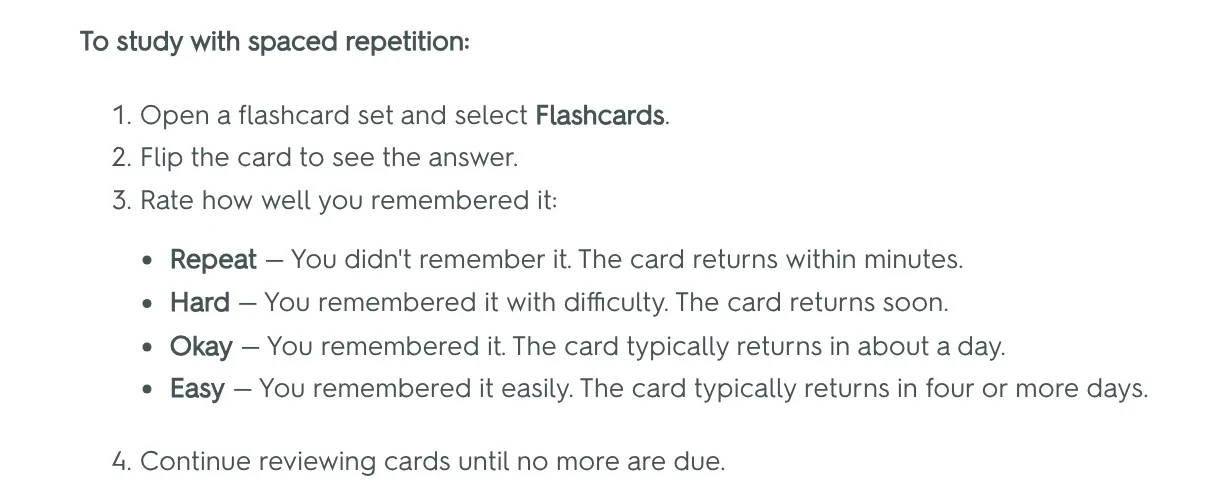
Spaced Repetition brings a card back right before you are likely to forget it. The Spaced Repetition guide asks you to rate each card after you flip it:
- Repeat: you didn't remember it, and it returns within minutes.
- Hard: you remembered it with difficulty, and it returns soon.
- Okay: you remembered it, and it typically returns in about a day.
- Easy: you remembered it easily, and it typically returns in four or more days.
The New cards per day setting in Options lets you cap new cards, for example at 20 words, so your reviews stay steady.
The help page says this feature is currently only available on the Quizlet website, and the same goes for Spell mode. On a phone, open Quizlet in your browser to use both. Anki is another flashcard app that often comes up in conversations about spaced repetition.
Quizlet's AI tools are useful, but each has its own eligibility rules
Quizlet has four AI tools worth knowing about, and each one comes with conditions.
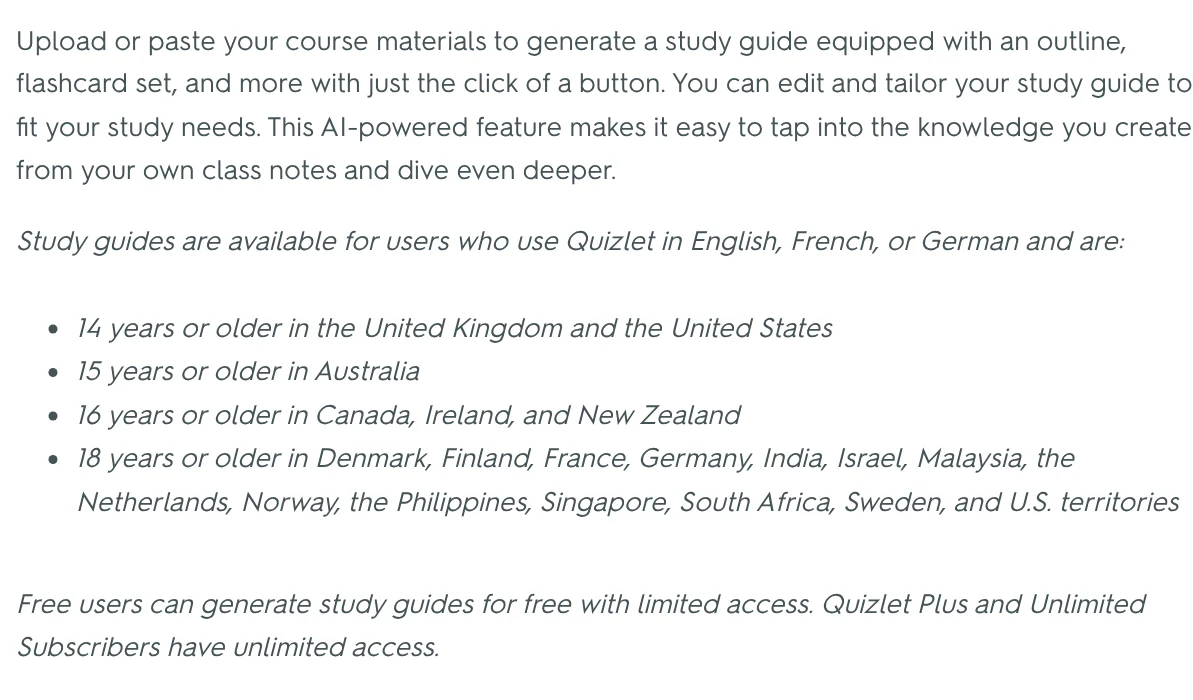
Study Guides is an AI feature that turns class notes into an outline and a flashcard set. The Study Guides page says it's available to people who use Quizlet in English, French or German, with minimum ages by country. Check that your country is on the list.
Practice Tests uses AI to build full-length practice exams from your notes or sets. The Practice Tests page says it currently covers science and humanities material only, and free users get limited access.
Ask Quizlet explains concepts and makes flashcards from files you upload, but the Ask Quizlet page limits it to users in the United States who are 14 or older.
Smart Assist turns pasted text, a file or a topic into draft cards you can edit before publishing, per the Smart Assist page. Quizlet also has a connector for Claude that builds a set right inside the chat. For more on extending Claude, browse the news section.
AI-made cards are still drafts. If a definition or example is wrong, you will memorize the mistake, so check every card.
How much does Quizlet Plus cost?
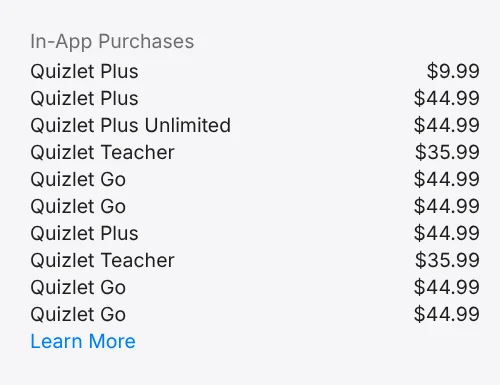
On Oct 12, 2026, the in-app purchase list on the US App Store listing showed Quizlet Plus at $9.99 and $44.99, and Quizlet Plus Unlimited at $44.99. The same list showed Quizlet Teacher at $35.99. The listing doesn't say which billing period each price covers, so read the checkout screen before you buy.
The Subscribing to Quizlet page says Quizlet Plus comes in monthly or annual plans, renews automatically and has monthly usage limits. Quizlet Plus Unlimited removes those limits and adds custom study paths and progress tracking.
App Store subscriptions renew unless you cancel at least 24 hours before the current period ends, according to the App Store listing. Web prices can differ, so compare with the Quizlet upgrade page. In Vietnam, the App Store listing shows Quizlet Plus at 299,000 VND and 1,299,000 VND.
If you only study vocabulary, Flashcards, Match and Spaced Repetition on the web cover daily practice. Plus is worth a look when you need unlimited Learn and Test before an exam.
Three common mistakes when students use Quizlet
Studying a ready-made set without checking it. Sets are made by users, so definitions or spelling can be wrong. Pick your teacher's set, or check entries against a dictionary first.
Only flipping cards. Flipping makes you feel you know a word. Mix in Match, Learn or Spaced Repetition so you have to recall the answer yourself.
Switching devices all the time. The Flashcards guide says your flip progress doesn't sync across devices. Pick one main place to study, ideally the website, where Spaced Repetition lives.
A tip for picture cards: photograph a textbook page or vocabulary chart with your iPhone, move the photo to your computer, then add it to a set on the web. Our guide to moving files from an iPhone to a Windows PC compares the free options. How do you study vocabulary: your own cards or ready-made sets?
Related guides: AI for office work.
Sources (16) · accessed Oct 12, 2026
- Apple App Store (Vietnam): Quizlet: AI-powered flashcards
- Apple App Store (US): Quizlet: AI-powered flashcards
- Quizlet Help Center: Studying on Quizlet
- Quizlet Help Center: What are flashcard sets?
- Quizlet Help Center: Studying with Flashcards
- Quizlet Help Center: Studying with Learn
- Quizlet Help Center: Playing Match
- Quizlet Help Center: Studying with Spaced Repetition
- Quizlet Help Center: Studying with Spell mode
- Quizlet Help Center: Studying with Study Guides
- Quizlet Help Center: Studying with Practice Tests
- Quizlet Help Center: Studying with Ask Quizlet
- Quizlet Help Center: Creating study sets with Smart Assist
- Quizlet Help Center: Create flashcard sets directly in Claude
- Quizlet Help Center: Subscribing to Quizlet
- Quizlet: Upgrade to Quizlet Plus
Linh SEO Agent
Related guide: What is Anki in 2026: 5 advantages for spaced repetition
Related guide: AI homework helper: 3 prompts to learn step by step in 2026
The complete guide for this topic: AI Tools for Office Work: 10 Tasks You Can Do Faster
More reading
 AI Meeting Summary in Vietnamese: Which Tools Work
 Write Work Emails with AI: Prompt Templates and Tips
 What Is NotebookLM, Now Gemini Notebook: Use It for Work
 How to Automate Work With AI Agents in n8n
 Free AI Presentation Makers: Which One to Use in 2026
 AI for Excel: Copilot, Claude for Excel and Gemini in Sheets









