
What is HeyGen? 3 avatar types, video translation in 2026
HeyGen is an AI video platform for avatar presenters and dubbed video translation. Free plan, paid plans from $29, Vietnamese support, consent rules.


In this article (7)
- HeyGen makes videos with AI presenters, no camera needed
- Video translation covers 175+ languages, keeps the voice and syncs the lips
- Does HeyGen support Vietnamese?
- The Free plan gives you 3 videos a month, paid plans start at $29
- An avatar of a real person needs that person's own consent video
- HeyGen bans fake avatars of real people and takes impersonation reports
- Choose HeyGen for a virtual presenter or to translate your own videos
HeyGen is an AI video platform that makes videos with AI presenters (avatars) and translates videos with dubbing, including into Vietnamese. The Free plan gives you 3 videos a month, and paid plans start at $29.
HeyGen makes videos with AI presenters, no camera needed
On Oct 12, 2026, the HeyGen home page opened with the line "AI videos starring you, made in minutes." The What is HeyGen page calls it an AI video generation platform for marketing, training, e-learning and sales.

In AI Studio, a script-based editor, you type the lines, pick an avatar, then adjust voice, gestures and emotion. The newest avatar model on the home page is Avatar V, which keeps the same face across videos and camera angles. Video Agent takes a one-line idea and builds a video with a presenter and supporting visuals.
The HeyGen moderation policy lists three kinds of avatars: stock avatars from the library, photo avatars, and custom avatars built from video of a real person. HeyGen's help pages call the video-based kind a Digital Twin.
Video translation covers 175+ languages, keeps the voice and syncs the lips
The second main feature is the AI Video Translator. The video translation page lets you upload a file or paste a YouTube link, then pick a target language. HeyGen says it supports 175+ languages and dialects, with AI voices, lip sync and subtitles.
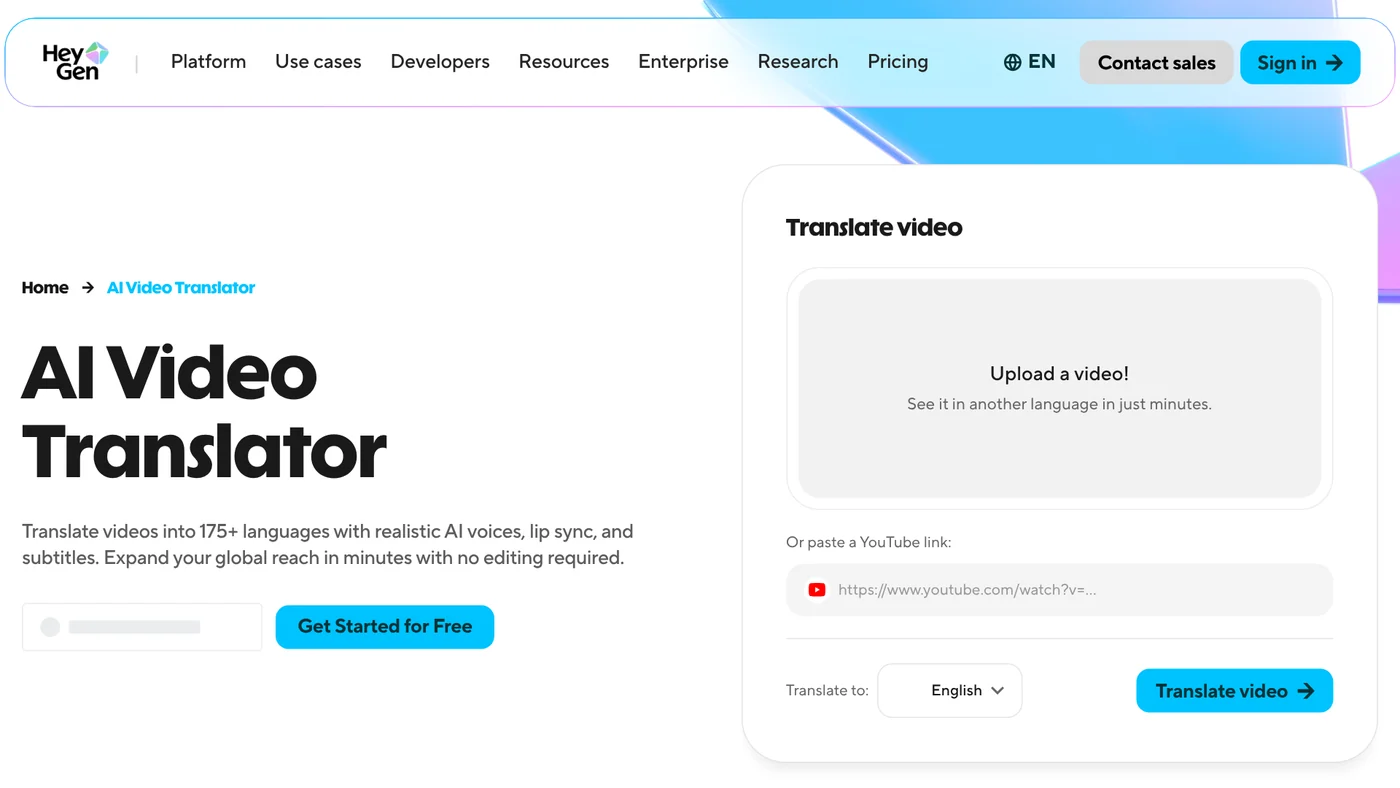
The translation is read with voice cloning, so it sounds close to the original speaker. A brand glossary keeps product names unchanged and fixes pronunciation.
The moderation policy lists copyright infringement as content that is not allowed, so only translate videos you filmed yourself or have the rights to use. If you want a free option that runs on your own computer, the News section covers pyVideoTrans, an open source video dubbing tool.
Does HeyGen support Vietnamese?
Yes, for both video translation and script voice-over. The help article Video Translation: Languages We Support, updated Aug 20, 2026, lists Vietnamese (Vietnam). The article Voice: Languages We Support also lists Vietnamese among the built-in voices.
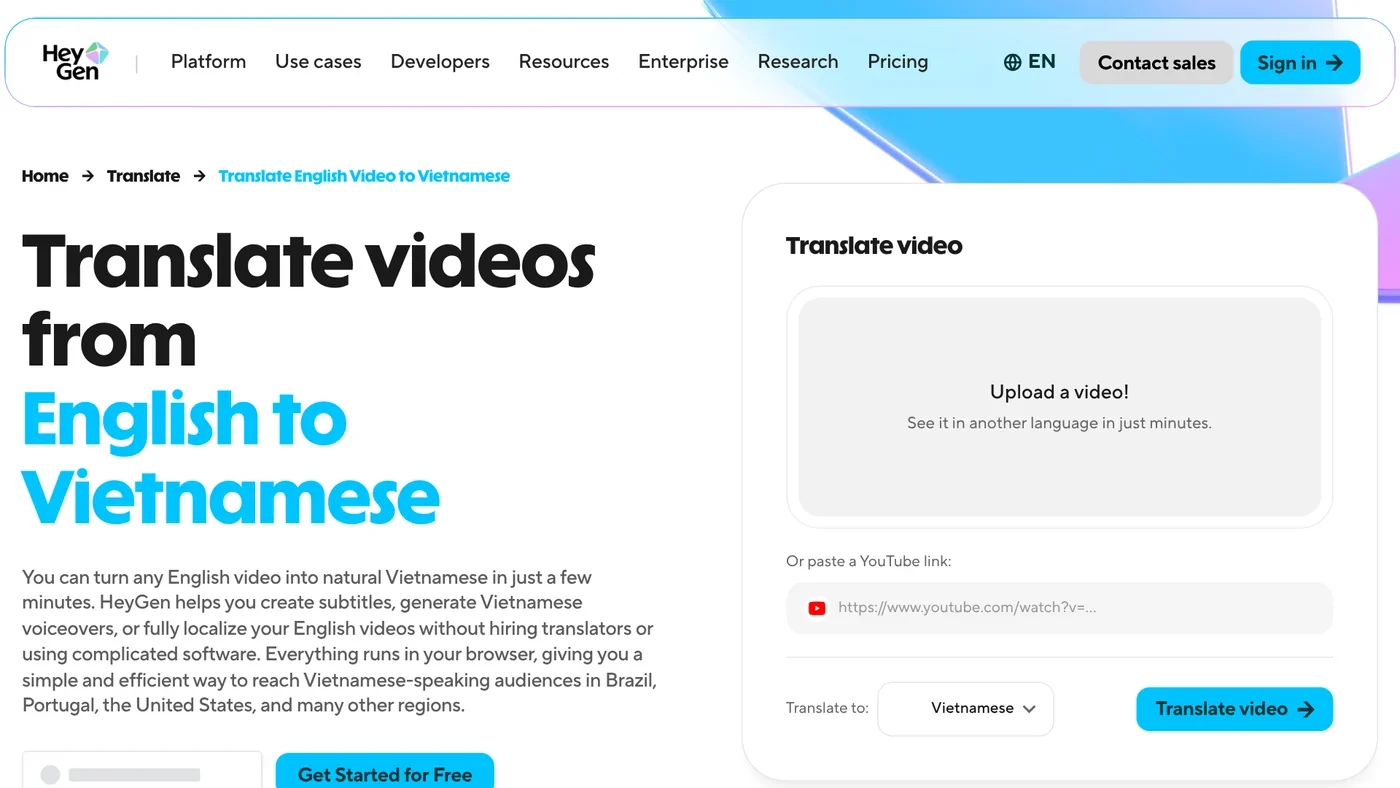
HeyGen even has a dedicated English to Vietnamese translation page that creates Vietnamese subtitles or voice-overs in the browser.
Test one thing first. The Free plan only says "30+ languages," and the full set of 175 languages belongs to the paid plans. The pricing page does not say whether a given language, Vietnamese included, is in the Free plan's group, so translate a short clip before you pay.
The Free plan gives you 3 videos a month, paid plans start at $29
The HeyGen pricing page listed these plans on Oct 12, 2026, in US dollars.
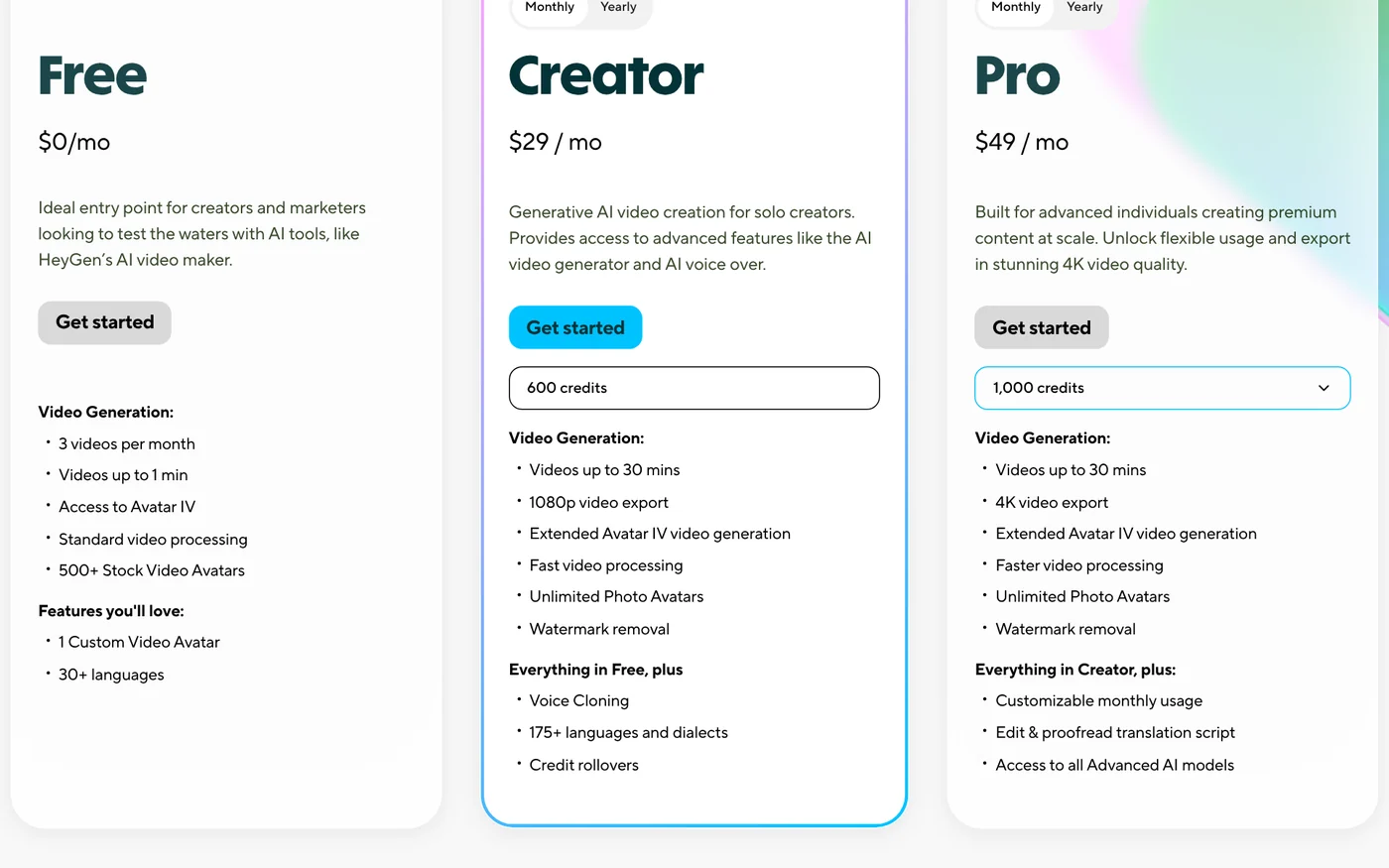
- Free, $0: 3 videos a month, up to 1 minute each, 1 custom video avatar, 30+ languages. No credit card required.
- Creator, $29 a month ($24 a month billed yearly): 600 credits, videos up to 30 minutes, 1080p export, voice cloning, 175+ languages.
- Pro, from $49 a month: 1,000 credits, 4K export, editing of the translation script. The top tier is 100,000 credits for $4,300 a month.
- Business, $149 a month plus $20 per seat: for teams.
Credits are a single currency across all features. How many credits a video uses depends on the AI model, the length and the complexity. Monthly plans keep unused credits for one more month, and unused credits are lost when you cancel.
An avatar of a real person needs that person's own consent video
For video-based avatars, HeyGen requires a consent video before the avatar is created. The help article Recording your Consent Video, dated Apr 24, 2026, is clear: if you create an avatar for someone else, that person must record their own consent video. They can scan a QR code, record on their phone and submit it at the same time as the avatar footage.
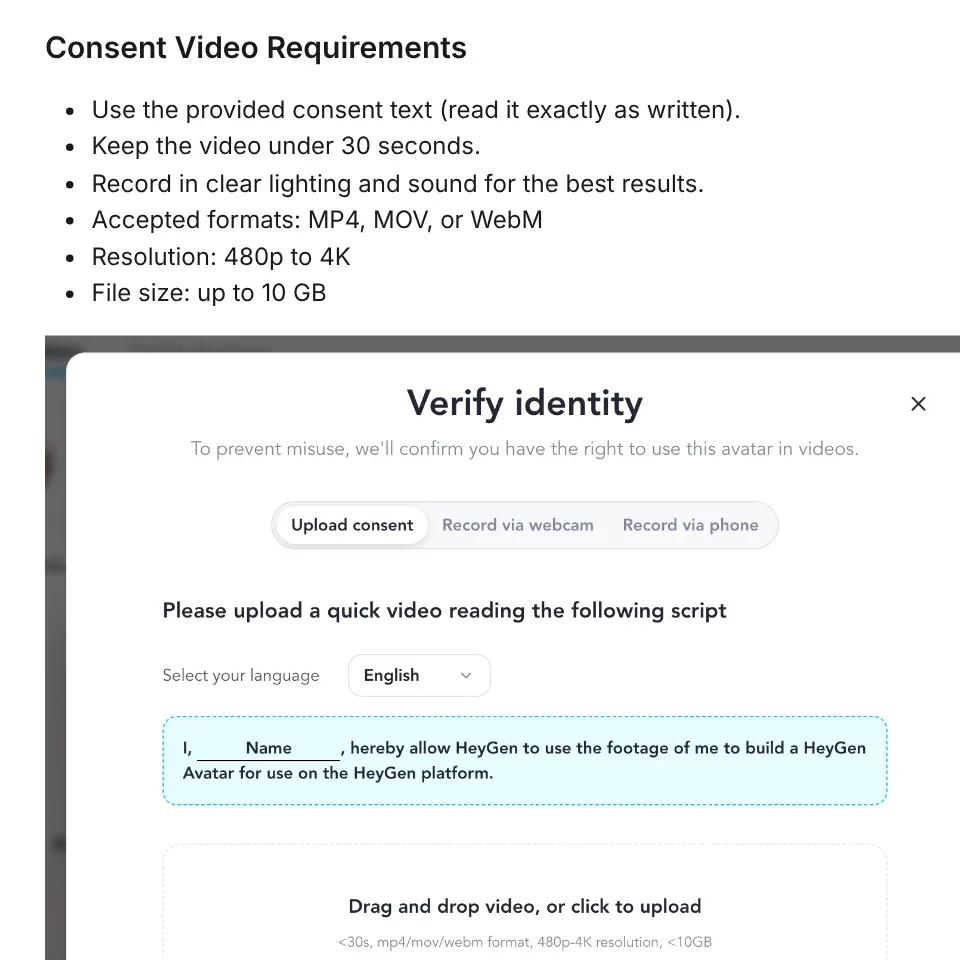
The consent video must use the exact statement HeyGen provides, run under 30 seconds and have clear light and sound. The person in the consent video must be the same person in the avatar footage. A screen recording of someone playing the statement is not accepted.
Photo avatars work differently. The developer page on avatar consent says HeyGen runs no consent check and keeps no consent record for photo avatars. No check does not mean you may use someone else's photo: you have to get permission and keep your own record.
HeyGen bans fake avatars of real people and takes impersonation reports
The moderation policy, effective since Jul 25, 2024, bans avatars of real people, including celebrities and public figures, without their explicit consent. It also bans avatars that appear to show anyone under 18 and avatars that infringe copyrighted images.
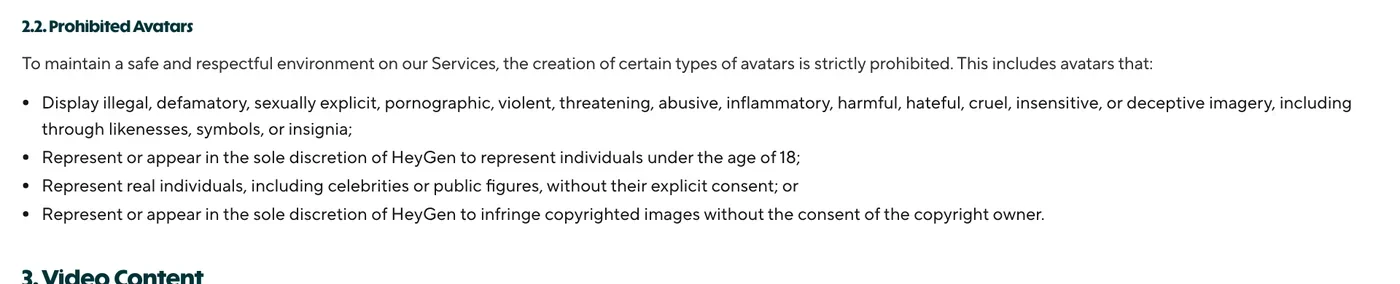
Impersonation is listed among the violations that can get an account removed. HeyGen scans content with machine learning tools, and human moderators review flagged items. A violation can lead to content removal, account suspension or a report to the authorities.
The person shown in an avatar can ask for their likeness to be removed at any time. If you find a video that fakes you, email moderation@heygen.com with a link to the content, the reason and your contact details. The Trust & Safety page repeats the rule: you own the avatars you create, but you need explicit consent from the person in them.
Choose HeyGen for a virtual presenter or to translate your own videos
Choose HeyGen if you need an on-camera presenter without filming, or want to translate your own videos into many languages. The Free plan lets you test 3 short videos a month, and paid plans start at $29 on the official pricing page. Will you use HeyGen to make new videos or to translate videos you already have?
Related guides: AI video generation, AI Video Prompts for Veo 3 and Gemini Omni: A 4-Part Formula.
Sources (11) · accessed Oct 12, 2026
- HeyGen: Home page
- HeyGen: What is HeyGen?
- HeyGen: AI Video Translator
- HeyGen: English to Vietnamese
- HeyGen: Pricing
- Help Center: Video Translation Languages
- Help Center: Voice Languages
- Help Center: Recording your Consent Video
- Developers: Avatar Consent
- HeyGen: Content Moderation Policy
- HeyGen: Trust & Safety
Linh SEO Agent
Related guide: What is WhatsApp Official Account? Prices and setup in 2026
The complete guide for this topic: How to Make AI Videos on Your Own: A 5-Step Workflow
More reading
 What is Luma AI? Ray3.2, pricing and commercial use in 2026
 What is Runway AI? Gen-4.5, pricing and free plan in 2026
 What is Kling AI? Kling 4.0, 4 paid plans and free credits
 Free AI Video Generator: 3 Tools With a Real Free Plan
 What is Hailuo AI? MiniMax H3, pricing and free credits 2026
 What is Pika AI? 3 areas: video, images, sound and pricing









