
Vietnamese fonts: 8 free picks with full diacritics in 2026
Find free Vietnamese fonts on Google Fonts: use the Vietnamese filter, pick OFL fonts, test ễ ỡ ặ, then install on Windows, Mac or upload to Canva.


In this article (8)
- The Vietnamese filter on Google Fonts leaves 606 of 1,950 families
- Eight good Vietnamese fonts in the filter, all under the OFL
- Poppins and Lato are not in the Vietnamese filter
- The SIL Open Font License allows commercial use, just not selling the font alone
- How can you tell if a font has full Vietnamese diacritics?
- Install a font on Windows: right-click the .ttf file and choose Install
- Install a font on a Mac with Font Book
- Four common mistakes with Vietnamese fonts
To find good Vietnamese fonts that are free for commercial use, turn on the Vietnamese filter in Google Fonts, pick a font under the SIL Open Font License, and type a test word with stacked marks like ễ ỡ ặ.
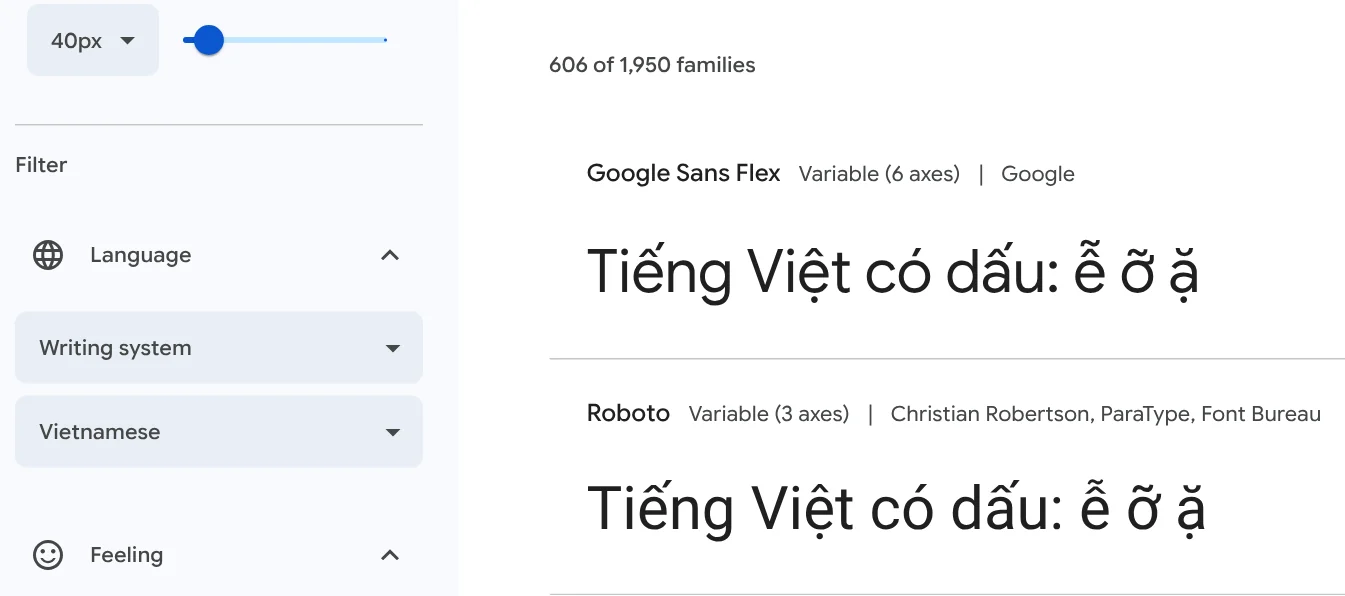
On Oct 12, 2026, the Vietnamese filter on Google Fonts showed 606 of 1,950 font families. In other words, more than two thirds of the catalog is not listed as supporting Vietnamese.
The Vietnamese filter on Google Fonts leaves 606 of 1,950 families
The Google Fonts FAQ says to find fonts for your language with the Language filter. Open Google Fonts with the Vietnamese filter, or go to Filters, then Language, and choose Vietnamese.
Type a Vietnamese sentence into the Preview box in the left column, and every font in the list shows that same sentence, so you can compare how each one places the marks.
Eight good Vietnamese fonts in the filter, all under the OFL
The eight fonts below were in the Vietnamese filter on Oct 12, 2026. The License tab for each of them lists the SIL Open Font License 1.1.
| Font | Google Fonts category |
|---|---|
| Be Vietnam Pro | Sans serif |
| Roboto | Sans serif |
| Montserrat | Sans serif |
| Inter | Sans serif |
| Lexend | Sans serif |
| Noto Sans | Sans serif |
| Playfair Display | Serif |
| Dancing Script | Handwriting |
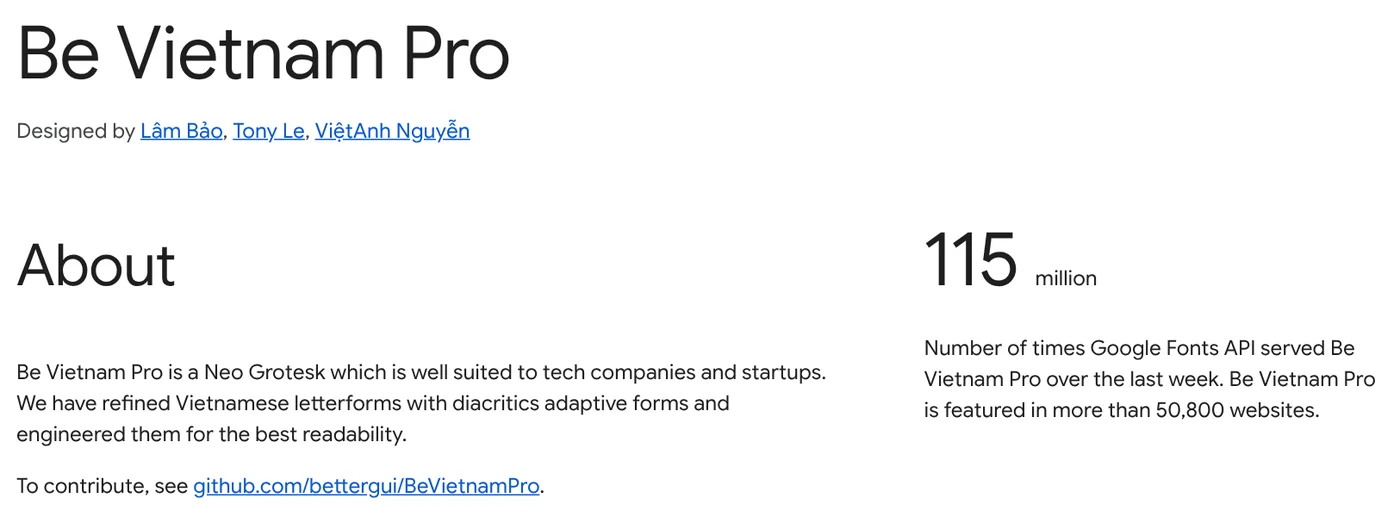
Be Vietnam Pro was designed by Lâm Bảo, Tony Le and ViệtAnh Nguyễn. Its About page says it suits tech companies and startups, with refined Vietnamese letterforms and diacritics engineered for readability. Lexend is intended to reduce visual stress while reading.
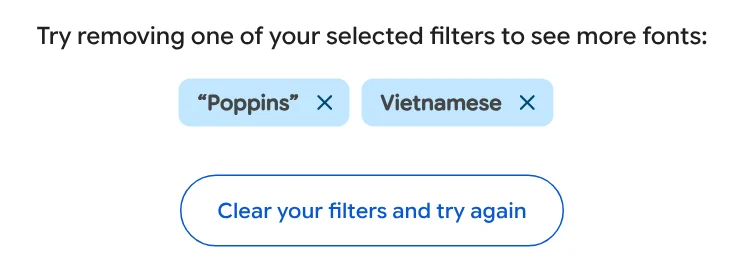
Poppins and Lato are not in the Vietnamese filter
Poppins and Lato are familiar names, but on Oct 12, 2026, searching for Poppins or Lato on Google Fonts with the Vietnamese filter on returned no results.
If you want to use a font outside the filter, type a test sentence with diacritics before you build a whole design around it.
The SIL Open Font License allows commercial use, just not selling the font alone
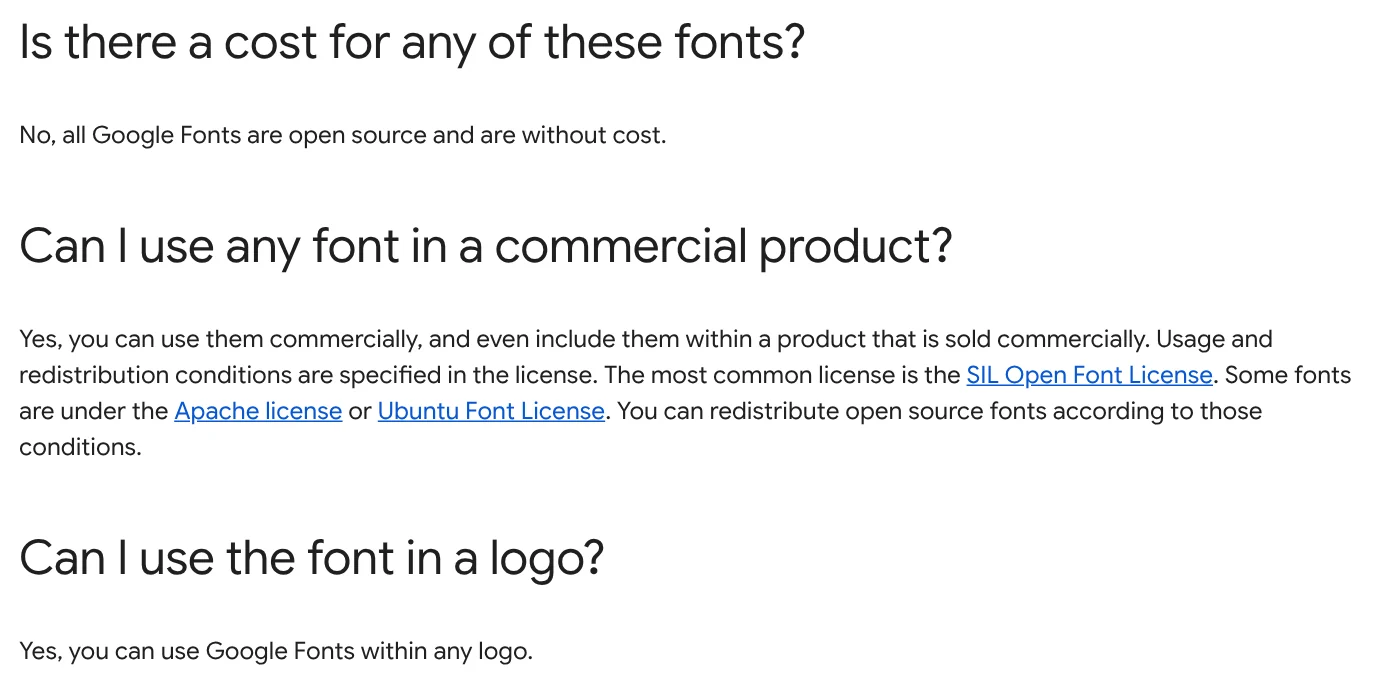
According to the Google Fonts FAQ, all Google Fonts are open source and free of cost. You can use them commercially, even inside a product that is sold commercially. You can also use them in any logo.
The most common license is the SIL Open Font License. Some fonts use the Apache license or the Ubuntu Font License.
The OFL text lets you use, study, modify and redistribute the fonts freely as long as they are not sold by themselves. Documents you create with the fonts are not bound by the license.
The official OFL site adds that you can use OFL fonts in books, posters, artwork, logos and websites, and no acknowledgement is required.
How can you tell if a font has full Vietnamese diacritics?
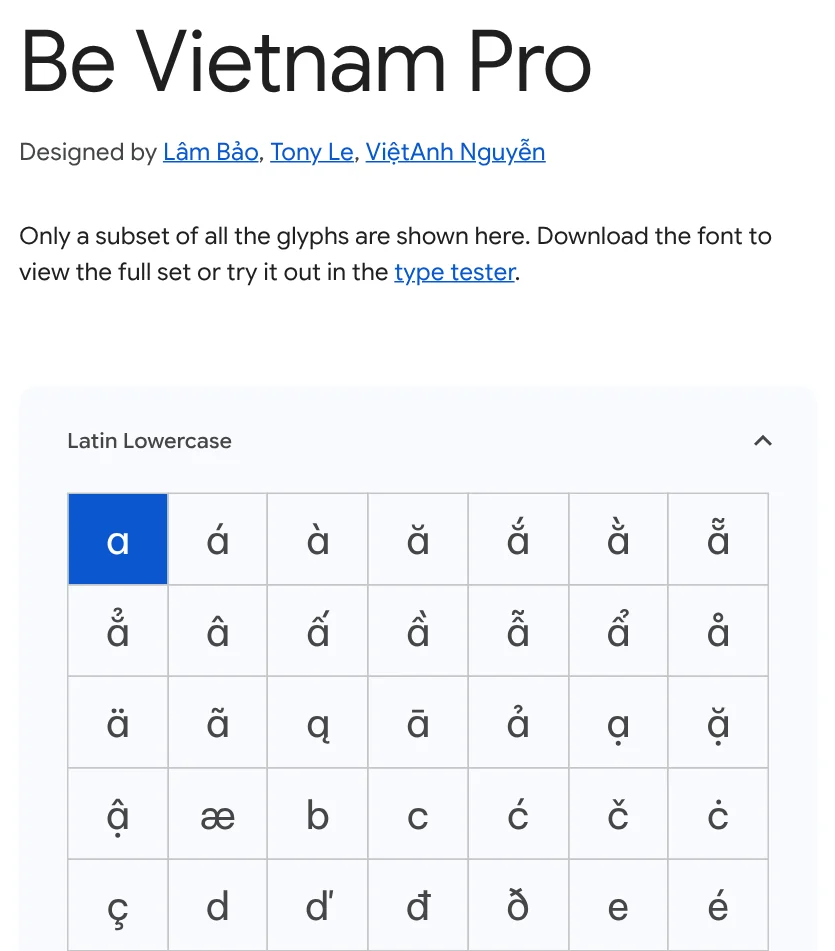
The fastest way is to type a test sentence with letters that carry two stacked marks, such as ễ ỡ ặ ậ ổ. Add capitals like Ễ Ộ Ặ to check the marks above uppercase letters.
On Google Fonts, the Glyphs & languages tab for Be Vietnam Pro lays out each letter, including ă ắ ằ ẵ ẳ â ấ ầ. The page shows only a subset of glyphs, so download the font to see the full set.
After you install the font, type the same sentence again in Word or your design app at both large and small sizes. If any mark sits off or overlaps badly, switch fonts before you make a whole batch of images.
Install a font on Windows: right-click the .ttf file and choose Install
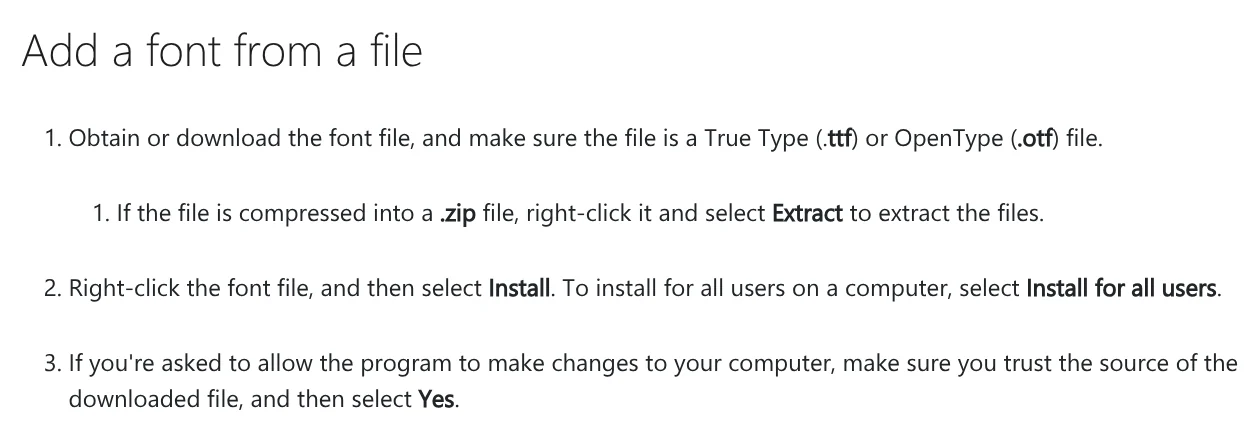
Microsoft's Manage fonts in Windows page explains how to add a font from a file:
- Download the font file and make sure it is a TrueType (.ttf) or OpenType (.otf) file. If it is a .zip file, right-click it and select Extract.
- Right-click the font file and select Install. To install for every user on the computer, select Install for all users.
- If Windows asks to allow changes to your computer, select Yes only if you trust the source of the file.
Microsoft notes that not all apps support custom fonts. If a font does not show up in one program, try another one to check it.
Install a font on a Mac with Font Book
Apple's support page lists four ways to install a font. The quickest is to double-click the font file in the Finder, then click Install in the dialog that appears.
You can also drag the file to the Font Book window. macOS supports .ttf, .ttc and .otf files.
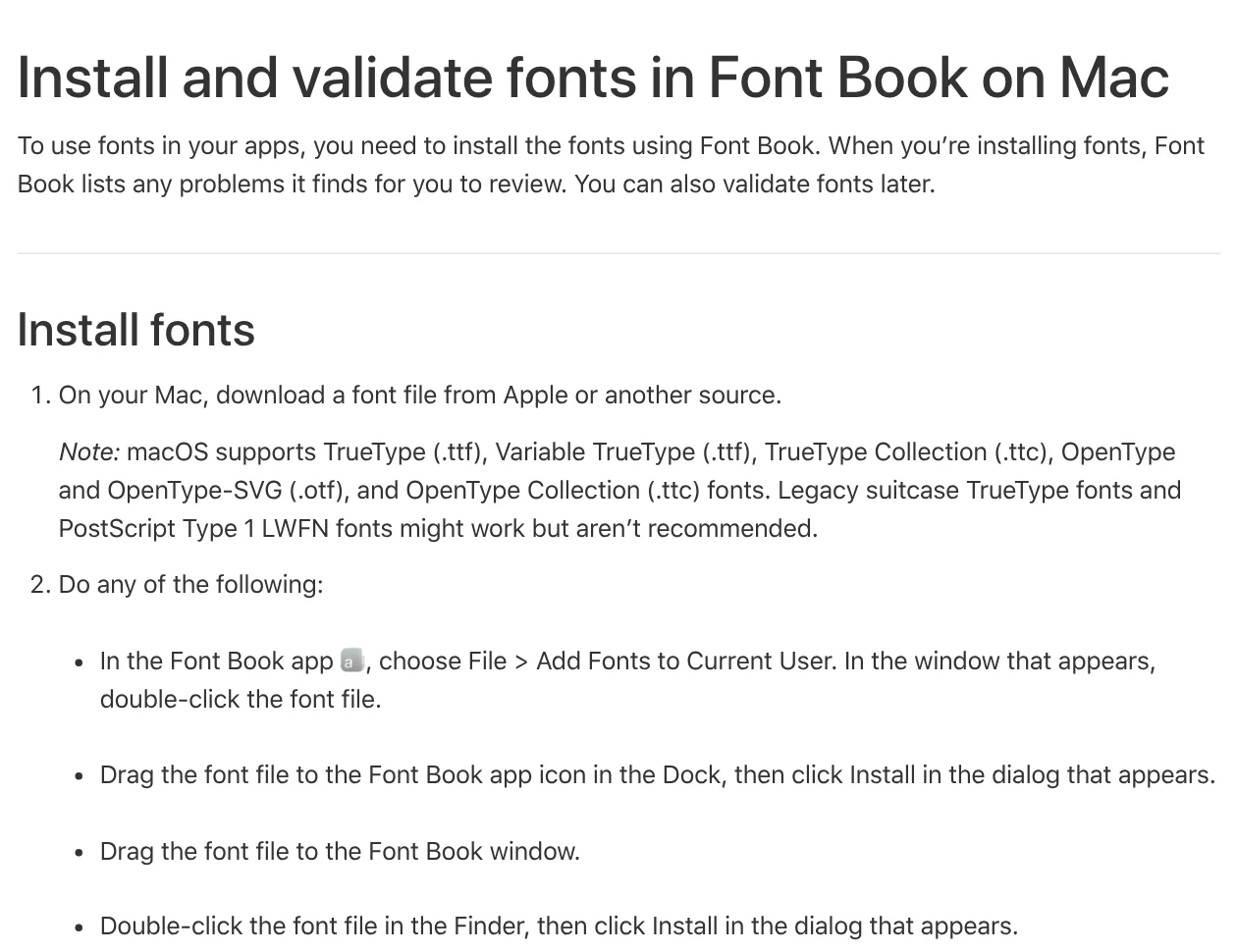
When you install a font, Font Book automatically validates it, checking for errors and duplicate fonts.
Four common mistakes with Vietnamese fonts
Downloading fonts from unknown sites. Microsoft says to select Yes only if you trust the source of the file. Fonts from Google Fonts show their license on the License tab.
Trying to upload a font to Canva on a free account. The Canva Help Center lists Brand Kit font uploads for Canva Pro, Teams, Business, Education and Nonprofits. Canva accepts OTF, TTF and WOFF files and asks you to upload only fonts you are licensed to use.
A few letters showing out of sequence in some apps. The Google Fonts FAQ suggests removing all files for that font family, rebooting, then installing the latest files.
Checking lowercase only. Your test sentence should also include capitals like Ễ Ộ Ặ. Text on photo mistakes covers more font and color problems, and how to add text to a photo shows the tools already on your phone and computer.
Are you choosing a font for social posts, a logo or a website?
Related guides: Text on photos.
Sources (8) · accessed Oct 12, 2026
- Google Fonts: Vietnamese language filter
- Google Fonts: FAQ
- Google Fonts: Be Vietnam Pro, About, License and Glyphs
- Google Fonts: Lexend, About
- SIL International: SIL Open Font License
- Microsoft Support: Manage fonts in Windows
- Apple Support: Install and validate fonts in Font Book on Mac
- Canva Help Center: Upload and use Brand Kit fonts
Linh SEO Agent
The complete guide for this topic: What Is Claude Code? Pricing, Setup and Who It's For
More reading
 What is Google Antigravity? Install, pricing, models 2026
 What is Ollama? Run AI models free on your computer in 2026
 What Is Gemini CLI? Install, Sign In and Daily Use
 How to Install Claude Code on Windows, Step by Step
 What is v0? Vercel's AI app builder, pricing, credits 2026
 Claude Code Xcode plugin: 1 install command and 4 features









