
What is Runway AI? Gen-4.5, pricing and free plan in 2026
Runway AI is a tool that generates and edits video with AI. Gen-4.5 makes 2 to 10 second clips, the free plan gives 125 credits, paid plans start at $12.


In this article (6)
- What is Runway AI: a video AI platform, not an airport runway
- Gen-4.5 is Runway's main video model today
- Runway edits existing footage with Aleph 2.0 and small apps
- What does the Runway free plan include, and what do paid plans cost?
- You can use Runway videos commercially, with a few conditions
- Which Runway plan to pick, and when to look elsewhere
Runway AI is a platform that generates and edits video with AI. You type a description or upload a photo, and Runway turns it into a short video clip.
What is Runway AI: a video AI platform, not an airport runway
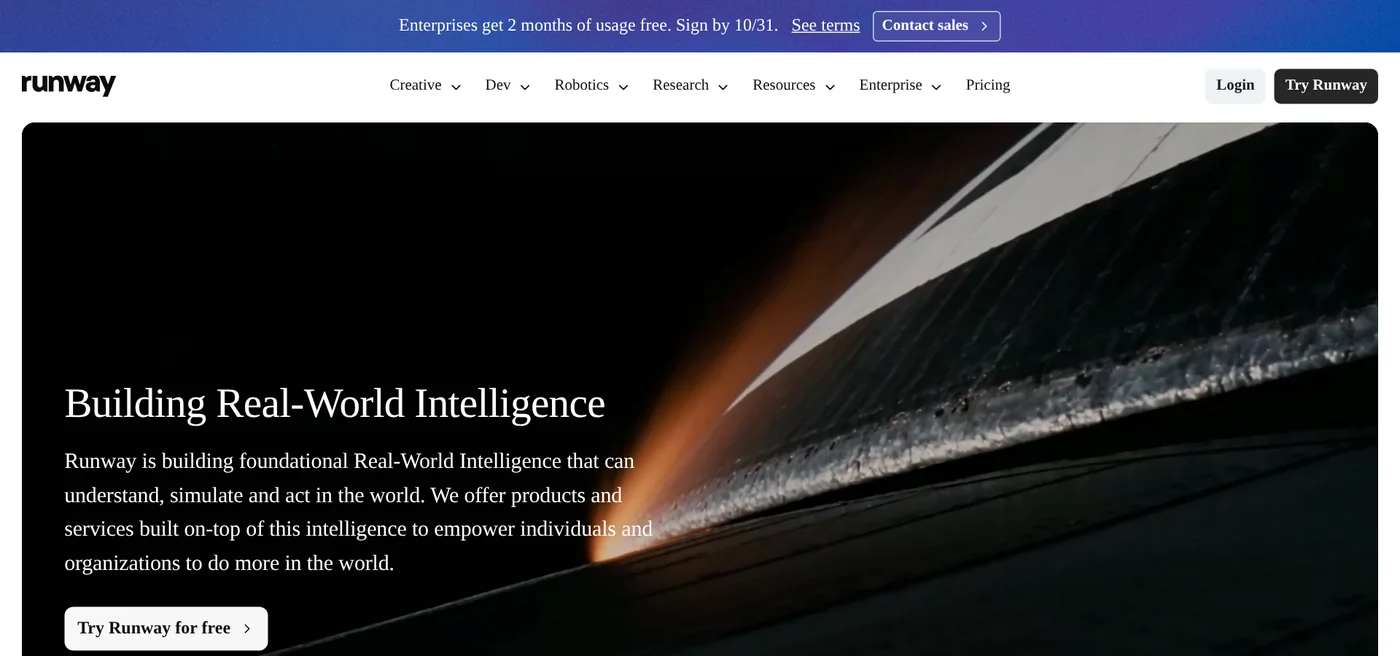
On Oct 12, 2026, typing runwayml.com redirects you to the new domain runway.com. The homepage says Runway is building Real-World Intelligence, meaning AI models that understand and simulate the world, and offers products built on top of it. The homepage also says Runway is used by more than 60 million creatives.
Runway splits its products into three lines. Creative is the web suite for generating and editing video, images, and audio, which is what most people need. Dev is an API platform for developers. Robotics is a toolkit for training robots through simulation. Besides the web version, Runway has apps for iPhone and Android.
The word "runway" also means an airport runway or a fashion catwalk, so searching for the bare word often brings up dictionary results. The About page says the company has offices in New York, San Francisco, London, Paris, Tokyo, and a few other cities.
Gen-4.5 is Runway's main video model today
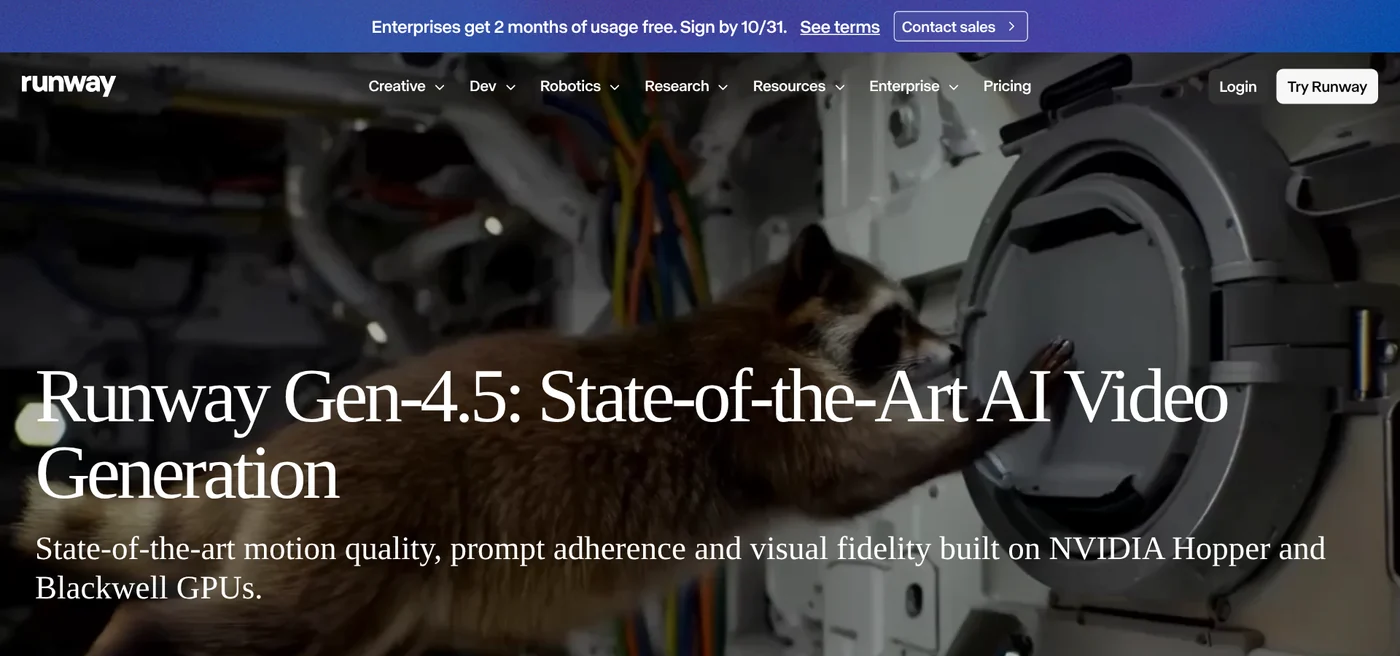
Runway announced Gen-4.5 on Dec 1, 2025. The announcement says the model ranked first on the Artificial Analysis Text-to-Video leaderboard with 1,247 Elo points, based on blind votes from human viewers. That figure comes from Runway itself. Gen-4.5 is available on every paid plan.
Many older articles about Runway still describe Gen-1, Gen-2, or Gen-3 Alpha. On Oct 12, 2026, the pricing page converts credits into Gen-4.5, Gen-4, Gen-4 Turbo, Gen-4 Image, and Aleph 2.0, with no mention of Gen-1 or Gen-2. The same page lists models from other companies that run inside Runway, such as Kling 3.0, Nano Banana Pro, and Seedance 2.5.
Text to video and image to video, 2 to 10 seconds per clip
The help article Creating with Gen-4.5 says the model accepts two kinds of input: Text to Video and Image to Video. The key specs:
- Plan required: Standard or higher.
- Cost: 12 credits per second of video.
- Length: 2 to 10 seconds per generation.
- Quality: 720p at 24 or 25 frames per second, on the web app.
- Aspect ratios: 16:9, 9:16, 1:1, 4:3, 3:4, and 21:9.
For Text to Video, describe both the visuals and the motion. For Image to Video, the image already covers the visuals, so your prompt only needs to describe the motion. The changelog shows Gen-4.5 has accepted a first-frame image since Jan 21, 2026.
Runway edits existing footage with Aleph 2.0 and small apps
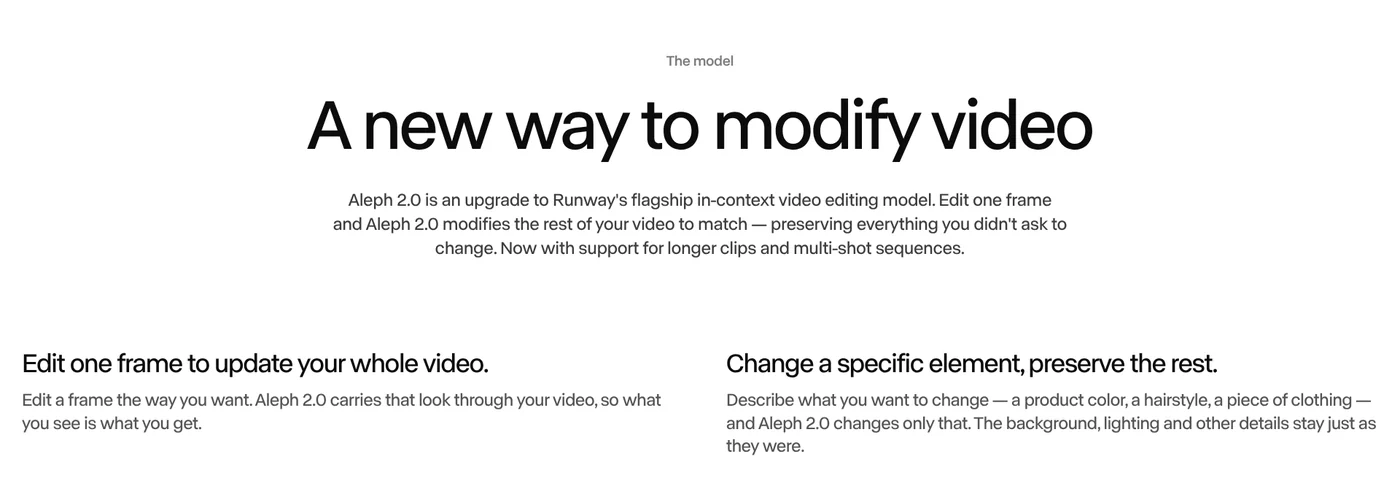
Runway can also edit video you have already shot. The changelog shows Aleph 2.0 and Edit Studio launched on May 21, 2026, for paid plans. The Aleph 2.0 page explains the idea: you edit one frame, and the model carries that change through the rest of the video.
According to that page, Aleph 2.0 can:
- Change one element, such as a product color, a hairstyle, or a piece of clothing, while keeping the background and lighting.
- Add or remove objects, restyle the shot, change the season, or get a tighter shot of a product.
- Apply the same edit across multiple shots in a video with several cuts.
- Edit clips up to 30 seconds long at 1080p.
Edit Studio previews your edit as an image before you generate the video, which saves attempts.
The product page also lists apps, small tools that each do one job: Remove from Video takes an object out of a scene, Change Backdrop swaps the background, Relight Scene changes the lighting, and Add Dialogue makes a character say the line you type.
What does the Runway free plan include, and what do paid plans cost?
The help article Free plan details lists what the free plan includes:
- 125 credits, given once. They do not expire, but they are not refilled after you spend them.
- A limited set of AI tools, and the list changes often. Gen-4.5 is not part of it, since it requires the Standard plan.
- 5 GB of storage.
- Every video made on the Free plan carries a Runway watermark. You also cannot buy extra credits on the Free plan.
The free plan is enough to get familiar with the tool, not enough to make videos for selling.
On Oct 12, 2026, the pricing page lists three paid plans. Prices below are per month when billed yearly, with the month-to-month price in parentheses.
- Standard: $12 ($15), 625 credits per month, equal to 52 seconds of Gen-4.5 video. No watermarks, 20 GB of storage.
- Pro: $28 ($35), 2,250 credits, equal to 187 seconds of Gen-4.5. One custom voice clone, top-up credits anytime, 100 GB.
- Max: $76 ($95), 9,500 credits, equal to 791 seconds of Gen-4.5. Early access to new models, HDR and ProRes output, 500 GB.
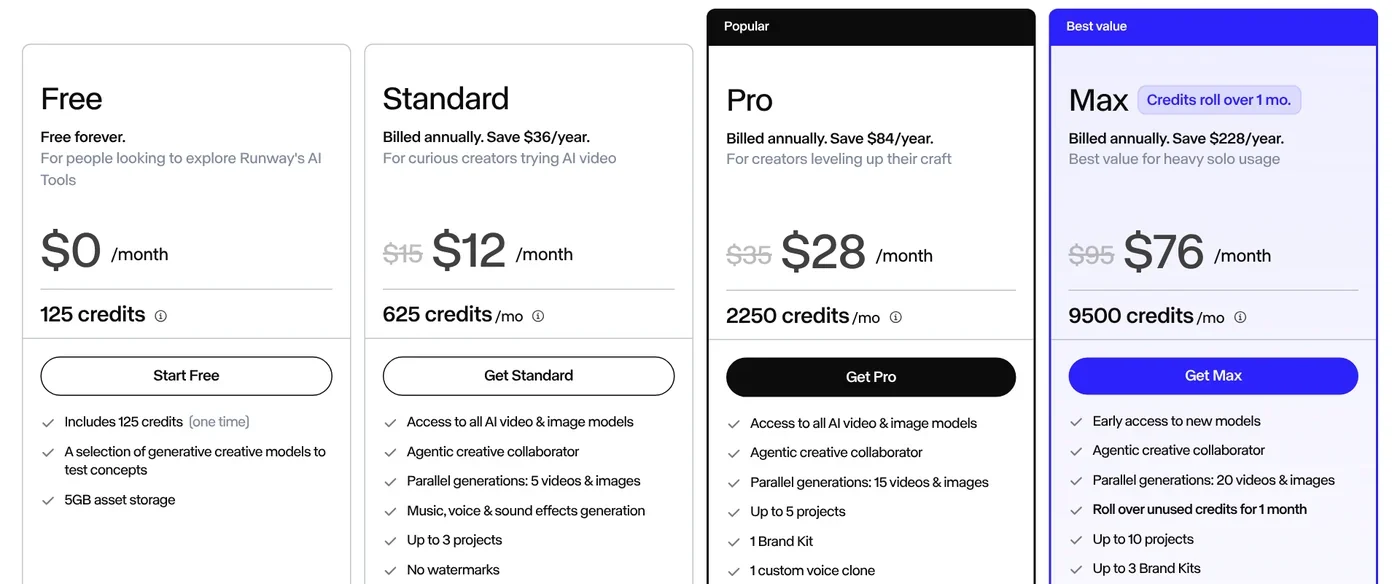
On credits: on Standard and Pro, monthly credits do not roll over and reset within 24 hours of your billing date. Max rolls up to one month of unused credits into the next month. Extra credits have a minimum purchase of 1,000 and never expire.
You can use Runway videos commercially, with a few conditions
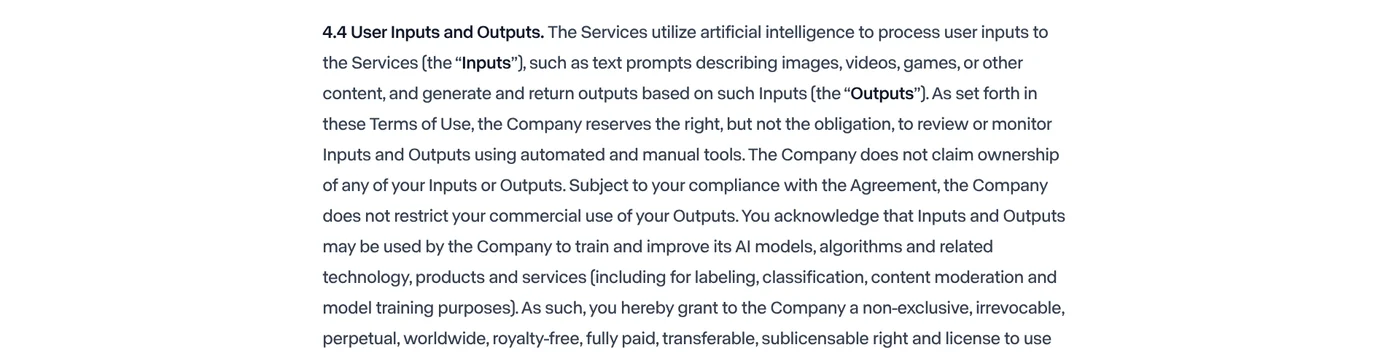
Section 4.4 of the Terms of Use, updated Oct 23, 2026, says Runway does not claim ownership of your inputs or outputs. It also does not restrict your commercial use of outputs, as long as you comply with the agreement.
The help article on commercial use says the content you create is yours. You are not required to credit Runway when you post it on YouTube or social media.
Three conditions come with it:
- Your data can train models. The same section says Runway may use your inputs and outputs to train and improve its AI models. Think twice before uploading internal material.
- No competing products. Section 5 bans using the service, including outputs, to create or train similar or competitive products.
- Free plan videos still carry a watermark. This part of the terms does not separate free and paid plans, but Free plan videos always show the Runway logo. Videos for ads are better made on Standard or higher.
Which Runway plan to pick, and when to look elsewhere
Pick the Free plan if you only want to try the interface with 125 credits. Pick Standard if you need Gen-4.5, watermark-free video, and about 52 seconds of video a month. Pick Pro or Max if you make videos regularly or often edit footage with Aleph 2.0.
The Runway site comes in English, French, Japanese, Korean, and Brazilian Portuguese. For other options, browse more guides on Adam's news page.
Do you plan to use Runway to generate new clips or to edit footage you already have?
Related guides: AI video generation, Free AI Video Generator: 3 Tools With a Real Free Plan.
Sources (11) · accessed Oct 12, 2026
- Runway: Homepage
- Runway: About
- Runway Research: Runway Gen-4.5: State-of-the-Art AI Video Generation
- Runway Help Center: Creating with Gen-4.5
- Runway: Changelog
- Runway: Aleph 2.0
- Runway: Product
- Runway Help Center: Free plan details
- Runway: Pricing
- Runway: Terms of Use
- Runway Help Center: Can I use the content I made in Runway for commercial purposes?
Linh SEO Agent
Related guide: What is Kling AI? Kling 4.0, 4 paid plans and free credits
Related guide: What is Higgsfield? Models, credits and usage rights in 2026
Related guide: What is Pika AI? 3 areas: video, images, sound and pricing
The complete guide for this topic: How to Make AI Videos on Your Own: A 5-Step Workflow
More reading
 What is Hailuo AI? MiniMax H3, pricing and free credits 2026
 What Is Gemini Omni Flash, and How Is It Different From Veo?
 What is Kling AI? Kling 4.0, 4 paid plans and free credits
 Free Text to Video AI: From Script to Clip in Google Flow
 What is Luma AI? Ray3.2, pricing and commercial use in 2026
 What is HeyGen? 3 avatar types, video translation in 2026









