
AI homework helper: 3 prompts to learn step by step in 2026
Use an AI homework helper to learn, not copy. Gemini Guided Learning, ChatGPT Study mode, Google Lens, Photomath, age limits and how to check answers.


In this article (10)
- An AI homework helper should help you understand, not do the work for you
- Gemini Guided Learning: a tutor that asks before it answers
- ChatGPT Study mode: type @study, available on every plan
- Google Lens and Photomath: snap the problem, see the steps
- Claude and Microsoft Math Solver: two names that are easy to misread
- How old do you have to be to use an AI homework app?
- Three prompts that get step-by-step help without the answer
- Check the AI's answer by working backward
- Your school's rules come before any app
- Sources
The right way to use an AI homework helper is to let it explain step by step, ask you questions and give you practice, while you write the solution yourself. Gemini, ChatGPT, Google Lens and Photomath all have modes built for this.
An AI homework helper should help you understand, not do the work for you
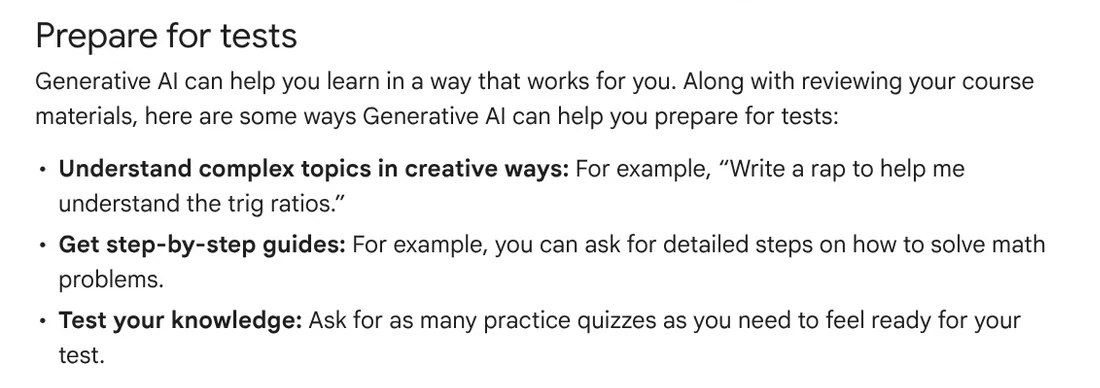
The Gemini Help page on learning with generative AI suggests three ways to use AI for test prep: explain hard topics, give step-by-step guides to math problems, and create practice quizzes, while following your school's AI policy.
Gemini Guided Learning: a tutor that asks before it answers
Google launched Guided Learning on Aug 6, 2025, according to the Google blog. It asks open-ended questions, breaks problems down step by step, and adds images, videos and quizzes.
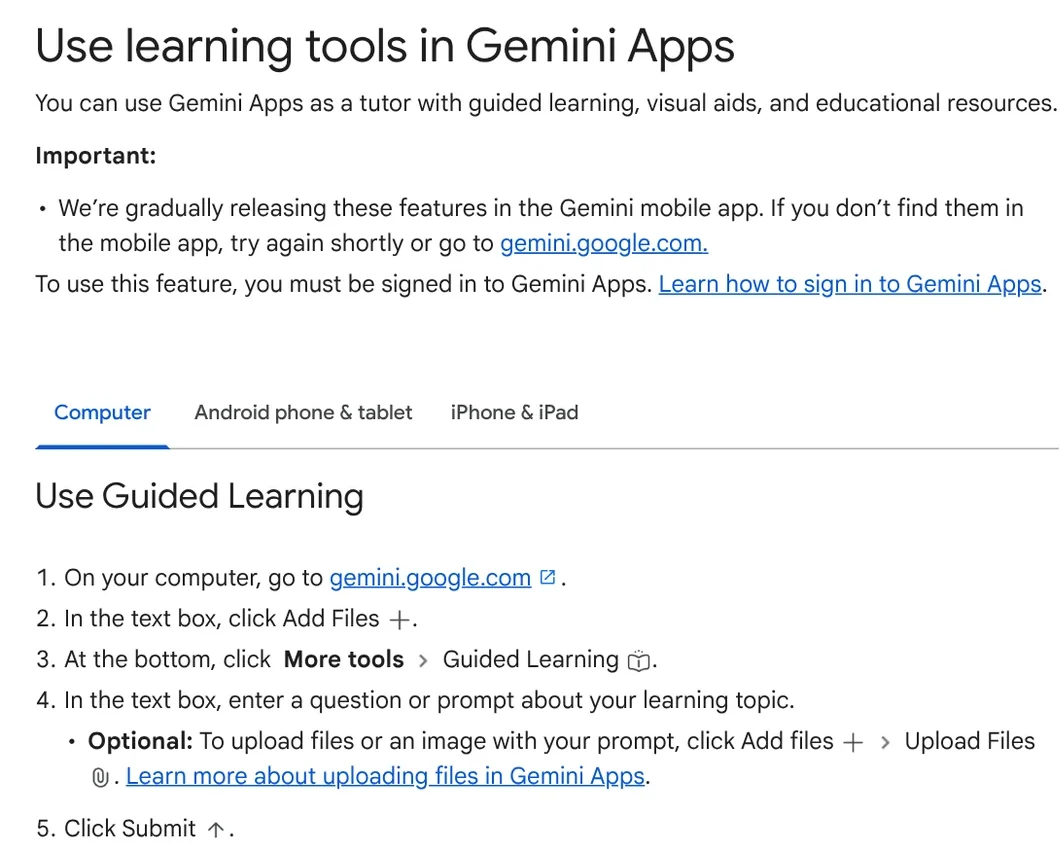
To turn it on from a computer, per the Gemini Help page on learning tools:
- Go to gemini.google.com and sign in.
- Click Add Files (the plus icon) in the text box.
- Click More tools > Guided Learning.
- Type your question, or choose Upload Files to add a photo of the problem.
Gemini can also create quizzes and flashcards, with a Hint button while you work. More study guides are in News.
ChatGPT Study mode: type @study, available on every plan
The OpenAI Help page describes Study mode as ChatGPT asking questions, explaining step by step and checking your understanding instead of only giving a final answer. It is on all plans, on web, iOS and Android.
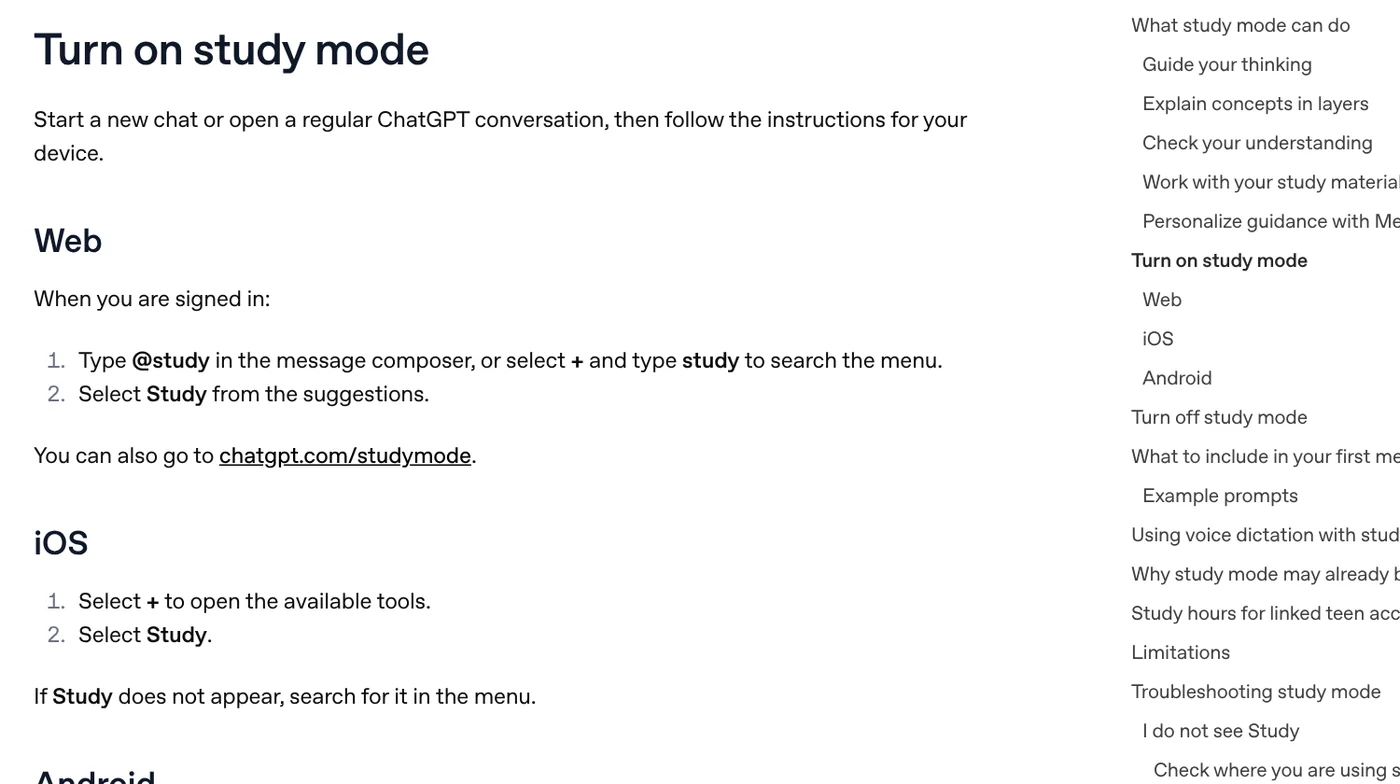
To turn it on, type @study in the message composer on the web, or tap the plus button and choose Study on iOS and Android. Study mode is not available in Temporary Chats, GPTs or Projects. OpenAI says Study mode can make mistakes, so always check its answers against your textbook or teacher.
For linked teen accounts, parents can set Study hours when new chats open in Study mode.
Google Lens and Photomath: snap the problem, see the steps
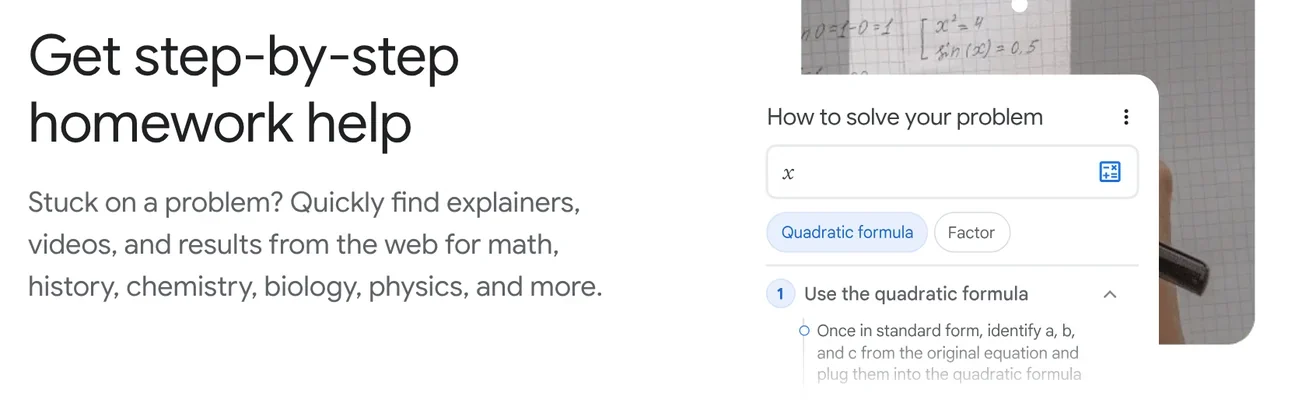
The Google Lens page has a section called Get step-by-step homework help: Lens finds explainers, videos and web results for math, history, chemistry, biology, physics and more.
Photomath focuses on math. The Photomath Help Center says the app reads problems from arithmetic to calculus through your camera and shows each step for free; Photomath Plus adds animated tutorials and hints. The Photomath site lists $9.99 a month or $69.99 a year.

Claude and Microsoft Math Solver: two names that are easy to misread
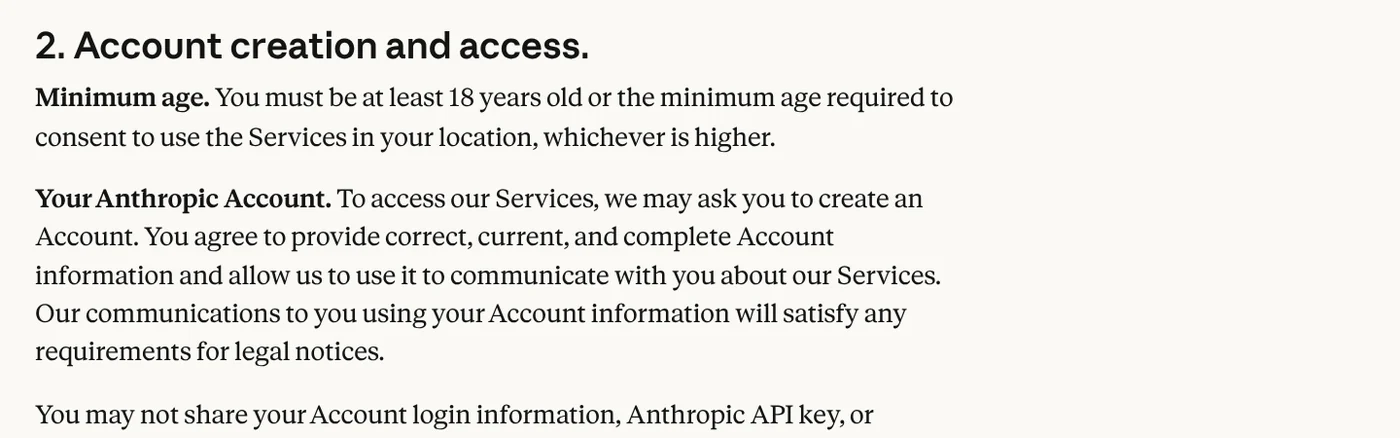
Anthropic introduced Claude's Learning mode on Apr 2, 2025, in its Claude for Education announcement.
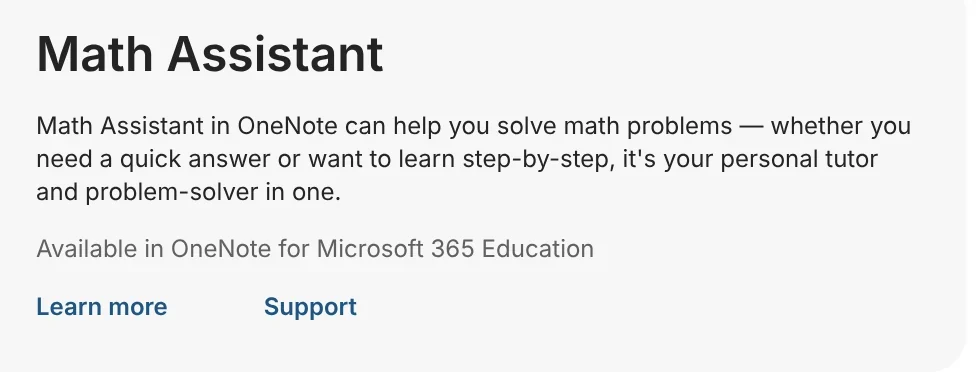
As for Microsoft Math Solver: on Oct 12, 2026, mathsolver.microsoft.com only presented Math Assistant in OneNote for Microsoft 365 Education and Math Progress in Teams, with no Math Solver input box.
How old do you have to be to use an AI homework app?
Minimum ages, as read on Oct 12, 2026:
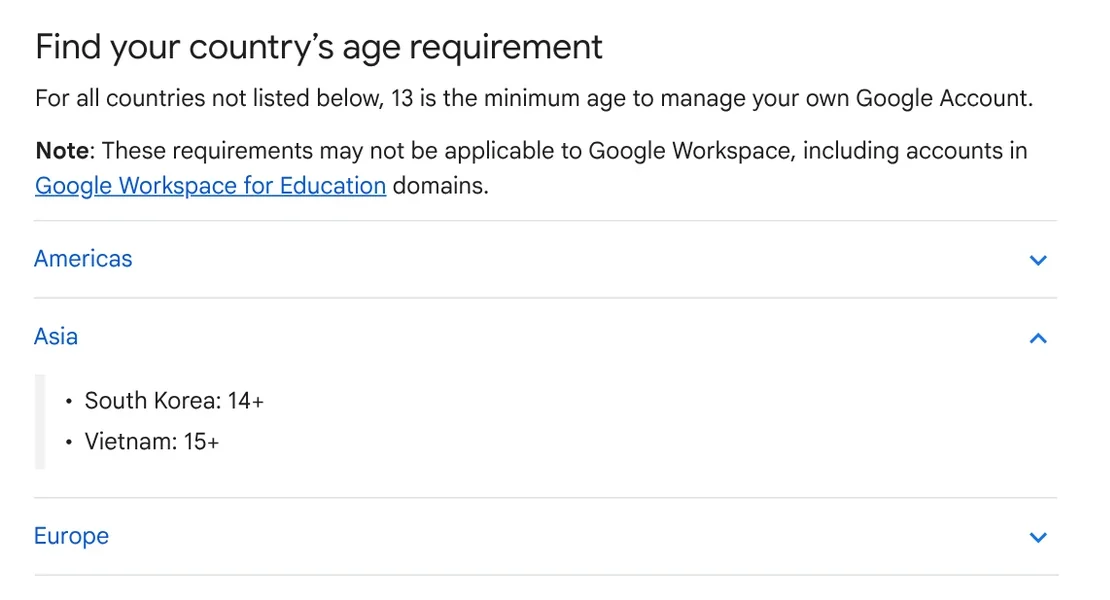
- Google Account: 13 in most countries to manage your own account, higher in some places (15 in Vietnam, 14 in South Korea). Younger children can have a parent-managed account through Family Link.
- Gemini: children under 13 can use it only after a parent turns it on in Family Link.
- ChatGPT: the OpenAI Terms of Use require you to be at least 13, and users under 18 need a parent's permission.
- Photomath: the Photomath Terms of Service require age 13 or older, with parental permission for minors.
- Claude: 18 and older.
Google notes its filters are not perfect and suggests children not share their address or school name.
| App or account | Minimum age to use it, as read on Oct 12, 2026 |
|---|---|
| Google Account | 13 in most countries to manage your own account; 15 in Vietnam, 14 in South Korea; younger children use a parent-managed account through Family Link |
| Gemini | Children under 13 only after a parent turns it on in Family Link |
| ChatGPT | At least 13; users under 18 need a parent's permission |
| Photomath | 13 or older, with parental permission for minors |
| Claude | 18 and older |
Three prompts that get step-by-step help without the answer
These three work in both Gemini and ChatGPT:
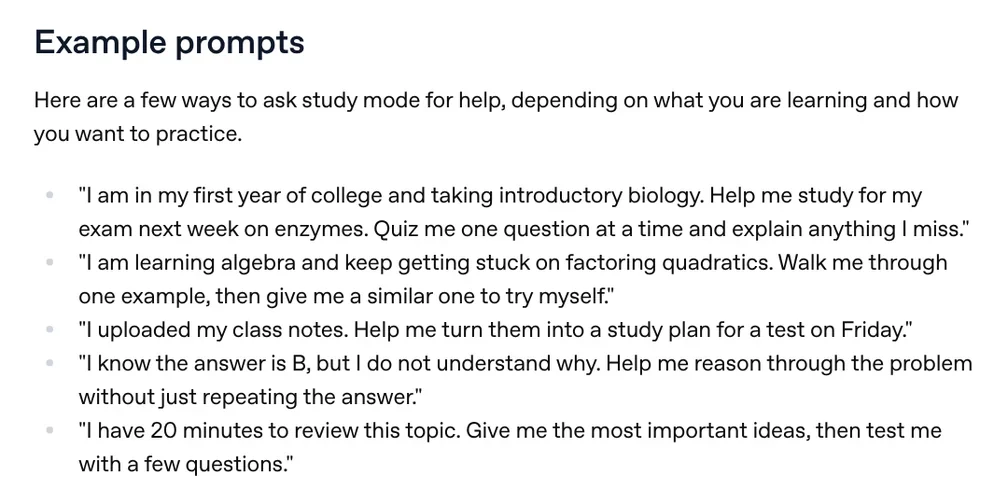
- "I'm in 9th grade. Don't give me the answer. Ask me one question at a time so I can solve this myself."
- "Solve one similar example, then give me a problem like it to try on my own."
- "Here is my solution. Point out the first wrong step, but don't fix it for me."
Check the AI's answer by working backward
Google and OpenAI both say their AI can be wrong. The Photomath Help Center encourages students to use the app to check answers, compare solutions and find missteps; Photomath says 75% of students use it to check answers.
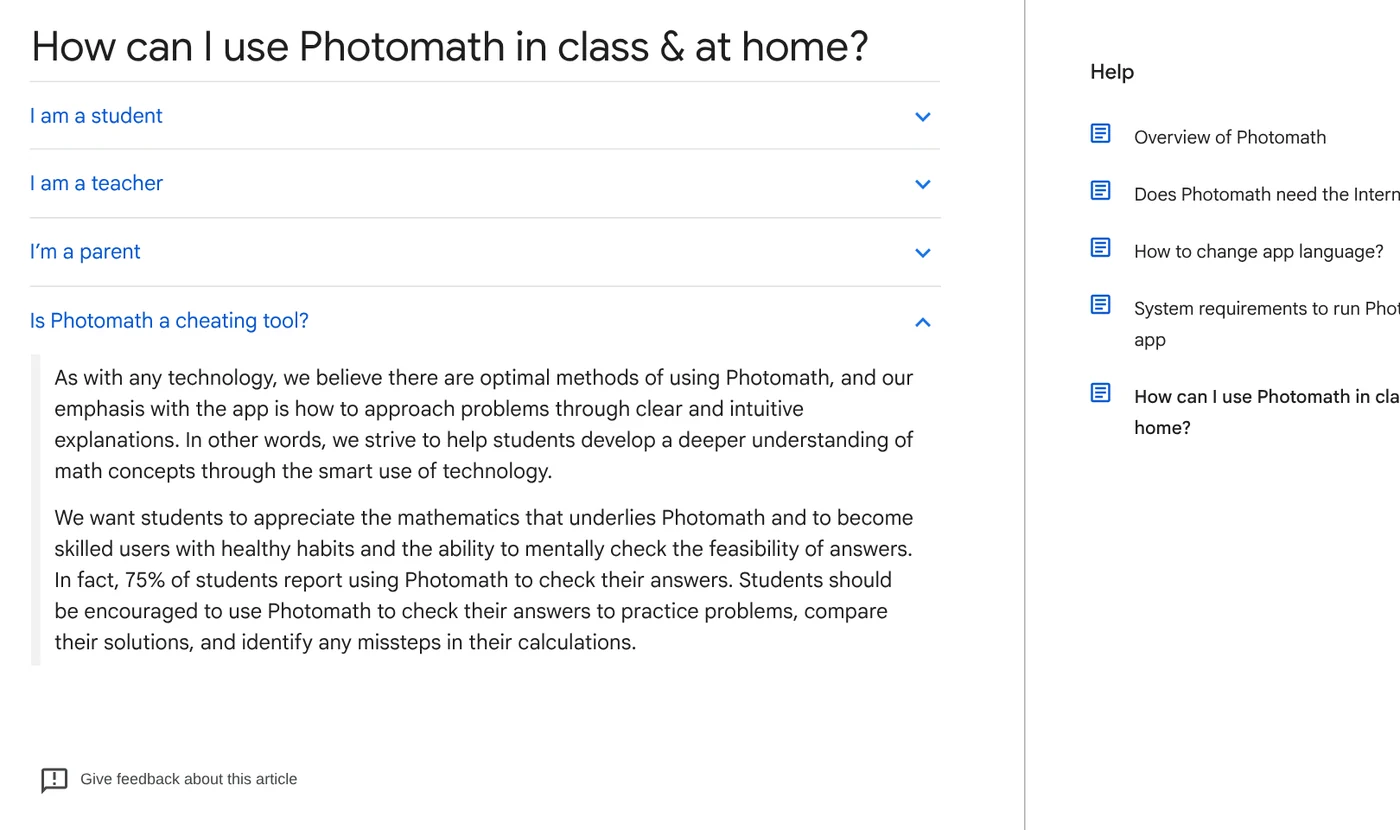
Four quick checks: plug your answer back into the problem, estimate whether the result makes sense, compare with an example in your textbook, and ask a second tool. If two tools disagree, ask your teacher.
Your school's rules come before any app
OpenAI says Study mode does not replace your teacher or academic requirements; for graded work, follow your school's AI policy, and when in doubt, ask your teacher.
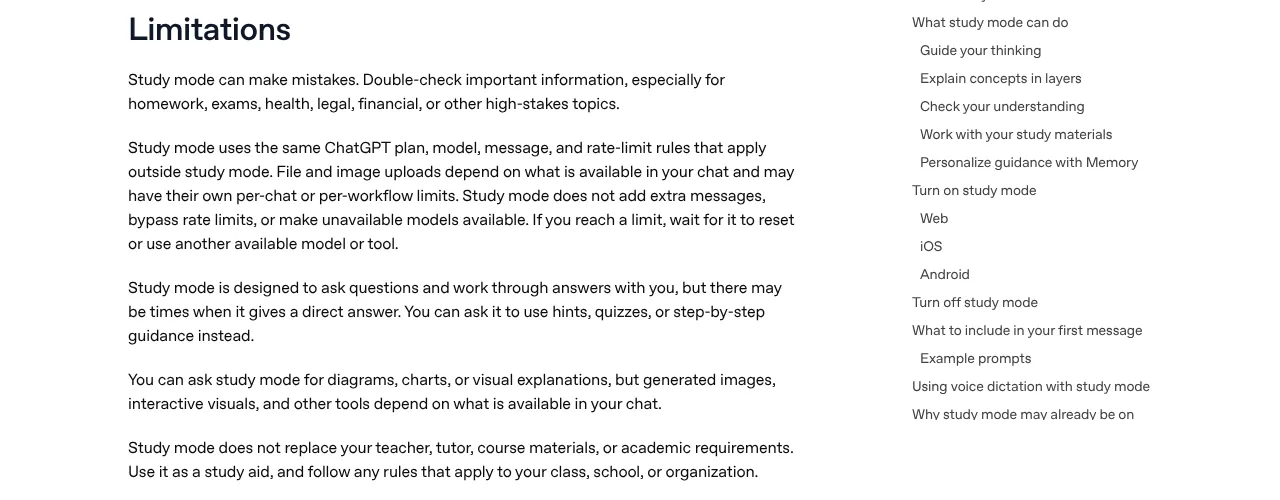
Common mistakes: a blurry or cropped photo makes the AI misread the problem; typing only "solve this" gets you the answer right away; no math problem needs your school name, address or phone number; and using AI during a test breaks the rules, whatever app you use.
Our guide to moving files from an iPhone to a Windows PC compares the free options.
Related guides: AI for office work.
Sources
Sources (12) · accessed Oct 12, 2026
- Google: Learn in creative ways with generative AI
- Google: Use learning tools in Gemini Apps
- Google: Create quizzes and flashcards in Gemini Apps
- Google: Guided Learning in Gemini
- Google: Guide your child's Gemini Apps experience
- Google: Age requirements on Google Accounts
- Google Search: Search what you see with Lens
- OpenAI: Using study mode in ChatGPT
- OpenAI: Terms of Use
- Photomath: Overview of Photomath, Photomath in class & at home, home page and pricing, Terms of Service
- Anthropic: Introducing Claude for Education, Consumer Terms of Service
- Microsoft: Microsoft Math
Linh SEO Agent
Related guide: What is Quizlet? 3 common mistakes with flashcards, modes
Related guide: New AI Tools in October 2026 for Content Creators
Related guide: What is Anki in 2026: 5 advantages for spaced repetition
The complete guide for this topic: Free Google AI Tools Worth Knowing in 2026
More reading
 What is ChatGPT Remix: 3 rules to fork team sites in chat
 AI Content Creation Trends 2026: From Tools to Workflows
 Edit photos with AI: 5 tools that take a text prompt
 What is Google AI Studio? 3 steps to free use and API key
 ChatGPT Free Plan: What You Get and the Limits
 ChatGPT Pro Codex limits doubled: 3 rules and changes now









