
What is Cursor AI? Features, its 5 plans and Privacy Mode
Cursor AI is a code editor with AI agents, built on the VS Code codebase. It is now sold in The X Subscription, with paid plans from $8 to $200 a month.


In this article (8)
- Cursor AI is an agent-first code editor built on VS Code
- Tab suggests code as you type, and Agent edits code on your machine
- Cloud Agents and Bugbot work in the cloud, even with your laptop off
- Cursor pricing: Free, Plus $8, Premium $30, Super $100, Ultra $200
- How does Cursor count your usage?
- Turn on Privacy Mode so your code is not used for training
- Cursor or GitHub Copilot: they differ in where they run and how they bill
- Sources
Cursor AI is a code editor with AI agents, built on the VS Code codebase and now owned by SpaceX. The Free plan costs nothing, and paid plans start at $8 a month as part of The X Subscription with Grok and X.
Cursor AI is an agent-first code editor built on VS Code
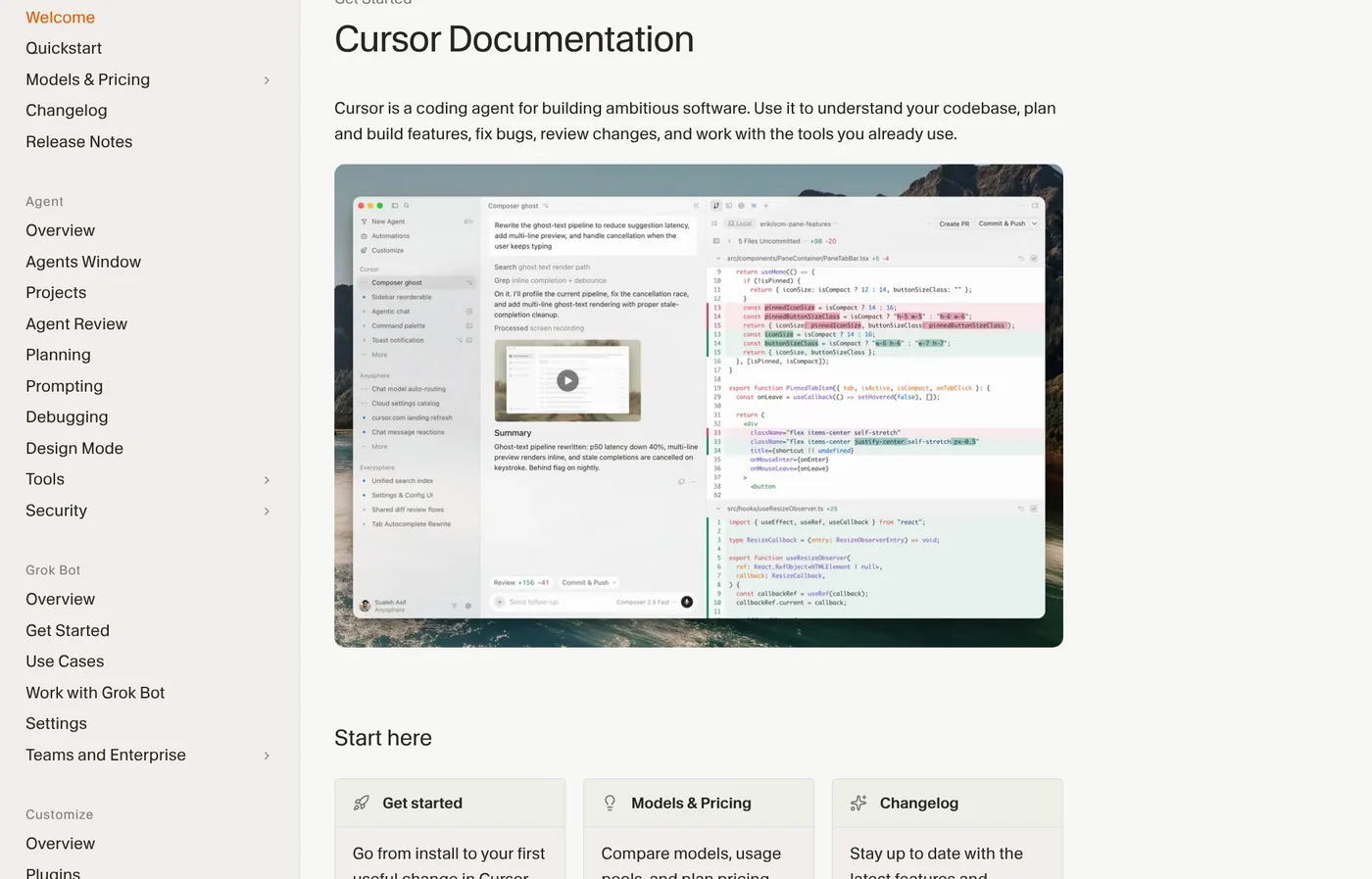
As of Oct 27, 2026, the Cursor docs describe Cursor as a coding agent. It helps you understand a codebase, build features, fix bugs and review changes.
Cursor is based on the VS Code codebase, so the default shortcuts match VS Code. You can bring over your VS Code setup with the Import button in Cursor Settings, under General > Account. Extensions come from the Open VSX registry, not the VS Code Marketplace, so a few may be missing.
A similar AI code editor is Windsurf, now called Devin Desktop.
On Aug 14, 2026, the Cursor blog announced that SpaceX had acquired the company. The app runs on macOS 12, Windows 10 or later, and Linux.
Tab suggests code as you type, and Agent edits code on your machine
Tab is Cursor's autocomplete. The Tab help page says it suggests code based on your recent edits, the surrounding code and linter errors. Tab can change several lines, add missing imports and predict where you will edit next, even in another file.
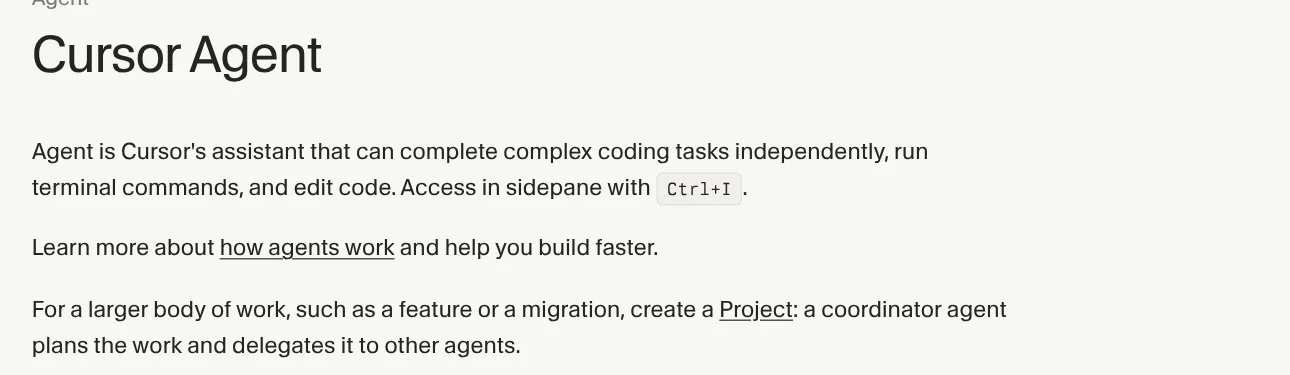
Agent opens in the side pane with Ctrl + I (Cmd + I on Mac). The Cursor Agent page says it completes complex coding tasks on its own. It searches your codebase and the web, edits files, runs terminal commands and drives a browser to check the UI.
Google also has a coding platform where you hand work to AI agents, with a free plan: read about Google Antigravity.
Before big changes, Agent creates a checkpoint so you can restore your files if it takes a wrong turn. Checkpoints are separate from Git, so keep using Git for version control.
Cloud Agents and Bugbot work in the cloud, even with your laptop off
Cloud Agents run in isolated virtual machines with your repo, dependencies and network access already set up. You can run many agents in parallel, and your own machine does not need to be online. Each agent works on its own branch, then pushes the changes to your repo.
You can start a task from the iOS app, cursor.com/agents, Slack or Linear, or by commenting @cursor on a GitHub pull request. An admin has to connect your source control first.

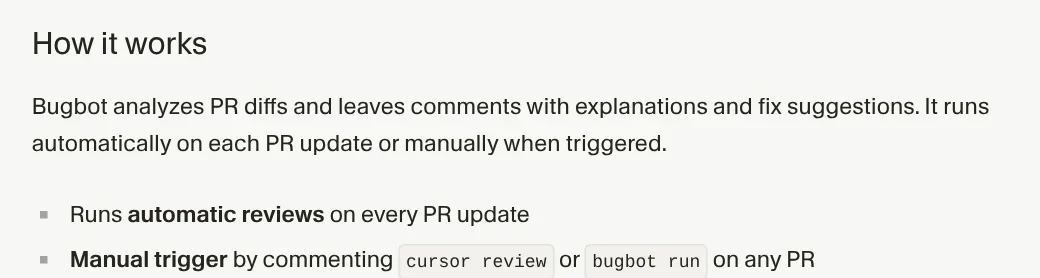
Bugbot is an agent that reviews pull requests. It looks for bugs and security issues, then leaves comments with suggested fixes. It runs on every PR update, or when you comment bugbot run. Bugbot uses usage-based billing, a change that came with the May 2026 pricing update. On The X Subscription, Bugbot starts at Premium.
Cursor pricing: Free, Plus $8, Premium $30, Super $100, Ultra $200
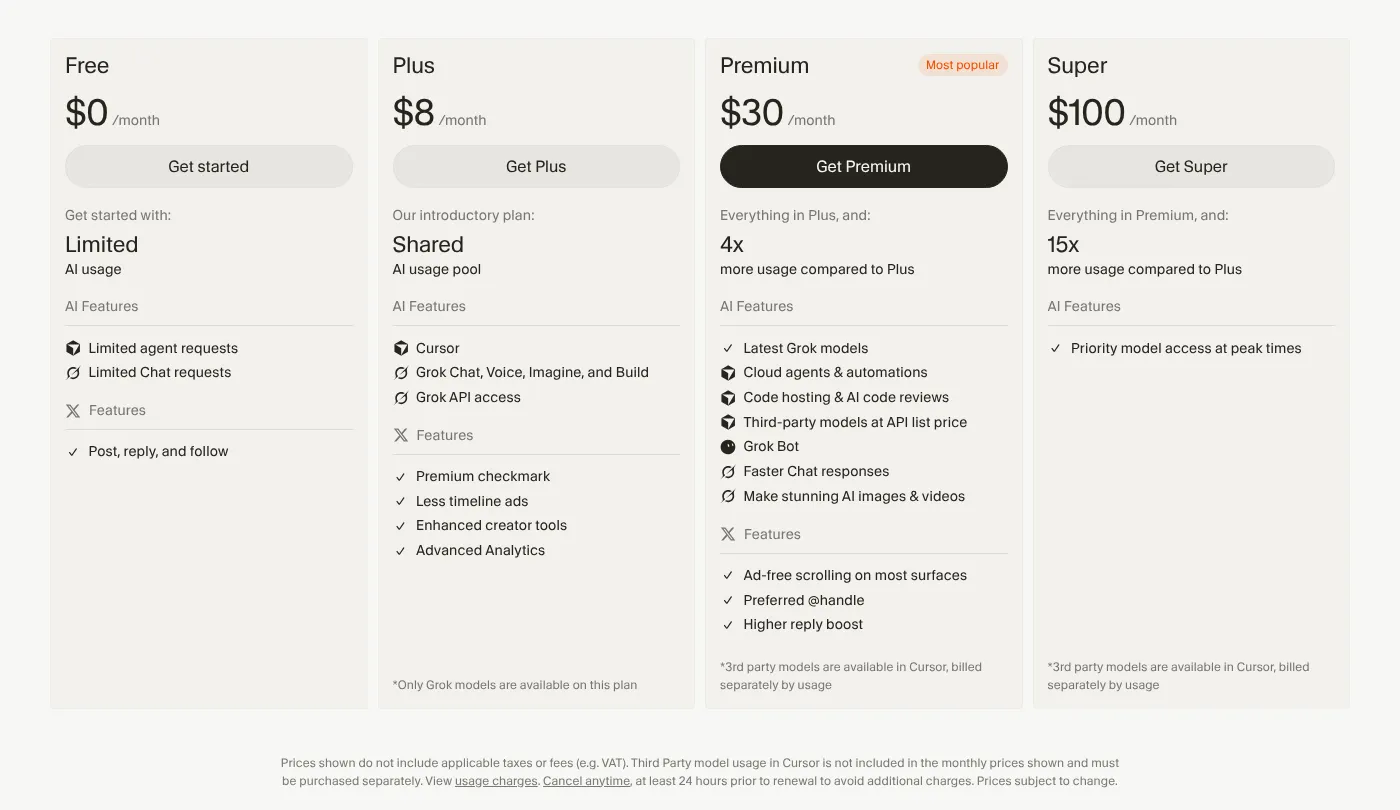
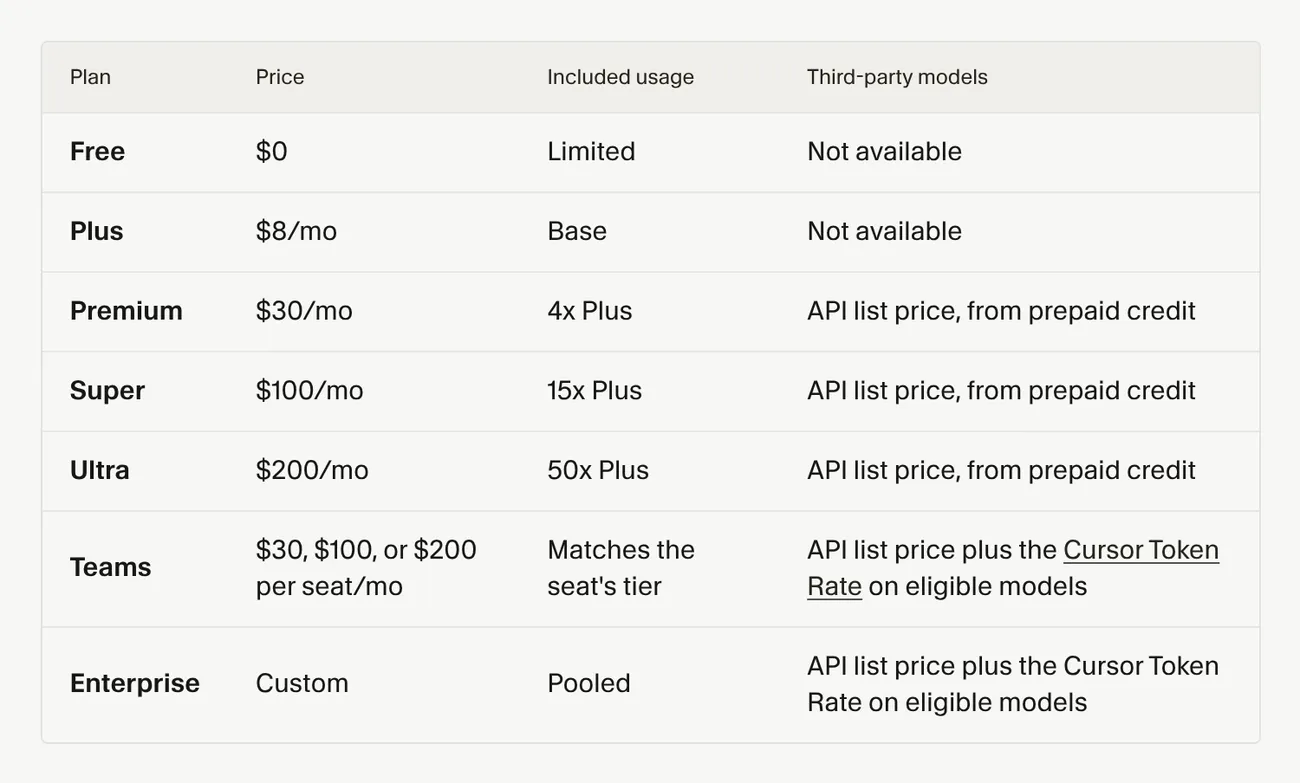
The plans help page says Cursor is now part of The X Subscription, one subscription for Grok, Cursor and X, and new customers pick one of its 5 individual plans there. Free costs nothing and includes Agent, Chat and Tab with Cursor's own models (Grok and Composer), with limited usage.
Paid individual plans are Plus at $8, Premium at $30, Super at $100 and Ultra at $200 a month. Premium includes 4 times the usage of Plus, Super 15 times and Ultra 50 times. Plus runs only Cursor's own models, without Cloud Agents, Bugbot or third-party models. Premium and up add Cloud Agents, Automations, Bugbot and third-party models at API list price. The Cursor docs recommend Premium for new Agent users, Super for daily Agent users and Ultra for power users running several agents or Automations.
Teams seats cost $30, $100 or $200 per user per month, with usage matching the seat's tier. Enterprise is priced by quote. The legacy plans (Hobby, Start in India only, Pro at $20, Pro+ at $60, Ultra at $200, Teams Standard at $40 and Teams Premium at $120 per user) are closed to new customers. Existing subscribers keep their plan and price; switching to The X Subscription comes with a prorated refund and cannot be undone.
Prices are in USD, exclude taxes, and self-serve plans are paid by credit or debit card. Annual billing is $80 for Plus, $300 for Premium, $1,000 for Super and $2,000 for Ultra. The student discount stopped taking new sign-ups on June 25, 2026.
How does Cursor count your usage?
The Models & Pricing page says each paid plan has one usage pool for Cursor models, shared across Cursor and Grok, that refreshes every week:
- Cursor models: Grok 4.7, Grok 4.6, Grok 4.5 and Composer 2.5, covered by the included pool.
- Third-party models such as Claude, GPT and Gemini: not in the pool. On Premium and up they are billed at API list price from the first request, paid from prepaid credit. Free and Plus do not include them.
Pricier models draw from the pool faster.
When your included usage runs out, you can buy top-ups, wait for the pool to refresh, or upgrade. The usage help page says unused usage does not roll over; top-up credit does not reset weekly and currently expires 365 days after purchase. You can check your usage in the editor settings or under Usage at grok.com/dashboard.
Turn on Privacy Mode so your code is not used for training
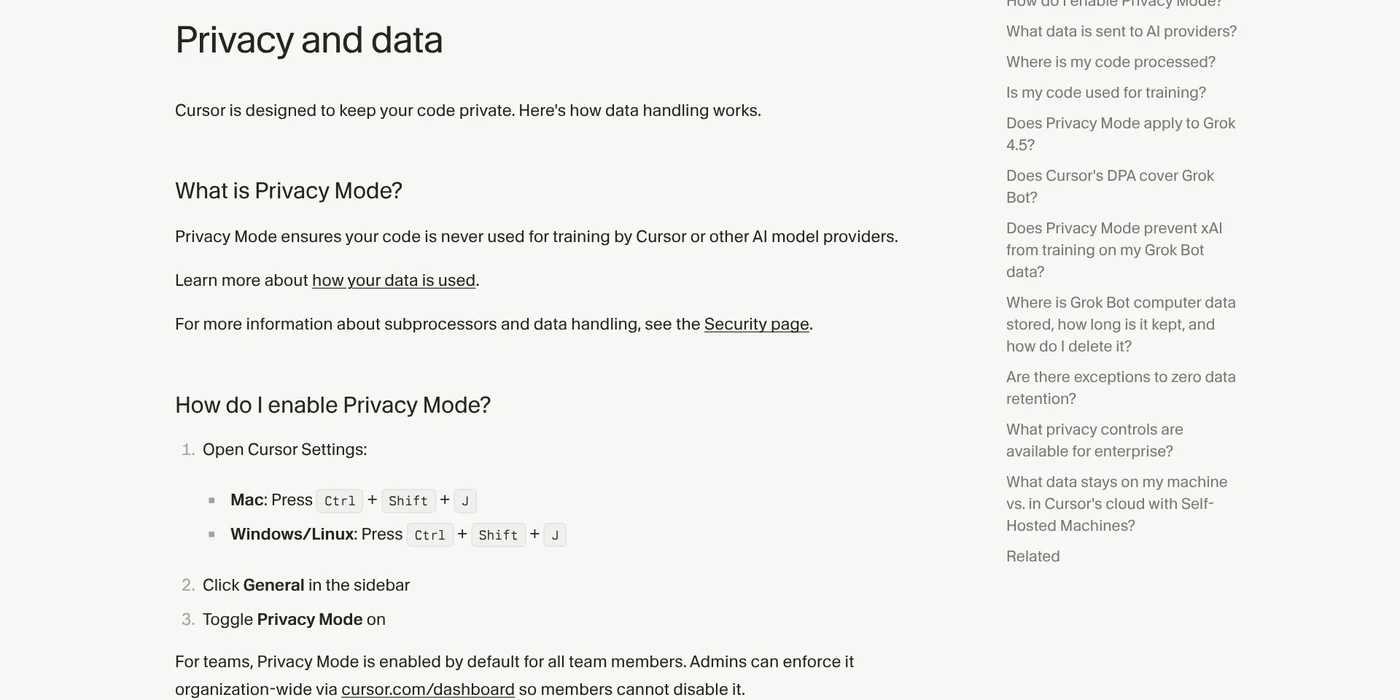
The Data Use page, updated Sept 3, 2026, says that with Privacy Mode on, Cursor does not use your data for training. Model providers do not store or train on it either, except for a few models that are labeled separately. With Privacy Mode off, Cursor may store and use your code to train its models.
To turn it on, open Cursor Settings with Ctrl + Shift + J (Cmd + Shift + J on Mac), choose General and switch on Privacy Mode. Team plans turn it on for every member by default, and admins can lock it.
Cloud Agents are the exception: they store an encrypted copy of your repo while they run and delete it afterward. If your company forbids storing code outside, leave Cloud Agents off.
Cursor or GitHub Copilot: they differ in where they run and how they bill
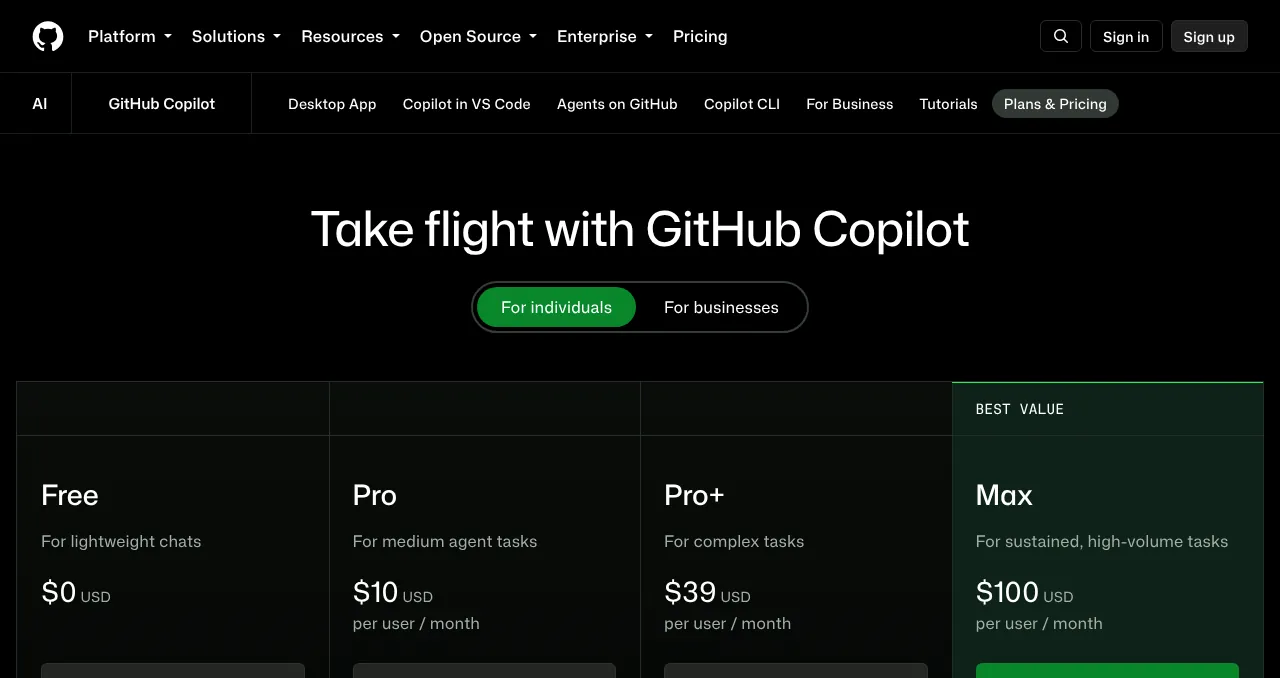
GitHub Copilot is an extension that runs in VS Code, Visual Studio, JetBrains IDEs and Xcode. The Copilot pricing page lists Free at $0, Pro at $10, Pro+ at $39 and Max at $100 a month. Cursor is a standalone editor.
Pick Cursor if you will switch editors and hand more work to agents; pick Copilot to keep your current IDE. Verified students on GitHub Education can also use Copilot Student for free.
More AI coding tools are in the news section. Which task would you give Cursor first: fixing a bug, writing tests or reviewing a pull request? Related guides: AI coding, What Is Claude Code? Pricing, Setup and Who It's For.
Sources
Sources, rechecked Oct 27, 2026:
- Cursor: Pricing, Data Use & Privacy Overview, Cursor is now a part of SpaceX
- Cursor Docs: Cursor Documentation, Quickstart, Models & Pricing, Cursor Agent, Cloud Agents, Bugbot, Privacy and Data Governance, Migrate from VS Code
- Cursor Help: Tab completion, Migrate from VS Code, Pricing and plans, Usage and limits, Privacy and data, Student discount
- GitHub: GitHub Copilot Plans & Pricing, Copilot Student
Linh SEO Agent
Related guide: What is Grok? 5 plans for xAI's assistant, latest model 2026
More reading
 What is Windsurf? Now Devin Desktop, 4 plans and AI models
 What is Excalidraw and its 7 tools for free whiteboards
 Fake Claude Code extension in Cursor: 3 steps to check now
 Claude Code VS Code Extension: How to Install and Use It
 What is Replit? Agent, 3 paid plans and how credits work
 Perplexity Teammates pricing: 3 things on the Max plan









