
What is Replit? Agent, 3 paid plans and how credits work
Replit lets you write, run and publish code in the browser, and Replit Agent builds apps from a description. Starter, Core, Pro, credits and hosting costs.


In this article (8)
- What is Replit: write, run and publish code in your browser
- Replit Agent builds apps from a description, but you still have to check the work
- Starter is free, Core is $20 and Pro is $100 a month
- How do Replit credits work?
- Publishing draws from your credits, and the cost depends on the deployment type
- The code you create stays yours, with a few rights Replit keeps
- Getting started with Replit: three common mistakes and which tool to pick
- Sources
Replit is a platform for writing, running and publishing code in the browser, with Replit Agent building apps from a plain-language description. Starter is free, and Core costs $20 a month.
What is Replit: write, run and publish code in your browser
As of Oct 12, 2026, the Replit Terms of Service describe a platform to code, build, share and deploy software. You do not need to install a development environment. The Welcome to Replit page says you can use it on the web, or in apps for macOS, Windows, iOS and Android.
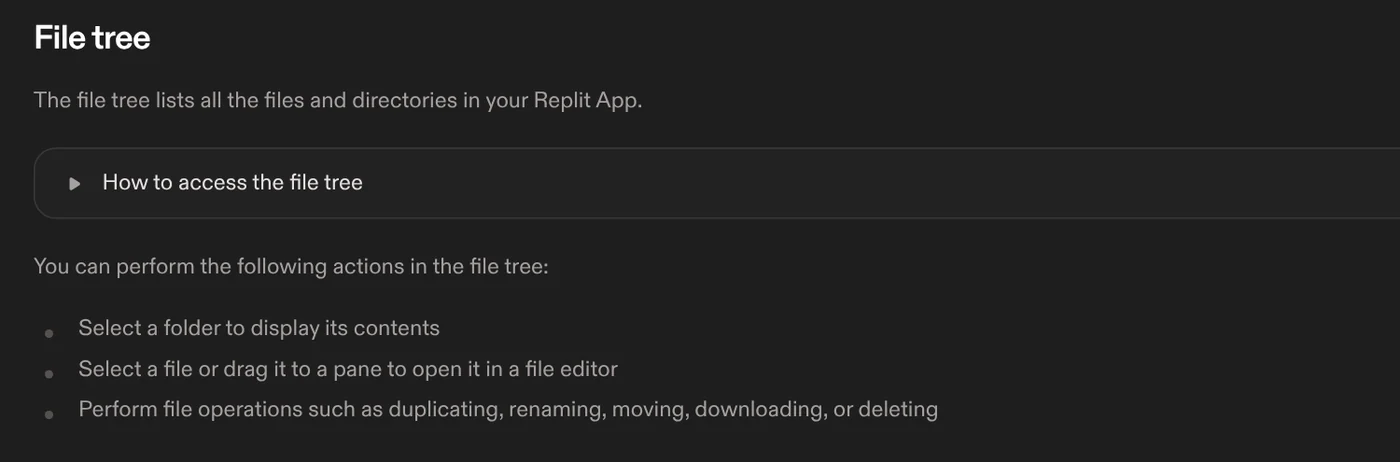
Your code lives in the Project Editor. The Project Editor tools page covers a file tree for opening, renaming and downloading files, plus a Run button that starts your app. Replit now centers on Agent, but the code is still there for you to read and edit.
Replit Agent builds apps from a description, but you still have to check the work
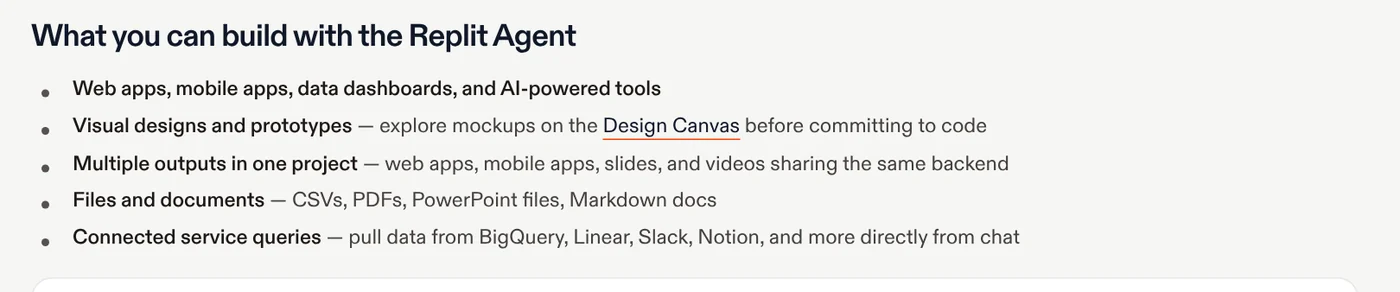
The Replit Agent page says you describe your idea in everyday language. Agent sets up the project, writes code, configures infrastructure, tests the result and fixes problems along the way. It can build web apps, mobile apps, data dashboards, designs and slides.
Agent has three modes. Free Mode runs within your plan's allowance, and on Core and Pro that allowance resets every five hours. Power and Max are paid modes with stronger models, and Replit asks you to confirm before a paid action starts. Plan mode lets you review a task list before Agent touches your code.
Do not read Agent as a promise that anyone can ship an app. The pricing page says Agent runs on large language models and may occasionally make mistakes. The Terms of Service also say AI-generated code may be erroneous or incomplete.
Starter is free, Core is $20 and Pro is $100 a month
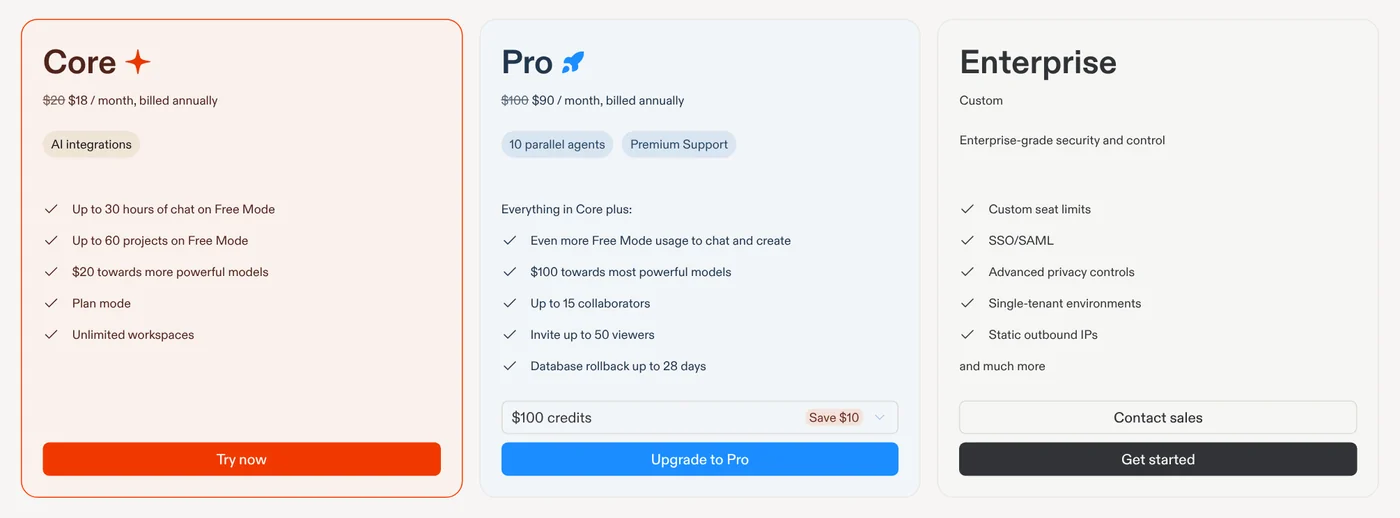
As of Oct 12, 2026, the Replit pricing page lists these plans:
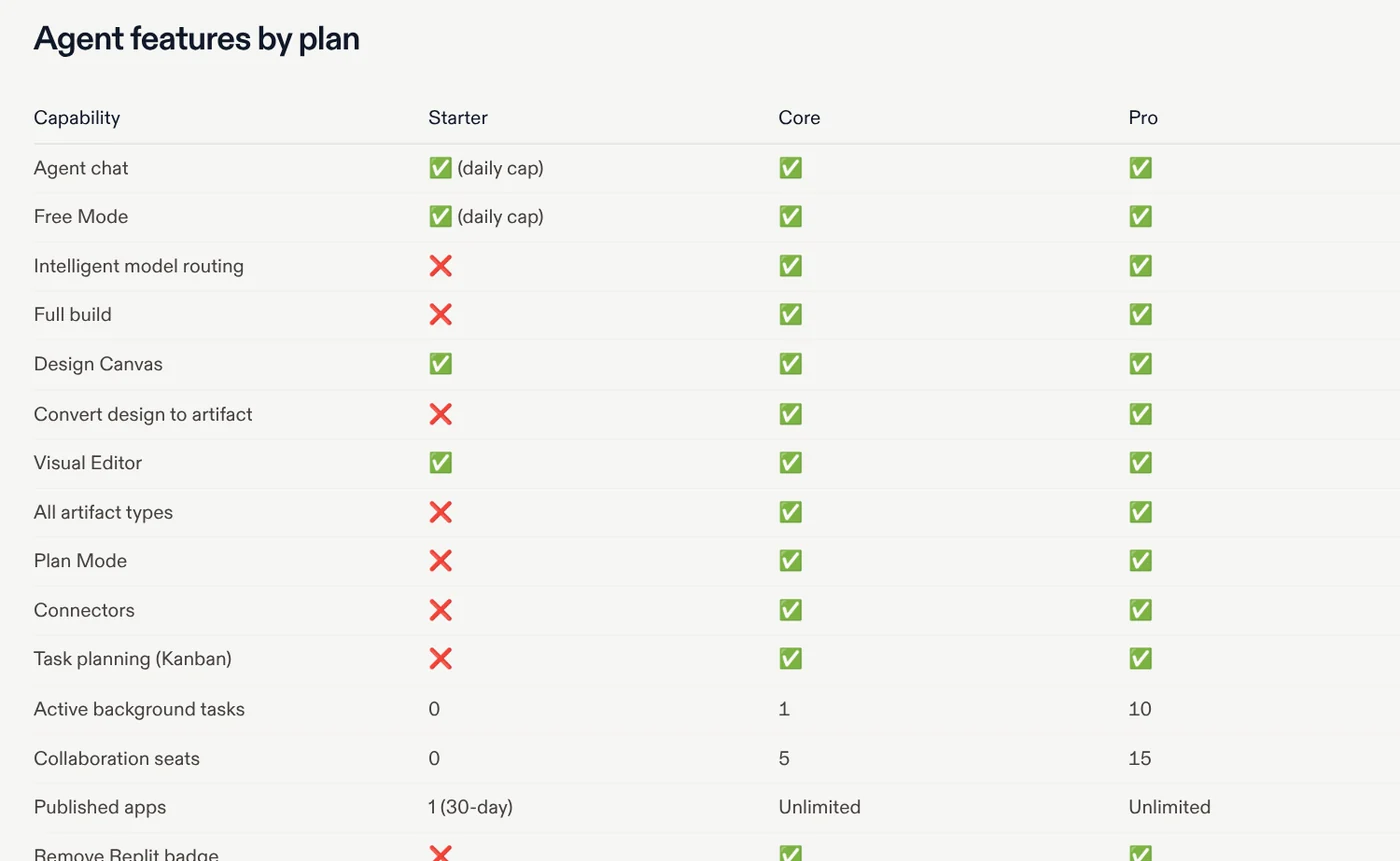
- Starter: $0. The Starter Plan page lists daily Agent credits and one free published app that goes down after 30 days.
- Core: $20 a month, or $18 a month billed annually. Includes $20 in monthly credits and up to 5 collaborators.
- Pro: $100 a month, or $90 billed annually, with higher credit tiers. Up to 15 collaborators and 10 parallel tasks.
- Enterprise: custom pricing, adds SSO/SAML.
Heard of the Teams plan? The organization billing page says Pro replaced Teams, with no per-seat fees and pooled credits for the whole group. The Replit Pro page says unused Pro credits roll over for two months.
How do Replit credits work?
The FAQ on the pricing page says credits cover all your usage: building with Agent, publishing and database operations. Monthly credits reset on your renewal date. When you run out, you buy a credit pack or pay for extra usage at pay-as-you-go rates.
Agent uses effort-based pricing. The Replit AI Billing page says each request in Build mode creates a checkpoint. A small bug fix usually costs less than a full feature, because the longer Agent works, the more credits it spends.
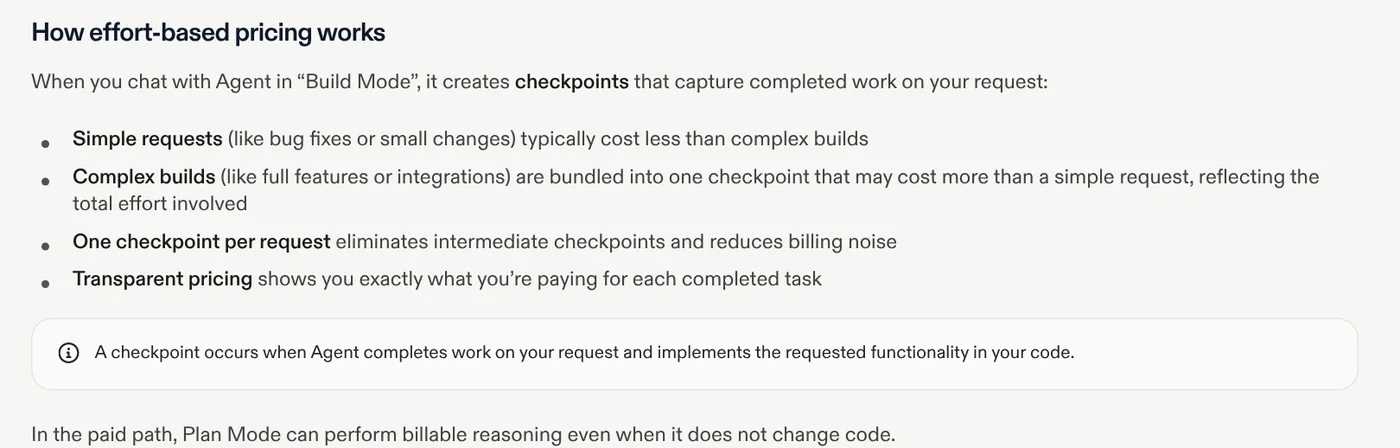
The same page has two details that surprise people. In the paid path, Plan Mode can bill for reasoning even when it does not change code. Features that call APIs such as Claude, ChatGPT or Gemini are deducted from your credits at that provider's public rate.
To avoid overspending, set usage alerts and a budget. The pricing page says that once you hit your budget, Replit emails you and temporarily suspends all usage-based services.
Publishing draws from your credits, and the cost depends on the deployment type
The Publishing page says you select Publish at the top of the Project Editor and pick a publishing option. Apps run on Google Cloud in the United States and can use a custom domain. To update, you publish again.
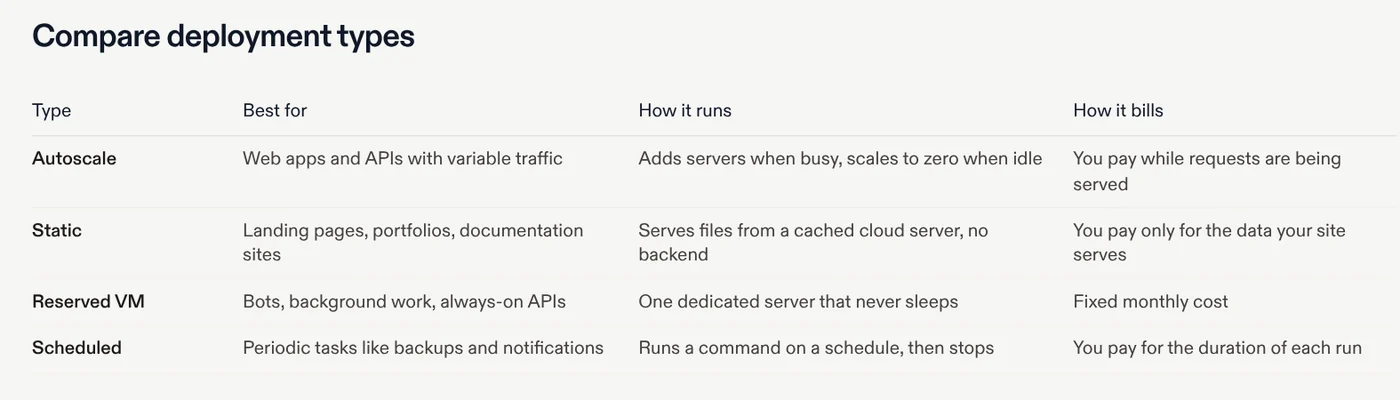
The deployment types page says Autoscale is the default, adding servers when busy and scaling to zero when idle. Static does not work for apps built by Agent, since those need a backend server. Reserved VM runs continuously at a fixed monthly cost.
The publishing costs page says these costs come out of your monthly credits first. Starting Aug 1, 2026, the new cloud price table lists Autoscale at $0.60 per million compute units and $0.40 per million requests. Static costs $0.05 per GB of outbound data. A shared Reserved VM with 0.5 vCPU and 2 GB RAM is $15 a month.
The code you create stays yours, with a few rights Replit keeps
The Terms of Service, last updated Aug 3, 2026, say you retain all rights to the content you submit to Replit. You are also responsible for your content, apps and projects.
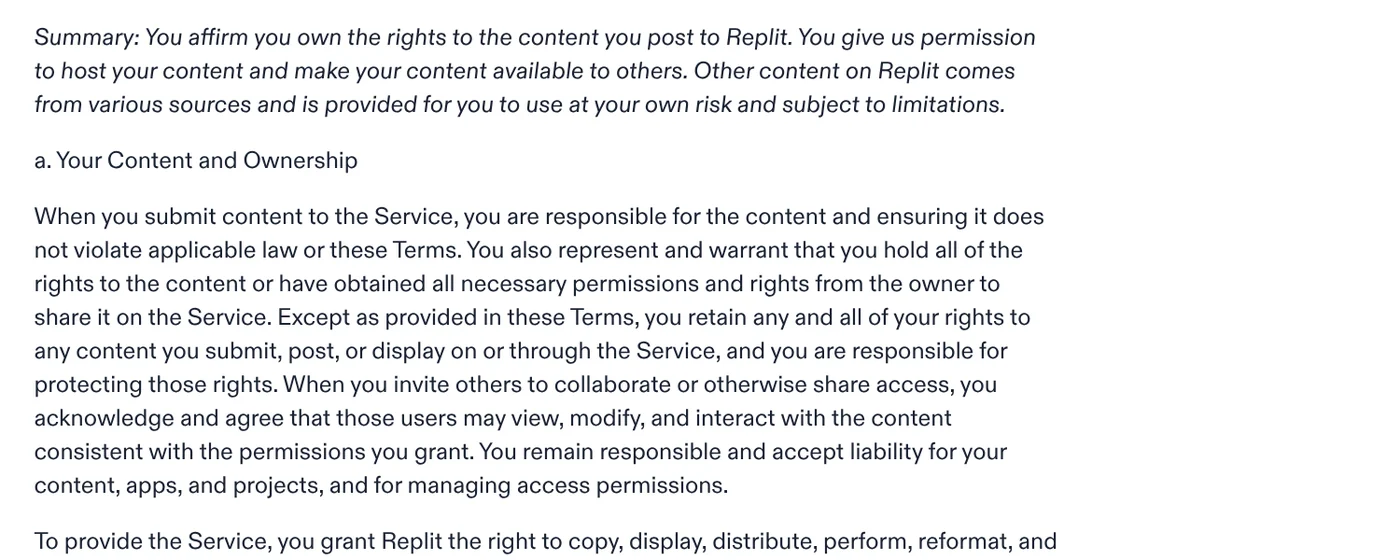
Two points deserve a close read. You grant Replit the right to copy, display and modify your content as needed to run the service. Replit reserves the right to access private apps for troubleshooting, improving the service and keeping it safe. Pro and Enterprise are governed by a separate commercial agreement.
To keep a copy outside Replit, the Git pane connects a GitHub repository and pushes your commits with a single click.
Getting started with Replit: three common mistakes and which tool to pick
- Skipping the budget before letting Agent run a large job in Power or Max.
- Assuming a Starter app stays online, when the free published app goes down after 30 days.
- Choosing Static for an Agent-built app, which then fails because it has no backend server.
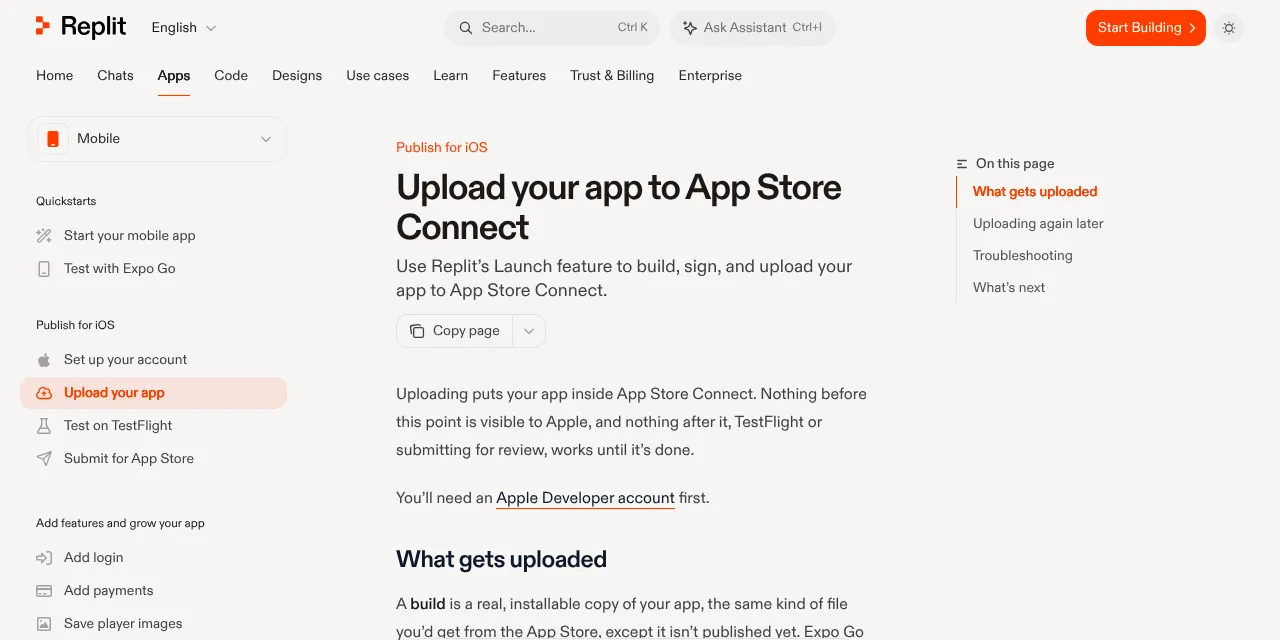
The biggest difference from Lovable: the Lovable FAQ says it builds web apps, not native ones, while Replit has a guide to uploading a mobile app to App Store Connect. Choose Replit if you want a web app and a phone app in one project. Choose an AI coding assistant inside your own editor if you already write code. More explainers on coding tools are in News. What will be the first app you ask Replit to build?
Related guides: AI coding, What Is Claude Code? Pricing, Setup and Who It's For.
Sources
Sources (16) · accessed Oct 12, 2026
- Replit: Pricing
- Replit: Terms of Service
- Replit Docs: Welcome to Replit
- Replit Docs: Project Editor tools
- Replit Docs: Replit Agent
- Replit Docs: Starter Plan
- Replit Docs: Replit Pro
- Replit Docs: Billing for organizations
- Replit Docs: Replit AI Billing
- Replit Docs: Publishing
- Replit Docs: Deployment types
- Replit Docs: Publishing costs
- Replit Docs: Cloud Aug 2026 Pricing Updates
- Replit Docs: Using the Git pane
- Replit Docs: Upload your app to App Store Connect
- Lovable Docs: FAQ
Linh SEO Agent
Related guide: What is vibe coding? 5 tools for apps by prompt, and risks
Related guide: What is v0? Vercel's AI app builder, pricing, credits 2026
Related guide: What is Lovable? Build web apps by prompt, 4 plans, credits
More reading
 What is Lovable? Build web apps by prompt, 4 plans, credits
 What is v0? Vercel's AI app builder, pricing, credits 2026
 Browser Use vs Playwright: 3 ways to pick a winner
 What is Cursor AI? Features, its 5 plans and Privacy Mode
 Claude Code User-Agent email leak: 3 steps to lock it now
 What Is OpenAI Codex and How It Differs From Claude Code









