
TikTok Shop Seller Center: 2026 sign-up, fees and listings
A TikTok Shop Seller Center guide for Vietnam: documents for individuals and companies, fees as of Oct 12, 2026, first listing and product image rules.


In this article (7)
- TikTok Shop Seller Center is your store's control room
- You can sign up with zero followers in four steps
- Individuals use a chip ID card, businesses use a certificate
- TikTok Shop Seller Center fees come out of your payout
- Your first listing has four sections to fill in
- Product images must be square, at least 600 x 600 pixels
- Why do applications or listings get rejected?
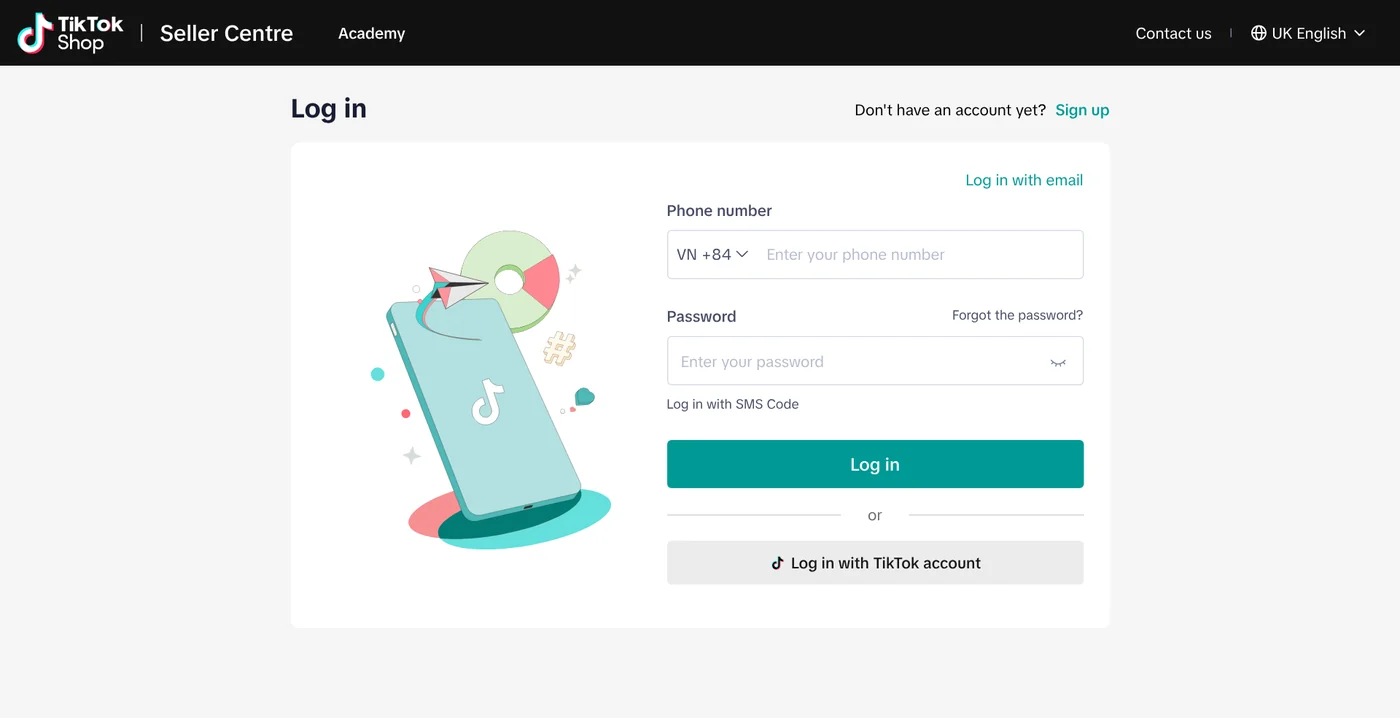
TikTok Shop Seller Center is seller-vn.tiktok.com, where you open and run a TikTok Shop store in Vietnam. Individuals sign up with a chip-based ID card, and each completed order carries a commission, a 6% transaction fee and a VND 3,000 processing fee.
TikTok Shop Seller Center is your store's control room
On Oct 12, 2026, the English version of seller-vn.tiktok.com is labeled "Seller Centre". Many Vietnamese sellers simply search for "seller tiktok com" to find it. The Academy link at the top leads to TikTok's official help articles.
This guide covers the Vietnam market only. Other markets run their own Seller Center with their own rules.
You can sign up with zero followers in four steps
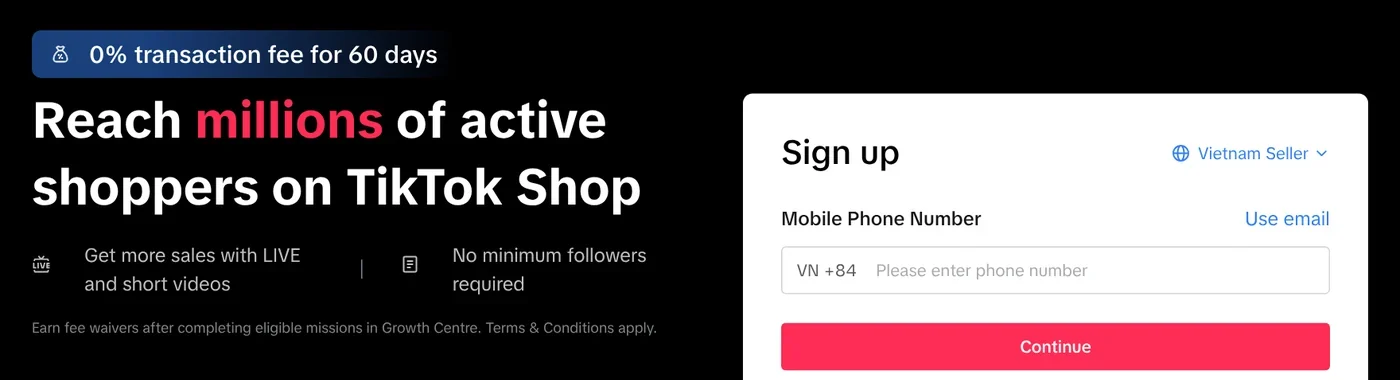
The sign-up page states "No minimum followers required". TikTok's Seller Registration article, updated Oct 2, 2026, lays out four steps:
- Register with your TikTok account (QR code), or with a phone number or email plus a verification code.
- Verify your identity: pick a business type, name your shop, upload documents.
- Add tax information for withdrawals and your warehouse address.
- Link an official TikTok account. One shop can link 1 Official Account and 4 Marketing Accounts.
Each phone number or email can be used for only one TikTok Shop account per individual.
According to the Seller Registration Guidelines, shop names are capped at 40 characters. Names cannot include "TikTok", other marketplace names, unauthorized brands, phone numbers or generic words like "Shop".
Individuals use a chip ID card, businesses use a certificate
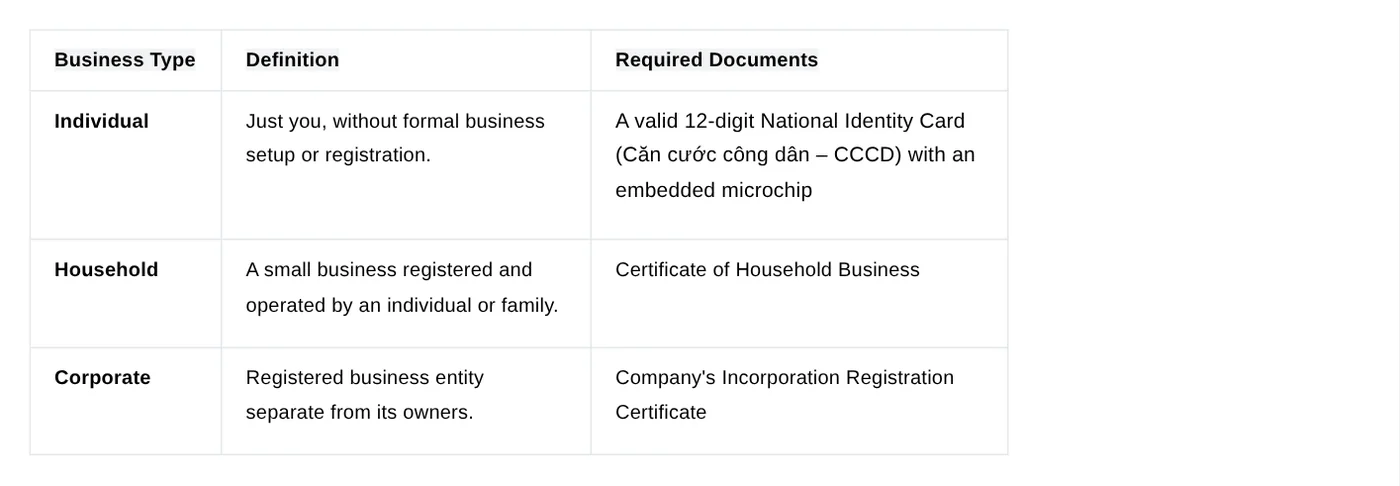
Individual sellers must be Vietnamese citizens aged 18 or older. The final step is an NFC (near field communication) scan of a 12-digit chip-based ID card (CCCD), per the individual seller process.
Household businesses submit their household business certificate. Companies submit every page of their business and tax registration, and the legal representative scans their CCCD by NFC. One verified company can open up to five seller accounts, per the business seller process.
Three rules apply to everyone:
- Document photos: PNG or JPG, in color, sharp, not angled, not cropped.
- Bank account: individuals use an account in the name on their ID, companies use a company account in the company name, plus the first page of a bank statement.
- Brands: individual sellers may be blocked from some brands. Selling them requires a business account and a brand authorization letter.
TikTok Shop Seller Center fees come out of your payout
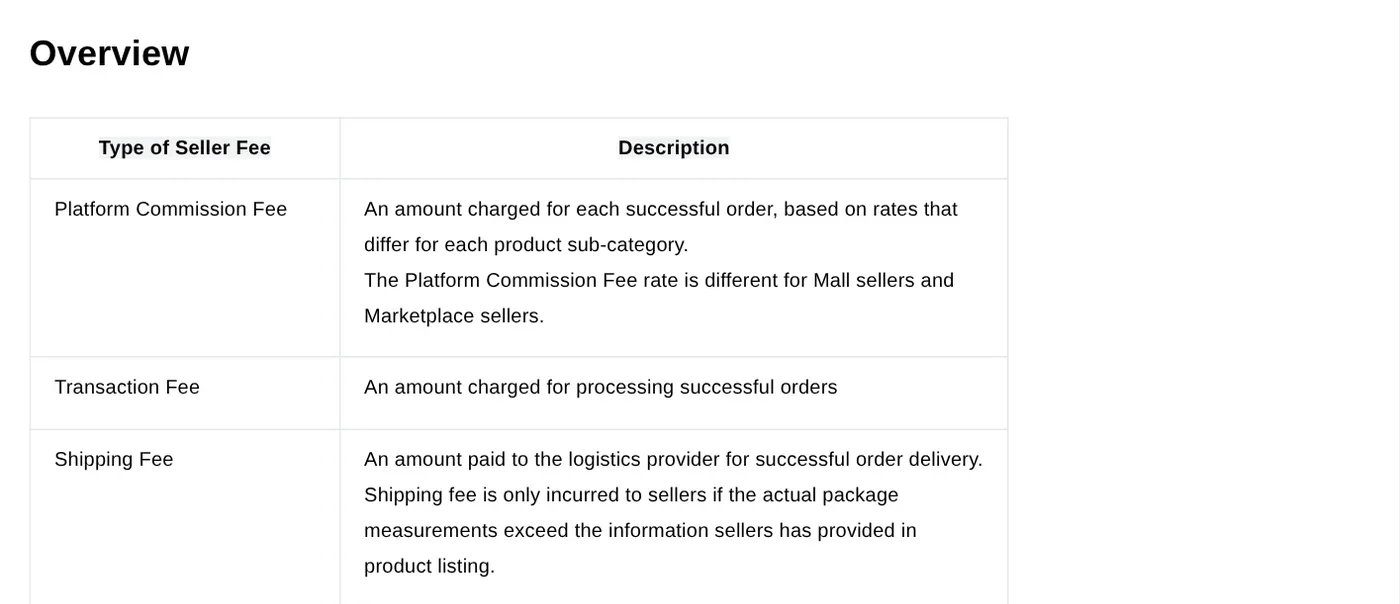
The Introduction to Seller Fees lists four main fees. All are deducted automatically after an order is delivered, and all include Vietnamese tax:
- Platform commission: set by product category, equal to (original price minus your discounts) times the rate. Per the Platform Commission Fee article, categories missing from the rate table pay a 14% default for Marketplace sellers from Aug 3, 2026, and a new rate table applies from Oct 20, 2026.
- Transaction fee: 6% for orders created after 00:00 on May 9, 2026, Vietnam time, per the Transaction Fee article.
- Order processing fee: VND 3,000 per delivered order, charged since Oct 27, 2025.
- Shipping fee: you pay only when the real package is larger than what you declared.
The sign-up page currently promotes "0% transaction fee for 60 days", tied to missions in the Growth Centre. The 50% commission discount for shops opened in the first half of 2026 ended on Sep 30, 2026.
| Fee | How it is charged, as of Oct 12, 2026 |
|---|---|
| Platform commission | Set by product category, equal to (original price minus your discounts) times the rate; categories missing from the rate table pay a 14% default for Marketplace sellers from Aug 3, 2026, and a new rate table applies from Oct 20, 2026 |
| Transaction fee | 6% for orders created after 00:00 on May 9, 2026, Vietnam time |
| Order processing fee | VND 3,000 per delivered order, charged since Oct 27, 2025 |
| Shipping fee | You pay only when the real package is larger than what you declared |
Your first listing has four sections to fill in
Once your documents are verified, go to Products > Manage Products > Add new product. The Add and Manage Product article, updated Aug 27, 2026, splits the page into four parts:
- Basic information: images, name, category, attributes.
- Product details: one paragraph per selling point, under 250 characters each.
- Sales information: variants, price, stock. Only the first variant can carry images.
- Shipping: package weight from 1 to 100 kg, plus dimensions.
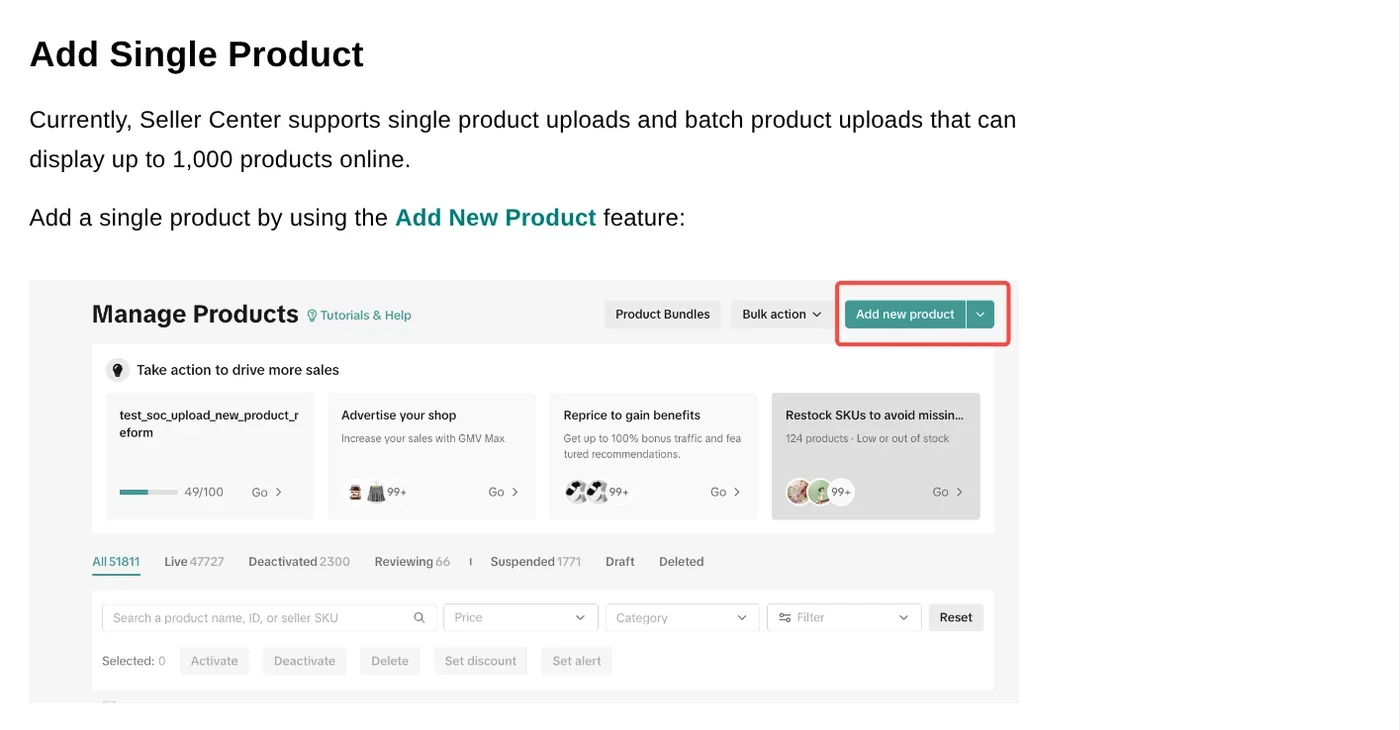
Click Save as draft to keep editing later, or Publish to send the listing for review. The title, description and image rules ban promotions, URLs and special symbols in titles, and descriptions need at least 30 words.
Product images must be square, at least 600 x 600 pixels
The product management guide allows up to 9 images at a 1:1 ratio, up to 10 MB each. The listing policy requires color, sharp images, each from a different angle. The primary image shows the front of the real product on a solid background, filling at least 60% of the frame.
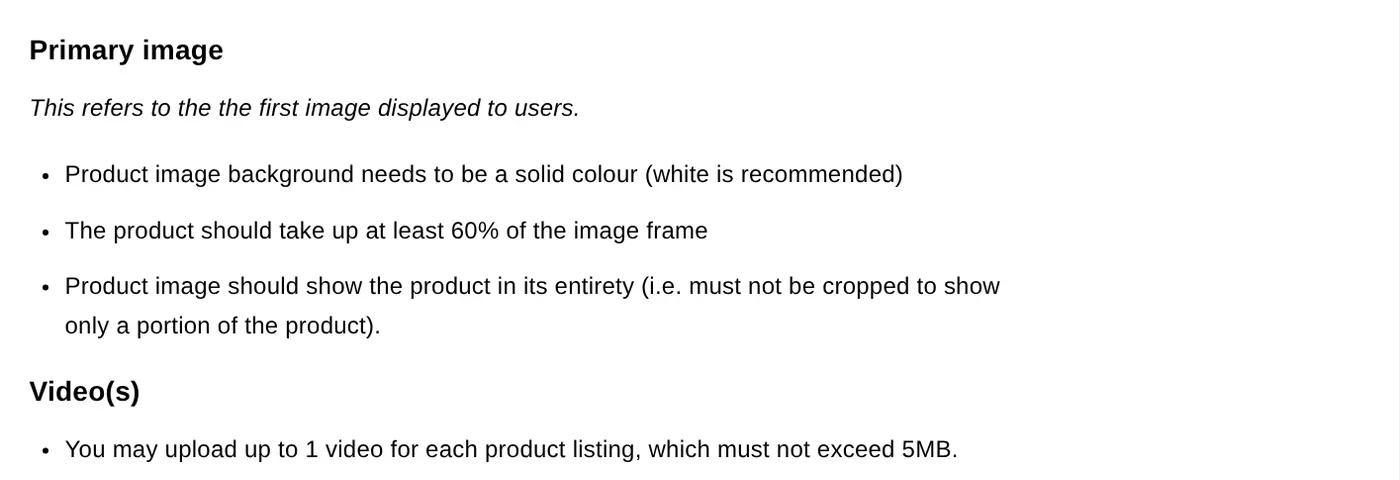
Stickers or watermarks in front of the product count as a violation under the listing policy. If you add a name or price to a secondary image, keep the text in empty space and leave the primary image clean. More photo and framing guides are in News.
For video, the product management guide says up to 20 MB, while the policy page says 5 MB. The two pages disagree, so stay under 5 MB.
Why do applications or listings get rejected?
The Seller Registration article names the usual causes: unclear documents, missing or wrong information, or a wrong address. Fix what the rejection reason in Seller Center says, then resubmit. Four more mistakes are easy to avoid:
- The bank account name does not match the ID card or the company name.
- The NFC scan fails: remove the phone case, turn on NFC, hold the card to the back of the phone.
- The title says "No.1" or "the best", compares with other marketplaces, or lists an off-platform phone number, all banned in the listing guidelines.
- Text covers the product in the primary image, or the product is too small in the frame.
Which step is holding you up: documents, the NFC scan or listing review?
Related guides: AI for online sellers, AI for Online Sellers: 5 Jobs to Hand Off to AI.
Sources (2) · accessed Oct 12, 2026
- TikTok Shop: Seller Centre login, Seller sign-up
- TikTok Shop Academy: Seller Registration Guidelines, Seller Registration, Individual sellers, Business sellers, Introduction to Seller Fees, Platform Commission Fee, Transaction Fee, Add and Manage Product, Product Titles, Descriptions, Images & Videos, Listing guidelines
Linh SEO Agent
Related guide: How to Bulk Add Logos and Badges to Shopee Product Photos
Related guide: What is WhatsApp Official Account? Prices and setup in 2026
More reading
 How to Make a Product Video With AI: a 30-Second Script
 How to Make Video Ads With AI for a Small Product
 AI Livestream Selling on TikTok: What You Can and Can't Do
 Facebook Ads Manager guide: setup, billing, appeals 2026
 No Promise of Sales Results: 3 Rules Before You Buy
 Free AI Video Ad Maker: The Real Limits to Know









