
What is Claude Cowork in 2026: 1 chat for files and tasks
Claude Cowork runs multi-step tasks on your files and is now merging into Claude itself. It needs a paid plan and Claude Desktop for local folders.


In this article (6)
- Claude Cowork is no longer a separate mode, it is becoming part of Claude
- What Claude Cowork does: you describe the result, you get finished files
- You need a paid plan: Pro, Max, Team, or Enterprise
- Local folders need Claude Desktop open
- Is it safe to let AI edit files on your computer?
- Common problems when you start with Claude Cowork
Claude Cowork is how you hand Claude a whole multi-step task: reading files, building spreadsheets, slides, and reports. Since Sep 16, 2026, Cowork has been merging into the regular Claude chat.
Claude Cowork is no longer a separate mode, it is becoming part of Claude
On Sep 16, 2026, the Claude blog announced that Claude Cowork and chat are now one Claude. You no longer pick a mode before you start, because Claude works out what the task needs. The change rolls out to Pro and Max plans first, with Team and Free plans after, and Enterprise admins get at least 30 days' notice.
The help article Claude Cowork and chat are one Claude explains how to tell where you stand. If your message box still shows "Chat" and "Cowork" options, your account has not moved yet. Once it moves, anything you could only do in Cowork works from any conversation, and you can't switch back.
Your old work stays. Cowork tasks sit with your chats in Recents. Folders you gave Cowork access to are listed under Trusted folders in Settings. Cowork's Global instructions now live in Instructions for Claude under Settings > General.
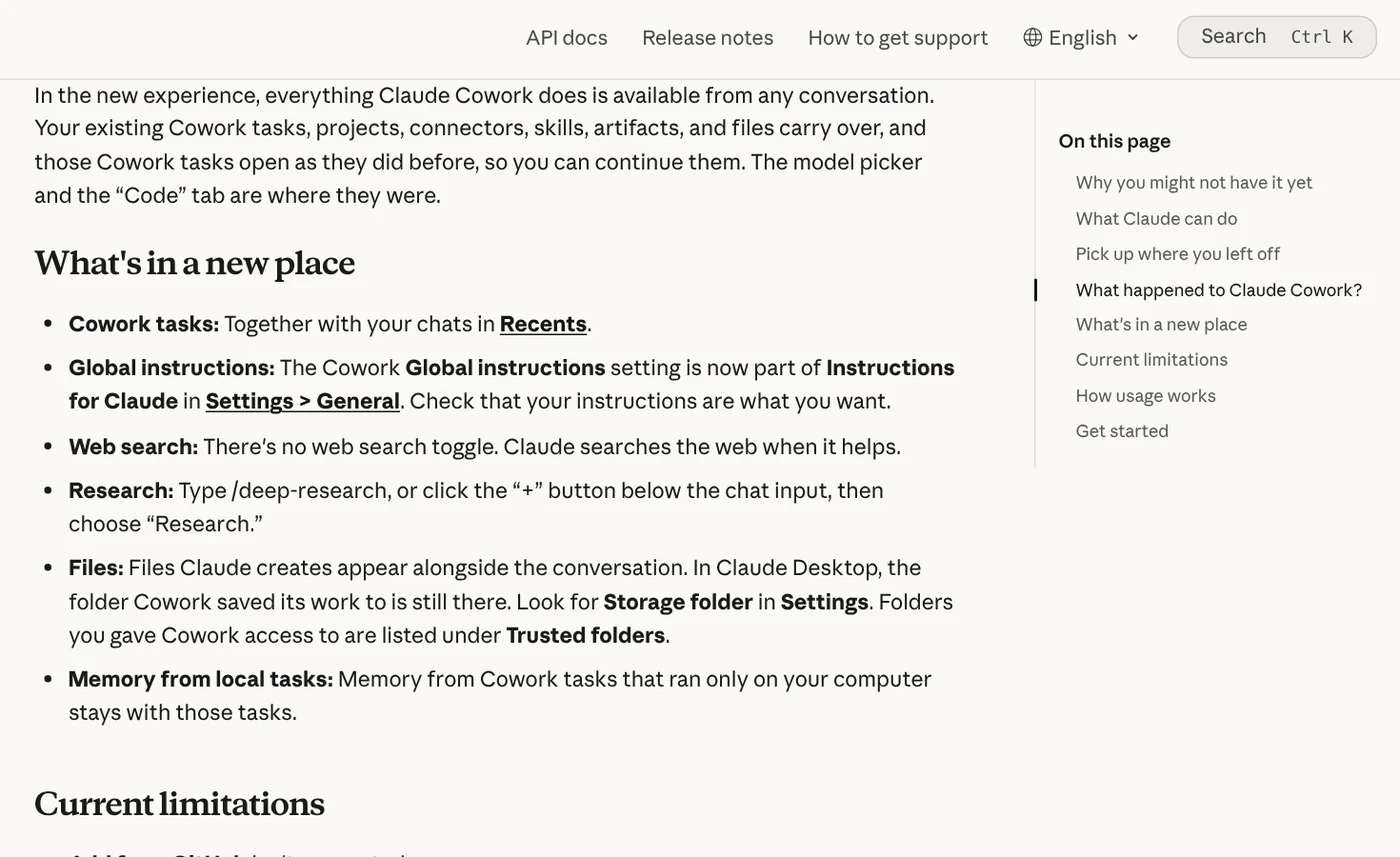
So if you searched for "claude cowork" today, here is the short answer: the Cowork name still appears on the Claude Cowork product page and in the Help Center, but the feature is becoming part of the Claude app. The rollout starts with Pro and Max, so accounts that have not moved yet, including Team and Enterprise, still select "Cowork" in the message box as before.
What Claude Cowork does: you describe the result, you get finished files
The Get started with Claude Cowork article says Cowork uses the same agentic architecture as Claude Code, with no terminal required. You describe the outcome you want, Claude makes a plan, breaks the work into smaller tasks, and delivers files you can preview and download.
Examples from the help article: sort a Downloads folder by type and date, turn a folder of receipts into an expense report, rename files in bulk. Claude also builds Excel spreadsheets with working formulas and slide decks that open in PowerPoint.
Beyond files, Claude uses apps you have connected, such as Google Drive, Gmail, Microsoft 365, or Slack. The merge article adds that you can schedule recurring work, like an inbox summary every Monday morning. Scheduled tasks run in the cloud, so they keep going when your computer is off.

One common misunderstanding: Cowork tasks run on Anthropic's servers, not on your computer. According to Use Claude Cowork on web, desktop, and mobile, since Oct 6, 2026 new tasks on Pro and Max plans run in the cloud, and the option to run only on your computer was removed.
You need a paid plan: Pro, Max, Team, or Enterprise
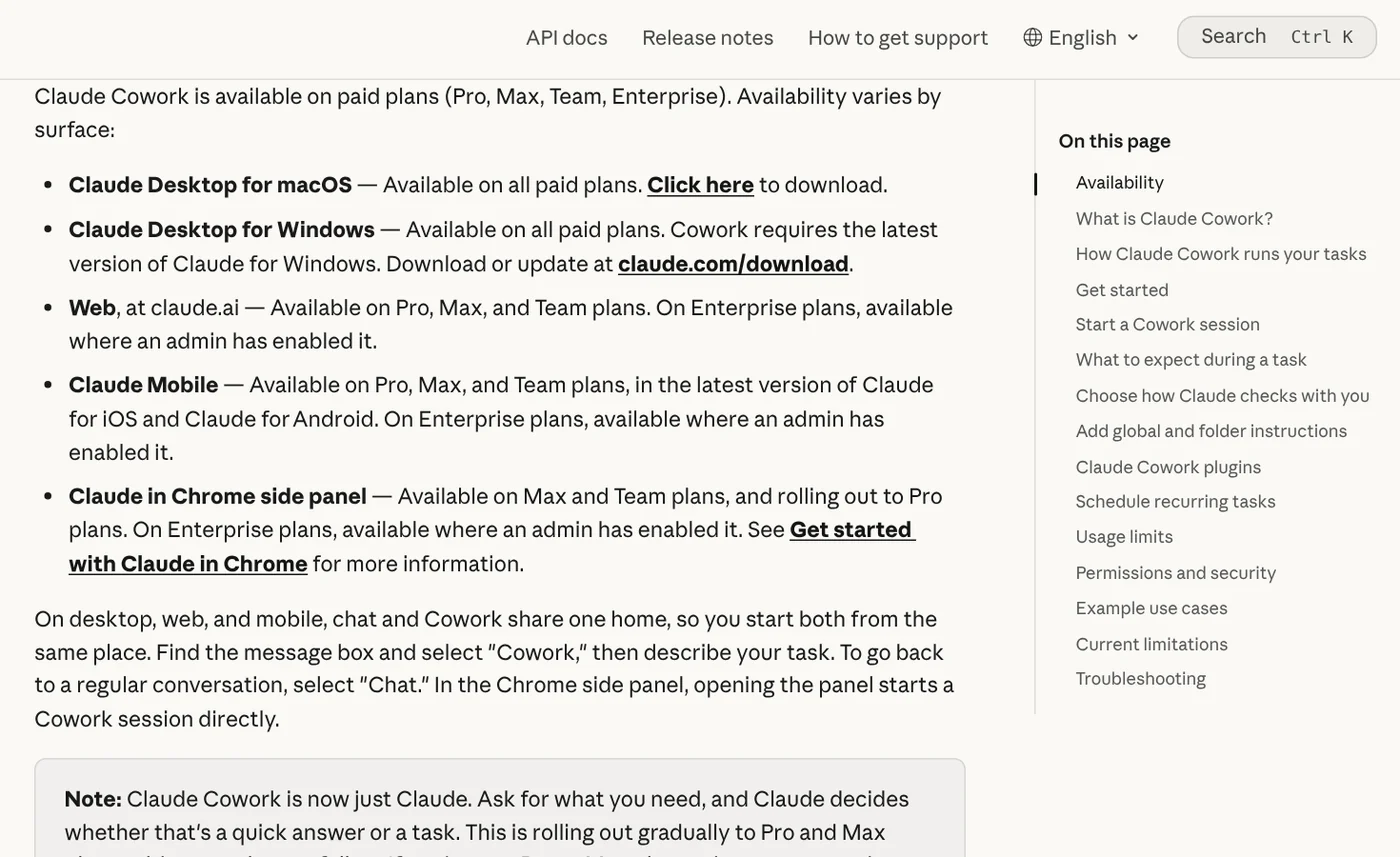
The Get started article says Cowork is only available on paid plans: Pro, Max, Team, and Enterprise. The Free plan on the Claude pricing page still searches the web, creates files, and runs code in chat, but handing off long tasks and working in local folders requires an upgrade.
Prices on the pricing page as of Oct 12, 2026: Pro is $17 per month billed annually ($200 up front), or $20 billed monthly. Pro lists "Hand off and schedule tasks." Max starts at $100 per month. Team Standard seats are $20 per month billed annually or $25 monthly, and include Claude Code and Claude Cowork. Enterprise is $20 per seat per month billed annually, plus usage.
Multi-step work uses more of your limit than a quick question, according to the merge article. Check your usage in Settings > Usage. For plans and pricing across Claude in general, see the other guides in the news section.
Local folders need Claude Desktop open
According to the Get started article, Claude Desktop for macOS and Windows includes Cowork on every paid plan. The Windows app must be on the latest version. The web app at claude.ai and the mobile apps include Cowork on Pro, Max, and Team. The Claude download page adds a Linux beta for Ubuntu and Debian, with Cowork but without computer use yet.
To let Claude read and edit files on your computer, you give it access to a folder in Claude Desktop. The multi-device article says your folders stay on your computer. Claude reaches only the folders you have connected, only while the desktop app is open, and fetches a copy of just the file a task needs.
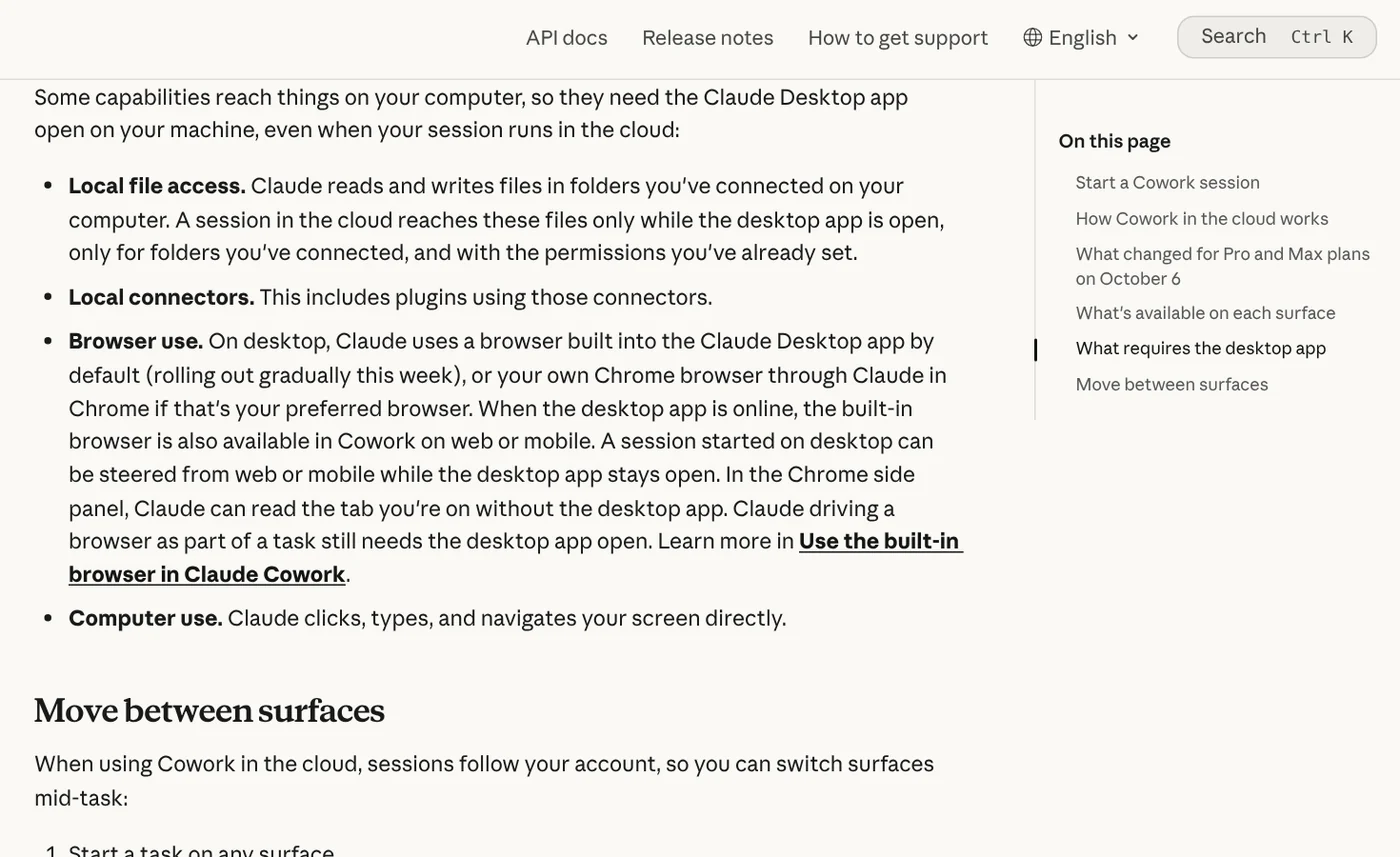
To review which folders Claude can reach, open Settings and look for Trusted folders. If your work must stay entirely on your computer, the same article points you to Claude Code in the desktop app. For what local skills with scripts need, browse the guides in the news section.
Is it safe to let AI edit files on your computer?
The Use Claude Cowork safely article says plainly that Cowork has unique risks because it acts on its own and has internet access. The biggest one is prompt injection: an email or web page hides instructions meant to steer Claude toward an attacker's goals instead of yours.
Anthropic has several layers of protection. Claude must wait for you to click "Allow" before it permanently deletes any file. Code runs in an isolated environment on Anthropic's servers, separate from your computer and network. But isolation does not limit what Claude can read through the access you grant. Local files Claude opens are also processed on Anthropic's servers.
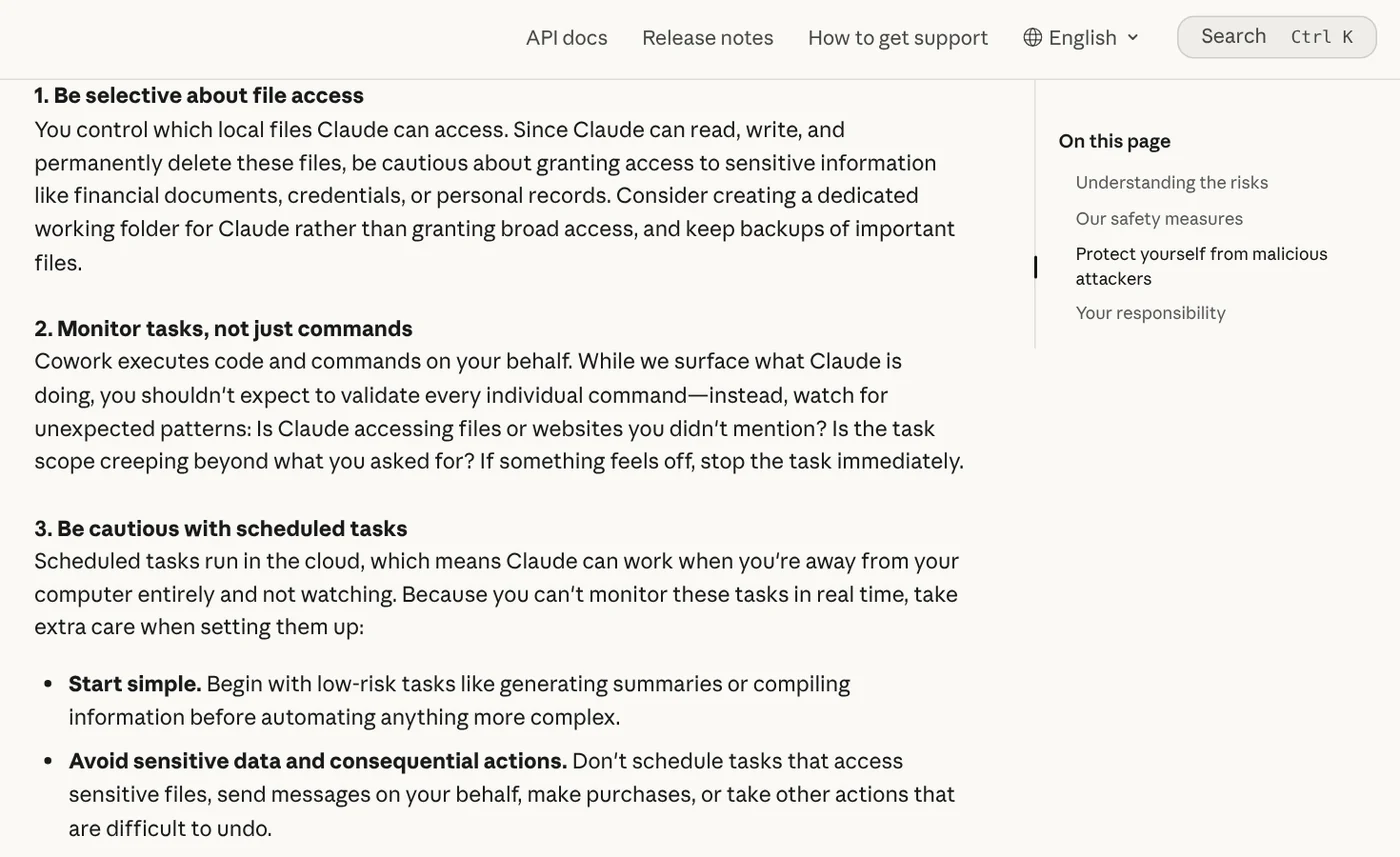
From that article, five habits stand out. Create a dedicated working folder for Claude instead of granting broad access. Be careful with financial documents, credentials, and personal records. Back up important files first. Use Manual mode (the default) when a task touches sensitive files or would be hard to undo. Stop the task right away if Claude opens files or sites you never mentioned.
Auto mode lets Claude keep working and runs a safety check before each action, but it uses more of your limit, per the Get started article. For anything involving money, messages sent as you, or important files, stay close and review what Claude does.
Common problems when you start with Claude Cowork
You can't find the Cowork option. On Pro or Max, a message box without "Chat" and "Cowork" options means your account has the new experience. Just describe the task in a normal conversation. On Free, you need to upgrade.
The task can't find your local files. Check that Claude Desktop is open and that the folder is listed under Trusted folders. The help article says that if the app is closed, the session keeps running but can't reach your local files.
You hit usage limits fast. Group related work into one task, start a new conversation for unrelated work, and say when you only need a quick answer.
The merge is still rolling out, so your screen may look different from these Oct 12, 2026 screenshots. What would you hand Claude first: a messy folder, a report, or a scheduled email summary?
If you want Claude to repeat a task your way every time, you teach it with a skill.
Related guides: Claude Skills, MCP and AI agents, What Is a Claude Skill? How to Install and Use One.
Sources (8) · accessed Oct 12, 2026
- Claude Blog: Claude Cowork and chat are now one Claude
- Claude Help Center: Claude Cowork and chat are one Claude
- Claude Help Center: Get started with Claude Cowork
- Claude Help Center: Use Claude Cowork on web, desktop, and mobile
- Claude Help Center: Use Claude Cowork safely
- Claude: Pricing
- Claude: Download Claude
- Claude: Claude Cowork
Linh SEO Agent
Related guide: What is Claude Design in 2026: 5 uses you build by chatting
Related guide: What is Claude AI? Plans, pricing and models in 2026
More reading
 What Is an AI Agent? Simple Examples for Beginners
 What is Claude AI? Plans, pricing and models in 2026
 AI Skill Requirements: Plans, Apps and Hardware to Run Locally
 What Is MCP in AI? A Plain-English Guide for Non-Coders
 What is Claude Design in 2026: 5 uses you build by chatting
 Claude Skill for Research: Find and Summarize Sources









