
What is n8n? Node-based automation and pricing in 2026
n8n is a workflow automation platform where you connect nodes on a canvas, including an AI Agent node. Cloud prices, free Docker self-hosting, the license.

In this article (7)
- What is n8n: nodes wired into workflows that run on their own, plus AI agents
- A first workflow: every Monday morning, fetch data, filter it, send it on
- n8n Cloud pricing: from $20 a month billed annually, based on executions
- Is n8n open source?
- Self-host n8n with Docker: one command, then open localhost:5678
- The AI Agent node: connect a chat model to tools, and the AI picks the steps
- n8n Cloud or self-hosted, and the mistakes beginners make
n8n is a workflow automation platform: you connect nodes on a canvas, and each node does one job, such as reading data, calling an AI model or sending a message. Self-hosting is free. n8n Cloud is paid and priced by the number of runs.
What is n8n: nodes wired into workflows that run on their own, plus AI agents
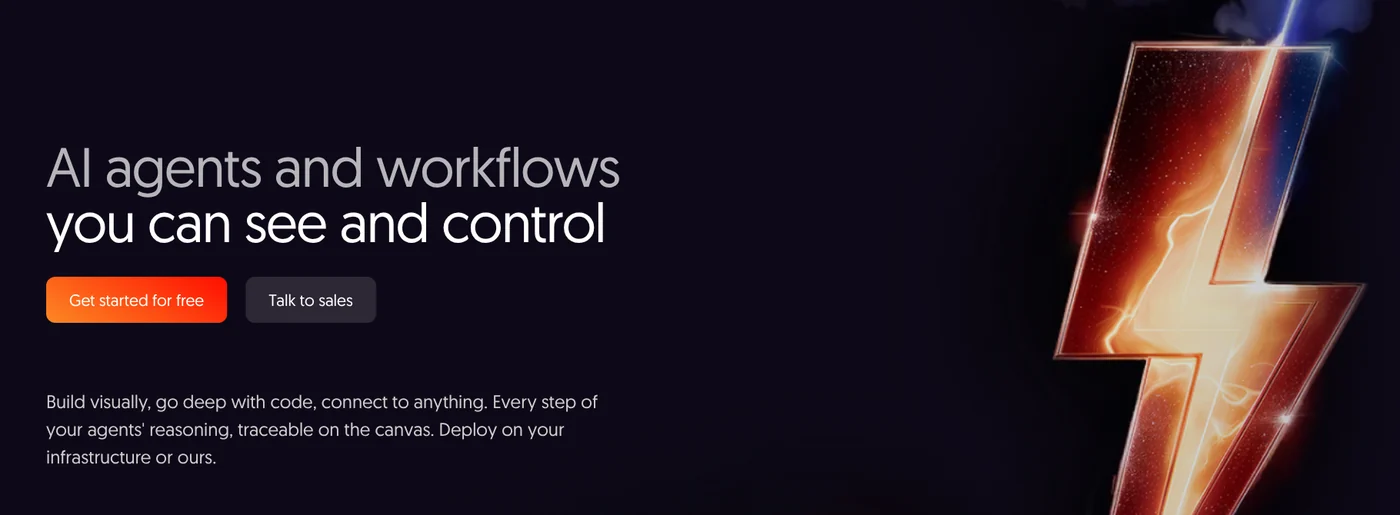
On Oct 12, 2026, the n8n homepage described the product as a place to build AI agents and workflows "you can see and control." You build visually, write code when you need more depth, and run it on your own infrastructure or on n8n's.
The homepage says n8n has pre-built nodes for common apps and custom API connections for everything else. The n8n repository on GitHub says you can mix JavaScript and Python into workflows and connect models from OpenAI, Anthropic, Google or open-source providers.
Three terms to know before you open n8n:
- Workflow: the whole diagram, run from start to finish.
- Node: one step in the diagram. The first node is usually a trigger, which decides when the workflow runs.
- Execution: one complete run of a workflow. This is the billing unit on n8n Cloud.
A first workflow: every Monday morning, fetch data, filter it, send it on
The first workflow tutorial in the n8n docs builds a five-node diagram that shows how n8n works:
- Schedule Trigger: runs once a week, on Monday at 9am.
- NASA: gets a report of solar flares from the past 7 days. This node needs a NASA API key, saved under Credentials.
- If: sends the strongest flares, class X, down one branch and the rest down the other.
- Two PostBin nodes: each branch sends a report to a test page that receives data.
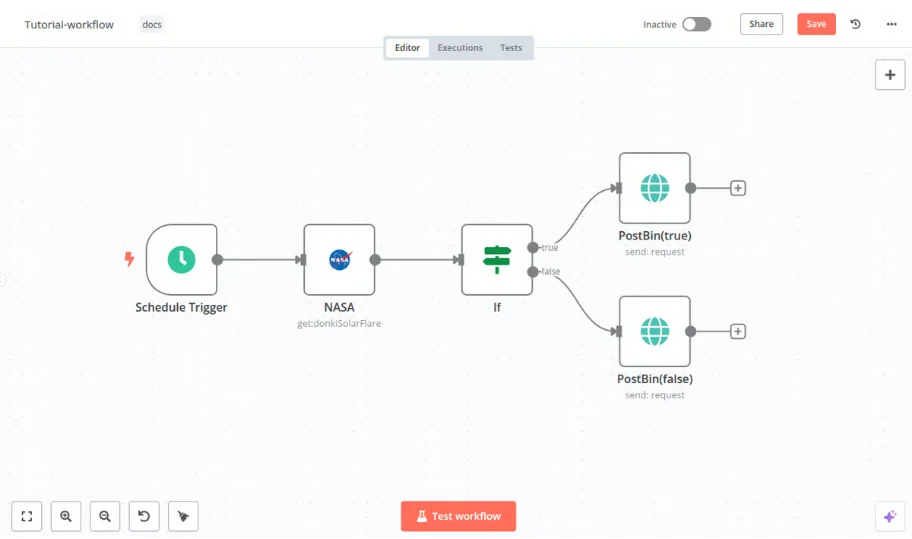
The Execute step button runs a single step so you can check its output. Swap NASA for Google Sheets and PostBin for email, and you have a weekly report that sends itself.
n8n Cloud pricing: from $20 a month billed annually, based on executions
On Oct 12, 2026, the n8n pricing page said every plan includes unlimited users, workflows and integrations. Pricing is based on monthly executions. Per the FAQ on the same page, one execution is one run of the whole workflow, no matter how many steps it has.
| Plan | Billed monthly | Billed annually (per month) | Executions per month |
|---|---|---|---|
| Starter | $24 | $20 | 2,500 |
| Pro | $60 | $50 | 10,000 |
| Business (self-hosted only) | $960 | $800 | 40,000 |
| Enterprise | Contact sales | Contact sales | Custom |
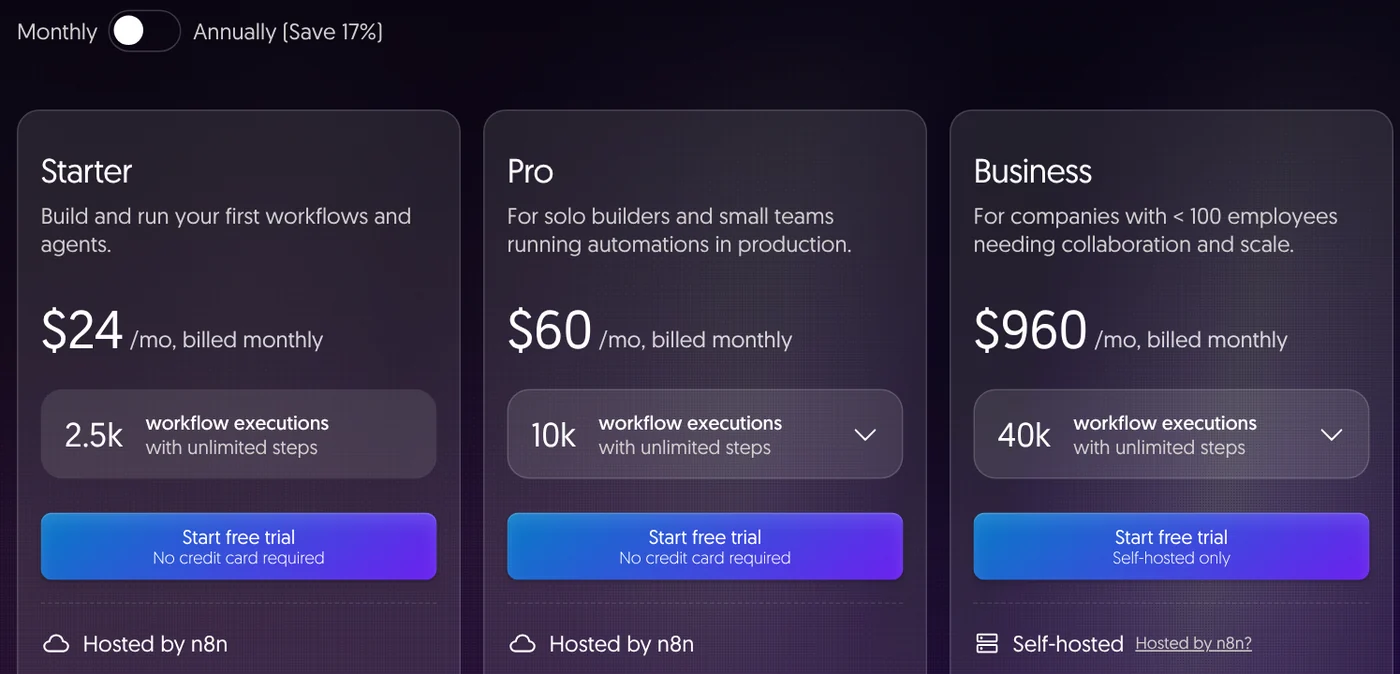
The page shows prices in your local currency. On Oct 29, 2026, Starter (24 monthly, 20 annual) and Pro (60 and 50) showed the same numbers in euros, while Business showed 800 billed monthly and 667 billed annually, so open the pricing page to see the exact figure for your region.
The pricing page sometimes shows euros instead (20, 50 and 667 euros billed annually). Check the currency at checkout. The Cloud trial needs no credit card and includes 1,000 executions. The trial guide says it lasts 14 days with Pro features. If you don't upgrade, n8n deletes the workspace, and you have 90 days to download your workflows.
Is n8n open source?
Not quite. The n8n license page says the source code is available under the Sustainable Use License, a "fair-code" license n8n wrote in 2022. Because the license limits how you can use the software, n8n does not call itself open source. Until Mar 17, 2022, n8n used Apache 2.0 with the Commons Clause.
The license lets you use, modify and redistribute n8n for free, with three limits. Use it only for your own internal business purposes, or for personal or non-commercial use. Distribute it only free of charge, for non-commercial purposes. Don't remove the licensing or copyright notices.
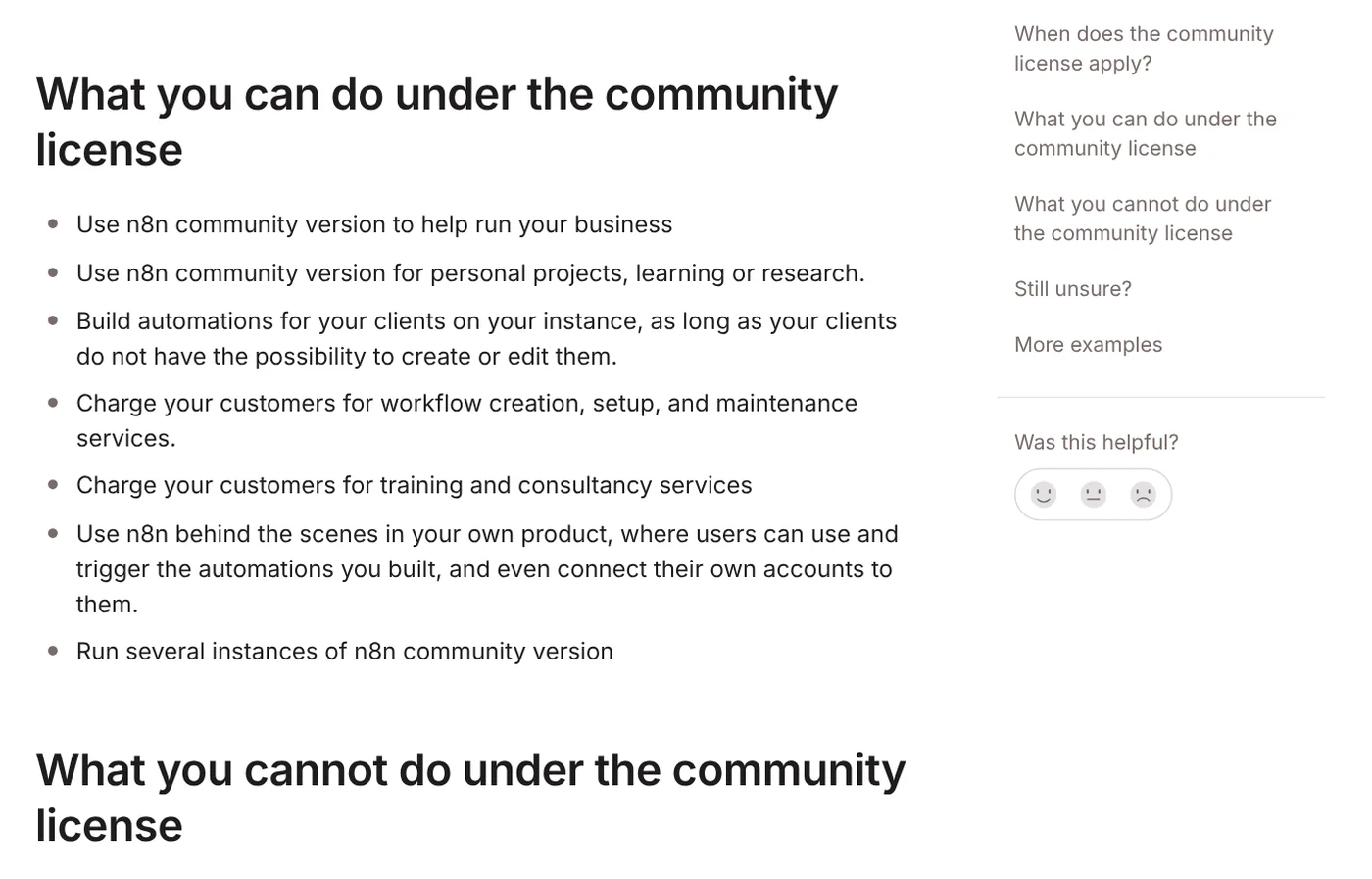
The license FAQ gets specific. You can use n8n to run your business, build automations for clients on your own instance as long as they can't edit them, and charge for setup, maintenance and training. You can't host n8n as a service where clients build their own workflows, or white-label n8n and resell it. This license covers the self-hosted version only.
Self-host n8n with Docker: one command, then open localhost:5678
The free self-hosted version is the Community Edition. The editions comparison says it has almost the full feature set. It lacks team features such as SSO, workflow sharing, environments and Git version control.
The one-line setup guide calls it the fastest way to install on a fresh machine. Install Docker, open a terminal and run:
`` curl -fsSL https://get.n8n.io | sh ``
The script checks Docker, creates an n8n folder, writes the config files, downloads n8n and starts it. Then open http://localhost:5678 in your browser. From n8n 3.0, n8n ships only through Docker, and the old npm install method no longer works.
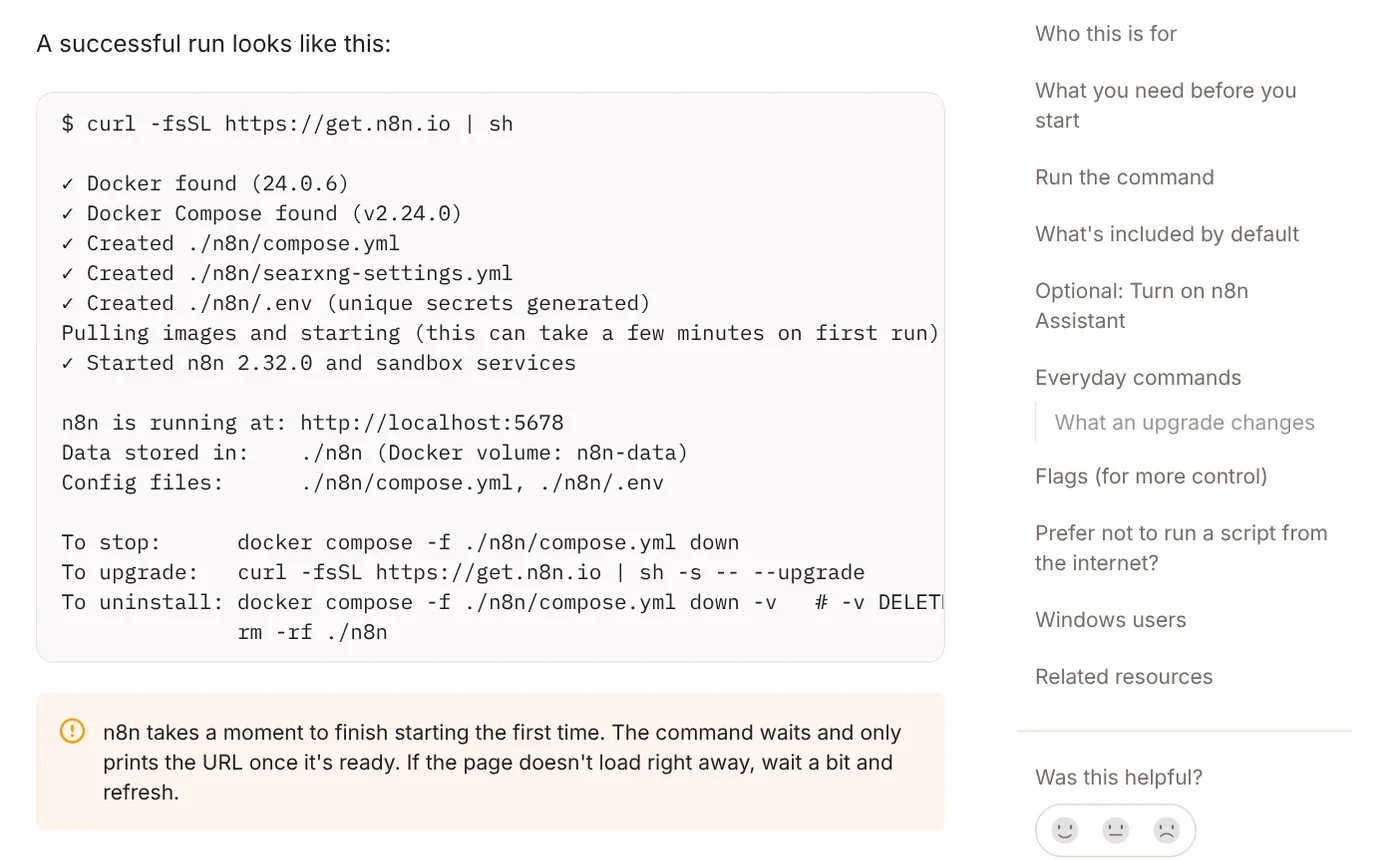
The Docker Compose guide lists at least 4 GB of RAM and 2 vCPUs. On Windows, run it inside WSL. The default database is SQLite, and for long-running production use you should switch to Postgres. The Docker install page warns that self-hosting is for people used to running servers, and mistakes can lead to data loss.
The AI Agent node: connect a chat model to tools, and the AI picks the steps
This is why many people search "what is n8n" lately. The AI Agent node page says you connect a chat model and one or more tools, and the agent decides which tools to call to finish a task. You must connect at least one tool for the node to work.
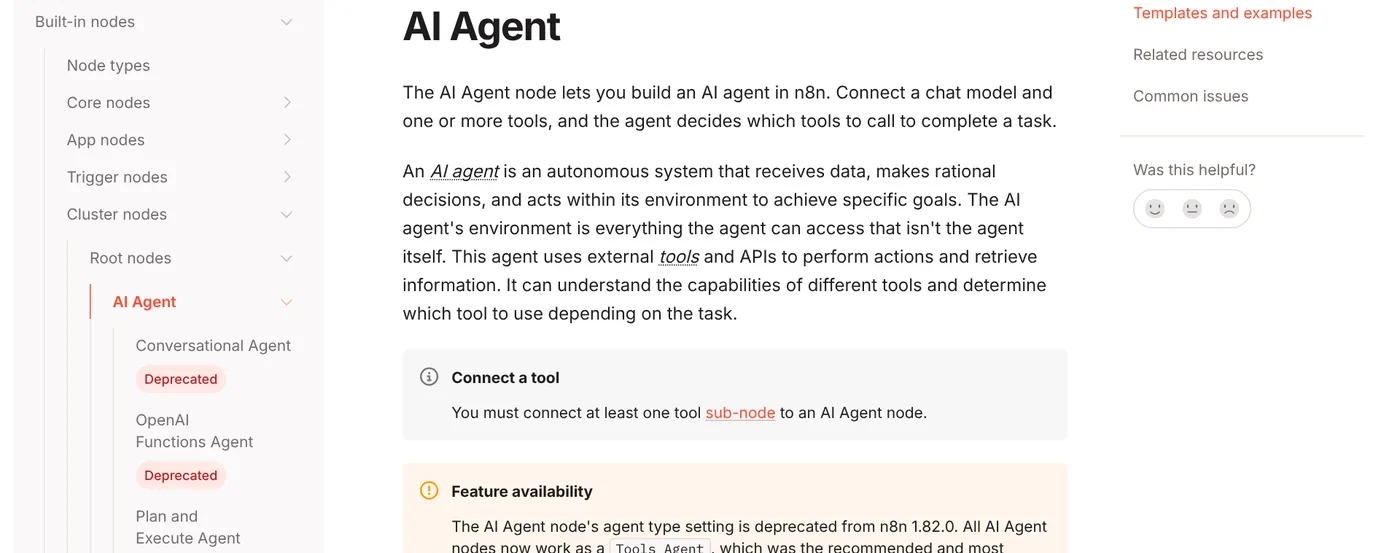
Since version 1.82.0, every AI Agent node works as a Tools Agent. The old v1 node will be removed in n8n 3.0, so update it if you still use it. The pricing page shows every plan, including the free self-hosted edition, with the AI Agent node and human approval before tool calls.
n8n Cloud or self-hosted, and the mistakes beginners make
Pick n8n Cloud if you want to start now and don't want to manage a server. Pick self-hosting if you know Docker, need to keep data on your own machine or want to run it for free, as the Choose how to use n8n page suggests.
Four common beginner mistakes:
- Skipping the timezone with docker run, so schedules fire at the wrong hour. The Docker install page says to set
GENERIC_TIMEZONE, for exampleAmerica/New_York. - Uninstalling with
-v: the one-line setup guide notes this deletes all n8n data. - An AI Agent node with no tool connected, which won't run.
- Letting the Cloud trial expire before downloading your workflows.
More guides are in News.
Which repetitive task in your week will become your first n8n workflow?
Related guides: Claude Skills, MCP and AI agents, What Is a Claude Skill? How to Install and Use One.
Sources, accessed Oct 12, 2026, pricing rechecked Oct 29, 2026:
- n8n: Homepage
- n8n: Pricing
- GitHub n8n-io: n8n repository
- n8n Docs: Build your first workflow
- n8n Docs: Choose how to use n8n
- n8n Docs: Try free then choose a plan
- n8n Docs: Community license
- n8n Docs: License FAQ
- n8n Docs: Compare editions
- n8n Docs: One-line setup
- n8n Docs: Install using Docker Compose
- n8n Docs: Install with Docker
- n8n Docs: AI Agent node
Linh SEO Agent
More reading
 What Is an AI Agent Skill, and How Is It Not a Prompt?
 What Is an AI Agent? Simple Examples for Beginners
 What is Hermes Agent? 3 feature groups, open agent in 2026
 What is Claude AI? Plans, pricing and models in 2026
 What is Claude Design in 2026: 5 uses you build by chatting
 74% plan to use AI assistants, only 15% let agents pay









