
Adam Ads MCP installation guide
About 15 minutes. Do it on the computer you will use, because the license is tied to one computer. Stuck? See Troubleshooting at the bottom or email us.
 Download forWindowsWindows 10 and 11
 MDownload formacOS Apple chipMacs with M1, M2, M3, M4x86Download formacOS Intel chipMacs from before 2021
Which Mac do I have? Apple menu (top left) → About This Mac: “Chip Apple M…” means Apple chip, “Processor … Intel” means Intel.
Version 0.2.2 · Windows 10/11, macOS 11 or newer
What you need
- A Windows 10/11 PC, or a Mac on macOS 11 or newer (Apple chip or Intel), with internet.
- Admin access to the Business Manager that owns your ad account.
- Claude Desktop (recommended), or Claude Code, Cursor, Gemini CLI.
- Windows needs Node.js 18 or newer: if missing, the installer offers to install it, press y. Mac: the installer downloads Node.js for your chip, nothing to do.

- 1
Download and run the installer
- Click the download button for your computer at the top: Windows, Mac with Apple chip, or Mac with Intel chip.
- Windows: right-click the zip → Extract All. Open the unzipped folder and double-click INSTALL.cmd. If Windows asks whether to run a file from the internet, choose Run.
- Mac: double-click the zip to unzip it (Safari often unzips into Downloads for you). Open Terminal (Cmd+Space, type Terminal). Type bash and a space, drag INSTALL.command from the adam-ads-mcp folder into the Terminal window, press Enter. The first run downloads Node.js (about 50 MB); no Mac password needed.
- The window shows “ADAM ADS MCP: SETUP” and copies the app. Keep it open.
Mac: double-clicking INSTALL.command also works. If macOS says it can't verify the developer, go to System Settings → Privacy & Security, scroll down and click “Open Anyway”.
bash ~/Downloads/adam-ads-mcp/INSTALL.command - 2
Get your Meta token (once, about 10 minutes)
- Use a System User so the token doesn't expire after 60 days.
- 1. Go to developers.facebook.com/apps → Create app → type Business → link it to your Business Manager. Add the Marketing API product.
- 2. Go to business.facebook.com/settings → Users → System users → Add. Name it, e.g. “AI ads”, role Admin.
- 3. Click Assign assets: pick your ad accounts (Manage campaigns or Full control) and Pages.
- 4. Click Generate token → pick the app → expiry Never → tick ads_read, ads_management, business_management, pages_show_list, pages_read_engagement.
- 5. Copy the token (starts with EAA). Keep it private, like a password.
Want read-only? Tick only ads_read, or choose read-only mode in step 4.
- 3
Paste the token into the setup window
- Back in the setup window, at “Paste your Meta token”, press Ctrl+V (Mac: Cmd+V) to paste.
- The token shows as * so it stays private. Several lines of * is normal. Press Enter.
- Setup says “Received … characters”, then checks the token with Meta. If it's valid you see “✔ Token is valid” and your ad accounts.
- If not, a ✘ line explains why and you can paste again, up to 3 times. The token stays on your computer.
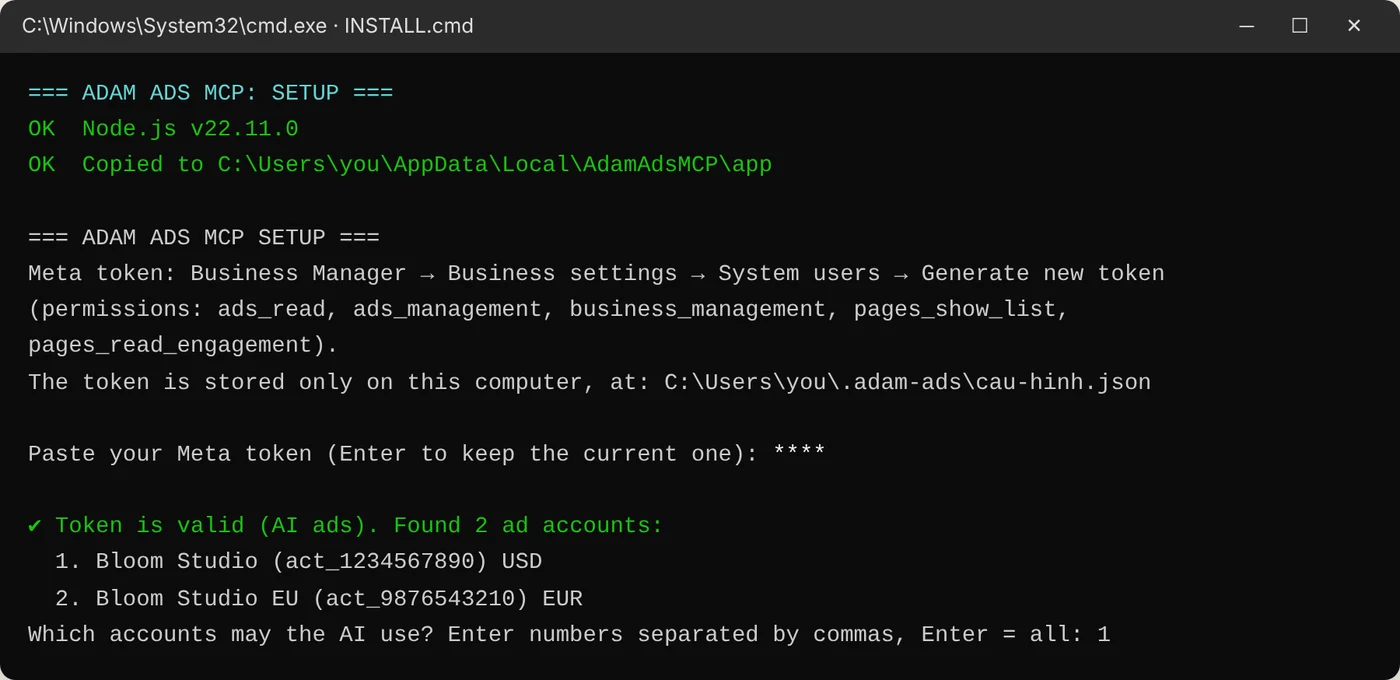
Illustration. - 4
Answer the remaining questions
- Not sure? Press Enter to keep the default. You can change everything later with adam-ads setup.
Question Suggested answer Which accounts may the AI use? Enter for all, or numbers like 1,3. Target CPA What one message or purchase is worth, e.g. 8. Leave empty if unsure. READ-ONLY mode? n to let the AI make changes (it still asks you first). y for view only. Get reports on Telegram? n if not needed yet. See the Telegram section below. Run the background monitor at sign-in? y if you turned on Telegram, for morning reports and alerts. - 5
Open the checkout page with your device ID
- After setup the app stays locked until it has a license.
- Windows: open PowerShell (Start → type PowerShell). Mac: open a NEW Terminal window. Run the command below.
- Your browser opens the checkout page with your device ID filled in. Enter your details and pay.
adam-ads buy
Illustration. - 6
Unlock your license
- After payment the page shows “Payment received”.
- Click the unlock button and wait a few seconds.
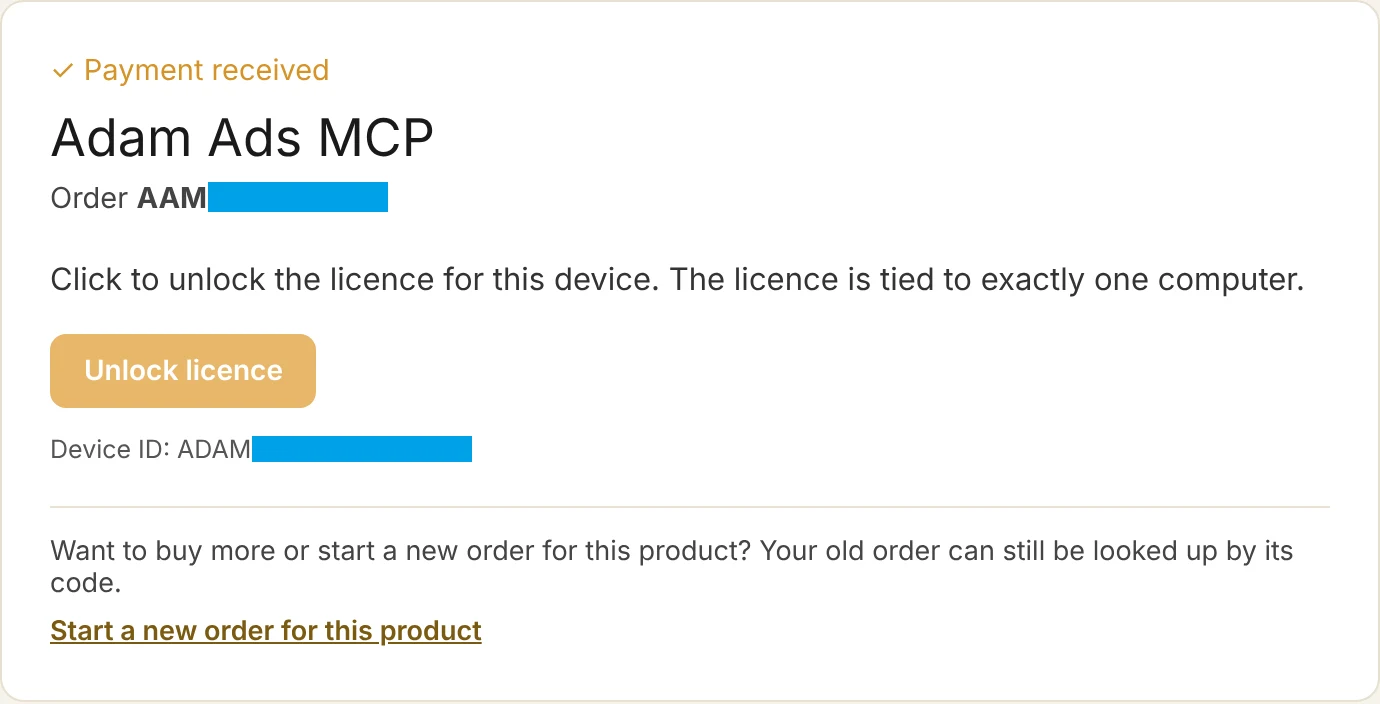
Illustration. - 7
Copy the activation command
- The page shows your license key, device ID and the activation command with your order code. Click “Copy command”.
- We also email the license to you. Keep the page or note your order code.
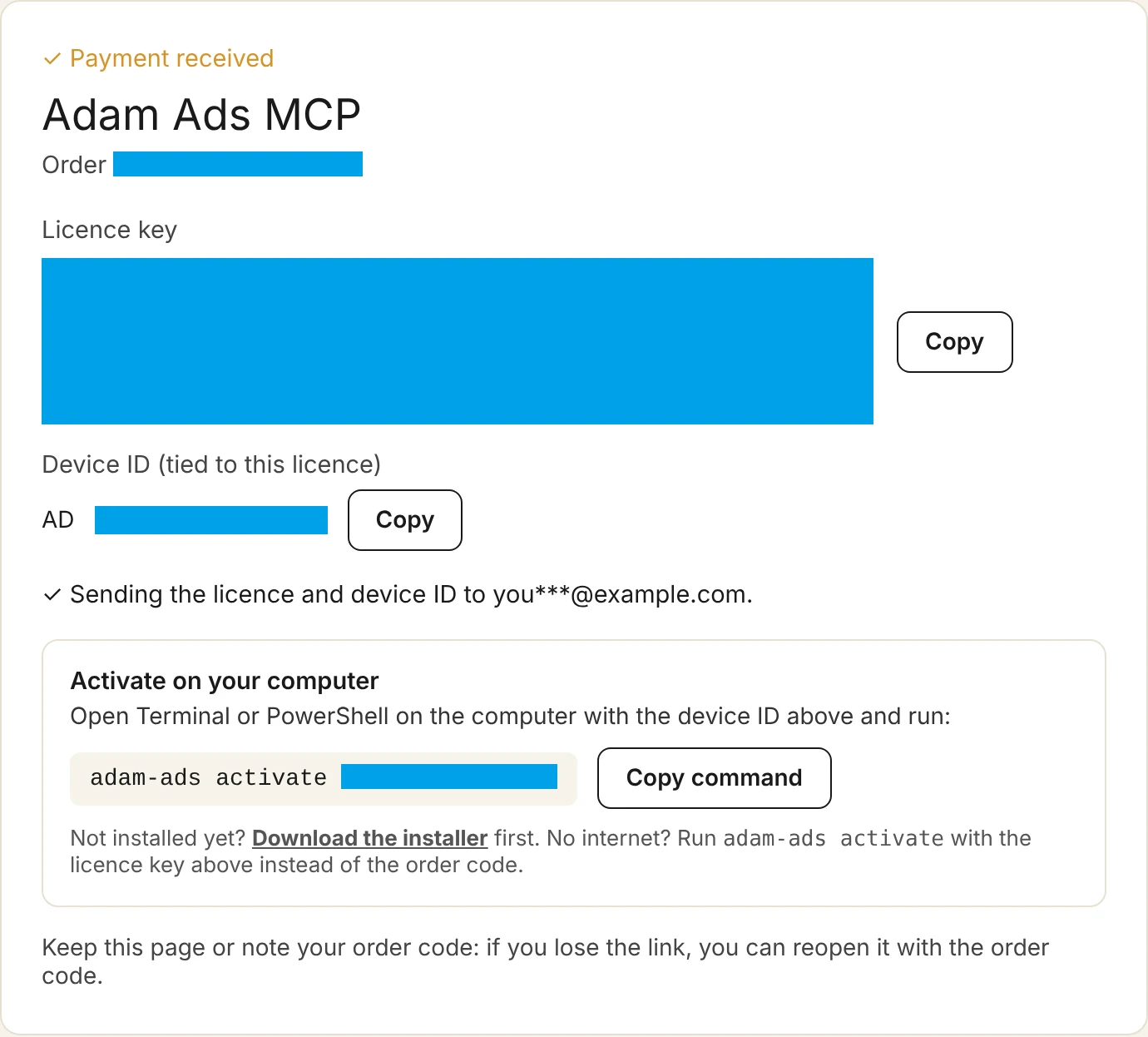
Illustration. - 8
Paste the command to activate
- Open a NEW PowerShell or Terminal on the same computer, paste the command, press Enter.
- “✔ Lifetime license activated on this computer” means you're done.
- No internet? Paste the license key (starts with ADAM3-ADSMCP-) instead of the order code.
adam-ads activate <ORDER CODE>
Illustration. - 9
Reopen Claude and ask
- Fully quit Claude Desktop and reopen it. Windows: right-click the Claude tray icon (bottom right) → Quit. Mac: press Cmd+Q in Claude.
- Type “Check my ads connection”. When Claude lists your account, you're set.
- Then try: “How much did I spend yesterday?”, “Why did my cost per message go up?”, “Which ad sets should I pause? Target CPA $8”, “Raise campaign X's budget by 20%”.
- Every change has a preview step: the AI shows you the change and waits for your OK. New campaigns are always created paused.
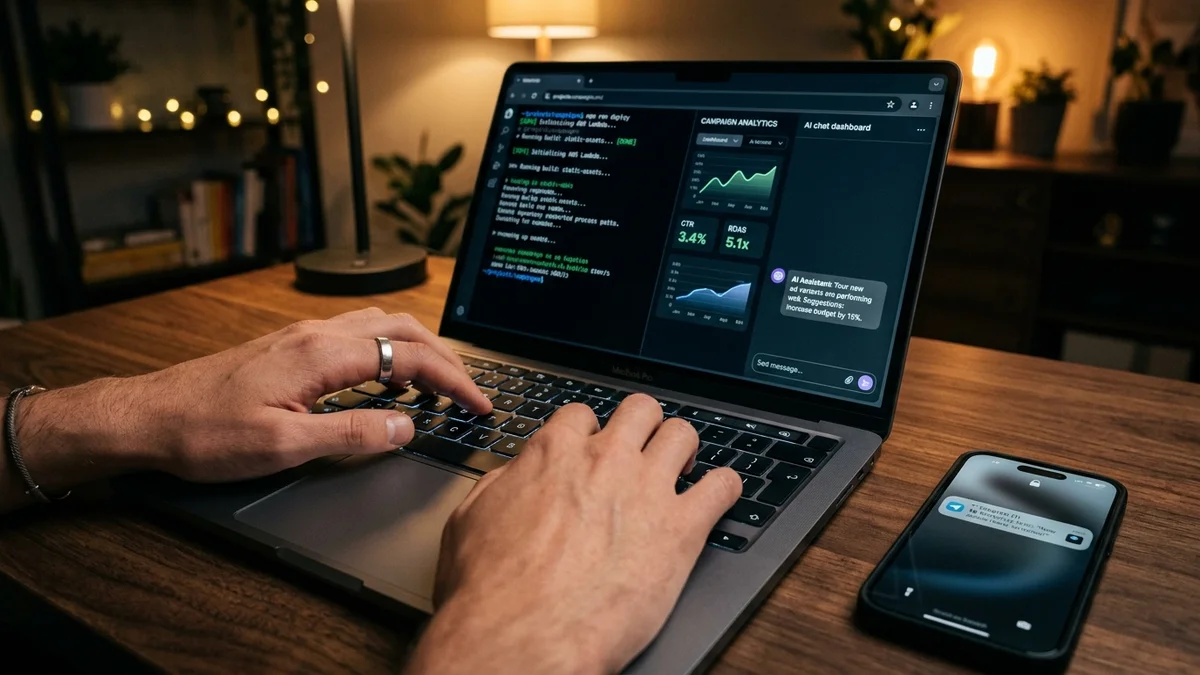
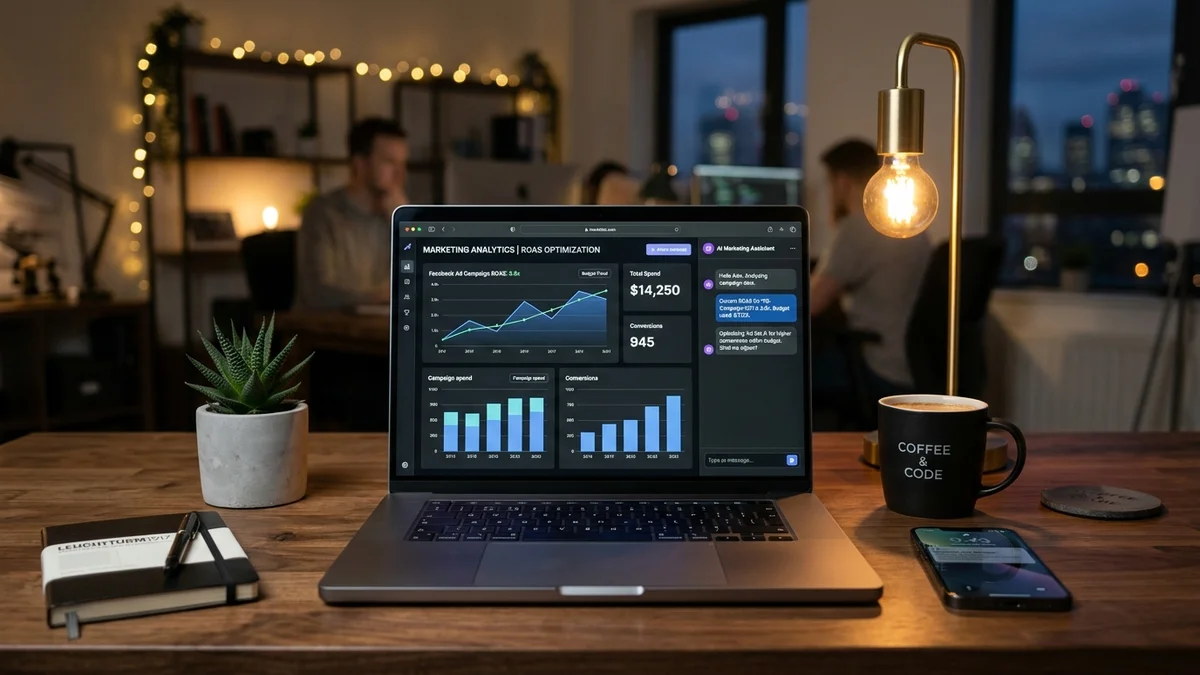
Ask ad performance questions in natural language, get instant analytics and alerts.
Telegram reports (optional)
- Message @BotFather on Telegram → /newbot → pick a name → copy the bot token.
- Send any message to your new bot. Open https://api.telegram.org/bot<TOKEN>/getUpdates and copy the chat.id number.
- Run adam-ads setup, answer y to Telegram, paste the bot token and chat_id, set the report time and alert thresholds.
- Turn on the background monitor for a morning report, threshold alerts, and a message whenever a campaign is turned on, paused or re-budgeted. Test now: adam-ads report.
Use with Claude Code, Cursor, Gemini CLI
Run adam-ads connect-help to print the exact connect command for each app. Apps that need an MCP URL: run adam-ads http, then use http://127.0.0.1:8765/mcp.
Common commands
adam-ads setup | Run setup again, change token or Telegram |
adam-ads check | Check token and license |
adam-ads device-id | Show your device ID |
adam-ads buy | Open the checkout page with your device ID |
adam-ads activate <ORDER CODE> | Activate your license |
adam-ads report | Send a Telegram report now |
adam-ads add-to-claude | Add to Claude Desktop again |
adam-ads connect-help | Connect other AI apps |
Moving computers, updating
- New computer: each order covers one computer. Email us with your order code to move the license.
- Update: download the installer again from this page and run INSTALL.cmd (Mac: INSTALL.command). Your token, settings and license are kept; press Enter at the token question to keep the current token.
- Settings live in C:\Users\<name>\.adam-ads\cau-hinh.json (macOS, Linux: ~/.adam-ads/). You can set a daily budget cap, read-only mode and target CPA there.
Troubleshooting
Pasted the token and saw nothing
The token shows as * for privacy. After Enter, setup says “Received … characters”.
✘ Token invalid or expired
Generate a new System User token with expiry Never, then run adam-ads setup.
✘ Token is missing permissions
Assign the ad account to the System User and generate a token with all 5 permissions.
✘ Couldn't reach Meta
Check your internet, turn off VPN or network blockers, and try again.
“adam-ads” is not recognized / command not found
Close all PowerShell or Terminal windows and open a new one.
Mac says it “cannot be opened because the developer cannot be verified”
Run it from Terminal as in step 1 (bash, then drag the file in). Or System Settings → Privacy & Security → Open Anyway.
Mac says “This Mac has an Intel chip” or “an Apple chip”
You downloaded the other edition. Download the one for your chip at the top and run it again.
The unlock button keeps spinning
Wait a few seconds, then reload. The page reopens with your order code.
Order is tied to another computer
Email us with your order code to move it.
Claude doesn't see the adam-ads tools
Fully quit Claude Desktop and reopen it, or run adam-ads add-to-claude.
Need a hand? Email hello@adamusesai.com with your order code and a screenshot of the error.