

Cut out backgrounds and swap in a clean one
Cut the subject out and put a clean background behind it, on your own machine.
What can you use this for?
Practical UseReal run video
- Fine Edges & Transparent Glass Isolation: Accurately maps glass bottle reflections and intricate contours with zero background bleeding or clipped corners.
- E-commerce White Background & Contact Shadow: Places subject on pure white (#FFFFFF) with an automated contact shadow, meeting 100% Amazon and Shopee standards.
- Batch Process Entire Product Folders: Drop hundreds of phone photos into a folder; the script batch processes and outputs transparent PNGs or white JPGs.
Original vs Actual Result (Before / After)
Drag the slider left and right to compare: left is the original product photo on a desk, right is the actual output from scripts/remove_bg.py with 100% clean background removal, anti-aliased edges, and e-commerce white background with soft contact shadow.
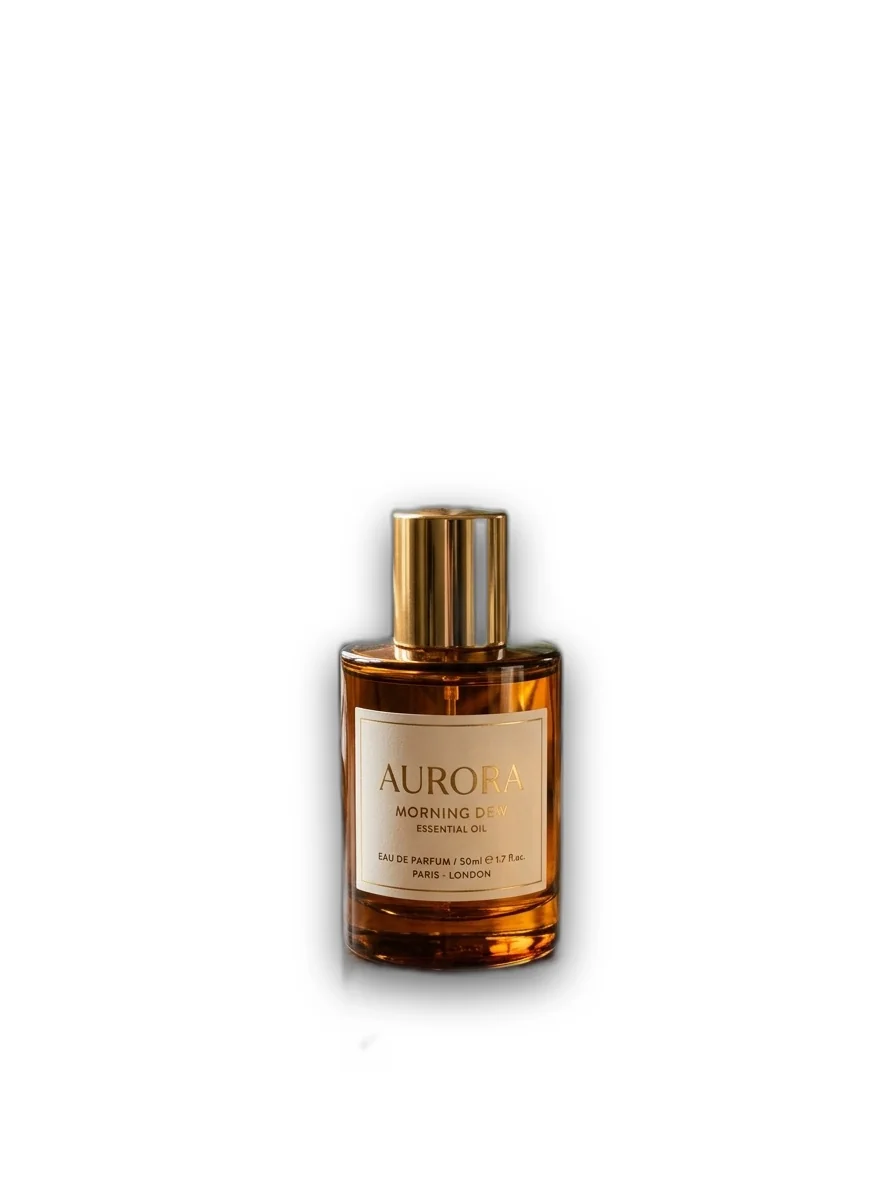
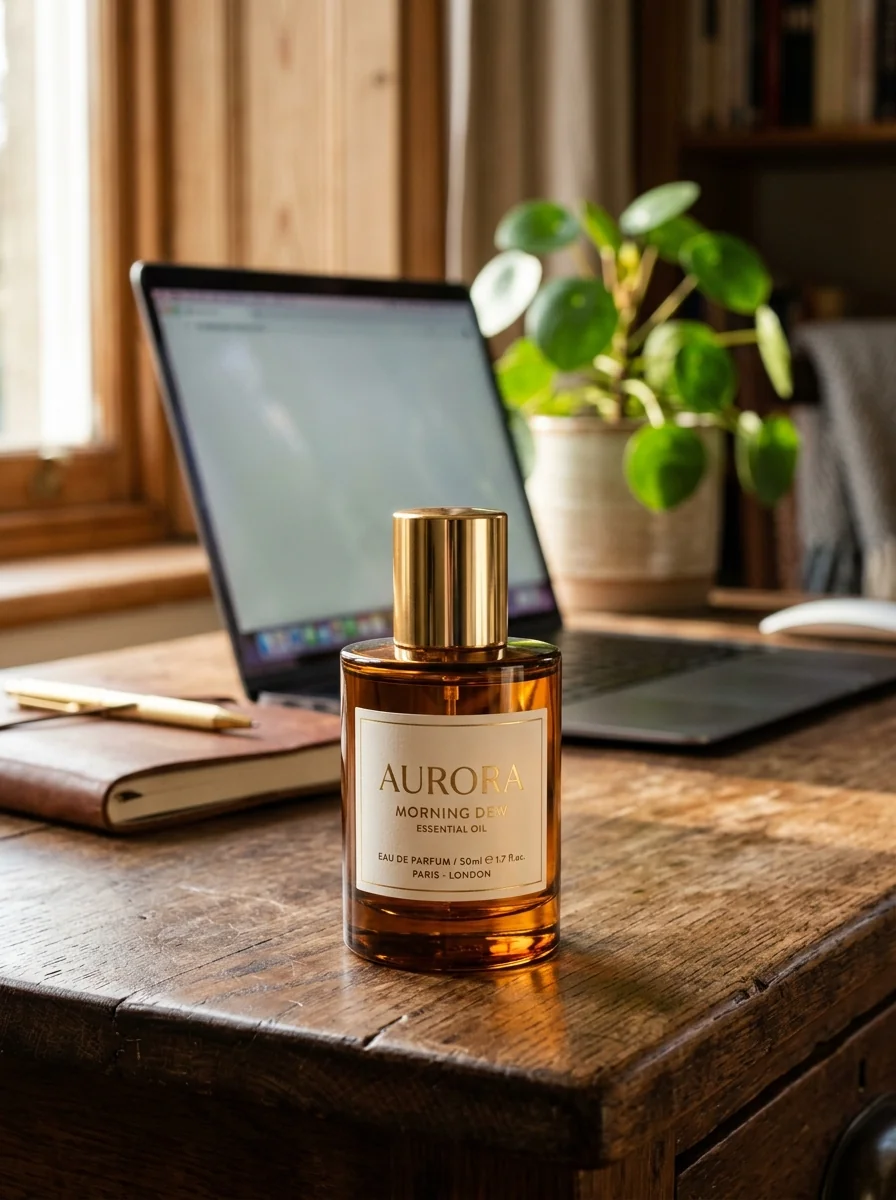
↔ Slider at 50% · Drag left or right to inspect every pixel.
Clean background cutout — fine hair isolation and e-commerce ready
- 01 · Fine Edges & Transparent Glass IsolationAccurately maps glass bottle reflections and intricate contours with zero background bleeding or clipped corners.
- 02 · E-commerce White Background & Contact ShadowPlaces subject on pure white (#FFFFFF) with an automated contact shadow, meeting 100% Amazon and Shopee standards.
- 03 · Batch Process Entire Product FoldersDrop hundreds of phone photos into a folder; the script batch processes and outputs transparent PNGs or white JPGs.
What it does & Key differentiators
Cut the subject out and put a clean background behind it, on your own machine.
7-Day Buyer Protection & Refund Guarantee
Automated delivery with transparent refund protection and direct technical support:
- Refund requests within 7 days of purchase, when meeting the following conditions:
- File not delivered yet: 100% refund.
- File does not run: 100% refund or hands-on help to make it run.
- File delivered and running correctly: no refund.
- Refund approved: the money is back in your account within 15 days.
- ✓Runs through the AI agent on your computer; input and output files stay on your machine.
- ✓Unlimited image/video processing, zero monthly subscription fees.
- ✓Direct 1-on-1 technical support via WhatsApp until fully working.
What you get when you buy
The AI working prompt
Paste it into ChatGPT or Gemini with your photo: it works right away, no prompt writing needed.
Runs on your own machine
Needs Python 3.9+ on Windows, macOS or Linux. No discrete graphics card required; light models run on modest machines.
The fixes for common errors
The errors that actually came up while doing this, and how to fix them, the part free guides almost never include.
A local install for heavier work
Batch mode: one command for a whole folder, not one image at a time.
What is in the package
- SKILL.mdAI Agent skill file: detects product subject, triggers background removal, backdrop color swap, and contact shadow.
- scripts/remove_bg.pyOffline Python engine (rembg + Pillow) running on CPU, batch processing whole product folders automatically.
- HUONG-DAN.md & huong-dan-khach-hang.htmlBilingual visual guide explaining --bg-color, --bg-image, --shadow parameters, and batch folder workflows.
- anh-truoc-sau/Sample before & after reference photos to verify edge cutout quality and soft shadow realism immediately.
Inside the method file
- Clean PNG transparent cutout preserving delicate edges, fine hair, and glass/transparent materials.
- Automatic background replacement with e-commerce white (#FFFFFF) or custom brand color hex.
- Soft contact shadow generation (--shadow) ensuring realistic product grounding on new backgrounds.
- Batch folder processing (--input-dir, --output-dir) to convert hundreds of catalog photos in a single command.
Included Guide & Support
Step-by-step guide with ready-to-use prompts for your AI Agent or local CLI. Included as HUONG-DAN.md and visual HTML guide inside the .zip package.

Direct technical support · WhatsApp 84813967222
Or tap here to open WhatsApp→✓ After buying you are invited to the shared support group for Q&A and updates.
Practical Comparison
| By hand | Manual pen tool outlining takes 15-20 mins per product item |
| Outsourcing | Pay-per-photo fees add up quickly for hundreds of new catalogue SKUs |
| Dùng Skill AI | Batch cutouts for whole folders in 1 command, auto-adds #FFFFFF white background and soft shadows |
Which open-source software it builds on
- rembg24,744 GitHub stars · licence MIT
We do not sell free open-source software. What you pay for is the engineered AI workflow, templates, and guide. See open-source credits.
Ready to automate image workflows on your machine?
100% face lock, unlimited repeats, produce hundreds of images daily.